

AlgoWay
Execute every TradingView strategy without manual order entry: unique webhook UIDs and ready-to-use alert templates turn TradingView alerts into broker orders across forex, CFDs, stocks, futures, and crypto, with no code required.
Listing not yet reviewed by our editors · How we check
Overview
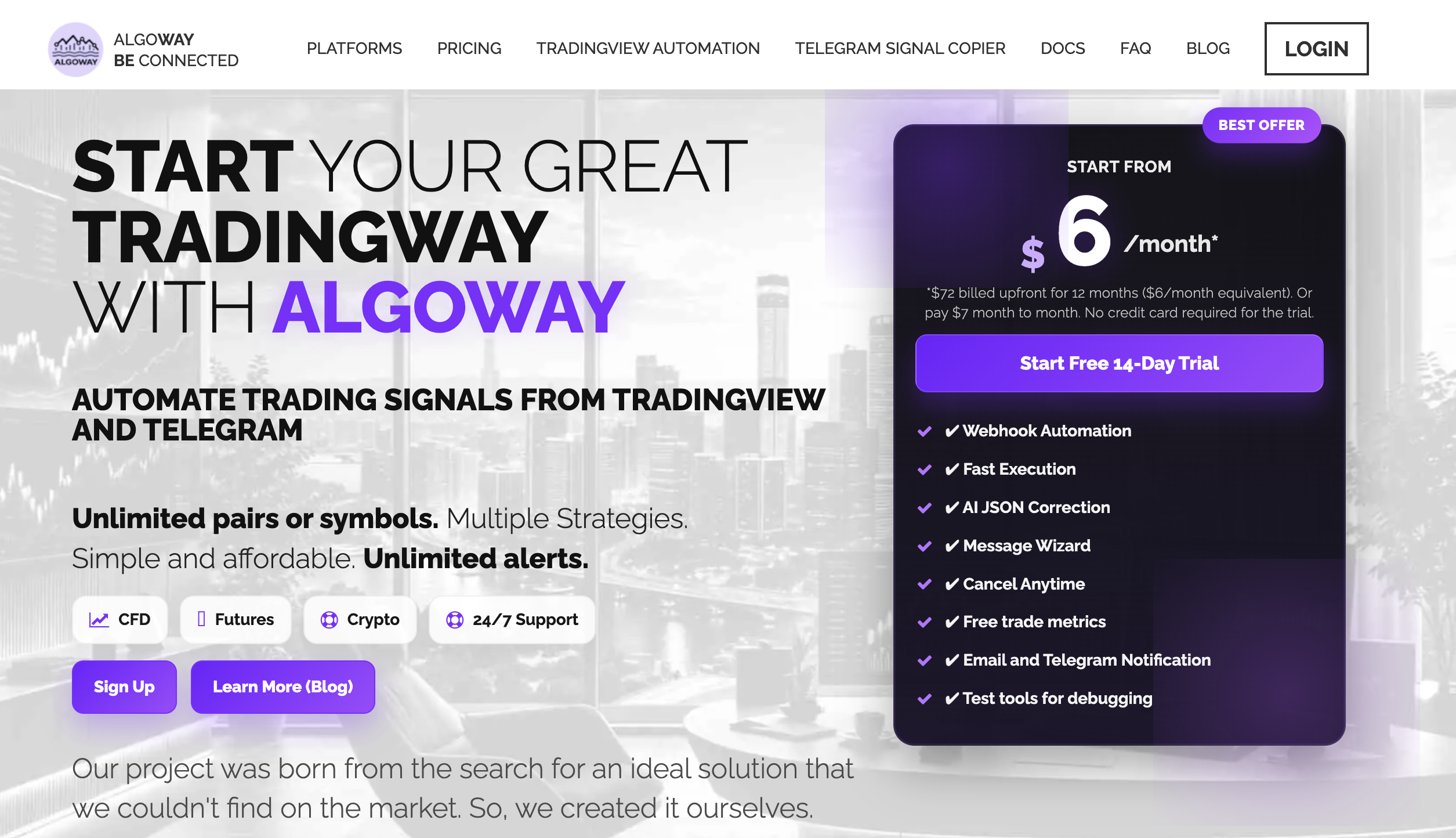
- Execute every TradingView strategy without manual order entry: unique webhook UIDs and ready-to-use alert templates turn TradingView alerts into broker orders across forex, CFDs, stocks, futures, and crypto, with no code required.
- Act on Telegram trading signals the moment they arrive: the AI Telegram signal copier extracts instrument, direction, entry, stop-loss, and take-profit, then amends open trades in real time when a channel posts a changed stop-loss or a close instruction.
- Trade the same setup on several accounts at once: multi-platform routing sends one TradingView alert to destinations such as MetaTrader 5 and Binance simultaneously.
- Mirror positions between trading platforms: the MT5-to-cTrader trade copier keeps size, direction, and risk parameters and follows each platform's hedging or reversal settings.
- Automate futures and prop firm trading: direct integrations with Tradovate, Rithmic, and ProjectX let webhook signals place futures orders on funded or evaluation accounts where the firm permits automation.
- Keep exits disciplined on every trade: automated stop-loss and take-profit management, partial take-profit exits, trailing stops, and breakeven moves run on any broker or exchange that supports those order types.
- Go live with broken alerts already fixed: AI-assisted JSON correction repairs malformed webhook payloads, the Message Wizard configures incoming messages, and the webhook tester shows the parsed order and execution log before real money moves.
- Place orders on the right instrument every time: symbol mapping converts TradingView tickers into each broker's ticker format.
- Catch rejected or failed orders immediately: email and Telegram notifications, real-time execution logs, and trade metrics show which orders were accepted, rejected, or failed.
- Scale strategies without hitting caps: unlimited alerts, symbols and pairs, strategies, and custom webhook integrations apply to every account.
- Keep automation running around the clock: optional Windows VPS hosting at $12 per month provides a hosted trading environment that stays online 24/7.
- Protect brokerage and exchange access: API keys and credentials are encrypted at rest, sent only over HTTPS/TLS, and the dashboard is secured with optional 2FA.
- Start automated trading at low cost: plans start at $6 per month billed annually or $7 month-to-month, and a 14-day free trial with full access needs no credit card.
Pros & Cons
From the listing; not yet checked by our editors.
Pros
- One-click webhook UID creation
- Unlimited symbol monitoring
- Multiple concurrent strategies support
- Automatic JSON validation
- Payload building wizard
- Built-in order debugging tools
- Real-time data processing engine
- Native API fast execution
- Optional low-latency Windows VPS
- Free trade metrics dashboard
- Email and Telegram alerts
- No credit card trial
- Cancel anytime subscription
- Supports spot and futures
- Crossexchange order routing
- Secure encrypted API storage
- 30+ exchange integrations
- Lowcode automation interface
- Customizable risk parameters
- Integrated backtesting module
- Unlimited alert capacity
- Multiplatform webhook management
- High-frequency webhook handling
- JSON correction reduces payload errors
- Message wizard streamlines alerts
- Realtime risk monitoring
- Community signal sharing feature
- Unified API across platforms
- Fast order execution latency
- Scalable to unlimited pairs
- Builtin metric export CSV
- Automated email notification templates
- Telegram bot integration
- Multistrategy priority queue
- Secure OAuth credential handling
- Adaptive throttling for API limits
- Live debug console
- Multiexchange position sync
- Auto-reconnect on network drop
- Custom webhook payload mapping
- Zerocode setup for traders
- Preconfigured platform manuals
- Realtime order status updates
- API call usage analytics
- Integrated compliance logging
- Multicurrency portfolio support
- Flexible leverage configuration
- Supports both hedging and netting
- Automatic failover to backup exchange
- 14day free trial period
Cons
- Concurrent webhook limit: 22
- Backtesting must be external
- VPS incurs additional fee
- Discount only via annual upfront
- No native strategy editor
- Limited order type options
- Debugging tools minimal functionality
- Closed-source, no code access
- Latency claims unverified
- Mobile monitoring app absent
Alternatives to AlgoWay
Tools that share the most tags with AlgoWay.
- Tradytics
Execute profitable trades using the same data as Wall Street professionals through AI-processed options flow data and premium scanners
Paid · from $69/month
$69/month
Not yet checked
- MiDash AI
Build a personalized AI trading bot without writing a single line of code by simply describing your strategy in plain English or Arabic.
Freemium · from $29/month
$29/month
Not yet checked
- Magia Trade
Execute trades automatically 24/7 with AI-powered trading bots that never miss market movements
Not listed
Not listed
Not yet checked
- DipSway Crypto Trading AI bot
Generate passive crypto income 24/7 with cloud-based automation that trades even when you're offline
Freemium · from $15.83/month
$15.83/month
Not yet checked
- Wisdomise
Execute personalized investment strategies tailored to your risk profile with AI-powered dynamic allocation for each coin
Freemium
Not listed
Not yet checked
- Portfolio Pilot
Achieve 3-6% higher returns with AI-driven portfolio analysis that identifies specific risks and improvement opportunities
Freemium · from $29/month
$29/month
Not yet checked
Reviews
Rate this tool
Loading reviews...
Frequently asked questions
How do I connect my TradingView alerts to AlgoWay without writing any code?
On their website you create a unique webhook UID, enter your broker credentials, then in TradingView set the alert’s webhook URL to that UID. Use AlgoWay’s Message Wizard and ready‑to‑use alert templates to map the alert fields to order parameters, and the AI‑assisted JSON correction validates the payload—no coding required.
Can AlgoWay automatically copy Telegram signals and place the trades for me?
Yes. AlgoWay’s AI Telegram Signal Copier reads incoming Telegram messages, extracts instrument, direction, entry, stop‑loss, take‑profit and management instructions, then sends structured orders to the connected broker automatically.
Which brokers and exchanges does AlgoWay support for automated order execution?
Supported destinations include MetaTrader 5, cTrader, TradeLocker, Match‑Trader, DXtrade, Alpaca, Capital.com, Interactive Brokers, Tradovate, Rithmic, ProjectX, Binance, Bybit, OKX, WEEX, Toobit, BitGet, BingX, Coinbase, Kraken, KuCoin, Gate.io, MEXC, HyperLiquid and many other crypto exchanges and brokers listed on their platform.
Is there a limit on the number of symbols or alerts I can use with AlgoWay?
AlgoWay offers unlimited symbols/pairs and unlimited alerts per account.
What order types (market, limit, stop, trailing) can AlgoWay send to my broker?
The platform can send market orders, limit orders, stop orders, and where supported also trailing stops, stop‑loss, take‑profit, partial exits and breakeven adjustments.
How does the AI handle updates to a Telegram signal, like a changed stop‑loss?
The AI recognises update messages such as changed stop‑loss levels or position closures, parses the new values and amends the existing open order or trade in real time according to the user’s configured rules.
Can I use AlgoWay to trade futures on platforms like Tradovate or Rithmic?
Yes. AlgoWay integrates with futures‑focused platforms including Tradovate, Rithmic and ProjectX, allowing TradingView alerts or webhook signals to execute futures trades automatically.
Does AlgoWay work with prop‑firm accounts, and are there any restrictions?
AlgoWay can act as a trade copier or execution bridge for funded or evaluation prop‑firm accounts, but automation is only allowed if the specific firm’s policies, account permissions and risk limits permit it. Users must verify compliance themselves.