

AnythingLLM
Keep sensitive files and conversations off third-party servers. Document chat, RAG, and the vector database run entirely on your computer, work offline, and connect only to services you explicitly connect.
Listing not yet reviewed by our editors · How we check
Overview
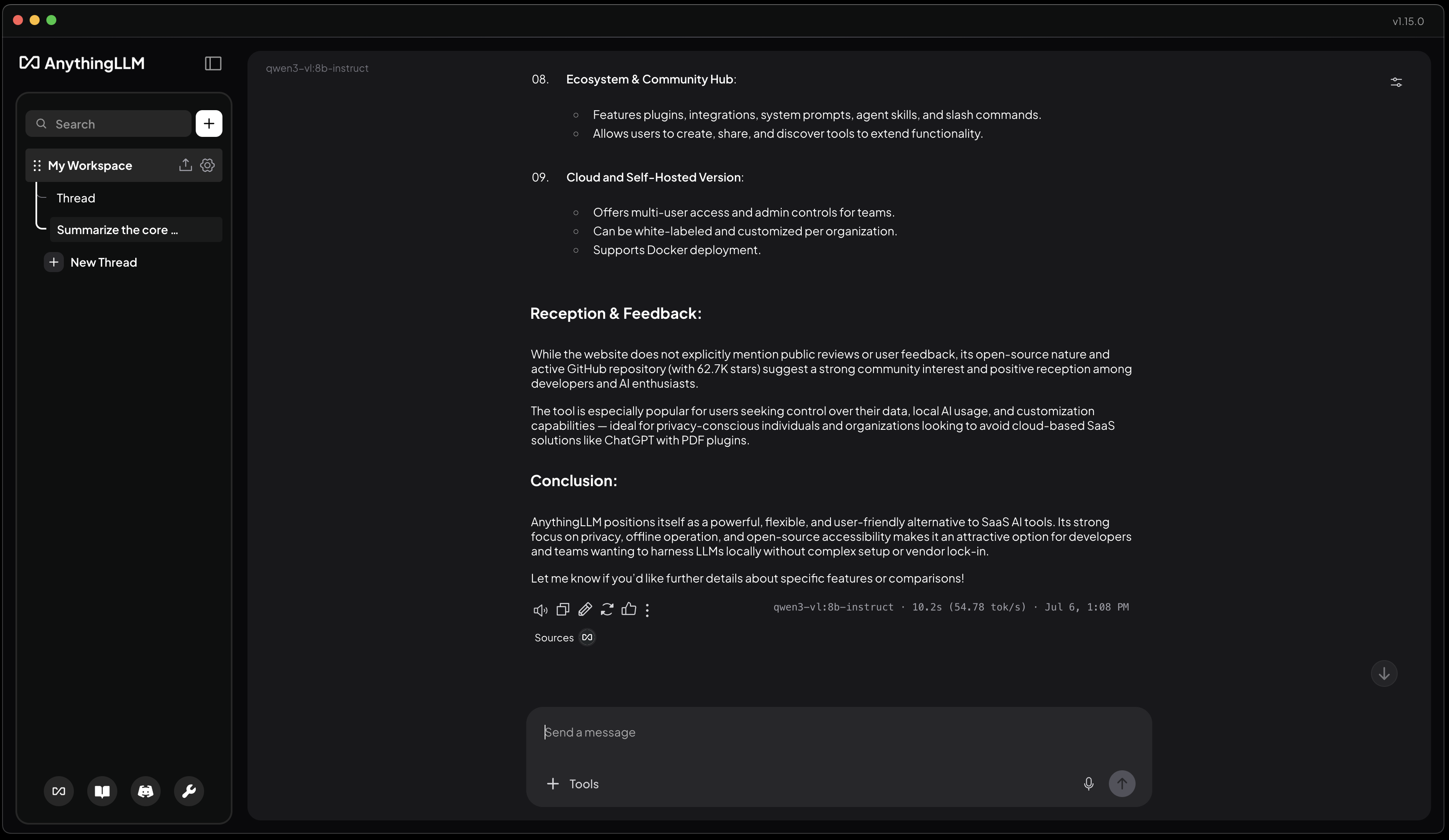
- Keep sensitive files and conversations off third-party servers. Document chat, RAG, and the vector database run entirely on your computer, work offline, and connect only to services you explicitly connect.
- Start using a local LLM minutes after download. One-click installation turns any Mac or Windows PC into an AI PC with no setup or API keys, and small on-device models use few enough resources that you keep working while agents run.
- Turn one request into finished research and deliverables. Built-in agents search the web, run deep research, connect to Gmail and Outlook, and generate PDFs and PowerPoint presentations from a single chat.
- Get work done by speaking. Smart Dictation cleans up your spoken words, and Magic Echo sees your open windows so voice commands execute tasks, not just transcribe them.
- Fill out forms and write faster without typing everything. Context-aware text completion fills empty fields with a click and suggests typeahead text based on what you type and what is on screen.
- Act on any text without leaving the window you are in. Magic Beacon launches workflows from highlighted text anywhere, and a single keypress opens a floating desktop assistant that sees what you see.
- Leave every call with notes, action items, and a full speaker transcript, without a bot joining. The built-in meeting assistant writes a custom summary at the end of each meeting.
- Remove repetitive work from your day. Background Jobs run scheduled, recurring prompts and tasks automatically without you prompting the agent each time.
- Balance cost, privacy, and output quality on every request. A rule-based model router switches between local open-source models like Llama and Mistral and cloud models like GPT-4, with no lock-in to a single provider.
- Build AnythingLLM into your own workflows and team. The open-source codebase, developer API, MCP support, customizable interface, and multi-user support let you tailor it for internal and external use.
Pros & Cons
From the listing; not yet checked by our editors.
Pros
- Runs on specialized silicon like the NPU
- Supports multiple languages
- Built in agents and tools
- OS Native expierence
- On device tooling built in
- Privacy-focused design
- Operable without internet
- Compatible with various LLM
- Chat with any document
- Advanced developer API
- Installable on any desktop
- Compatible with MacOS and Windows
- Supports open-source models
- Standalone application capability
- Plug-in-free operation
- One-click installation
Cons
- Can require mid-tier PC for best performance
- Limited Linux support
- Over-reliance on personal customization
- No automatic updates indicated
Alternatives to AnythingLLM
Tools that share the most tags with AnythingLLM.
- ChatGPT Atlas
Get instant answers and summaries without leaving your current webpage through integrated AI assistance
Freemium · from $20/month
$20/month
Not yet checked
- TheLibrarian.io
Start each day with a clear overview of meetings and priorities through automated morning briefs that consolidate your schedule
Free trial · from $49.99/month
$49.99/month
Not yet checked
- Runable
Execute complex digital workflows instantly using natural language commands without manual coding or technical skills
Freemium · from $20/month
$20/month
Not yet checked
- remio: Your Personal ChatGPT
Never lose important ideas with one-click auto-capture that saves web highlights and YouTube transcripts instantly
Freemium · from $14/month
$14/month
Not yet checked
- Private AI Assistant
Keep all your conversations and data completely private with AI that runs locally on your device, never sending information to the cloud
Not listed
Not listed
Not yet checked
- Affint
Create presentation-ready slides and reports from raw data in minutes instead of hours using AI-powered document creation
Free trial · from $20/month
$20/month
Not yet checked
Reviews
Rate this tool
Loading reviews...
Frequently asked questions
What is AnythingLLM?
AnythingLLM is an AI business intelligence tool that provides a high degree of control for your Language Learning Model (LLM). It is designed for multi-user support for both internal and external operations, and it fully focuses on privacy, not communicating with any service without explicit connection. It is not tied to a single LLM provider and supports an array of models. This tool is also compatible with various document formats and has a customizable interface and developer API, allowing for a high level of personalization. It can function as a standalone application on your desktop, whether MacOS or Windows.
What is a Language Learning Model and how does AnythingLLM utilize it?
A Language Learning Model (LLM) is an artificial intelligence system designed for processing and understanding language-based data. AnythingLLM utilizes LLM by providing a utility that extends multi-user support and is geared towards both internal and external operations by maintaining privacy and compatibility with different types of LLM such as proprietary models, custom models, and open-source models.
How does AnythingLLM function without the internet?
AnythingLLM can function without internet connectivity as it operates with a privacy-focused design that only communicates with services that have been explicitly connected to it. This means it can run independently on your machine without the need for internet access.
What kind of models does AnythingLLM support?
AnythingLLM supports a wide variety of models. This includes but is not limited to proprietary enterprise models, tailored custom models, as well as open-source models.
What document formats does AnythingLLM handle besides PDFs?
Apart from PDFs, AnythingLLM also supports other diverse document formats including Word Documents. This broad range of document compatibility extends its utility in various operations.
Is AnythingLLM compatible with both MacOS and Windows operating systems?
Yes, AnythingLLM is compatible with both MacOS and Windows operating systems. It can be utilized as a standalone desktop application on these systems.
How does AnythingLLM ensure privacy?
AnythingLLM ensures privacy by operating with a design that only communicates with explicitly connected services. Moreover, it can function independently on your machine without requiring internet connectivity, thus enhancing its privacy.
Can AnythingLLM be customized according to user preference?
Yes, AnythingLLM can be customized according to user preference. With its customizable interface and the availability of an advanced developer API, the tool allows for a significant level of personalization and control.