

Anywear
Buy clothes online with confidence and cut sizing and style returns: an augmented reality overlay places the selected garment on your live image so you see the look before checkout.
Listing not yet reviewed by our editors · How we check
Overview
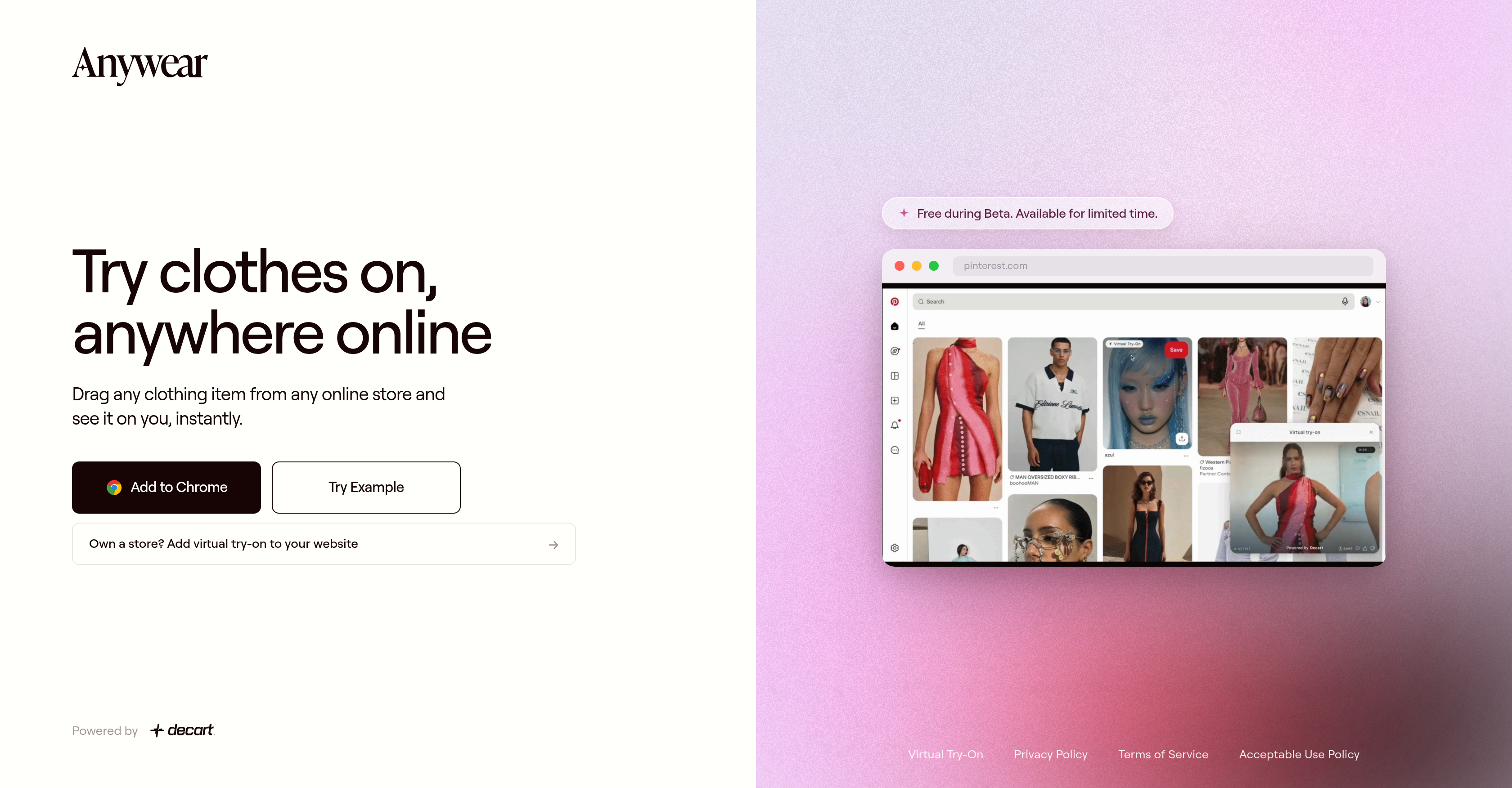
- Buy clothes online with confidence and cut sizing and style returns: an augmented reality overlay places the selected garment on your live image so you see the look before checkout.
- Check an outfit without leaving the product page: drag any garment straight from the store onto your camera view for an instant virtual try-on.
- Compare fashion across retailers in one fitting room: the virtual try-on works on any online clothing store, including Zara, ASOS, and Amazon.
- Start trying on clothes in seconds with no photo uploads or avatar setup: the live webcam feed becomes your fitting room mirror.
- Judge how a garment drapes and moves, not just how it looks in a still: the real-time preview updates as you turn and pose.
- Get a more true-to-body fit preview: removing a thick jacket or outer layer lets the garment map more closely to your shape.
- Add a virtual fitting room to your shopping routine at zero cost: Anywear is a free Chrome extension.
- Turn browsers into engaged buyers on your online store: shoppers try on your clothing virtually right on your product pages before purchasing.
Pros & Cons
From the listing; not yet checked by our editors.
Pros
- Free Chrome extension
- Cross-platform functionality
- Real-time clothing previews
- Supports multiple e-commerce platforms
- Enhances online shopping experience
- Potentially boosts customer sales
- Requires no photo upload
- Enables virtual 'try on'
- Versatile fashion technology
- Can install on all online-stores
- Supports individual and business users
- Increases user engagement
- Operates with device's camera
- Advances retail innovation
- Improves customer experience
- Requires removing only outer layer
- Helps visualize before buying
- Untethered from specific brand stores
- Supports major stores like Amazon
- Requires no additional software
- Can instantly switch looks
- Provides store owners added value
- Augmented reality integration
- Nonobtrusive extension
- Utility for uncertain buyers
- Can boost online store engagement
- Promotes easier clothing selection
- Broadens customer choice
- Timesaving fashion tool
- Encourages exploratory shopping
- Privacy friendly
- Efficient drag-and-drop operation
- Multiplies virtual wardrobe options
- Reimagines virtual fitting rooms
- Increases retail outlets' reach
- Interactive customer experience
- Avoids fitting room hassles
- E-commerce game-changer
- customer referral acknowledgment
Cons
- Chrome exclusive
- Real-time preview issues
- Accuracy dependent on camera quality
- Limited outerwear application
- Product placement may be inaccurate
- Inconsistent with different e-commerce platforms
- Privacy concerns with camera usage
- Drag and drop interface issues
- May not simulate fit accurately
- Requires constant internet connection
Alternatives to Anywear
Tools that share the most tags with Anywear.
- Tryonr | Clothes Changer
See exactly how any outfit looks on you before buying—upload a garment photo and your own, and Tryonr generates a realistic AI virtual try-on in minutes.
Paid · from $7.99/month
$7.99/month
Not yet checked
- ClothesChangerAI.net
Instantly transform any photo into a new outfit with AI clothes changer—upload a garment image or describe your desired look, and the AI applies it seamlessly.
Free trial · from $8.39/month
$8.39/month
Not yet checked
- Photo Studio Gen
Know exactly how any outfit looks on your body before you buy, using AI virtual try-on that preserves your original face, posture, and body while mimicking real fabric fit and lighting
Paid · from $1/unit
$1/unit
Not yet checked
- Lookora
Answer "what should I wear today?" every morning using clothes you already own: the AI stylist reads your digital wardrobe and builds outfits from it.
Freemium · from $0.99/unit
$0.99/unit
Not yet checked
- Fash Studio
Launch new collections without booking models, studios or photographers: AI virtual try-on turns flat lays, ghost-mannequin shots and plain product photos into realistic on-model images.
Paid · from $15/month
$15/month
Not yet checked
- AIBikini
Get swimsuit photos without booking a photoshoot: upload one JPG, PNG, or WebP photo and the AI bikini try-on swaps your outfit for a new swimsuit look.
Paid · from $14.90/month
$14.90/month
Not yet checked
Reviews
Rate this tool
Loading reviews...
Frequently asked questions
What is Anywear?
Anywear is a virtual tool, designed as a free extension for the Chrome browser, that permits users to try on clothing virtually from any online store. The tool's primary objective is to enhance the online shopping experience by providing a 'virtual fitting room'.
How does Anywear work for online clothing shopping?
Anywear works by allowing users to select a garment from any online store, drag it onto an image of themselves as viewed through their device's camera, and see how the item would look instantly. It provides a real-time virtual try-on experience.
Is Anywear free to use?
Yes, Anywear is free to use.
What devices and browsers support the Anywear extension?
Anywear currently supports the Chrome browser only. The requirement for devices is not specified, but it's assumed that it will work on any device capable of running the Chrome browser and having a camera.
Do I need a webcam to use Anywear?
Yes, a webcam is required to use Anywear. It uses the real-time image from your webcam to facilitate the 'virtual fitting room' experience.
Does Anywear work with all online clothing stores?
Anywear is designed to operate across multiple e-commerce platforms and does not explicitly limit its use to specific online clothing stores.
How does Augmented Reality come into play with Anywear?
Augmented Reality comes into play in the way that Anywear allows users to virtually try on clothes. The technology overlays the image of a selected garment onto the user's real-time image, creating a seamless impression of the user 'wearing' the item.
Does Anywear work exclusively with major brands like Zara, ASOS, and Amazon?
No, Anywear is not exclusively designed for Zara, ASOS, and Amazon. It's designed to work with any online store, offering wide-ranging compatibility.