

AudioDrama
Produce a full-cast audio drama without booking voice actors: write or paste a script in simple Name: line format, and automatic character detection assigns each speaker a distinct voice, up to 16 characters including the Narrator.
Listing not yet reviewed by our editors · How we check
Overview
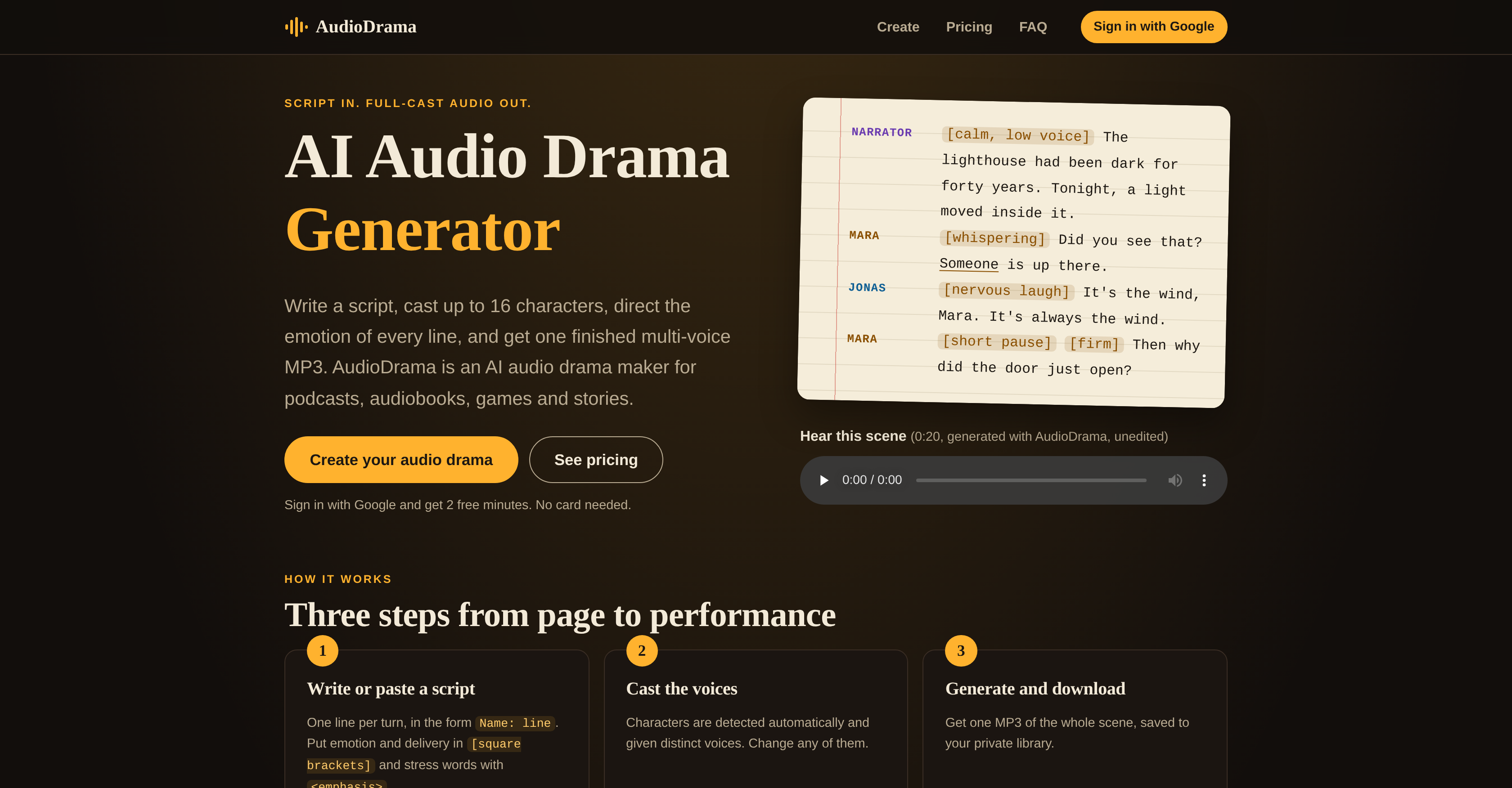
- Produce a full-cast audio drama without booking voice actors: write or paste a script in simple Name: line format, and automatic character detection assigns each speaker a distinct voice, up to 16 characters including the Narrator.
- Get the emotional performance you want on every line: bracketed stage directions such as [whispering], [angry], laughter, or [short pause] shape the delivery without being spoken aloud, and emphasis tags stress the exact words that matter.
- Revise a performance in seconds instead of re-recording: edit the direction text on any line and regenerate the scene, with no need to record and assemble each character's audio again.
- Hear dialogue that flows like a real conversation: the whole scene is generated in one pass as a single MP3, which preserves pauses and turn-taking and removes the work of stitching separate text-to-speech clips together.
- Drop finished audio straight into your production pipeline: download the complete MP3 for audio editors, podcast hosting services, or game engines.
- Match each character's voice to its role: choose from 16 curated English voices, including narrator styles, younger and older voices, and British, Irish, and Australian accents, and swap any character's voice before generating.
- Prototype faster for games, animation, and short video stories: generate placeholder dialogue and draft performances early, and split longer audiobook or podcast stories into chapters within the 6,000-character script limit.
- Spend only what you actually use: credits never expire, unused reserved credits are returned after each generation, and failed generations are fully refunded.
- Start without financial risk: new accounts get 2 free minutes through Google sign-in with no credit card required, and sample scenes let you hear voices and directions before you create your own.
- Keep every take organized and private: finished recordings are saved to a private account library where you play, download, or delete them.
Pros & Cons
From the listing; not yet checked by our editors.
Pros
- Automatic character detection
- Up to 16 script characters
- Scripts up to 6,000 characters
- Unlabeled lines use narrator
- Editable cast before generation
- Distinct voices per character
- 16 curated studio voices
- Multiple narrator styles
- Younger and older voices
- British, Irish, Australian accents
- Line-level delivery directions
- Bracketed directions stay unspoken
- Scripted pauses and laughter
- Word-level emphasis tags
- Change delivery through text edits
- No separate character-track assembly
- Full scene rendered in one pass
- Single MP3 for the scene
- Designed to preserve turn-taking
- Private library for saved dramas
- Play, download, or delete creations
- Sample scenes before creating
- Examples include multiple cast sizes
- Browser-based script workflow
- Plain-text script input
- Downloadable for editors and game engines
- Two free signup minutes
- No card needed for signup
- Credits do not expire
- One-time credit packs
Cons
- Maximum 16 characters
- Scripts capped at 6,000 characters
- Built-in voices are English
- No voice cloning
- Outputs one MP3, not separate clips
- Requires one speaker per line
- Unlabeled lines use the narrator
- Non-English results may vary
- Stage-direction results may vary
- Long scripts require chapter splitting
Alternatives to AudioDrama
Tools that share the most tags with AudioDrama.
- ZenMic | Audio Drama Maker
Go from a single story idea to a finished, publish-ready audio drama episode: describe the situation in one sentence and the AI audio drama maker writes and voices the full episode.
Free trial · from $9/month
$9/month
Not yet checked
- Imaginode Drama Studio
Launch an audio drama series without scriptwriting experience: a two-sentence story idea becomes a complete series bible with characters and their voices, locations and soundscapes, story threads, a music theme and a season outline.
Paid · from $7/unit
$7/unit
Not yet checked
- Jellypod AI Audio Drama Maker
Go from premise to a performed fiction podcast episode without hiring a cast: describe a story idea and get a written audio drama script with named speaking roles and assigned voices, or import your own script and have each named speaker turned into a character.
Free trial · from $30/month
$30/month
Not yet checked
Reviews
Rate this tool
Loading reviews...
Frequently asked questions
How do I format a script for AudioDrama?
Write or paste plain text with one speaker per line, formatted as `Name: line`. Lines without a speaker name are read by the Narrator. Add delivery directions in square brackets and wrap words in the emphasis tags to stress them.
Does AudioDrama automatically detect characters and assign voices?
Yes. AudioDrama detects characters from the script and assigns each a distinct voice automatically.
Can I change a character’s voice before generating audio with AudioDrama?
Yes. You can change the character voices before generating the recording.
How do I add emotion, pauses, or emphasis in an AudioDrama script?
Put delivery directions such as `[whispering]`, `[angry]`, or `[short pause]` in square brackets on the line. Wrap a word in `...` to stress it.
Will AudioDrama read bracketed stage directions aloud?
No. AudioDrama treats bracketed directions as performance instructions, not spoken text.
How many characters can I include in one AudioDrama script?
Up to 16 characters, counting the Narrator.
What is the maximum script length AudioDrama supports?
A script can be up to 6,000 characters long.
Does AudioDrama generate one MP3 or separate clips for each character?
AudioDrama generates the whole scene in one pass as a single MP3, not separate clips for each character.