

Bulin AI
Put yourself or anyone else in the starring role without filming a single scene: the AI video generator takes the movement from your source clip and combines it with one uploaded photo to build a transformed character video.
Listing not yet reviewed by our editors · How we check
Overview
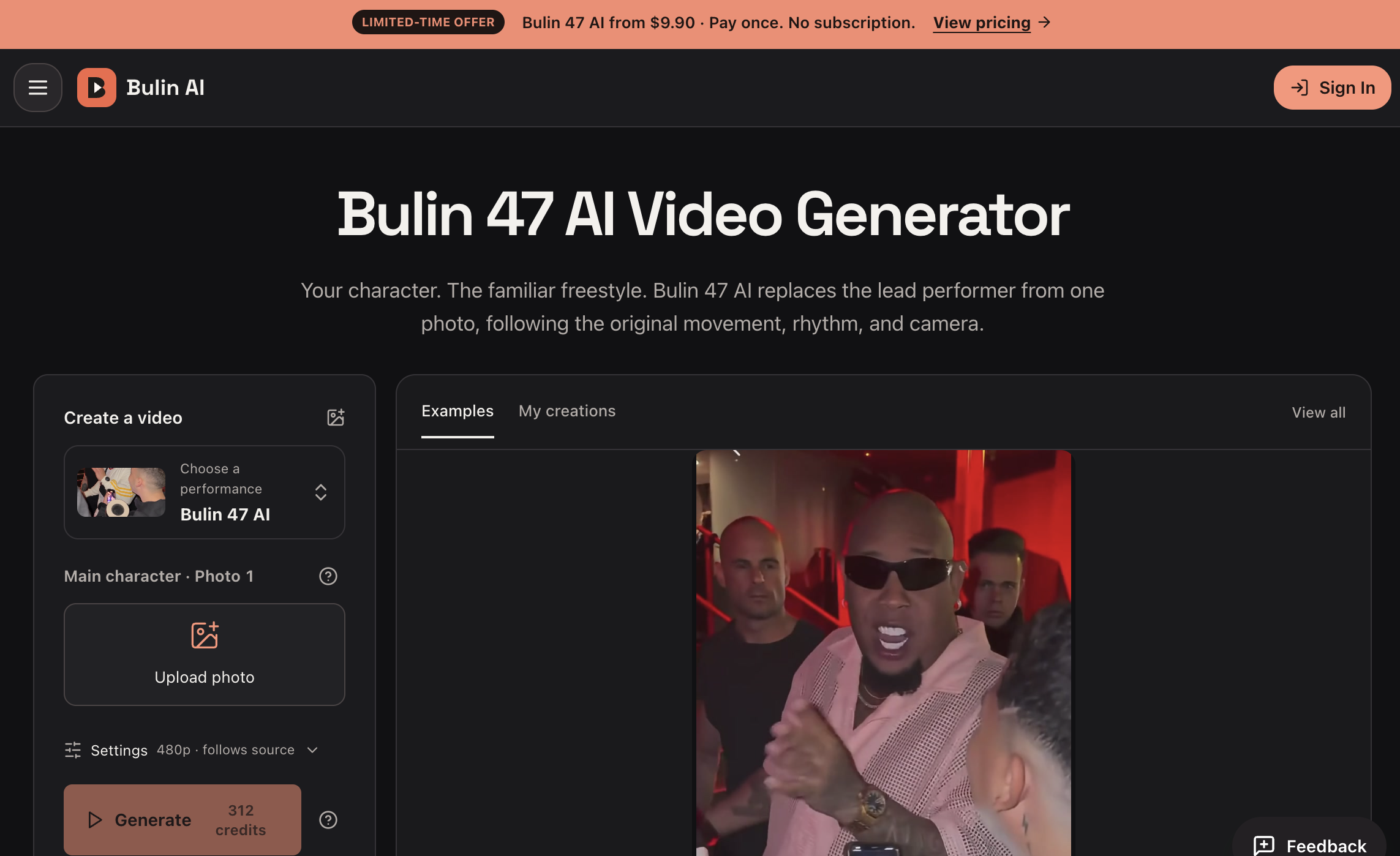
- Put yourself or anyone else in the starring role without filming a single scene: the AI video generator takes the movement from your source clip and combines it with one uploaded photo to build a transformed character video.
- Get a lead character who looks like your reference from frame to frame: AI character replacement carries over the outfit, hairstyle, body shape, and visible accessories from a clear upper-body photo.
- Keep the original choreography and timing: the new lead follows the source video's movement, rhythm, and scene composition, so dance clips, skits, and action shots keep their pacing.
- Keep the soundtrack in sync with the action: the original audio is retained for continuity of rhythm and feel, so your face swap video sounds like the source. The tool does not generate a new voice.
- Get usable results in crowded scenes: the video character swap handles surrounding characters, hands, and overlapping objects instead of breaking when the lead interacts with them.
- Shape the result before you publish: quality review and optional custom prompts let you steer how the replaced character appears in the final video.
- Animate fictional characters as well as real people: upload an illustrated or invented character and see it perform the original clip's motion, with illustrated details adapted to realistic movement.
- Use your videos in commercial projects: generated content is cleared for commercial use once you hold permissions for the photo, the people shown, the source performance, and the soundtrack.
- Create videos with no subscription: standard 480p preset videos are a one-time purchase at $9.90 for one, $19.90 for three, or $29.90 for five, with credits for custom prompts and higher resolutions sold separately.
Pros & Cons
From the listing; not yet checked by our editors.
Pros
- Replace lead character
- Use any uploaded photo
- Retains character's appearance
- Follows original movements
- Creates new video sequence
- Quality review option
- Maintains original audio
- Changes to surrounding characters
- No filming required
- Preserves rhythm and scene
- Handles overlapping objects
- Transforms using a photo
- Customization of videos
- Body Tracking
- Scene Recreation
- Digital Transformation
- 3D Modeling
- Image Processing
- Facial Recognition
- Virtual Reality
- Motion Capture
- Clothing Simulation
- Deepfake Technology
- CGI
- Video Editing
- Personalization option
- Single photo integration
- Original scene and timing
- Preset options available
- Unique character replacement
- Downloadable results
- Capabilities for Community adaptations
- Original sound preservation
- Settings customization
- Visible accessories retained
- Audio status shown
- Easy workspace review
- Integrated charge system
- 480p quality video
- No subscription required
- Upload image visibility
- Quality options review
- Preloaded performance reference
- Inspect before download
- Synthetic media labelling
- Pay once for videos
- Editable instructions
- Proportional refunds policy
- Checkable generation history
- Invites creative directions
- Community adaptation have']-Friendly design and UI
Cons
- Requires clear upper body image
- No character voice recording
- Surrounding characters unchanged
- Limited to one character
- No custom performance
- Selective customization
- Surrounding objects aren't clear
- Quality review is optional
- Limited to 480p resolution
- Single genre- freestyle
Alternatives to Bulin AI
Tools that share the most tags with Bulin AI.
- Fotor AI Kiss
Create viral social media content instantly by transforming any portrait into engaging kissing videos for platforms like TikTok and Instagram
Freemium · from $3.33/month
$3.33/month
Not yet checked
- ASMR-AI.art
Launch your ASMR channel without expensive mics or a studio by generating professional videos from simple text prompts.
Paid · from $19.90
$19.90
Not yet checked
- AI Kissing Video Generator
Transform static portrait photos into fluid, romantic kissing animations using deep learning models trained specifically on romantic interactions
Free trial · from $9.90/month
$9.90/month
Not yet checked
- AI-ASMR.co
Launch viral ASMR content in minutes using pre-built templates for cutting fruits, whispering, and other proven formats without writing prompts
Free trial · from $7.92/month
$7.92/month
Not yet checked
- ASMR.so
Transform unique ideas into distinct ASMR videos by specifying sound descriptors and ambient requirements for truly personalized results
Paid · from $9.90
$9.90
Not yet checked
- AI Facefy | AI Kissing Video Generator
Transform static photos into a realistic romantic keepsake with advanced video animation technology
Freemium · from $7.99/month
$7.99/month
Not yet checked
Reviews
Rate this tool
Loading reviews...
Frequently asked questions
What is the Bulin 47 AI Video Generator?
Bulin 47 AI Video Generator is a specialized tool that enables users to replace the lead character in a video with a chosen entity, using just a single uploaded photo. This AI can recreate the video scene with the character from the uploaded image taking over the original lead role. It has a range of capabilities from body tracking and image processing to AI video generation.
How does Bulin 47 AI Video Generator replace the lead character with my chosen entity?
Bulin 47 AI Video Generator utilizes sophisticated algorithms and image processing techniques to replace the lead character in the video. The AI takes an uploaded clear image showing the character's upper body, outfit, and hairstyle and uses this to recreate the video scene with the new character replacing the original lead role. The recreated scene maintains the appearance, clothing, hairstyle, body shape, and any visible accessories of the character from the image.
What kind of image do I need to upload for using the Bulin 47 AI Video Generator?
Users should upload a clear photo that distinctly shows the character's upper body, outfit, and hairstyle. This image serves as the reference for the character to be placed in the video. The AI utilizes information from this image to recreate the video with the character replacing the original lead role.
Does the Bulin 47 AI Video Generator change the original audio?
While Bulin 47 AI Video Generator is capable of creating a completely new lead character, it does not create a new recording of the character's voice. Instead, it aims to maintain the original audio for continuity of rhythm and feel.
Can I review the video quality and enable custom prompts?
Yes, users have the option to review the video's quality. They can also enable custom prompts, providing them significant control over the video generation process.
Does Bulin 47 AI Video Generator handle changes to surrounding characters, hands or overlapping objects in the scene?
Yes, Bulin 47 AI Video Generator is designed to handle changes to surrounding characters, hands, or overlapping objects in the scene. This capacity stems from its advanced image processing and AI algorithms.
Do I need to physically perform or film any scenes to use the Bulin 47 AI Video Generator?
No, users of Bulin 47 AI Video Generator do not need to physically perform or film any scenes. The AI uses movement from the loaded clip and the uploaded photograph to create a transformed video, obviating the need for additional scenes to be filmed.
What does it mean that Bulin 47 AI enables 'character videos, your photo, the freestyle'?
'Character videos, your photo, the freestyle' refers to the ability of users to create customized videos using their chosen characters while following the original movement, rhythm, and scene from a source video. It denotes customization, personalization, and the freedom to experiment with generated videos.