

Burning Bridges AI
Star in the scene yourself with one lead photo that becomes the main character, mapped through face recognition onto the original performance.
Listing not yet reviewed by our editors · How we check
Overview
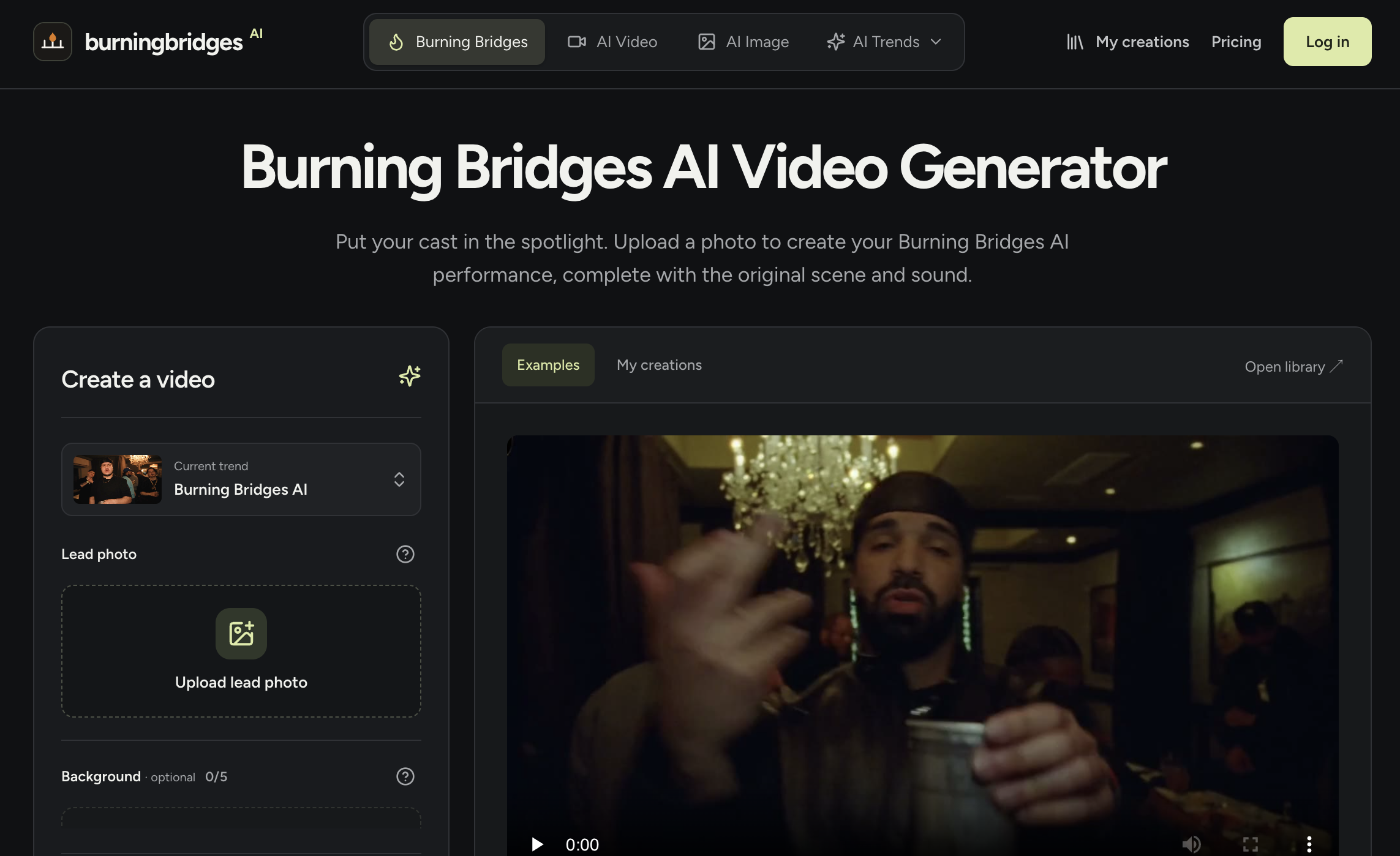
- Star in the scene yourself with one lead photo that becomes the main character, mapped through face recognition onto the original performance.
- Put friends, family, or your whole crew in the video by adding up to five supporting photos, each one recasting a different character who acts out the original scene.
- Keep your real look on screen, from hairstyle and clothing to body shape and accessories, because uploaded photos serve as the visual reference for every cast member's appearance.
- Get a polished result every time, with the original soundtrack, timing, gestures, and narrative preserved so your personalized video plays exactly like the source performance.
- Finish your first video without editing experience through a step-by-step guided workflow that runs automated video creation from photo upload to final output.
- Create a fresh version for every occasion, since each new set of photos produces a different recast of the same scene.
- Save only the version you love by previewing the finished video before downloading it.
- Recover missing audio in seconds with an audio retry that restores the soundtrack without regenerating the visuals.
- Get the most accurate likeness by uploading clear portraits that show the full person and outfit, because fine patterns, small logos, and tiny accessories get reinterpreted in the final AI video.
Pros & Cons
From the listing; not yet checked by our editors.
Pros
- Personalized video creation
- Incorporates user's photos
- Supports multiple photo uploads
- Easy user interface
- Step-by-step guidance
- Video preview available
- Downloadable content
- Video recast
- Includes Image Superimposing
- Automated video creation
- User interactive
- Multiple cast creation
- Original content adaptation
- Cinematic effects
- Visible hair mapping
- Clothing appearance mapping
- Shape and accessories mapping
- Unedited original performance
- Lead and supporting cast
- Community video examples
- Resolution selection
- Detailed process explanation
- Cost estimate provided
- Image repositioning
- Supports landscape orientation
- Soundtrack inclusion
- Single or group representation
- No choreography required
- Precise photo placement
- Multi-person edits
- Intricate cast description
- Discussion about photo selection
- Three-step creation process
- Browse community videos
- Multi-resolution choices
- Uses reference soundtrack
- Sound checking
- Automatic generation pricing
- Clear, unobstructed portraits
- Credits-based payment model
- Back and front characters
- Profile settings
- Generate button
- Image to Video functionality
- 16:9 video source
- 29 seconds long source
- No vertical framing control
Cons
- No duration editing
- No narrative customization
- No gesture edit
- Maximum 5 supporting photos
- No choreograph control
- Lacking visual detail control
- Cannot delete lead directly
- No vertical framing control
- No custom length control
Alternatives to Burning Bridges AI
Tools that share the most tags with Burning Bridges AI.
- Fotor AI Kiss
Create viral social media content instantly by transforming any portrait into engaging kissing videos for platforms like TikTok and Instagram
Freemium · from $3.33/month
$3.33/month
Not yet checked
- ASMR-AI.art
Launch your ASMR channel without expensive mics or a studio by generating professional videos from simple text prompts.
Paid · from $19.90
$19.90
Not yet checked
- AI Kissing Video Generator
Transform static portrait photos into fluid, romantic kissing animations using deep learning models trained specifically on romantic interactions
Free trial · from $9.90/month
$9.90/month
Not yet checked
- AI-ASMR.co
Launch viral ASMR content in minutes using pre-built templates for cutting fruits, whispering, and other proven formats without writing prompts
Free trial · from $7.92/month
$7.92/month
Not yet checked
- ASMR.so
Transform unique ideas into distinct ASMR videos by specifying sound descriptors and ambient requirements for truly personalized results
Paid · from $9.90
$9.90
Not yet checked
- AI Facefy | AI Kissing Video Generator
Transform static photos into a realistic romantic keepsake with advanced video animation technology
Freemium · from $7.99/month
$7.99/month
Not yet checked
Reviews
Rate this tool
Loading reviews...
Frequently asked questions
What is the Burning Bridges AI Video Generator?
Burning Bridges AI Video Generator is an AI tool that allows users to superimpose selected images into a predefined video and soundtrack to create a personalised video. Users can upload one lead photo and up to five supporting photos to recast the video. The tool turns these images into the main character and the supporting cast, mimicking the actions in the original scene.
How do I use the Burning Bridges AI Video Generator?
The user interface of the Burning Bridges AI Video Generator is straightforward. Users are guided through each step of the video creation process. They initiate the process by uploading a lead photo and optional supporting photos. Once the photos are uploaded, the AI tool superimposes these images in the provided video and generates a personalised output. There is no option to edit the video’s duration, gestures or narrative—the original performance is always maintained.
How many photos can I upload on Burning Bridges AI Video Generator?
Burning Bridges AI Video Generator allows users to upload a maximum of six photos—one lead photo and up to five supporting photos.
Is there any option to edit the duration of the video in Burning Bridges AI Video Generator?
No, Burning Bridges AI Video Generator does not possess the facility to edit the duration of the video. The tool maintains the original duration, gestures and narrative of the pre-existing video in every output generated.
How does the Burning Bridges AI Video Generator handle image superimposing?
Burning Bridges AI Video Generator utilizes a sophisticated AI mechanism to superimpose images onto a predefined video. The images supplied by the users are used as visual references to map the appearance of the cast in the video, including their visible hair, clothing, shape and accessories.
Does Burning Bridges AI Video Generator offer face recognition?
Yes, the Burning Bridges AI Video Generator uses a form of face recognition as part of its process. This is used to map the lead image and supporting photos onto the characters in the original video. This allows the AI to mimic the original performance with the newly defined cast.
Can I preview the final video before downloading it in Burning Bridges AI Video Generator?
Yes, Burning Bridges AI Video Generator allows users to preview the final video before downloading it. This ensures that users can assess and be satisfied with their personalised video before committing to the download.
What aspects of my uploaded photos are used by the Burning Bridges AI Video Generator to define the appearance of the main character and supporting cast?
The Burning Bridges AI Video Generator considers a range of attributes from the uploaded images to define the appearance of the main character and supporting cast. This includes their hair, clothing, overall shape, and any visible accessories.