

Overview
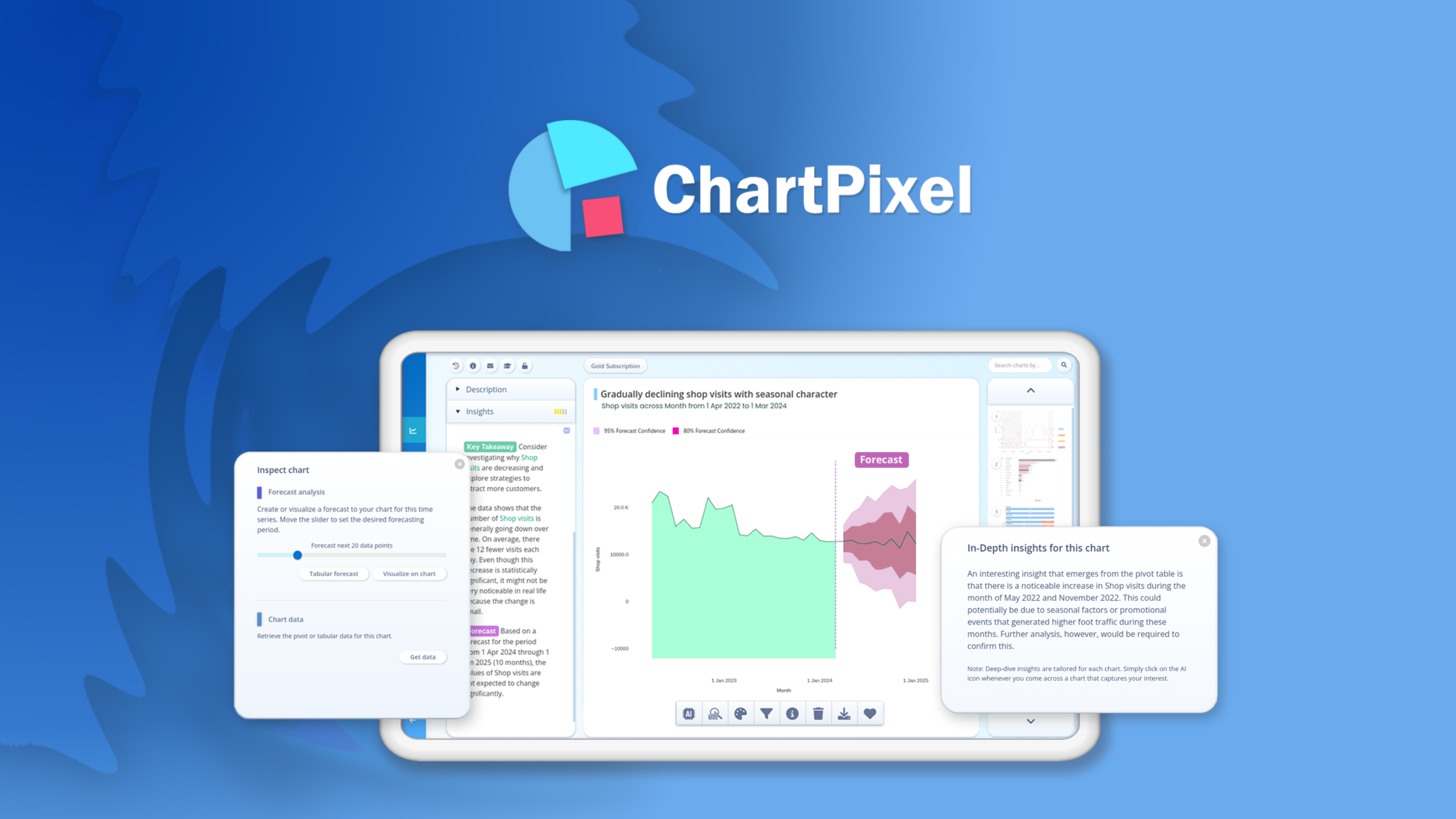
- Get instant statistical insights from raw data without technical expertise through automated AI analysis and chart selection
- Transform messy spreadsheets into clean, analysis-ready data with automated data cleaning and feature engineering
- Create presentation-ready reports in one click by exporting directly to PowerPoint with statistically accurate visualizations
- Uncover hidden patterns in survey data with automated multi-select analysis, segmentation, and text comment analysis
- Access diverse data sources seamlessly through SQL database connections, web data integration, and multiple file format support
- Share findings instantly with teams or clients through embedded charts, project publishing, and immediate sharing capabilities
Pros & Cons
Pros
- Instant visualization
- Smart data analysis
- PowerPoint presentations integration
- Web data integration
- Various data types support
- Automates column selection
- Handles messy data
- Data features suggestion
- Direct data to insights
- Provides guidelines to data analysis
- Supports multiple file formats
- Automated insights ordering
- One click export
- Cloud database connectivity
- Dynamic chart customization
- Supports various chart types
- Integrates keyword search tool
- Automated data cleaning
- Data exploration guidance
- Provides data-driven insights
- Automatic features engineering
- Backed up by statistics
- Online sharing options
- Internet data search
- User-friendly interface
- Handles data anomalies
- Automated data forecasts
- Cleans missing values
- Manages unit and currencies
- Automates country codes
- Mobile optimized
- Manages unstructured data
Cons
- No API mentioned
- Limited chart customization
- No offline mode
- Limited data source integrations
- Only exports to PowerPoint
- No multi-language support
- No details about scalability
Reviews
Rate this tool
Loading reviews...
❓ Frequently Asked Questions
ChartPixel is a simplified chart generation and insights platform that leverages artificial intelligence to transform raw data into visually appealing and insightful charts. It demystifies the complexity of data analysis tools, providing an accessible way to understand and utilize data effectively. The platform can convert data insights into presentations like PowerPoint and integrates data from the web broadening analysis capabilities, regardless of the user's skill level.
ChartPixel transforms data into charts through a process of instant visualization. It automatically converts uploaded data into an array of explained charts and summary insights, thereby enhancing comprehension. The platform cleans up messy data, identifies the most relevant columns, and suggests meaningful features to give a comprehensive interpretation of data.
ChartPixel handles various types of data for different projects, including survey data, customer data, public data, business data, financial data, sports data, and research data. The source of the data can range from jot-down numbers, data files, webpages, or even links to databases.
ChartPixel's Smart Data Analysis works by using AI algorithms to auto-select the most relevant columns for chart creation. It cleans up messy data and suggests meaningful features to provide a comprehensive interpretation of the data. The algorithm identifies patterns in the data and provides insight into the most important features.
Yes, users can effortlessly convert the data insights generated by ChartPixel into visually impressive and statistically accurate PowerPoint presentations. This seamless transformation helps users craft compelling presentations without the need for advanced technical skills.
ChartPixel integrates web data through a keyword search tool. Users can use this tool to find and integrate data from the web into stunning charts, thus broadening their analysis capabilities.
Yes, ChartPixel offers both tutorials and blogs to guide users to effectively use the platform for data visualization. These resources are available on the 'Learn' section of their website, and they provide both beginners and experienced users with valuable knowledge and insights to enhance their data visualization skills.
ChartPixel supports the uploading of a variety of file types for data visualization. Users can upload Excel, CSV, JSON, or text files to automatically generate the best possible charts.
ChartPixel handles messy data through its data cleaning functionalities. The platform automates the process of tidying up and enhancing data to create the most insightful charts. Problematic elements like missing values, irrelevant data, and poorly formatted information are automatically cleaned up, ensuring the quality of the data used for analysis.
Yes, ChartPixel offers a keyword search tool that enables users to find and integrate data from the web. This tool enhances the user's ability to source relevant and context-specific data for their analysis, thereby broadening their analytical capabilities.
Yes, ChartPixel has the capacity to connect to a SQL database or file repositories such as Google or Microsoft for chart creation. This allows users to leverage larger and more complex datasets for their visualization purposes.
ChartPixel's website is not optimized for mobile devices yet. Users are encouraged to use a desktop or laptop for the best user experience.
ChartPixel uses AI-assisted annotations to explain charts and order them based on their importance. This ensures the user understands the insights derived from their data and the relevance of each visualization generated.
Yes, users can customize the charts generated by ChartPixel. Once the platform generates charts based on the insights from the data analysis, users are given further options to tailor the visualization to their specific needs.
ChartPixel is designed to be user-friendly and intuitive for beginners in data analysis. It auto-selects the most relevant columns and chart types, cleans messy data, and creates interesting new features that guide users through the data analysis process. This integrated approach minimizes the need for technical expertise and steep learning curves.
ChartPixel offers over twenty different chart types to users, including charts, maps, animations, scatter plots, and more. The platform's intelligent analysis system selects the chart type that best represents the patterns and insights in the uploaded data to create intuitive and effective visualizations.
ChartPixel handles missing values in the data using sophisticated data cleaning algorithms. These algorithms automatically fill gaps and address inconsistencies in the data, ensuring a comprehensive and reliable analysis outcome.
Yes, users can export charts and insights from ChartPixel into PowerPoint or Excel with a single click. This feature is designed to assist users in creating ready-made presentations or reports that accurately reflect their data analysis results.
Users can share their charts or publish their entire projects immediately with ChartPixel. The streamlined sharing and publishing feature makes it easier for users to disseminate their findings and engage with their audience.
Yes, charts generated by ChartPixel can be embedded on websites. This makes it easy to share insights and visual data representations online, enhancing accessibility and convenience for both the user and their audience.
Pricing
Pricing model
Freemium
Paid options from
Free tier available
Related Videos
ChartPixel Review | ChartPixel Lifetime Deal - Generate your charts and insights in 30 seconds
The SaaS Review•88 views•Sep 1, 2024


