Overview
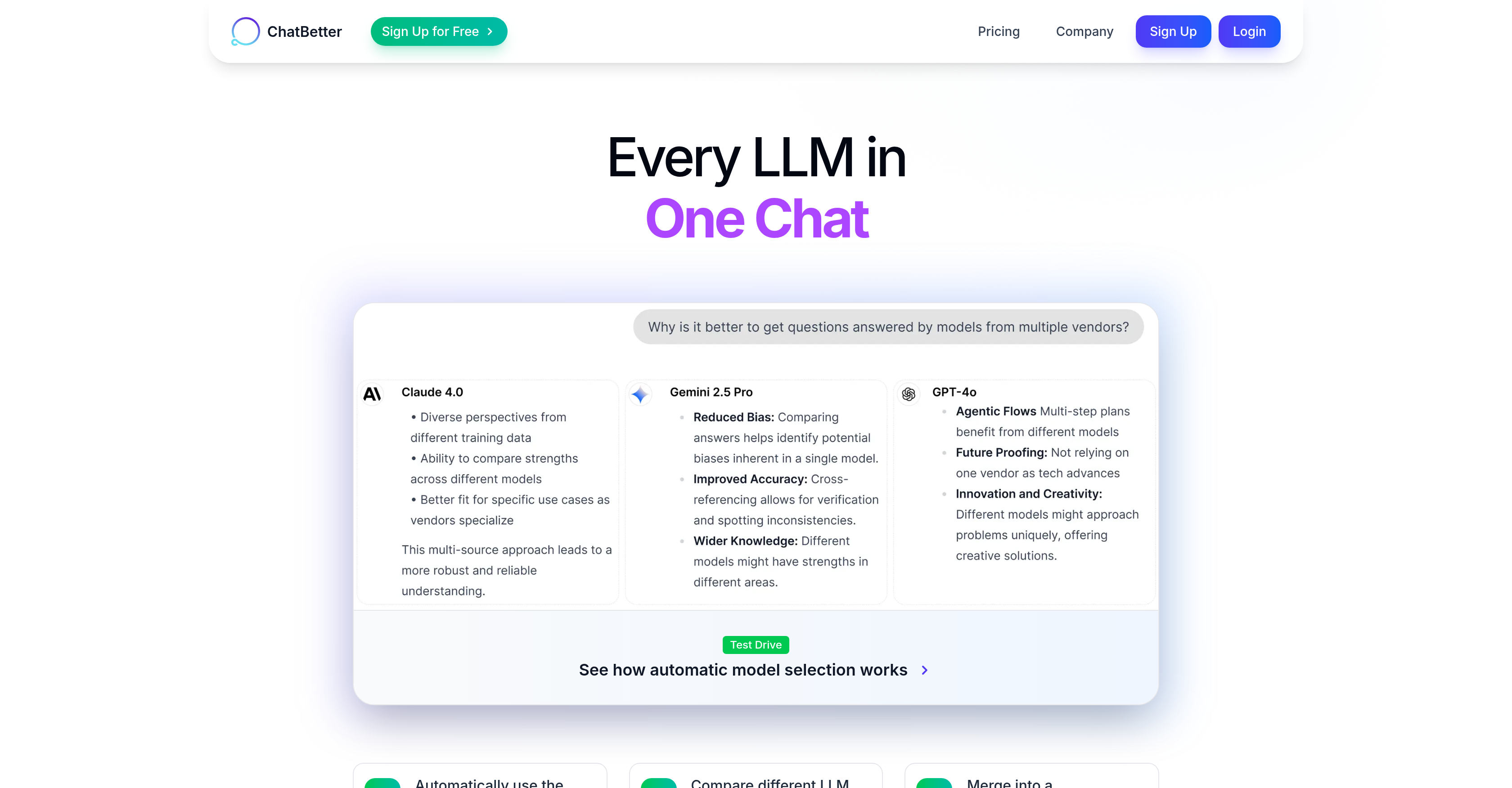
- Eliminate manual model selection with automatic routing to the most appropriate AI provider for each question
- Chain specialized models together for complex tasks like research analysis, strategic planning, and content creation
- Maintain team compliance through centralized control over which AI models your organization can access
- Connect existing business data from tools like Databricks, Confluence and Slack to make information instantly searchable
- Secure enterprise access with simplified Single Sign-On setup using major identity providers
- Compare AI responses side-by-side to identify disagreements and combine insights for better decisions
Pros & Cons
Pros
- Automatic model selection
- Effortless model chaining
- Single chat interface
- Ensures accurate responses
- Team collaboration feature
- Existing workflow integration
- Policy setting feature
- Access management
- Dedicated management dashboard
- Data connection with various tools
- Enhanced enterprise security
- Single Sign-On setup
- Data more searchable
- Connects to Databricks, Confluence, Slack
- Allows for complex tasks
- Automatic intelligence routing system
- Provides model comparison
Cons
- Complex model chaining requirement
- Potential for information overflow
- Lack of advanced agents
- Limited user-level data connections
- Limited model control for users
- Lack of MCP support
- Interface complexity with multiple integrations
- Potential inconsistency in responses
Reviews
Rate this tool
Loading reviews...
❓ Frequently Asked Questions
ChatBetter automatically selects the most appropriate AI model using its internal intelligence system. This system routes questions to the best model every time based on the nature of the questions asked.
ChatBetter integrates major AI providers such as OpenAI, Anthropic, Google, xAI, DeepSeek, Meta, Perplexity, Mistral, and Cohere within its interface.
ChatBetter assures accuracy in responses by routing the question to the best-suited AI model, and in cases where multiple responses are generated, the system combines insights and discloses if there's disagreement among models.
ChatBetter chains multiple AI models for more complex tasks by delegating parts of the tasks to different models depending on their area of expertise. For instance, research models could be used for doing analysis, thinking models for planning, and writing models for producing content.
ChatBetter offers features such as sharing conversations, collaborating on projects which allows for team interaction within a unified interface.
Workflows can be integrated into ChatBetter's interface by bringing existing workflows into its system. This allows for a comprehensive work environment as the AI models and user workflows exist in the same interface.
Team access to AI models can be managed using ChatBetter through the dedicated dashboard that lets you control which models your team can use, set policies, and manage access.
Major features of ChatBetter's dedicated dashboard include the ability to control access to specific AI models, setting policies, and managing team access. It provides a high level of customization and control to accommodate different team needs.
ChatBetter can easily connect to business tools like Databricks, Google Drive, Confluence, Slack among others, making data within these tools more searchable and usable.
ChatBetter improves enterprise security by providing features like easy Single Sign-On setup with major identity providers, thereby reducing the complexities associated with IT security.
Single Sign-On setup is made easier on ChatBetter by offering quick setup options with major identity providers like Okta, Microsoft, Google, without the need for complex IT procedures.
ChatBetter facilitates AI model comparison by automatically selecting and using the best AI models every time for generating responses, and comparing them side By side when they produce different results.
ChatBetter's multi-AI integration works by embedding multiple leading language models within one chat, it then auto-selects the most suitable one based on the question asked.
The process for automatic model selection in ChatBetter involves the internal intelligence system evaluating the asked question and routing it to the most suitable AI model from the integrable providers.
Yes, ChatBetter can be used for content creation. One of its feature is the capability to chain different models together, including writing models destined for content creation.
The purpose of ChatBetter's data connection feature is to facilitate connections to various business tools like Databricks, Confluence, Slack, among others, thereby making the data within these tools more searchable and usable.
It appears that user-level data connections may soon be a feature in ChatBetter, as hinted at in 'Coming soon: more data connections, MCP support, and the option to turn on user-level data connections'
'Complex tasks made simple' feature of ChatBetter is suited to multi-step tasks that require different types of AI models, linking research models for analysis, thinking models for planning, and writing models for content.
Yes, ChatBetter can show if multiple AI models disagree. It combines the insights from multiple models and indicates if there is a disagreement between those models' responses.
To sign up for a ChatBetter free trial, likely one would navigate to their website and click on the 'Sign Up for Free' button. However, without a specific URL or further context, it's hard to say definitively.
Pricing
Pricing model
Freemium
Paid options from
$20/month
Billing frequency
Monthly
Related Videos
Why use one AI when ChatBetter uses them all? #shorts
Automated Intelligence•69 views•Oct 14, 2025