

ChatSweep
Clear a cluttered ChatGPT sidebar in one pass instead of removing conversations one by one, because ChatSweep bulk deletes or archives loaded chats in batches.
Listing not yet reviewed by our editors · How we check
Overview
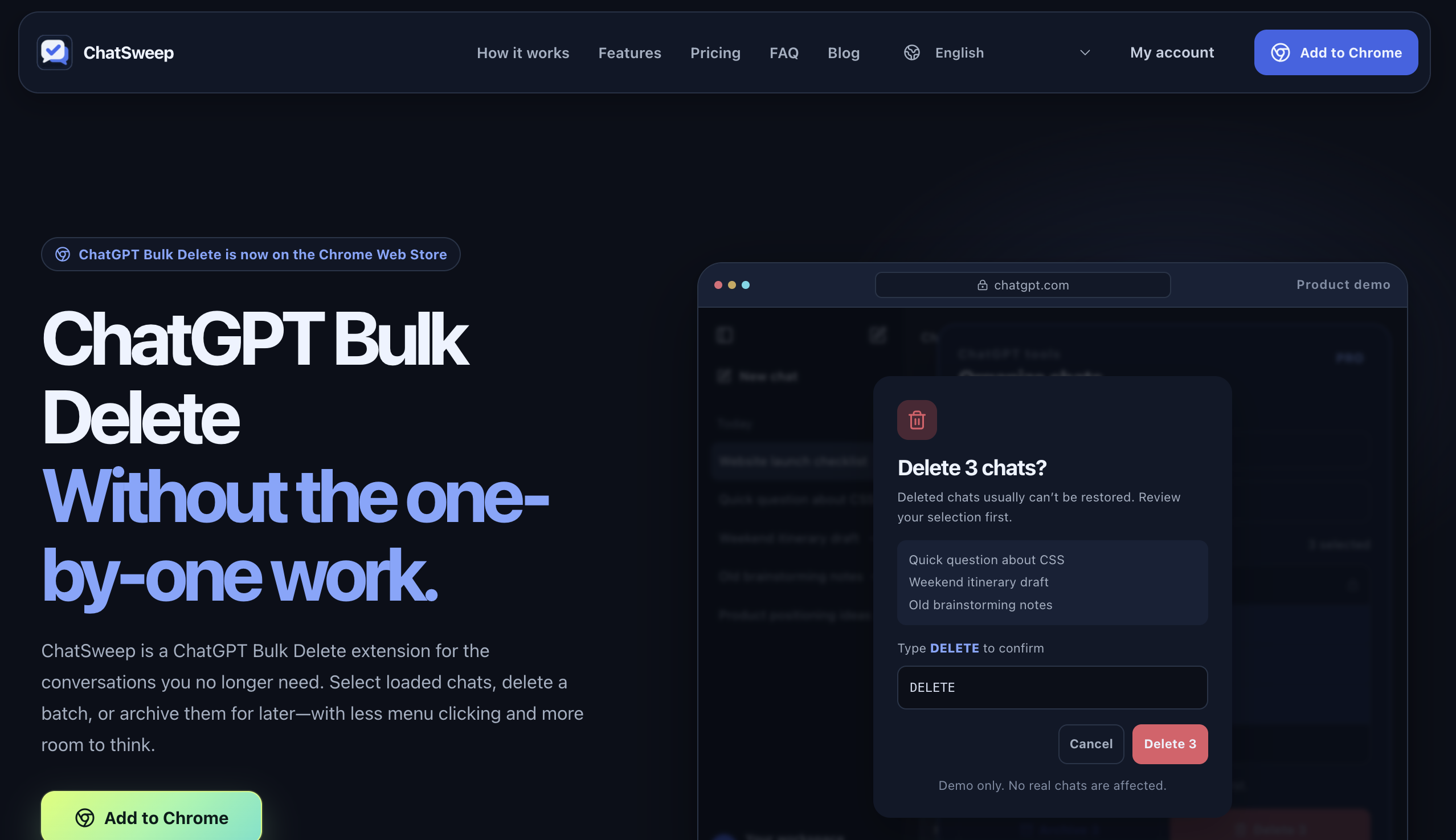
- Clear a cluttered ChatGPT sidebar in one pass instead of removing conversations one by one, because ChatSweep bulk deletes or archives loaded chats in batches.
- Remove exactly the conversations you choose and leave the rest of your ChatGPT chat history untouched, using checkboxes placed directly beside each loaded chat.
- Avoid wiping out a conversation you meant to keep, because you review the full selected batch before confirming any bulk delete or archive action.
- Hide old ChatGPT conversations without losing their contents by archiving them, and use permanent deletion only for chats you want gone for good.
- Keep the conversation you are working in safe during a cleanup, through current-chat protection and built-in pauses between operations.
- Never run a cleanup that targets the wrong ChatGPT controls, because ChatSweep halts every operation when it cannot verify those controls.
- Try ChatGPT chat cleanup at no cost with the free plan, which clears up to 10 chats once a day and requires no card details.
- Clear hundreds of ChatGPT conversations in a single run with Pro or Lifetime access, which removes the per-run chat cap and unlocks unlimited bulk deletion on monthly, yearly, or one-time lifetime pricing.
- Manage your ChatGPT conversations in your own language, with support for English, French, German, Spanish, Japanese, and more.
Pros & Cons
From the listing; not yet checked by our editors.
Pros
- Efficient chat management
- Bulk deletion functionality
- Batch archiving feature
- User selection of chats
- Review before confirmation
- Permanent deletions
- Secure operation
- Variety of subscription plans
- No deletion cap on paid plans
- Assured user control
- Automated cleanup
- Streamlined chatbot management
- Clear and organized interface
- Current chat protection
- Interface compatibility checks
- Multi-language support
- Extension operates within browser
- Free monthly cleanup
- Pricing flexibility
- Manual selection and confirmation
- One-at-a-time deletion process
- Built-in pauses during deletion
- Confirm each delete result
- Stops if controls can't be verified
- Visibility of deleted or archived chats
- Preserves contents while archiving
- Reduces menu clicking
- Visible checkboxes for selections
- Tools functionality stays across sessions
- Specific deletion or archiving
- Independent browser extension
- Supports 25 languages
- No card needed for free version
- Clears temporary questions and old drafts
- Pause functionality if uncertain
- Emphasizes deliberate action
- No replacement for future updates
- Focus on privacy and security
- Syncs automatically with users plan
- Does not handle card details
- In-Browser chat titles and message contents
- Guided and clear workflow
- Preserves workspace while working
- Support for multiple currencies
Cons
- Limited functionalities with free version
- No multi-language support
- Incompatibility with non-Chrome browsers
- No recovery option for deletions
- Requires manual selection of chats
- Requires confirmation before batch operations
- Limited features for non-subscribers
- No indication of advanced privacy features
- Could cause accidental data losses
- User experience depends on ChatGPT changes
Reviews
Rate this tool
Loading reviews...
Frequently asked questions
What is ChatGPT Bulk Delete?
ChatGPT Bulk Delete is a tool specifically designed for efficient chat management on the ChatGPT platform. Its key functionality allows users to delete or archive ChatGPT conversations in bulk, thereby saving time and reducing clutter.
How does ChatGPT Bulk Delete operate?
ChatGPT Bulk Delete operates in a controlled and secure manner. It displays checkboxes next to loaded chats, enabling users to select specific ones. After the selection process, users are required to review the batch before confirmation, ensuring that only intended chats are deleted or archived. The tool stops any operations if ChatGPT controls can’t be verified to ensure secure operation.
What's the difference between deleting and archiving in ChatGPT Bulk Delete?
The difference between deleting and archiving in ChatGPT Bulk Delete lies in the permanence and visibility. While deleting is a permanent action that removes the selected chats entirely, archiving is a less drastic measure that removes chats from the sidebar but does not eliminate their contents.
Is deletion permanent in ChatGPT Bulk Delete?
Yes, deletion in ChatGPT Bulk Delete is a permanent action. Once a chat is deleted, it cannot be restored.
Can ChatGPT Bulk Delete operate without ChatGPT controls verification
No, ChatGPT Bulk Delete has been designed with security as a top priority. If ChatGPT controls cannot be verified, the tool ceases all operations.
What's the cost of using ChatGPT Bulk Delete?
ChatGPT Bulk Delete is available in a free version with limited features. However, there are also subscription plans with additional features. These plans can be monthly, yearly, or a one-time payment for lifetime access.
What features does the free version of ChatGPT Bulk Delete offer?
The free version of ChatGPT Bulk Delete allows users to perform a cleanup once a day for up to 10 chats. It requires no card details for usage.
What extra features do the subscription plans of ChatGPT Bulk Delete include?
Subscription plans offer additional features such as unlimited bulk deletion and no limit on chats per run. The availability of these features depends on whether the user selects a monthly, yearly, or lifetime plan.