

Clipkai | AI Kissing Video Generator
Create a romantic kiss video of a couple who have no photo together: the AI kissing video generator places two individual portrait photos in one shared scene.
Listing not yet reviewed by our editors · How we check
Overview
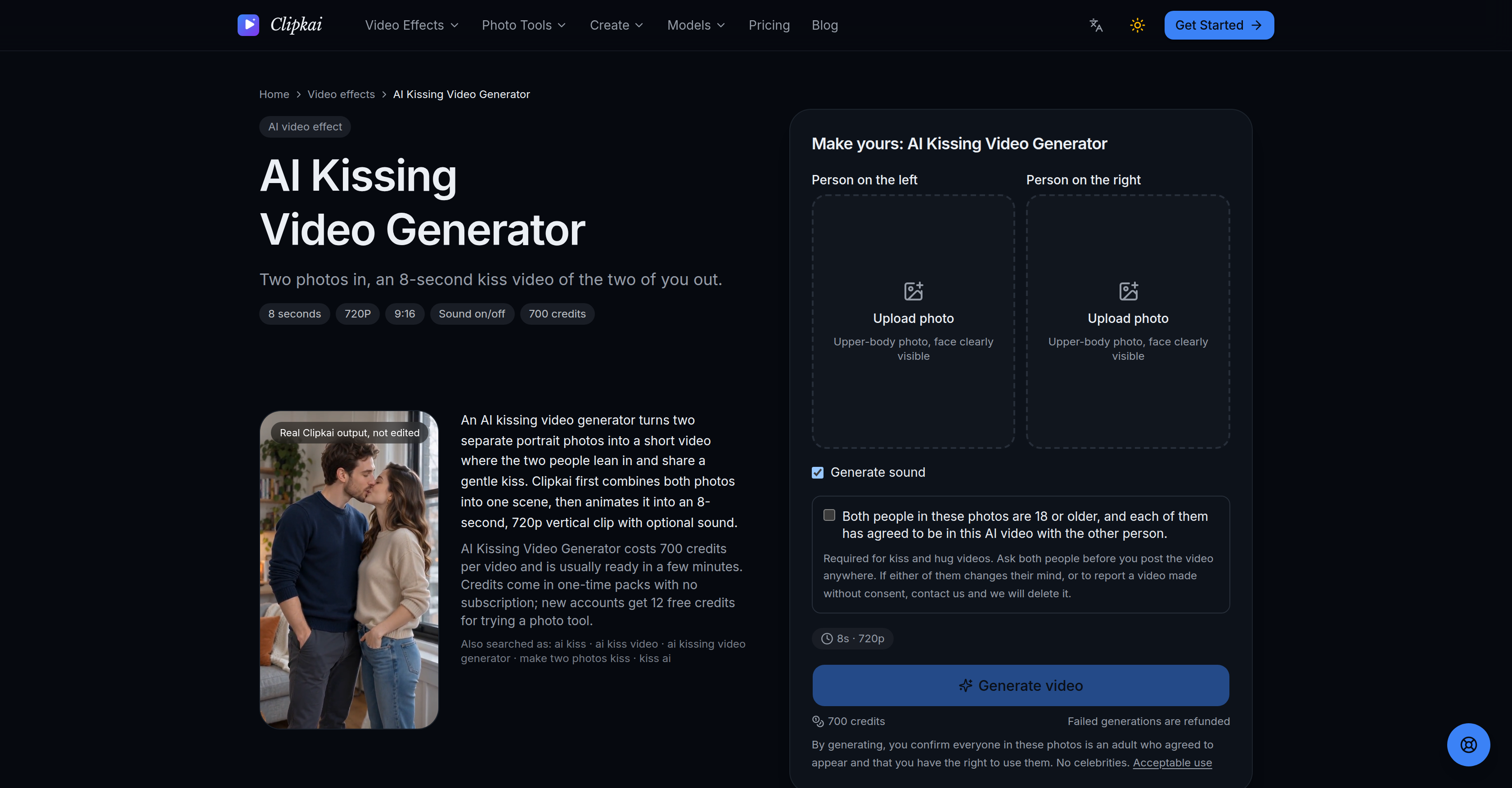
- Create a romantic kiss video of a couple who have no photo together: the AI kissing video generator places two individual portrait photos in one shared scene.
- Post straight to vertical social feeds with no editing: every clip is an 8-second 9:16 MP4 at 720p with no watermark.
- Set the mood of each clip yourself: turn on sound for original ambient music or effects, never copyrighted songs, or switch it off for a silent video.
- Keep both people recognizable in the animation: the photo-to-video process keeps each person's face, hairstyle and clothing while it generates a new background, lighting, pose and motion.
- Get a natural-looking kiss scene on the first try: clear photo guidance asks for one person per image, a visible front-facing face, and waist-up or full-body vertical shots.
- Go from upload to finished video in minutes: upload one photo of each person, choose sound on or off, and press Generate.
- Pay only for the videos you make: one-time credit packs replace subscriptions, at 700 credits per video and $6.99 for a single video, dropping to about $4.89 per video in larger packs.
- Lose nothing on a failed render: credits for any failed generation return to your balance automatically.
- Keep your personal photos private: uploads and results serve only to create your video, never train AI models, are never published, and are deleted on request.
- Use the finished clips in paid projects: Clipkai's Terms of Service permit commercial use of generated kiss videos.
- Share with confidence that the content stays respectful: generations require consenting adults and rights to the photos, and Clipkai blocks celebrity images, minors, and sexual or harassing content.
Pros & Cons
From the listing; not yet checked by our editors.
Pros
- No couple photo required
- One portrait per person
- Separate-portrait scene compositing
- Shared scene before animation
- Designed to retain faces
- Retains source hairstyles and outfits
- Changes background and lighting
- Animates pose and motion
- Gentle kiss ending with smile
- Eight-second video output
- 720p vertical 9:16 framing
- Watermark-free MP4 export
- Optional sound toggle
- Original ambient music or effects
- Silent export for custom tracks
- No copyrighted songs in audio
- Usually ready within minutes
- Failed generations refund credits
- One-time credit packs
- No recurring subscription
- Same price with or without sound
- Commercial use under service terms
- Saved to My Creations
- Uploads and results not published
- Uploads and results excluded from training
- Deletion available upon request
- Front-facing photo guidance
- Waist-up framing recommendations
- Similar-lighting photo guidance
- Troubleshooting for mixed faces
- Unedited sample outputs shown
Cons
- Exactly two photo inputs
- One person per photo
- Visible, front-facing faces required
- Fixed eight-second duration
- 720p vertical output only
- MP4 format only
- No custom soundtrack upload
- 700 credits per video
- Results can vary between runs
- No celebrity or minor photos
Alternatives to Clipkai | AI Kissing Video Generator
Tools that share the most tags with Clipkai | AI Kissing Video Generator.
- Fotor AI Kiss
Create viral social media content instantly by transforming any portrait into engaging kissing videos for platforms like TikTok and Instagram
Freemium · from $3.33/month
$3.33/month
Not yet checked
- AI Kissing Video Generator
Transform static portrait photos into fluid, romantic kissing animations using deep learning models trained specifically on romantic interactions
Free trial · from $9.90/month
$9.90/month
Not yet checked
- AI Facefy | AI Kissing Video Generator
Transform static photos into a realistic romantic keepsake with advanced video animation technology
Freemium · from $7.99/month
$7.99/month
Not yet checked
- KissGen AI
Bring photos to life with realistic kissing animations by uploading any image and selecting your preferred style
Free trial · from $9.90/month
$9.90/month
Not yet checked
- PXZ AI | Kissing Videos
Create personalized, watermark-free kissing photos for social media in seconds with instant AI generation from your uploaded selfies.
Paid · from $6.40/month
$6.40/month
Not yet checked
- Viyou - Custom Kiss Generator
Bring any romantic vision to life by uploading separate photos of two characters and a backdrop, which the AI seamlessly blends into a single, fluid animation.
Free trial · from $7.99
$7.99
Not yet checked
Reviews
Rate this tool
Loading reviews...
Frequently asked questions
How do I make a video with Clipkai AI Kissing Video Generator?
Upload one clear photo of each person, choose whether to include sound, then press Generate. The video is usually ready in a few minutes.
Do I need a photo of both people together to use Clipkai AI Kissing Video Generator?
No. Upload one photo of each person; Clipkai combines them into a shared scene.
What kind of photos work best with Clipkai AI Kissing Video Generator?
Use one-person photos with a clearly visible, front-facing face. Similar lighting helps. Waist-up or full-body vertical photos are recommended.
Can Clipkai AI Kissing Video Generator use selfies or close-up portraits?
A selfie can work if it shows one person with a clear, front-facing face. The page recommends waist-up or full-body vertical photos and does not specifically recommend close-up portraits.
What video format and resolution does Clipkai AI Kissing Video Generator produce?
An 8-second vertical 9:16 MP4 at 720p, without a watermark.
Can I turn off the sound in Clipkai AI Kissing Video Generator?
Yes. Sound is optional; turn it off to generate a silent video.
What kind of sound does Clipkai AI Kissing Video Generator add?
When sound is on, the model generates original ambient music or effects, not copyrighted songs.
How much does one video cost with Clipkai AI Kissing Video Generator?
Each video costs 700 credits. The single-video pack is $6.99; larger packs reduce the price to about $4.89 per video.