
Overview
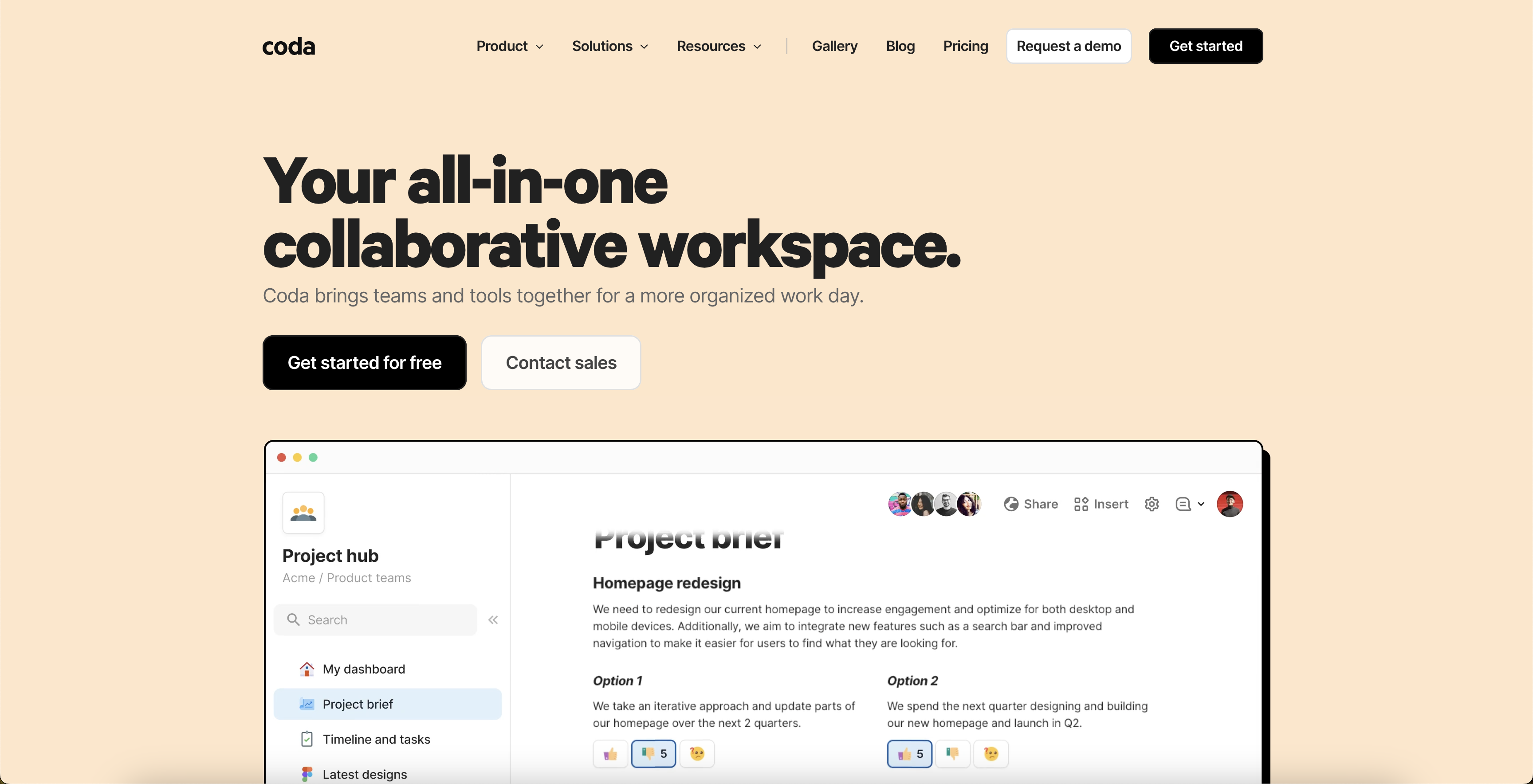
- Replace scattered tools with one connected workspace that automatically syncs data across your entire operation using connected data
- Build custom tools without coding using flexible building blocks that adapt as your team grows and needs change
- Accelerate setup with proven templates and playbooks from top companies, getting your team productive immediately
- Maintain real-time executive dashboards that roll up plans and show live updates without manual data entry
- Work seamlessly across Google Calendar, Slack, and other apps with two-way integrations that eliminate switching between tools
- Access your work anywhere with mobile apps that keep teams connected and productive while on the move
Pros & Cons
Pros
- Collaborative documents
- Streamlined team productivity & collaboration
- Powerful building blocks
- Connected data feature
- Integrates with Google Calendars and Slack
- Pre-built templates and playbooks
- Automatic updates syncing
- Two-way communication
- Seamless tool integration
- Leaders in 10 software categories
- G2 badges awardee
- Great for enterprise & startups
- Suitable for product and project management
- Facilitates OKRs and meetings
- Customizable
- Real-time data updates
- Syncs updates automatically with plans
- Gallery of playbooks
- Templates for swift setup
- Ideal for small, medium, large businesses
- Flexible to adapt team’s needs
- Educational resources available
- Expansive integration capabilities
- Cost-effective pricing
- To-do lists to task boards
- Consolidates tool stacks
- Affiliate program
- Maker fund
- Expert hiring
- Expert training
- Publishing API
- Formula and Packs
- Knowledge management solution
- Help center
- Mobile friendly
- Familiar document-like interface
- Role-based tool applicability
- Case study library
- Enterprise-scale processes
- Option to bring in more capabilities
- Incrementally improves workflows
- Optimized for productivity & efficiency
- Participation in alpha testing
- Gallery for inspiration
- Community for makers
- Guided learning videos & exercises
- Dedicated sections for different roles
- Solutions for diverse business scenarios
- Potential for tool consolidation
- Library of pressure-tested playbooks
- Ability to evolve documents
- Webinars for continuous learning
Cons
- Potential data privacy issues
- No global language support
- Limited customization options
- Dependent on internet connectivity
- Can be complex for beginners
- Need to integrate tools
- Limited app integration options
- Not mobile-friendly
- Lack of advanced data processing
- No offline mode
Reviews
Rate this tool
Loading reviews...
❓ Frequently Asked Questions
Coda AI is an all-in-one tool designed for streamlining team productivity and collaboration. It integrates the familiarity and simplicity of a document with the power and flexibility of an app. This hybrid model allows teams, businesses, and startups to efficiently plan, collaborate, and make progress in a consolidated digital environment.
Coda AI enhances team productivity through a range of features like connected data, powerful building blocks, integration with other apps, and pre-built templates. These capabilities allow for efficient collaboration, transparent updates, and two-way communication between team members and other platforms.
Key features of Coda AI include building blocks to create tools suitable for various tasks, connected data for automatic syncing of updates, integration with other apps like Google Calendars and Slack for seamless communication. It also offers pre-built templates and playbooks from innovative thinkers, making it easier for teams to start.
Yes, Coda AI integrates seamlessly with various other applications like Google Calendars, Slack, and more. This integration allows for two-way communication and enhances the capabilities of the documents.
Coda AI can benefit a wide range of users such as enterprises, product teams, project management personnel, startups, and anyone with objectives and key results (OKRs). It can also be particularly helpful for meetings and other collaborative endeavours.
Coda AI offers a variety of templates including team hubs, product roadmaps, simple meeting notes, tasks trackers, project briefs, and to-do lists. This wide range of pre-built templates cater to different team needs, making it easier to conduct daily operations and manage projects.
Connected data is an integral feature of Coda AI. It allows teams to keep their data interconnected, enabling edits and updates to automatically sync across multiple components of their plans. This includes revenue spreadsheets, project timelines, task lines, and other entities in a dashboard, keeping all information up to date.
Yes, Coda AI can be personalized to fit specific team needs. This is achieved through the use of its flexible building blocks, which can be used or combined to create a desired tool or platform. Additionally, as teams grow or plans evolve, Coda's building blocks can be used to alter the document seamlessly.
Coda AI keeps data up to date through its connected data feature. This feature ensures that edits made in one component of the platform are automatically reflected elsewhere. This means that updates in any connected tables will show up across the workspace, allowing for an executive dashboard or any connected data to stay current.
Yes, there are case studies available on their website that illustrate how Coda AI has helped businesses like Intercom, Pinterest, TED and Appetiser to save time and money.
Yes, Coda AI provides solutions tailored for different team sizes such as enterprises, startups, and small businesses. Each category receives facilitation and functionality to scale their processes, power their operations, and optimize their workflows without overloading their reserves or adding unnecessary seats.
Coda AI offers solutions that cater to various roles such as product, sales and success, and marketing teams. It provides tools, templates, and functionalities that are customizable to fit a variety of needs specific to these roles.
Yes, Coda AI proves beneficial in a variety of scenarios such as project management, meetings, knowledge management and OKRs planning. Thus, it can be effectively used for coordinated collaboration, meeting setups, process tracking, and strategic planning.
Yes, Coda AI has been recognized as a leader in 10 software categories and has been awarded several G2 badges, a testament to the effectiveness of their product and services.
According to the available information, they aim to provide world-class security to scale processes for businesses. However, their website doesn't provide detailed specifics on the security measures they enact.
Yes, Coda AI can be an effective tool for both project management and meeting setups. It provides features like collaborative documents, automated syncing of updates and seamless integration with other apps to make project management and meetings more productive and efficient.
Yes, Coda AI offers special features for startups such as the ability to power their business without draining their reserves, enabling startups to grow and scale their operations effectively and efficiently.
Yes, Coda AI can be accessed on mobile. They offer a mobile app available for both Android and iOS devices. This enhances accessibility and ensures that teams can operate and collaborate efficiently, even while on the go.
Yes, Coda AI supports a community where users can connect with other makers to ask questions and share knowledge. This fosters a supportive ecosystem where users can learn from each other, gain insights and get help when needed.
Yes, users can modify their cookie settings on Coda AI's website. They provide options to adjust preferences in relation to the cookies used to analyze traffic, improve user experience, and deliver personalized ads.
Pricing
Pricing model
Freemium
Paid options from
$10/month
Billing frequency
Monthly
Related Videos
Introducing Coda AI: Your new favorite work assistant
Coda•1.3M views•Jun 13, 2023