

DesignUGC
Go from product listing to UGC ad without a photoshoot: import product images directly from TikTok Shop, Amazon, Shopify, and other product links, or upload them and pick from your product library.
Listing not yet reviewed by our editors · How we check
Overview
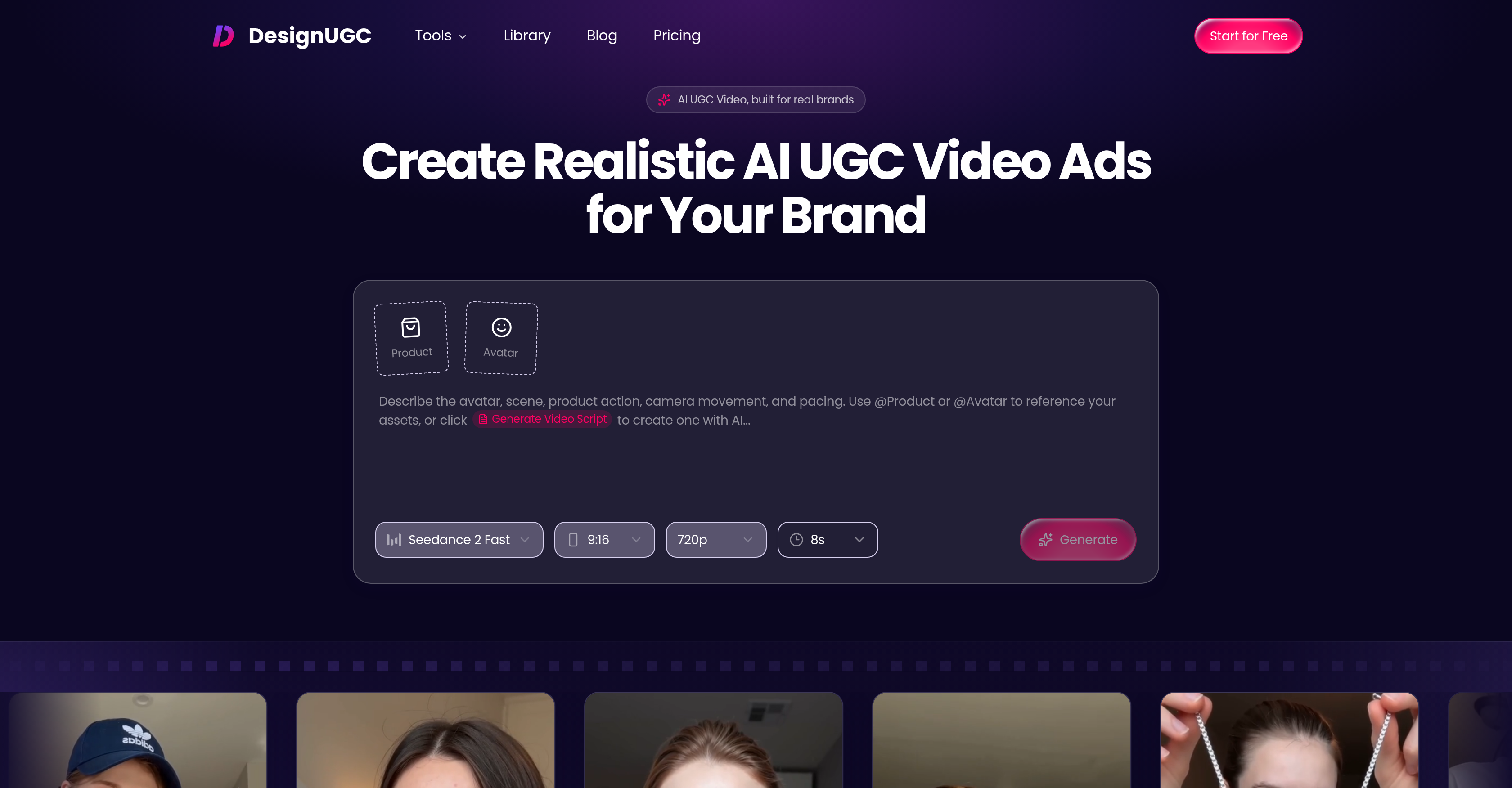
- Go from product listing to UGC ad without a photoshoot: import product images directly from TikTok Shop, Amazon, Shopify, and other product links, or upload them and pick from your product library.
- Build a recognizable spokesperson for an entire ad series: create reusable AI avatars from presets, a text prompt, or a reference photo, with the same face, look, and style held across shots and videos.
- Keep every frame on-brand: product handling is built to preserve packaging, logos, label text, and brand colors throughout the AI product video.
- Publish creator-style videos that feel authentic: speech lip sync, natural expressions and delivery, and realistic product handling make AI avatar videos read like real UGC content.
- Shoot the exact ad you pictured: direct the hook, scene, dialogue, product action, camera movement, pacing, and target audience, and tag assets instantly with @Product and @Avatar.
- Skip the blank page on ad copy: generate an AI ad script based on your product, avatar, script type, and video duration, then edit it before rendering.
- Find winning creatives faster: spin up campaign variations by swapping the avatar, opening hook, setting, product moment, or model, all from the same brand assets.
- Cover every ecommerce video format: produce unboxing videos, try-on clips, handheld product demos, and selling-point stories for TikTok-style social media ads.
- Never rebuild a concept from scratch: every generated video stays linked to the avatar and product that made it, so teams and creative agencies reuse winning combinations across client briefs.
- Match the model to the shot: choose from supported AI image and video models, including Seedance 2.5, Nano Banana Pro, and GPT Image 2.5, to fine-tune results for each ad.
Pros & Cons
From the listing; not yet checked by our editors.
Pros
- Imports product images from TikTok Shop
- Imports product images from Amazon links
- Imports product images from Shopify links
- Extracts images from product links
- Preset, prompt, and reference avatars
- Save custom avatars for reuse
- Reuse avatars across video series
- Avatar appearance stays consistent across shots
- Customize avatar templates with prompts
- Pair products with different avatars
- Videos stay linked to source assets
- Organized product and avatar libraries
- Reuse winning product-avatar combinations
- Direct hooks, scenes, and dialogue
- Specify product actions and camera movement
- Set pacing and target audience
- Generate scripts by type and duration
- Edit scripts before video generation
- Refine results through prompt changes
- Create new versions without restarting
- Compare hooks, avatars, and settings
- Test different product moments
- Preserves packaging, logos, and text
- Maintains brand colors across frames
- Natural handling, opening, and product use
- Speech-synced mouth movements
- Natural expressions, tone, and pacing
- Unboxing, try-on, and handheld formats
- Selling-point stories for short-form channels
- Nine-by-sixteen, eight-second generation option
- Supports multiple image and video models
- Includes Seedance 2.5 model support
- Includes Nano Banana Pro model support
- Includes GPT Image 2.5 model support
Cons
- Export options aren't specified
- Usage limits aren't specified
- Plan details aren't specified
- Product fidelity isn't guaranteed
- Avatar references require images
- Model availability may change
Alternatives to DesignUGC
Tools that share the most tags with DesignUGC.
- UGC Maker AI
Launch video ad campaigns in minutes by transforming a simple text prompt and image into a coherent, high-quality video with the Image to Video AI feature
Freemium · from $9.99/month
$9.99/month
Not yet checked
- TwinTone
Launch products faster by generating studio-quality UGC content in minutes, not weeks, using AI twins built from real, consented creators.
Paid · from $110/month
$110/month
Not yet checked
- AI UGC Ads
Launch high-converting UGC video ads in under two minutes, replacing weeks of creator coordination and filming, thanks to fully automated AI production.
Paid · from $1
$1
Not yet checked
- UGCfy
Launch UGC-style video ads in minutes instead of waiting a week for creator footage — powered by AI that reads your product page and generates finished ads from a single link.
Paid · from $49/month
$49/month
Not yet checked
- UGCVideo.ai
Launch TikTok and Facebook ad campaigns faster by turning a simple script or product URL into a complete UGC-style video ad in minutes with the AI UGC Video Generator.
Free trial · from $9.50/month
$9.50/month
Not yet checked
- GenFlik
Launch authentic UGC-style video ads in minutes without filming or editing—by simply pasting a product link or uploading photos.
Freemium · from $15/unit
$15/unit
Not yet checked
Reviews
Rate this tool
Loading reviews...
Frequently asked questions
How do I create my first AI UGC video with DesignUGC?
Select a preset avatar or create one from a prompt or reference image, then add a product by uploading it, choosing it from your library, or importing a product link. Describe the hook, scene, dialogue, product action, camera movement, pacing, and audience—or generate a script with AI. Generate the video, review it, and adjust the prompt or assets to create refined versions.
Can DesignUGC generate an ad script from my product and target audience?
Yes. DesignUGC can generate an ad script after you select a product and avatar and specify the script type and video duration. You can also include the target audience in your video direction.
Can I edit the script before DesignUGC generates the video?
Yes. You can review and edit an AI-generated script before generating the video.
How can I create a reusable AI avatar in DesignUGC?
Choose a preset avatar, create one from a text prompt, or use a reference image to guide a new character. Save the avatar to your library so you can reuse it in other videos.
Can I use a reference photo to guide an avatar in DesignUGC?
Yes. Upload a reference image to guide the avatar’s look, style, or mood, then save the avatar to reuse it.
Can DesignUGC import product images from Shopify, Amazon, or TikTok Shop?
Yes. DesignUGC can import product images from TikTok Shop, Amazon, Shopify, and other product links.
How do I direct the hook, scene, camera movement, and pacing in DesignUGC?
Describe the hook, scene, dialogue, product action, camera movement, pacing, and audience in your direction. You can also use @Product or @Avatar to reference assets in the workspace.
Can I reuse the same avatar and product across multiple DesignUGC videos?
Yes. Save products and avatars in their libraries, then reuse them in new videos and pair them with different prompts or creative directions.