
Overview
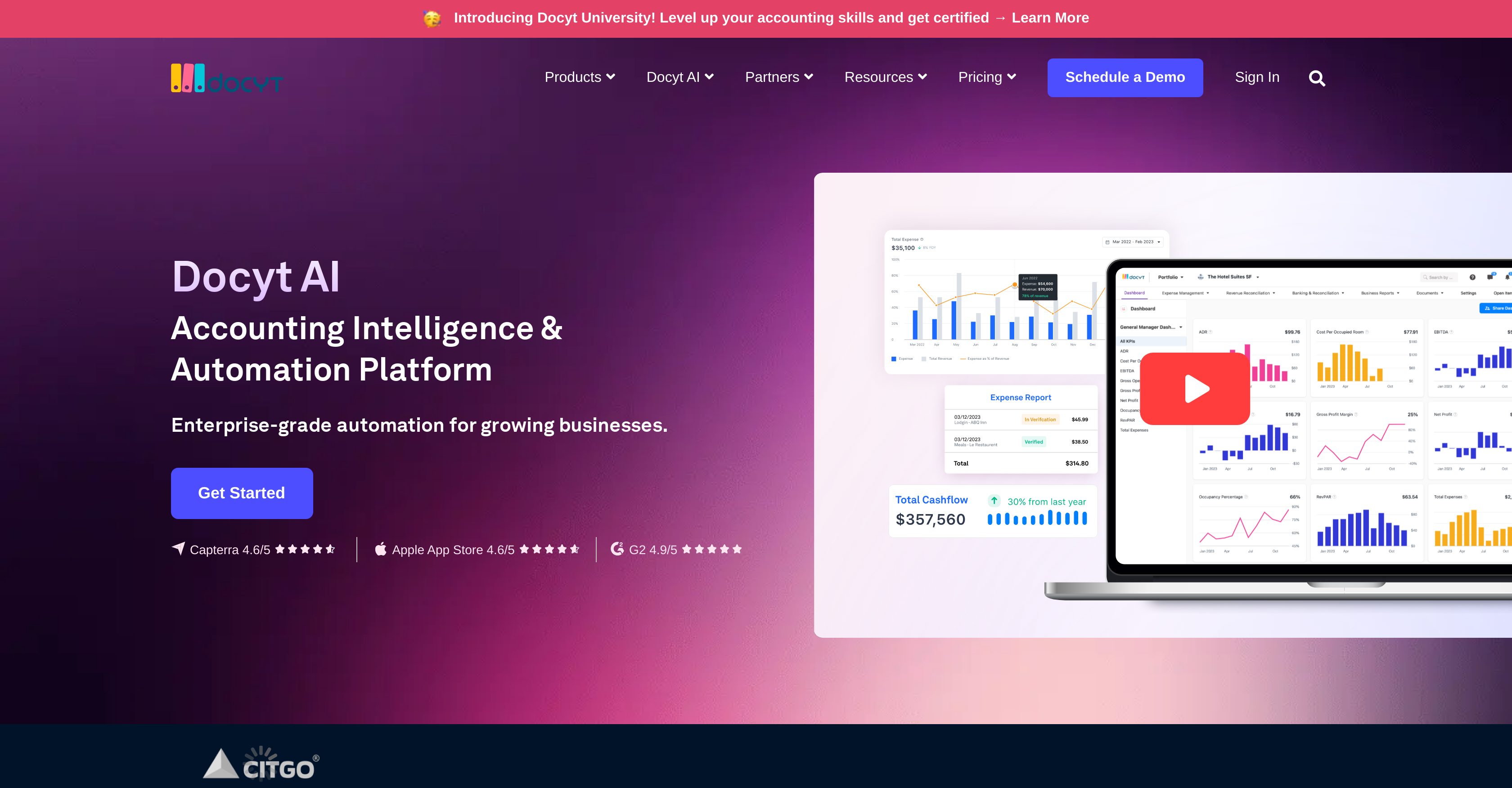
- Eliminate manual data entry with automated transaction categorization and receipt management that extracts information instantly
- Close your books faster with automated bank reconciliation and month-end closing processes that ensure accuracy
- Gain real-time financial visibility with live KPI dashboards tracking cash flow, profitability ratios, and business efficiency metrics
- Scale accounting across multiple locations with unified financial management that handles complex multi-entity operations
- Automate revenue tracking through seamless POS system integrations that sync data from 30+ platforms automatically
- Catch up on neglected bookkeeping quickly with accelerated record updating that brings incomplete financials current
- Streamline corporate spending with automated bill pay, expense reports, and corporate card reconciliation
- Maintain accounting accuracy with AI-powered ledger reconciliation that compares records against actual account balances
Pros & Cons
Pros
- Enhances QuickBooks functionality
- Automates accounting processes
- Spend management automation
- End-to-end bookkeeping automation
- ExpenseFlow for expense management
- RevFlow for revenue reconciliation
- ClosingFlow for month-end closing
- InsightFlow for financial reporting
- KPI dashboard
- Modules for various operations
- Ideal for multiple industries
- Multi-location accounting
- Catch-up bookkeeping feature
- Manageable revenue tracking
- Automated bank reconciliation
- Integrated document management
- Expense reports automation
- Receipt management feature
- Dental office suitability
- Role in franchise management
- E-commerce friendly
- Designed for high-growth startups
- Automated ledger reconciliation
- Corporate card management
- POS/PMS revenue tracking
- Transaction categorization
- Model development operations
- Automated bill pay
- Offers real-time reporting
- Enhanced financial metrics
- Relevant for hospitality industry
- Expands QuickBooks' life
- Supports revenue system integrations
- RevFlow's accounts receivable management
- ERP data migration
- Adapts to industry-specific metrics
- Departmental accounting and reporting
- Industry-specific unit economics
- Automated transaction matching
- Automated transaction categorization
- Document extraction and understanding
- Catch-Up Bookkeeping services
- Fast Month-End Close
- Franchise accounting & reporting
- Continuous revenue reconciliation
Cons
- Requires QuickBooks integration
- Lacks standalone functionality
- No mention of multi-language support
- No specified offline features
- Limited POS system integrations
- No specific error handling features
- Limited coverage outside specific industries
- Potentially complex for non-accounting users
- No explicit data export features
- No direct integration with payroll systems
Reviews
Rate this tool
Loading reviews...
❓ Frequently Asked Questions
Docyt is designed for a range of industries including accounting firms, hospitality, retail & e-commerce, franchise management, restaurants, dental offices, and high-growth startups.
ExpenseFlow offers end-to-end expense management with features like bill pay, corporate card, expense reports, and receipt management.
RevFlow is used in Docyt for revenue reconciliation and accounting. It offers services such as accounts receivable, POS/PMS revenue tracking, and revenue system integrations.
ClosingFlow aids in month-end closing by automating processes such as bank reconciliation, document management, and transaction categorization.
InsightFlow offers real-time financial reporting, including a KPI dashboard, ratios and financial metrics.
The AI Research Lab in Docyt is dedicated for the development of the AI models employed in the system, overseeing their operations and ensuring responsible AI usage.
Docyt enhances the functionality of QuickBooks by automating key accounting processes like spend management, revenue tracking, and ledger reconciliation, thereby providing end-to-end bookkeeping automation.
Docyt automates spend management by handling tasks such as bill pay, corporate card expenses, expense reports, and receipt management.
Docyt automates ledger reconciliation through its ClosingFlow module, which streamlines the process of comparing company records with actual amounts in financial accounts to ensure they match.
Yes, Docyt is designed to manage multi-location accounting, accommodating the complex needs of businesses with multiple operational locations.
'Catch-up bookkeeping' in the context of Docyt refers to the tool's ability to quickly update a company’s records to bring them up-to-date if they've been neglected or are incomplete.
Docyt offers advanced features for revenue tracking through its RevFlow module, which includes accounts receivable, POS/PMS revenue tracking, and revenue system integration.
Yes, Docyt's RevFlow module can integrate with more than 30 POS systems for data synchronization, thereby facilitating automated revenue tracking.
Docyt automates bank reconciliation with its ClosingFlow module, ensuring an accurate comparison between a company’s financial records and the actual amounts in its bank accounts.
Docyt handles document management by automatically sorting, processing, and storing financial documents. It can also categorize transactions and reconcile accounts based on the information from these documents.
With Docyt, you can track key financial metrics like cash flow, profitability ratios, liquidity ratios, business efficiency, and market value ratios. By offering real-time reporting, it allows you to monitor your company's finances effectively.
Yes, Docyt is suitable for high-growth startups. It provides automated accounting functionality that can scale with the company as it expands, making it an ideal tool for startups.
Docyt's receipt management feature aids businesses by capturing and organizing receipts, automatically extracting information from them, categorizing the respective expenses, and integrating the data directly into the system for seamless expense tracking.
Yes, Docyt supports corporate card expense management. It automates the process of reconciling corporate card transactions with expense reports and receipts, making it simpler to track and control business spending.
Docyt handles transaction categorization through its automated system that uses AI to recognize and correctly categorize transactions based on historical data and trends.
Pricing
Pricing model
Paid
Paid options from
$299/month
Billing frequency
Monthly
Related Videos
Docyt for Management Companies
Docyt•604 views•Jun 3, 2020