

Overview
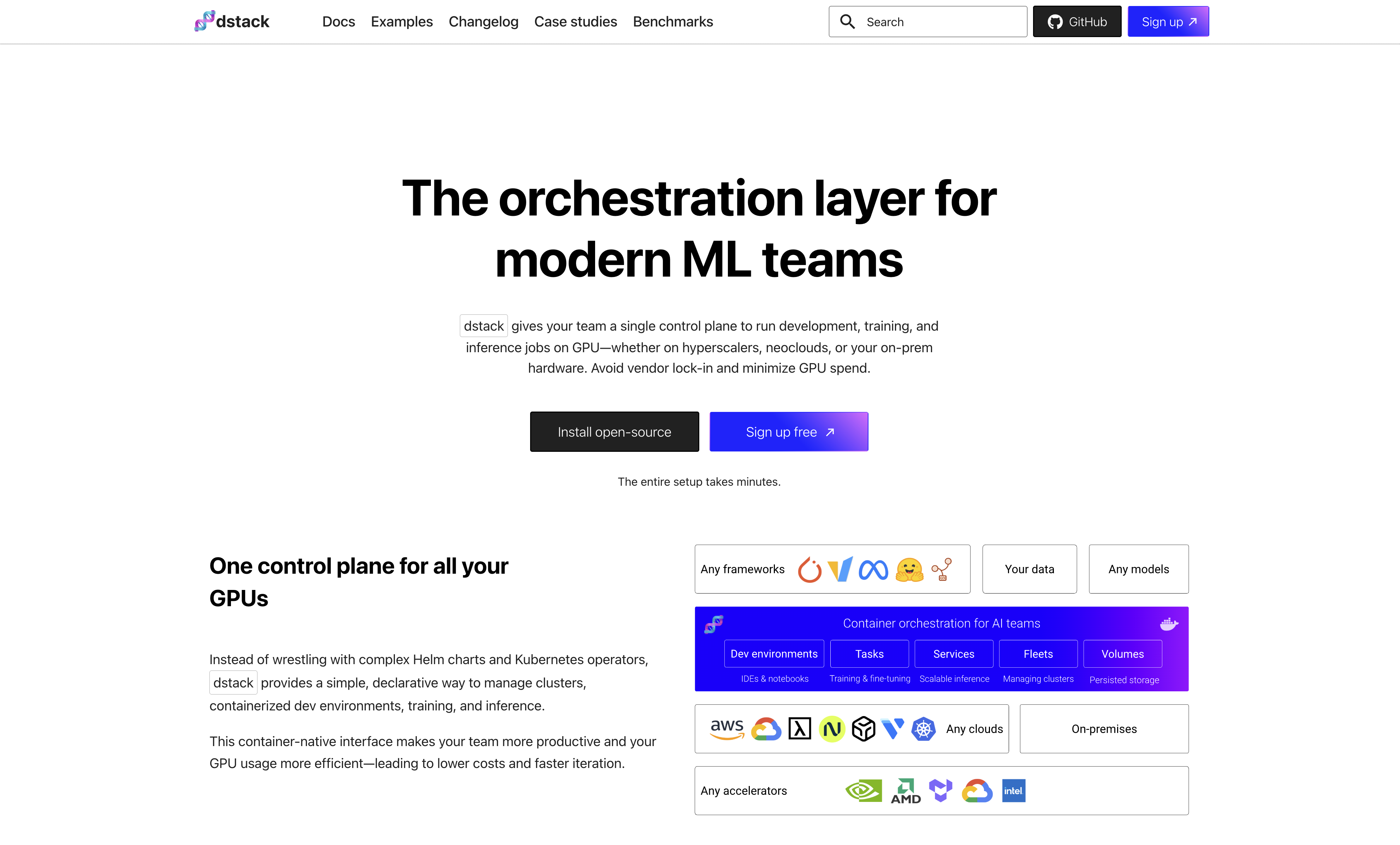
- Cut cloud GPU costs by automatically routing workloads to providers with optimal pricing and availability through multi-cloud execution
- Scale LLM training and deployment across AWS, GCP, Azure, and Lambda without vendor lock-in using unified task definitions
- Access cloud development environments directly from your local desktop IDE while leveraging remote GPU power for faster iteration
- Deploy production-ready models as services with optimized inference engines like vLLM and TGI for maximum throughput
- Run cost-effective batch jobs and web applications on-demand across multiple cloud providers with automatic resource management
- Fine-tune models like Llama 2 on custom datasets and serve specialized applications like SDXL with FastAPI through ready examples
Pros & Cons
Pros
- Deploy across multiple clouds
- Optimized GPU price
- Task definition and execution
- Cost-effective batch job execution
- Web app deployment
- Define and deploy services
- Easily provision dev environments
- Shared dev environments accessibility
- Fine-tuning Llama 2 support
- Serving SDXL with FastAPI
- Serving LLMs with vLLM
- Serving LLMs with TGI
- Running LLMs as chatbots
- Detailed documentation
- Slack community support
- Quick setup
- Open-source
- Accessible local desktop IDE
- Multiple cloud provider compatibilty
- Optimized for LLM workloads
- Collaboration features
- Easy cloud credential configuration
- Offers learning references
- LLM capability showcase examples
- Collaborative task execution
- App deployment as chatbots
- Cost-efficient web app deployment
- Automated task and service deployment
- Highly accessible dev environments
- FastAPI integration
- Operational on various backends
Cons
- No real-time collaboration
- Requires cloud credentials configuration
- Only focused on LLMs
- Complex setup for beginners
- Over-reliance on cloud providers
- Limited support channels
- No in-built model versioning
- May lack advanced analytics
- High learning curve
- No desktop application
Reviews
Rate this tool
Loading reviews...
❓ Frequently Asked Questions
Dstack is an open-source tool designed to streamline Large Language Models (LLMs) development and deployment across multiple cloud providers. The tool is oriented towards ensuring optimal GPU price and availability for efficient execution of LLM workloads.
Dstack is used for efficient LLM development and deployment across various clouds such as AWS, Azure, and GCP. Its capabilities include defining tasks, deploying services, provisioning development environments effortlessly over multiple cloud providers, executing batch jobs and web apps cost-effectively, and running LLMs as chatbots. It also has examples showcasing its capabilities, such as fine-tuning Llama 2, serving SDXL with FastAPI, and others.
Dstack can be installed using pip, a package manager for Python. Just run the command 'pip install "dstack[aws,gcp,azure,lambda]"'. After installation, you can start dstack with the 'dstack start' command.
Key features of dstack include: efficient deployment of LLM across multiple clouds, availability of tasks for cost-effective on-demand execution of batch jobs and web apps, provision of services for the deployment of models and web apps cost-effectively, effortless provisioning of dev environments over multiple cloud providers, ensuring optimal GPU price, and several example implementations showcasing its capabilities.
Dstack aids in LLM development by providing an efficient framework for deploying LLMs across multiple clouds. It also allows tasks to be defined and executed across various cloud providers for seamless execution of batch jobs and web apps. Moreover, its efficient GPU utilization offers cost-effectiveness in LLM development and deployment.
Dstack supports multiple cloud providers including Amazon Web Services (AWS), Google Cloud Platform (GCP), Microsoft Azure, and Lambda.
The link to Dstack's documentation is 'https://dstack.ai/docs'. It provides comprehensive insights about getting started, installation, guides, reference sections, and examples of using dstack.
The multiple cloud deployment feature of dstack works by allowing users to define tasks and services that can be deployed across multiple cloud providers while ensuring optimal GPU price and availability. It offers the flexibility to choose amongst AWS, GCP, Azure, and Lambda.
Dstack allows for optimal GPU price and availability. By executing workloads across several cloud providers, GPU utilization becomes cost-effective. Dstack also provides tasks and services for on-demand execution and deployment of models and web apps, optimizing GPU usage.
Dstack allows you to define tasks that can be executed across multiple cloud providers. You can facilitate on-demand execution of batch jobs and web apps cost-effectively through tasks.
The development environment of Dstack can be accessed easily through a local desktop IDE. These environments can be provisioned over various cloud providers, facilitating optimal GPU price and availability.
You can join the Slack community of Dstack by following this link: 'https://join.slack.com/t/dstackai/shared_invite/zt-xdnsytie-D4qU9BvJP8vkbkHXdi6clQ'.
After installing Dstack, you need to configure your cloud credentials. However, the website does not provide specific instructions on this aspect.
Services in Dstack enable cost-effective deployment of models and web apps across multiple cloud providers. They aid in leveraging optimal GPU price and availability while deploying your applications and tasks.
Dstack allows you to define and deploy services across multiple cloud providers, enabling cost-effective deployment of web apps. However, specific steps to deploy web apps using Dstack are not provided.
Yes, Dstack provides a variety of examples demonstrating its capabilities. These include fine-tuning Llama 2 on custom datasets, serving SDXL with FastAPI, serving LLMs with vLLM for enhanced throughput, and running LLMs as chatbots with internet search capabilities.
You can train and deploy LLM models using Dstack by defining tasks and executing them across several cloud providers. Specific commands or steps for training and deploying LLM models using Dstack are not provided though.
Yes, Dstack facilitates on-demand execution of batch jobs using its tasks feature. You can define these tasks and then execute them across various cloud providers, ensuring cost-effectiveness.
To seek help regarding Dstack's usage or submit your questions, you can join the Slack community via this link: 'https://join.slack.com/t/dstackai/shared_invite/zt-xdnsytie-D4qU9BvJP8vkbkHXdi6clQ'.
You can contribute to the Dstack project on GitHub by visiting their repository at 'https://github.com/dstackai/dstack'. The specific process of contributing is not mentioned on their website.
Pricing
Pricing model
Free
Paid options from
Free
Related Videos
Welcome to dstack
dstack•234 views•Jul 14, 2023















