

Epivoke
Go from a single topic to a finished long-form YouTube video of 8 to 60 minutes: Epivoke researches the subject, writes and narrates the script, selects visuals and assembles the complete video.
Listing not yet reviewed by our editors · How we check
Overview
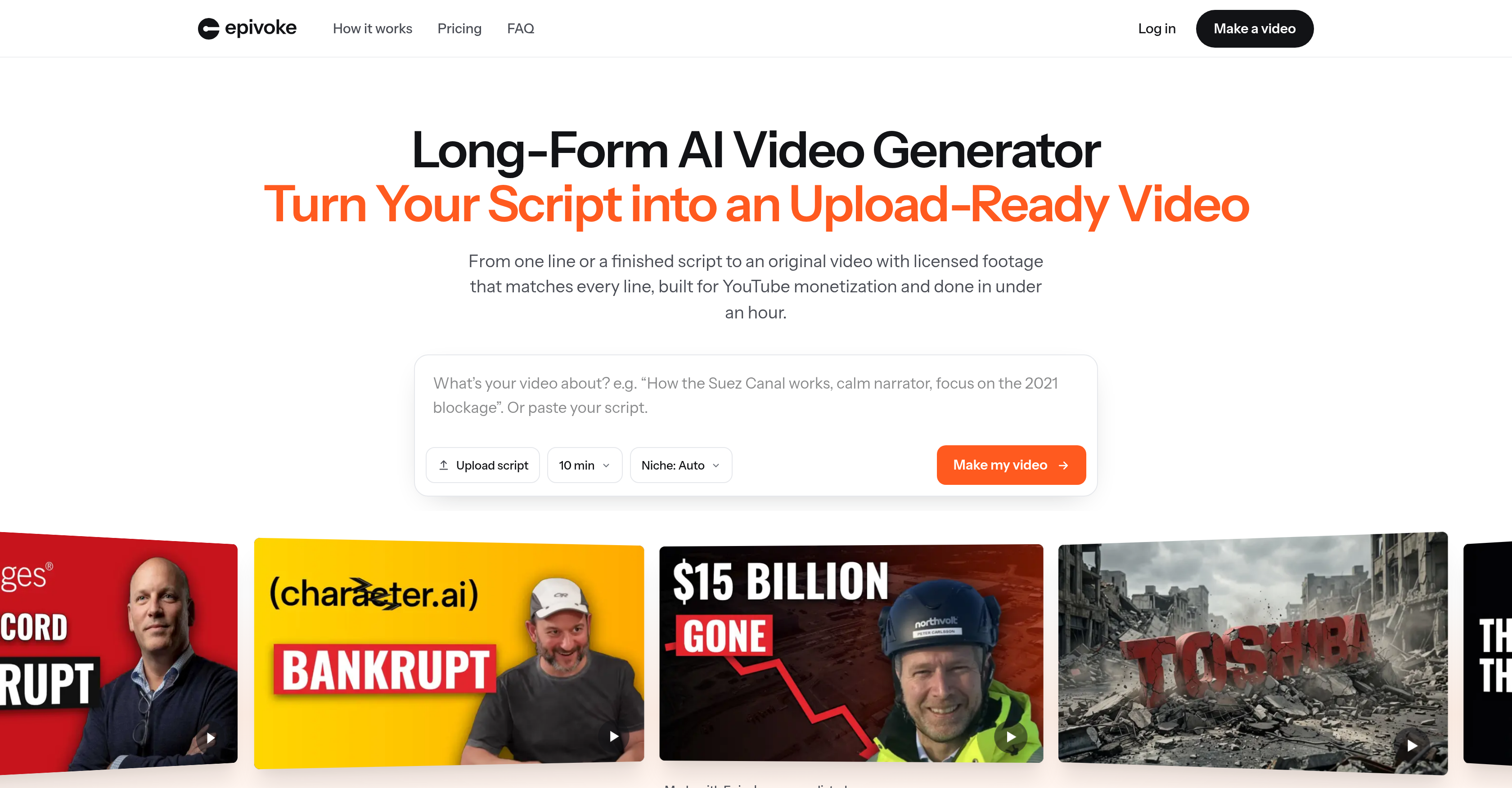
- Go from a single topic to a finished long-form YouTube video of 8 to 60 minutes: Epivoke researches the subject, writes and narrates the script, selects visuals and assembles the complete video.
- Keep your voice intact when you already have finished copy: a pasted script is narrated word for word, without rewriting, shortening or summarizing.
- Publish researched content with confidence: every factual claim in the script review appears alongside its source, and you can revise individual lines before rendering.
- Hold up to copyright scrutiny with clear rights documentation: footage comes from licensed stock libraries and openly licensed archives, and a license sheet lists each clip, its library and its license type.
- Keep viewers watching with imagery that matches every sentence: visuals are chosen line by line to fit the narration instead of generic B-roll filler.
- Make complex history, business and science topics easy to follow: custom animated maps, timelines, data charts and labeled diagrams or cutaways are built around your script.
- Give your channel a recognizable look across every upload: the Archive, Clean and Bold visual styles apply consistent typography, color and animation from start to finish.
- Plan your video budget before you spend: the exact credit cost appears before rendering at 100 credits per finished minute, with plans starting at $39 per month for 20 finished minutes.
- Free up your time during production: rendering runs in the background, most videos are ready in under an hour, and an email notification arrives when the file is done.
- Upload without extra editing: the export is a 1080p MP4 with captions and music, delivered with a source list and license sheet.
- Build a channel you control: you own every video produced and can publish and monetize it on YouTube across history, geopolitics, explainers, Top 10 lists and true crime niches.
Pros & Cons
From the listing; not yet checked by our editors.
Pros
- Turn topics into long videos
- Preserve supplied script wording
- Select 860-minute durations
- Choose narration voice
- Choose niche and visual style
- Review full script before rendering
- Inspect sources beside factual claims
- Revise individual script lines
- See exact rendering credit cost
- Line-by-line footage matching
- Licensed stock footage selection
- Openly licensed archive footage
- Script-specific animated maps
- Animated historical timelines
- Custom animated data charts
- Labeled technical cutaways
- Visual treatment tailored to niche
- Archive, Clean, Bold styles
- Consistent typography, color, animation
- Original visual plan per video
- Every ranked entry gets footage
- True-crime timelines and documents
- Sources alongside factual claims
- Downloadable clip-license sheet
- Source list supplied with video
- 1080p MP4 export
- Captions and music included
- Background rendering
- Email when render completes
- Own finished videos
- YouTube publishing and monetization rights
- Pay only for finished minutes
- Monthly credit rollover
- Full refunds for failed renders
- Cancel plans in one click
- One credit balance across plans
- Plans support three-to-ten channels
- 100 credits per finished minute
- Most renders finish under an hour
Cons
- Video lengths: 860 minutes
- Only three visual styles
- One style throughout each video
- 1080p MP4 delivery
- Long-form YouTube-focused output
- Rendering runs asynchronously
- 100 credits per finished minute
- Monthly minute allowances vary by plan
Alternatives to Epivoke
Tools that share the most tags with Epivoke.
- Korpi AI
Create professional viral videos without any editing skills using an automated three-step process
Paid · from $7.75/month
$7.75/month
Not yet checked
- aicut
Generate daily video content without filming or showing your face using AI-powered text-to-video conversion
Paid · from $15.99/month
$15.99/month
Not yet checked
- AutoShorts.ai
Launch a faceless TikTok channel without filming or appearing on camera using AI-driven video creation from any topic
Free trial · from $19/month
$19/month
Not yet checked
- Noodle Tomato
Earn $5 to $12 per 1,000 views with long-form faceless YouTube videos, roughly 60 times more than Shorts, by generating content optimized for high watch time
Paid · from $149/month
$149/month
Not yet checked
- Videoinu
Launch professional videos without appearing on camera using AI that transforms your ideas into visual content
Freemium · from $9.99/month
$9.99/month
Not yet checked
- AutoReels
Maintain complete privacy while creating engaging content through faceless video production that never requires showing your face
Paid · from $19/month
$19/month
Not yet checked
Reviews
Rate this tool
Loading reviews...
Frequently asked questions
Can Epivoke turn a single topic into a complete long-form YouTube video?
Yes. Epivoke can research a topic, write and narrate a script, select visuals, and produce a complete long-form YouTube video up to 60 minutes.
What video lengths can I choose in Epivoke?
You can choose a video length from 8 to 60 minutes.
Will Epivoke keep my script exactly as written?
Yes. Epivoke says it keeps every word of a supplied script without rewriting, shortening, or summarizing it.
How do I choose a niche, narration voice, and visual style in Epivoke?
When setting up a project, choose a niche, narration voice, and one of the Archive, Clean, or Bold visual styles. You can also set the target duration.
What’s the difference between Epivoke’s Archive, Clean, and Bold styles?
Epivoke says the chosen style applies consistent typography, color, and animation throughout the video, but it does not describe how Archive, Clean, and Bold differ from one another. IDK
Can I review and revise Epivoke’s script before the video renders?
Yes. You can review the script and revise individual lines before rendering.
Does Epivoke show sources for factual claims before I generate a video?
Yes. Epivoke shows a source alongside each factual claim in the script review.
Where does Epivoke get its footage, and how can I check each clip’s license?
Footage comes from licensed stock libraries and openly licensed archives. The license sheet lists each clip, its library, and its license type.