Feedly for Threat Intelligence
Overview
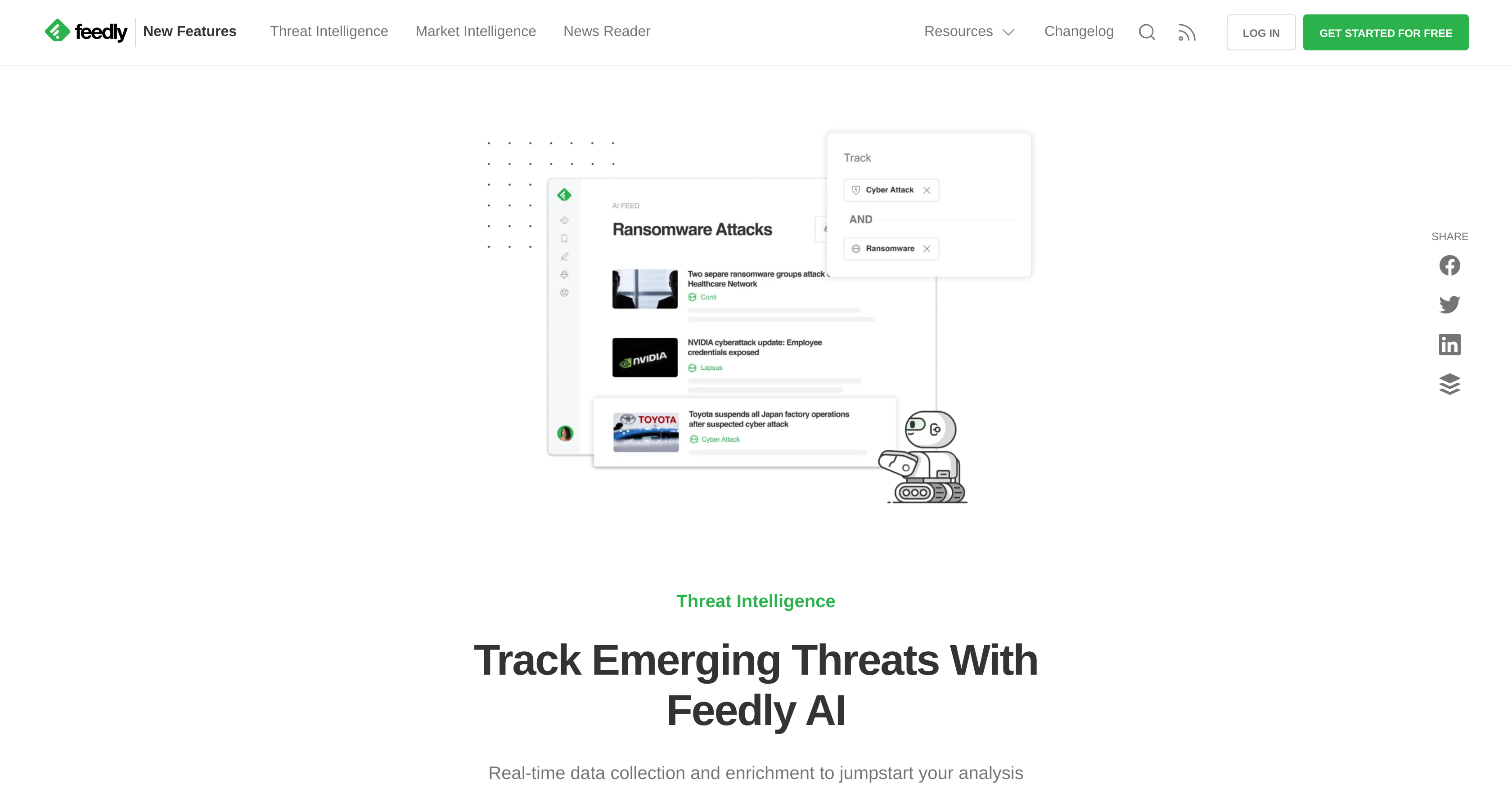
- Monitor emerging cyber threats in real-time by automatically analyzing millions of security reports, articles, and social media posts daily
- Focus on critical vulnerabilities and zero-days using AI models that automatically tag threats, indicators of compromise, and ATT&CK techniques
- Eliminate information overload through AI-powered deduplication that removes repetitive news and irrelevant security alerts
- Track specific threat actors and malware families by creating custom AI Feeds with symbolic logic operators (AND, OR, NOT)
- Stay ahead of industry-specific threats with pre-trained AI models that understand your security domain and intelligence requirements
- Receive prioritized threat intelligence with green priority labels highlighting the most relevant articles based on your customized preferences
- Automate your security research workflow by having AI continuously monitor and summarize threat intelligence from trusted sources
- Refine threat detection accuracy over time through reinforcement learning that adapts to your feedback and saved articles
Pros & Cons
Pros
- Quickly filters information
- Prioritizes relevant articles
- User-defined topic prioritization
- Deduplicates repetitive news
- Mutes irrelevant information
- Summarizes articles
- Tracks industry activities
- Focuses on user interests
- Boosts productivity
- Personalized news feed
- Advanced keyword acknowledgement
- Learning from user feedback
- Identifies trending topics
- Offers priority insights
- User-driven feed control
- Continuous learning mechanism
- Simplifies news digestion
- Improves news relevance
Cons
- Limited cross-platform compatibility
- No offline functionality
- Requires user to train
- Over-dependency on user feedback
- No multilingual support
- Lack undisclosed limitations
- Lack detailed error reports
Reviews
Rate this tool
Loading reviews...
❓ Frequently Asked Questions
Feedly Leo, also known as Leo, is an AI research assistant developed to aid with quick filtering and prioritizing of information. It specializes in analyzing and summarizing news content, allowing users to focus on topics, trends, and keywords of their choice. It also features a deduplication functionality that removes repetitive news and a muting function to silence irrelevant information.
Leo utilizes machine learning and natural language processing for its operations. It has been trained to read and analyze text, enabling it to understand and prioritize information based on a user's defined preferences. This technology is also used to filter out superfluous data (noise) and highlight articles relevant to the user's interests.
Yes, users can prioritize specific topics with Leo. They can define what is relevant to them by selecting specific topics, trends, and keywords of their choice. Leo then focuses on these areas, prioritizing them in the user's feed.
Deduplication of news using Leo involves automatic filtering of redundant content from the user's feed. It identifies and removes repetitive or duplicate articles, improving the quality of the feed and helping users focus on unique, relevant news.
Leo's mute feature works by suppressing irrelevant information. Users can instruct Leo on what they consider as noise or irrelevant to their preferences, and the tool will then mute such information from the user's feed.
Yes, Leo features a functionality that allows it to summarize articles. By reading and analyzing text, it provides users with summaries of the contents, enhancing readability and information retention.
Yes, you can train Leo to understand your interests. This is achieved by selecting specific topics and trends on your curated boards. It then uses this information as a guide for suggesting relevant content and prioritizing future articles.
Leo's business events skill allows users to track a variety of industry activities. This includes monitoring funding events, partnerships announcements, product launches, and leadership changes.
Leo declutters feeds by using machine learning and natural language processing to sort the information. With the user's preferences in view, Leo filters out irrelevant information, removes duplicate news, and prioritizes the user's chosen topics, trends, and keywords, resulting in a streamlined, personalized content feed.
Yes, you can track industry activities with Leo. Its business events skill keeps you updated about important happenings such as funding events, partnerships announcements, product launches, and leadership changes.
To involve Leo in monitoring funding events, you need to activate the business events skill. After activation, Leo will keep track of industry activities, including funding events, and prioritize these in your feed.
Yes, Leo has a feature that tracks leadership changes in industries. This feature is part of Leo's business events skill, which also includes tracking funding events, partnerships announcements, and product launches.
Leo filters out noise and prioritizes articles using machine learning and natural language processing. These technologies enable it to understand the user's defined preferences and relevance, filter out irrelevant information, and then highlight articles that align with the user's interests.
Leo handles repetitive news with its deduplication skill. This feature removes similar or duplicate articles from the user's feeds, thus ensuring the uniqueness of each news item and saving the user from reading the same information multiple times.
Yes, Leo's settings can be customized to align with your interests. By defining specific topics, trends, and keywords to prioritize, the user can have Leo personalize their feed. Moreover, via the Like-board skill, users can train Leo by example to further specialize in specific topics or trends of interest.
Leo's Green priority label is used to signify articles that have been prioritized based on the user's customized preferences. These highlighted articles are perceived by Leo as most pertinent to the user.
Leo learns from user feedback using reinforcement learning. Observations are made based on the user's interaction with the platform. When a user saves an article to a board, Leo considers it as a positive signal that reinforces its learning. This shaped learning enables Leo to refine its future recommendations.
When you find an article wrongly prioritized by Leo, you can take actions such as 'Refine Priority', 'Pause' or 'Remove' that priority. There's also a 'Less Like This' down arrow button you can use to correct Leo, refining its future prioritization process based on this feedback.
Yes, you can automate your knowledge gathering process using Leo. The AI reads all articles in your feed and prioritizes relevant ones based on your preferences. This creates an automated system where you're consistently presented with pertinent information without sifting through large amounts of data.
To start using Leo, you can sign up at Feedly. Upon signing up, Feedly guides you through the setup process for Leo, including defining your priorities and customizing your settings, depending on your specific information needs.
Pricing
Pricing model
Freemium
Paid options from
$7.61/month
Billing frequency
Monthly
Related Videos
Send intelligence briefs with Automated Newsletters - Threat Intelligence
Feedly•510 views•Feb 5, 2024