

Figma Specs
Ship from prototype to production without rewriting handoff docs: structured Markdown specs give AI coding agents clear, consistent instructions at every stage.
Listing not yet reviewed by our editors · How we check
Overview
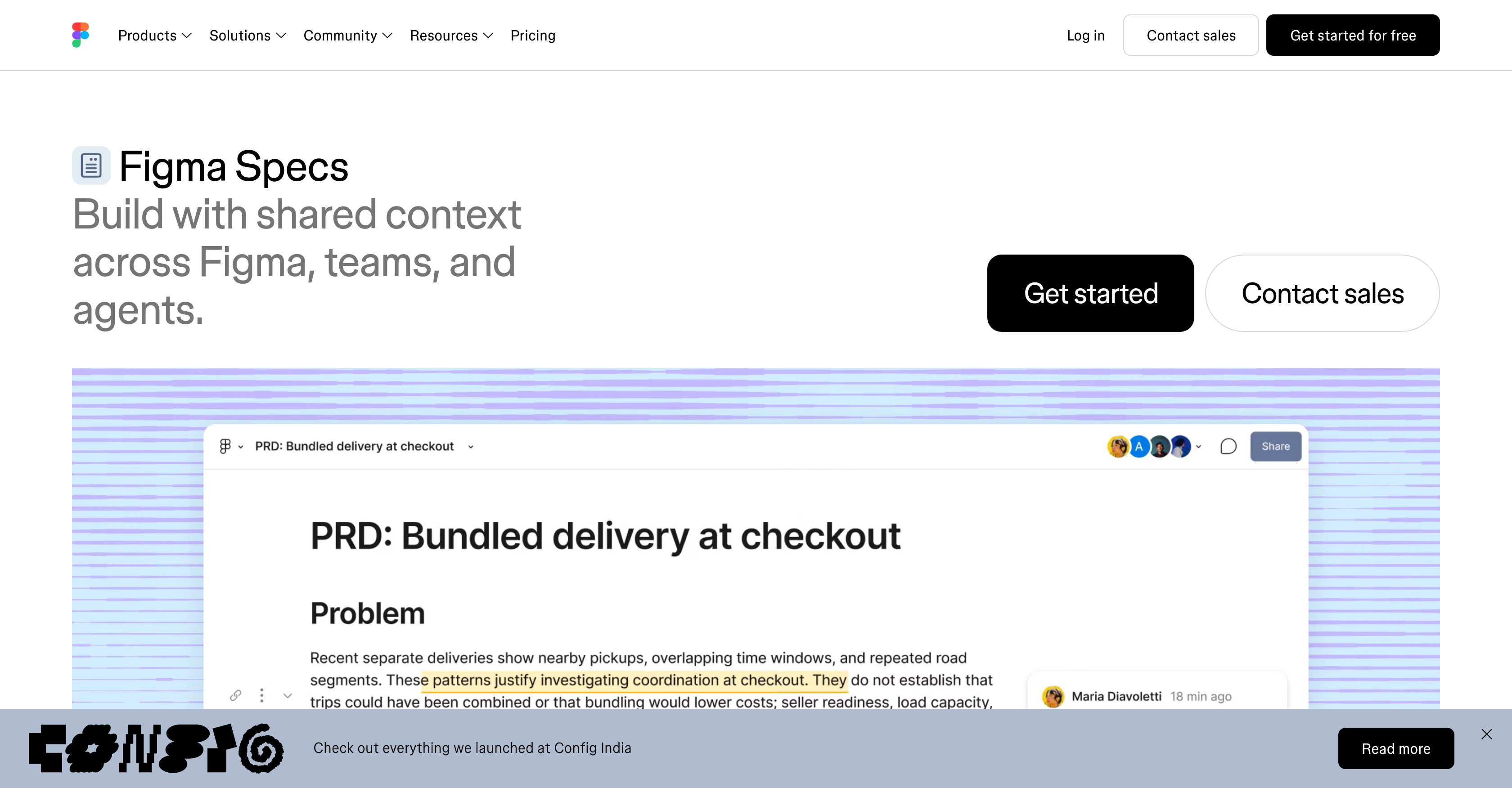
- Ship from prototype to production without rewriting handoff docs: structured Markdown specs give AI coding agents clear, consistent instructions at every stage.
- Keep your existing data and codebase where they live and still use them in specs: integrations pull context from any source without migration.
- Eliminate ambiguity between what's written and what's drawn: written intent, visual exploration, and technical details sit together in one product spec.
- Write specs on your own terms: draft directly where you design, or work in a separate space and bring the spec in when it's ready.
- Stop copy-pasting between tools: two-way context flow pulls diagrams, tables, and designs from Figma and imports content from other tools through the Figma agent.
- Validate implementation directly in the design file: build with code layers on the canvas to shape working prototypes in context.
- Deliver to the developer stack your team already uses: MCP support sends specs and code layers to external tools for production builds.
- Align designers, PMs, and engineers before a line of code is written: teammates and external agents co-build specs in a shared collaborative doc.
- Move from planning to design to coding in one continuous workflow: a single spec container carries context across every phase instead of scattering it across separate tools.
Pros & Cons
From the listing; not yet checked by our editors.
Pros
- Context container
- Enhanced team collaboration
- Smooth agent integration
- Incorporates existing context
- Incorporates existing data
- Seamless transition between stages
- External agent connection
- Teammate involvement in building specs
- Flexible design process
- Effective content flow
- Supports diagrams, tables import
- Supports design import
- Supports data and content import
- Structured Markdown for agents
- Option to build with code
- Facilitates export to external tools
- Multiple product specs in one place
- UI/UX emphasis
- Visual exploration capability
- Encourages design intent expression
Cons
- No offline mode
- Limited software integrations
- Markdown structuring learning curve
- No multi-platform support
- Heavy reliance on Figma
- Absence of built-in templates
- No version control
- No built-in project management
- Limited tutorial and guides
- Restricted to design elements
Alternatives to Figma Specs
Tools that share the most tags with Figma Specs.
- FaceShapeDetector
Get a precise, personalized face shape analysis that goes beyond generic labels with our unique Face Shape Blend™, revealing your exact proportions like 80% Oval + 20% Heart.
Freemium · from $6.99
$6.99
Not yet checked
- Transition
Follow a training plan that automatically adjusts to your daily schedule and recovery metrics, ensuring you stay on track even when life gets busy
Paid · from $19/month
$19/month
Not yet checked
- Mixboard
Turn scattered thoughts into mature, actionable concepts by visualizing and manipulating them on an interactive AI concepting board.
Not listed
Not listed
Not yet checked
- NVIDIA Earth-2
Make strategic decisions with confidence using precise, AI-driven weather predictions that mitigate operational risks across aviation, agriculture, and marine sectors.
Not listed
Not listed
Not yet checked
- Engain
Turn Reddit into a repeatable organic traffic channel instead of a gamble by finding and engaging in high-intent discussions that already rank on Google or where users are actively seeking solutions.
Freemium · from $79/month
$79/month
Not yet checked
- OCR | z.AI
Instantly digitize printed documents and scanned PDFs without manual typing, using AI-powered optical character recognition.
Not listed
Not listed
Not yet checked
Reviews
Rate this tool
Loading reviews...
Frequently asked questions
What is Figma Specs?
Figma Specs is a comprehensive design tool that encapsulates context, allowing users to unify written intent, visual exploration, and technical details. It serves as a bridge for improved team collaboration and integration with various agents, offering a smooth transition between planning, designing, and coding stages.
How does Figma Specs facilitate team collaboration?
Figma Specs fosters team collaboration by providing a unified platform where data, context, and codebase can be amalgamated irrespective of their place of origin. It allows teammates to participate in building specs, thereby promoting collaborative efforts and decision-making.
How can I incorporate existing data and codebase in Figma Specs?
Users can incorporate existing data and codebase in Figma Specs, regardless of where they reside. There isn't a need for data or codebase relocation, thus offering flexibility and efficiency in the development process.
What's the role of external agents in Figma Specs?
External agents play a critical role in Figma Specs. They enable data and content connection from different tools via the Figma agent. Moreover, Figma Specs enhances this functionality by guiding agents with structured Markdown from prototype to production.
Can I connect other tools data in Figma Specs?
Yes, Figma Specs allows users to import data and content from other tools using the Figma agent. This capability promotes interoperability, enhancing effectiveness in dealing with diverse data sources.
How does Figma Specs enhance project management?
By streamlining the transition between planning, designing, and coding processes, Figma Specs significantly enhances project management. The ability to encapsulate all context, data, and technical details in one place eliminates the need for multiple tools, ensuring efficiency, transparency, and harmonized workflow.
What's the advantage of having Figma Specs in software development?
In software development, Figma Specs offers an edge with the seamless incorporation of data and codebase, multifaceted collaboration and its flexible spec writing. Developers are also provided with the option to build with code layers on the canvas or transfer to an external tool using MCP functionality.
Can I write a spec within Figma Specs or do I need a separate space?
Yes, users can write their spec within Figma Specs directly. There's also the option to work in a separate space and integrate the spec when ready, offering flexibility in the design and planning process.