

Firebase Studio
7
📝 Overview
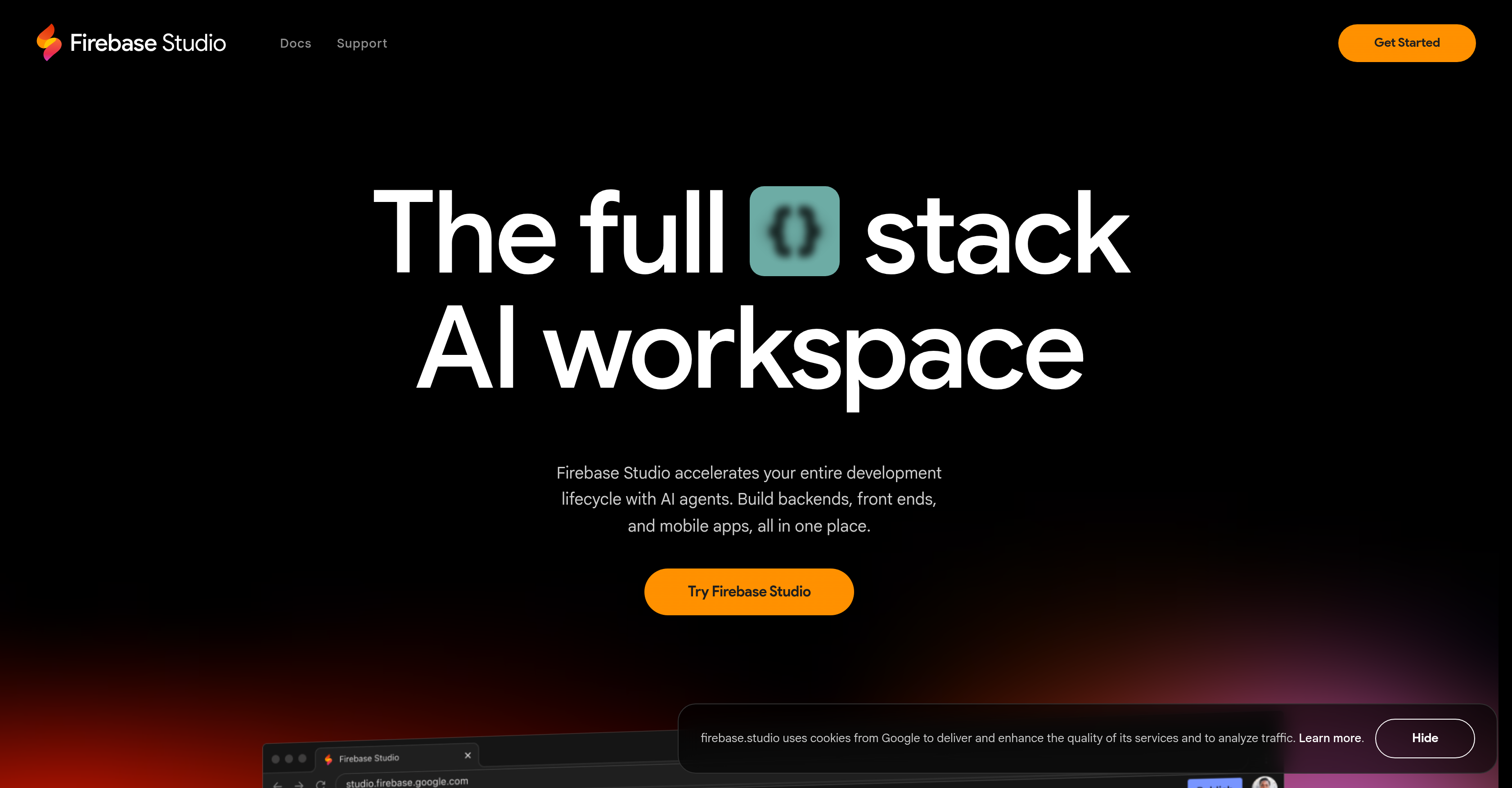
- Ship production-ready apps faster by automating coding, debugging, and documentation with Gemini AI agents
- Maintain clean, optimized code with AI-powered refactoring, testing, and error elimination
- Build complete prototypes instantly using natural language, mockups, or drawing tools without starting from scratch
- Test user experience accurately with built-in web previews and Android emulators that show apps exactly as users see them
- Deploy on your terms with flexible infrastructure options including Firebase Hosting, Cloud Run, or custom deployment
- Import existing projects seamlessly from GitHub, GitLab, Bitbucket, or local machines without migration headaches
- Optimize API endpoints and backend performance with thousands of Open VSX Registry extensions for comprehensive testing
- Monitor real user behavior and application performance directly within your development workspace after publishing
⚖️ Pros & Cons
Pros
- Web-based platform
- Accelerates development lifecycle
- Code testing tools
- Refactoring tools
- Code explanation features
- Code documentation
- Import repos from GitHub
- Import repos from GitLab
- Import repos from Bitbucket
- Supports local machine imports
- Supports most tech stacks
- Natural language prototyping
- Includes mockups
- Includes drawing tools
- Includes Firebase App Hosting
- Performance monitoring feature
- User behavior monitoring
- Cross platform testing
- Access to Open VSX Registry extensions
- API optimization
- Web previews for UX testing
- Android emulators for UX testing
- Firebase Hosting usage
- Cloud Run usage
- Use own custom infrastructure
- Full-stack development in one workspace
- Application prototype using screenshots
- Task automation
- Repositories import tool
- Large templates catalog
- Customizable environment with Nix
- Built-in model for tasks
- Migrations assistance
- End-to-end testing optimization
- Built-in web previews
- Backend optimization
- Deploy to custom infrastructure
- Usage and behavior monitoring
- Deployment approach customization
- Complete control of deployment
- Custom agents building
Cons
- Limited infrastructure options
- Only web-based
- No offline mode
- Workspace limit
- Dependency on Google accounts
- Limited customisation options
- No native app
- Only Firebase App Hosting
- Unspecified tech stack limitations
- Unclear documentation support
❓ Frequently Asked Questions
Firebase Studio is an advanced, web-based platform that enables full-stack application development. It utilizes generative Artificial Intelligence from Gemini to enhance the development process and is designed to boost the entire development lifecycle. It enables users to develop frontends, backends, and mobile apps from one workspace and incorporates AI agents that assist in various coding tasks. It also supports quick app building and allows imports from different repositories like GitHub, GitLab, Bitbucket, or local machines. Firebase Studio can handle most tech stacks and provides tools for application prototype creation. It offers Firebase App Hosting for easy application publishing, user behavior and performance monitoring, and cross-platform end-to-end testing.
The generative Artificial Intelligence from Gemini propels the development process in Firebase Studio through automation and enhanced coding assistance. AI agents integrated into the platform assist with various tasks such as coding, debugging, testing, refactoring, explaining, and documenting code. The AI can also interact with your codebase and carry out actions on behalf of users, thereby optimizing workflows and increasing development speed.
AI agents in Firebase Studio assist users with a broad spectrum of tasks. These tasks include coding, debugging, testing, refactoring, explaining, and documenting code. All these are facilitated by the generative Artificial Intelligence from Gemini.
Firebase Studio enhances the efficiency of coding through AI-assisted programming. Gemini's generative AI performs coding, debugging, testing, refactoring, explaining, and documenting tasks. It's capable of interacting with your codebase and executing actions on behalf of users. This assistance not only accelerates development but also eradicates potential errors and helps in maintaining clean, optimized code.
Yes, Firebase Studio supports fast and fluid project imports from popular repositories like GitHub and Bitbucket. This also includes GitLab and even local machines. It's designed to make the transition seamless, allowing users to build and optimize their applications quickly and efficiently.
Firebase Studio supports most tech stacks. The exact list isn't specified, but given the comprehensive nature of Firebase studio, it should cater to the majority of modern development frameworks and languages. This enables users to get to work quickly regardless of their technology stack preference.
Firebase Studio enables prototype development with its App Prototyping agent. You can quickly create new applications using natural language, mockups, drawing tools, and screenshots. You can also select from a catalog of popular framework or language templates, allowing for a diverse range of prototype development approaches.
Firebase Studio offers drawing tools and facilities to create mockups. These functionalities are part of the App Prototyping agent which aids in swift prototype development. The specific details of these tools are not directly mentioned. Still, they allow quick creation of application prototypes using natural language, mockups, drawing tools, and screenshots.
Firebase App Hosting is a service incorporated into Firebase Studio which allows for easy publishing of applications. Users can monitor user behavior, application performance, and more through this platform. Firebase Studio makes it straightforward to publish your apps with Firebase App Hosting, providing easy-to-use tools and features for app publishing and deployment.
Firebase Studio monitors user behavior and application performance as part of its Firebase App Hosting service. It not only allows for easy publishing of applications but also keeps track of application usage and user behavior. However, specific details regarding the tracking metrics or methods have not been made explicit.
End-to-end testing in Firebase Studio involves access to the Open VSX Registry extensions, enabling comprehensive testing and optimization of API endpoints and backends. With built-in web previews and Android emulators, Firebase Studio also facilitates app previews in the manner users would see them, assuring quality user-experience testing from the beginning to end of the development process.
Firebase Studio makes use of the Open VSX Registry extensions to facilitate comprehensive testing and optimization of API endpoints and backends. Thousands of extensions are accessible as part of Firebase Studio's testing environment, enabling users to ensure optimal functionality and efficiency of their full-stack applications.
Firebase Studio's built-in web previews and Android emulators are integral features for user-experience testing. You can preview your apps as your users would see them, facilitating an immediate and accurate understanding of the user experience. This helps developers identify potential improvements and enhancements way ahead of the actual application launch.
In Firebase Studio, users have multiple deployment options. While Firebase Hosting and Cloud Run are available, users also have the flexibility to select their own custom infrastructure for deployment. This ensures that developers can stick to their preferred methods and strategies for deployment, offering both flexibility and control.
Firebase Studio provides several benefits for full-stack development. It accelerates the entire development lifecycle, facilitates frontend, backend, and mobile app development in a single workspace, and optimizes workflows with AI assistance. It also allows fast application building, supports a variety of tech stacks, and provides user behavior and performance monitoring. Its end-to-end testing capabilities, alongside coupling with Firebase App Hosting, make it an effective tool for full-stack development.
Yes, Firebase Studio can interactively engage with your codebase and carry out actions on your behalf. This is part of the application of Gemini's generative AI in Firebase Studio which aids in coding, debugging, testing, refactoring, explaining, and documenting code.
Firebase Studio accelerates the application development lifecycle by offering a streamlined full-stack application development platform. Its integration with generative AI from Gemini automates several tasks, increasing development speed. AI agents assist with coding, debugging, testing, refactoring, explaining, and documenting code. In addition, Firebase Studio enables fast app building, supports multiple tech stacks, and offers a flexible and inclusive workspace for frontend, backend, and mobile app development.
Yes, Firebase Studio offers features for user-experience testing. With integrated web previews and Android emulators, you can preview your applications as your users would see them. This feature allows you to gauge the user experience precisely and make necessary adjustments and improvements effectively.
Firebase Studio handles API endpoint optimization by giving users access to thousands of extensions in the Open VSX Registry. These extensions aid in testing and optimizing API endpoints and backends, allowing developers to ensure smooth functionality, performance, and scalability of their applications.
Firebase Studio provides several options for application prototype development. It allows users to create new applications using natural language, mockups, drawing tools, and screenshots. Additionally, users can select their preferred templates from a large catalog of popular framework or language templates. This flexibility aids in swift and varied prototype creation.
Firebase Studio enables prototype development with its App Prototyping agent. You can quickly create new applications using natural language, mockups, drawing tools, and screenshots. You can also select from a catalog of popular framework or language templates, allowing for a diverse range of prototype development approaches.
Firebase Studio offers drawing tools and facilities to create mockups. These functionalities are part of the App Prototyping agent which aids in swift prototype development. The specific details of these tools are not directly mentioned. Still, they allow quick creation of application prototypes using natural language, mockups, drawing tools, and screenshots.
Firebase App Hosting is a service incorporated into Firebase Studio which allows for easy publishing of applications. Users can monitor user behavior, application performance, and more through this platform. Firebase Studio makes it straightforward to publish your apps with Firebase App Hosting, providing easy-to-use tools and features for app publishing and deployment.
Firebase Studio monitors user behavior and application performance as part of its Firebase App Hosting service. It not only allows for easy publishing of applications but also keeps track of application usage and user behavior. However, specific details regarding the tracking metrics or methods have not been made explicit.
End-to-end testing in Firebase Studio involves access to the Open VSX Registry extensions, enabling comprehensive testing and optimization of API endpoints and backends. With built-in web previews and Android emulators, Firebase Studio also facilitates app previews in the manner users would see them, assuring quality user-experience testing from the beginning to end of the development process.
Firebase Studio makes use of the Open VSX Registry extensions to facilitate comprehensive testing and optimization of API endpoints and backends. Thousands of extensions are accessible as part of Firebase Studio's testing environment, enabling users to ensure optimal functionality and efficiency of their full-stack applications.
Firebase Studio's built-in web previews and Android emulators are integral features for user-experience testing. You can preview your apps as your users would see them, facilitating an immediate and accurate understanding of the user experience. This helps developers identify potential improvements and enhancements way ahead of the actual application launch.
In Firebase Studio, users have multiple deployment options. While Firebase Hosting and Cloud Run are available, users also have the flexibility to select their own custom infrastructure for deployment. This ensures that developers can stick to their preferred methods and strategies for deployment, offering both flexibility and control.
Firebase Studio provides several benefits for full-stack development. It accelerates the entire development lifecycle, facilitates frontend, backend, and mobile app development in a single workspace, and optimizes workflows with AI assistance. It also allows fast application building, supports a variety of tech stacks, and provides user behavior and performance monitoring. Its end-to-end testing capabilities, alongside coupling with Firebase App Hosting, make it an effective tool for full-stack development.
Yes, Firebase Studio can interactively engage with your codebase and carry out actions on your behalf. This is part of the application of Gemini's generative AI in Firebase Studio which aids in coding, debugging, testing, refactoring, explaining, and documenting code.
Firebase Studio accelerates the application development lifecycle by offering a streamlined full-stack application development platform. Its integration with generative AI from Gemini automates several tasks, increasing development speed. AI agents assist with coding, debugging, testing, refactoring, explaining, and documenting code. In addition, Firebase Studio enables fast app building, supports multiple tech stacks, and offers a flexible and inclusive workspace for frontend, backend, and mobile app development.
Yes, Firebase Studio offers features for user-experience testing. With integrated web previews and Android emulators, you can preview your applications as your users would see them. This feature allows you to gauge the user experience precisely and make necessary adjustments and improvements effectively.
Firebase Studio handles API endpoint optimization by giving users access to thousands of extensions in the Open VSX Registry. These extensions aid in testing and optimizing API endpoints and backends, allowing developers to ensure smooth functionality, performance, and scalability of their applications.
Firebase Studio provides several options for application prototype development. It allows users to create new applications using natural language, mockups, drawing tools, and screenshots. Additionally, users can select their preferred templates from a large catalog of popular framework or language templates. This flexibility aids in swift and varied prototype creation.
💰 Pricing
Pricing model
No Pricing
📺 Related Videos
July 2025: Firebase Studio Updates, Grounding with Google Search, Client and Admin SDK Upgrades
👤Firebase•7.1K views•Aug 5, 2025
Google Firebase Studio in 16 minutes
👤Craig Hewitt•2.8K views•Oct 6, 2025
What Is Firebase Studio? 🔥 Full Stack AI Coding Tutorial
👤Wanderloots•36.2K views•Nov 3, 2025
Start prototyping with Firebase Studio
👤Firebase•13.1K views•May 7, 2025
Firebase After Hours #14: Live Vibe Coding with Firebase Studio
👤Firebase•6.6K views•Jul 31, 2025
Firebase Studio: 9 Must See Features (FREE to Use)
👤aiwithbrandon•136.0K views•Apr 11, 2025