

FlexQ
Answer every interview question with your real experience: FlexQ builds an interview brief from your résumé and the job description, so each suggested answer draws on your actual wording and background with no prompt writing.
Listing not yet reviewed by our editors · How we check
Overview
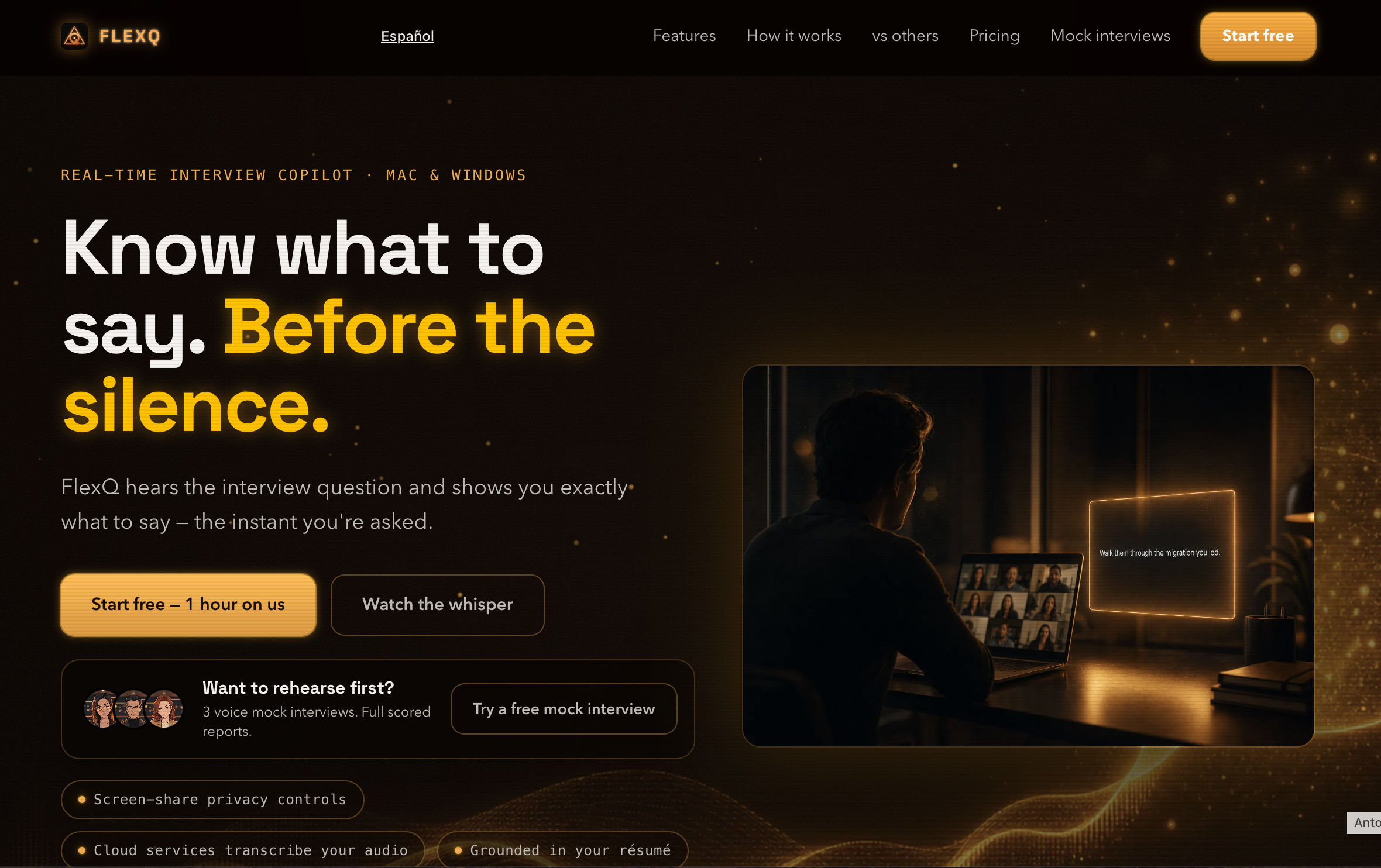
- Answer every interview question with your real experience: FlexQ builds an interview brief from your résumé and the job description, so each suggested answer draws on your actual wording and background with no prompt writing.
- Avoid long pauses after tough questions: a quiet amber whisper card shows a suggested answer about 2–3 seconds after the question on an M-series Mac, during live Zoom, Google Meet, and Microsoft Teams interviews.
- Say answers that sound like you: one-tap reshaping makes a suggestion simpler, more detailed, or takes a different angle. When your résumé has no match, FlexQ suggests an alternative angle instead of inventing experience.
- Keep hints off your shared window: stealth mode uses macOS content protection to keep the overlay out of a standard single-window screen share. Full-screen capture in some apps can still show it.
- Go into the real interview already practiced: rehearsal mode runs voice mock interviews built from your résumé and the target role. Scored reports grade relevance, completeness, and fit with the job description.
- Write sharper follow-ups after the call: an automatic post-interview recap lists key discussion points and follow-up items.
- Interview in the language the role requires: real-time answer suggestions work in English plus Spanish, French, German, Italian, Portuguese, Russian, and 30+ more languages on every plan.
- Pay for interview hours you actually use: hour-based pricing costs $49/month for 12 live hours versus $149/month for Cluely. A $99 90-day pass and 8-hour top-ups for $25 also stack onto any plan.
- Keep your interview data under your control: FlexQ never stores raw audio, files transcripts under a pseudonymous ID, never uses them to train public models, and lets you turn off transcript syncing.
- Start preparing today at no cost: download the macOS app or early Windows build with no API keys or setup. Claim 1 free live hour and 3 scored mock interviews without a credit card.
Pros & Cons
From the listing; not yet checked by our editors.
Pros
- Real-time on-screen whisper hints
- OS-level content protection overlay
- Invisible to screen capture tools
- Works on Zoom, Teams, Meet
- Mac and Windows native apps
- No API key required
- One-click rsum & job import
- Rsumgrounded contextual answers
- Cloud transcription with short-lived keys
- No local audio storage
- 30+ language support built-in
- Mock interview voice bot
- Scored mock interview reports
- Latency ~23 seconds on M-series
- Free one-hour trial, no card
- User-only amber hint overlay
- Screen-share privacy controls included
- Pseudonymous transcript storage
- Automatic post-call recap summary
- One-tap answer reshaping
- Install size 230MB Mac
- Apple notarized, Silicon & Intel
- Early Windows build with guide
- Zero prompt engineering needed
- Real-time answer generation, not summary
- Supports audio and video calls
- Whisper overlay hidden from recordings
- Cloud transcription can be disabled
- Full rsum parsing for context
- Custom job description parsing
- Instant answer within 23 seconds
- Multi-platform screen capture protection
- Cancel anytime, no hidden fees
- Add extra hours on demand
- Live summary includes follow-ups
- System microphone permission auto-link
- No external API keys
- Low-latency speech-to-text
- Privacyfirst design, no retention
- Scoped keys per session
- Maintain eye contact with hints
- Rsumbased contextual hints
- Download link via email
- One-click start free hour
- Intel and Apple Silicon support
- Real-time conversation assistance
- Interview question detection via microphone
- Overlay positioned in corner
- Live hints during video interview
- Non-intrusive floating answer card
- Automatic rsumjob brief generation
- Full scored reports after mocks
- Zerocard signup for mock
Cons
- Windows build unsigned, warning prompt
- 23s response latency
- Audio sent to cloud transcription
- Requires screenrecording permissions
- No offline transcription mode
- Desktoponly, no mobile app
- Contentprotection breaks multiwindow sharing
- Manual resume formatting required
- No model finetuning option
- Hourly usage can exhaust fast
Alternatives to FlexQ
Tools that share the most tags with FlexQ.
- LockedIn AI
Answer interview questions confidently with AI-generated responses tailored to your resume and job description
Paid · from $39.99/month
$39.99/month
Not yet checked
- Linkjob
Receive instant AI-powered answers during live interviews with ultra-low latency response time of 0.23 seconds
Free trial · from $24.99/month
$24.99/month
Not yet checked
- Intvu
Experience realistic interview practice that mirrors actual job interviews through AI-powered simulations
Not listed
Not listed
Not yet checked
- PracTalk
Receive immediate, specific feedback on your answers to identify strengths and weaknesses instantly using AI analysis against industry best practices
Paid · from $3.99
$3.99
Not yet checked
- Interview Prep AI - MockXP
Answer interview questions tailored specifically to your target role, company, and location using AI that analyzes your resume and job description
Freemium · from $11.99/month
$11.99/month
Not yet checked
- AI Interview Buddy - AIApply
Receive tailored interview responses instantly by analyzing your specific resume and target job description
Paid · from $29.99/month
$29.99/month
Not yet checked
Reviews
Rate this tool
Loading reviews...
Frequently asked questions
How does FlexQ give me real‑time answer suggestions during a live interview?
FlexQ captures the audio of the interview in real time, sends it to a cloud transcription service, matches the transcribed question against your uploaded résumé and the job description, and then generates a concise answer that appears as an amber‑colored whisper overlay on your screen.
Is the FlexQ overlay visible to the interviewer on Zoom, Teams, or Meet?
The overlay is invisible to the interviewee; FlexQ sets macOS content‑protection on its window so the hint never appears in the shared video stream on Zoom, Teams, or Meet.
Can I use FlexQ on both macOS and Windows (early build)?
Yes, FlexQ is available as a desktop app for macOS and as an early‑build Windows version.
How many free live interview hours does FlexQ offer without a credit card?
FlexQ provides one live interview hour for free, and you can claim it without entering a credit‑card number.
What’s included in FlexQ’s free mock interview package?
The free mock interview package includes three voice‑driven mock interviews, each with a full scored report, and it requires no credit‑card information.
How does FlexQ keep my audio and transcript data private?
Audio is streamed only to transcription providers using short‑lived, scoped keys; FlexQ does not store the raw audio, and transcripts are kept under a pseudonymous user ID and are never used to train public models. Users can disable transcript syncing at any time.
Does FlexQ support languages other than English, like Spanish or French?
Beyond English, FlexQ supports Spanish, French, German, Italian, Portuguese, Russian and more than 30 additional languages across all plans.
How does FlexQ use my résumé to generate context‑aware answers?
When you upload your résumé and the job description, FlexQ builds an interview brief; every suggestion is grounded in the exact wording and experience listed in your résumé, eliminating the need for manual prompt creation.