

Floyo
Launch any AI workflow in seconds from your browser with zero installation or setup required, powered by the accessible ComfyUI interface.
Listing not yet reviewed by our editors · How we check
Overview
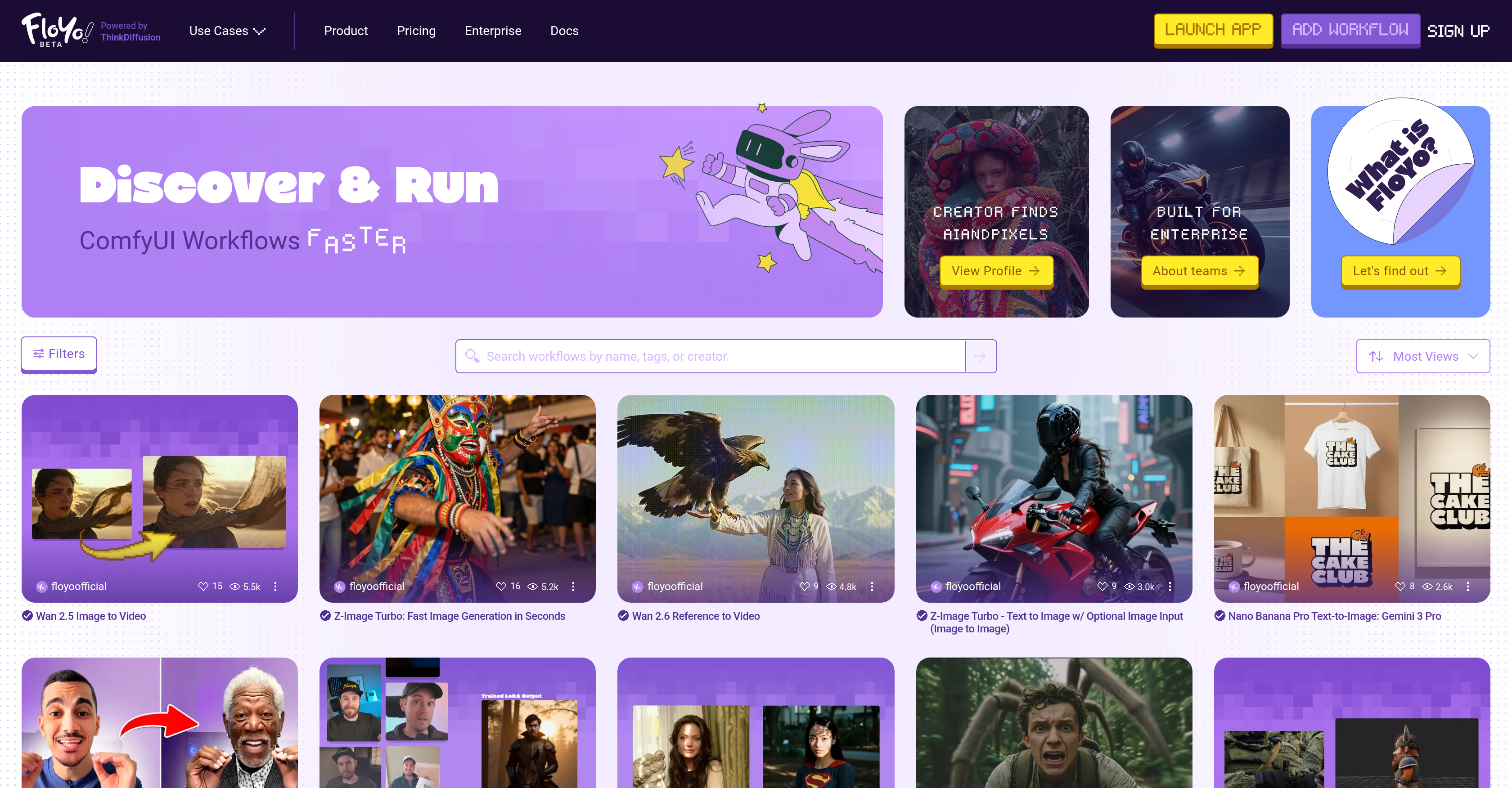
- Launch any AI workflow in seconds from your browser with zero installation or setup required, powered by the accessible ComfyUI interface.
- Generate high-quality images for marketing or concepts in seconds using the Z-Image Turbo workflow for fast image generation.
- Transform images into videos or restyle existing videos using a reference image with workflows like Wan 2.5 Image to Video and V2V Restyle.
- Create custom AI models and datasets for specific characters or styles using machine learning training workflows like Fast LoRA Training for Flux.
- Integrate AI generation directly into your own applications and automate creative tasks using the versatile Floyo API for custom integrations.
- Access and contribute to a growing library of specialized open-source workflows for photography, animation, and editing shared by a community of creators.
Pros & Cons
From the listing; not yet checked by our editors.
Pros
- ComfyUI for easy use
- Works in a browser
- Zero setup requirements
- Platform for free building
- Creative freedom without constraints
- Open-source workflows
- Covers diverse fields
- API, Marketing, Photography workflows
- Video Production, Animation workflows
- Machine Learning training workflows
- Video to Video Outpainting
- Fast Image Generation
- Text to Image conversion
- Allows complex operations
- Large base of workflows
- Usable across industries
- Offers enterprise solutions
- Supports workflow sharing
- Community Engagement
- ThinkDiffusion powered
- Allows user contributions
- Custom API Integrations
- Fast workflow launching
- Versatile automation potential
- 50% off first year offer
- Supports both individual creators and enterprises
- Custom workflow additions
- Comprehensive Use Cases
- User-friendly Platform
- Direct browsing of workflows
- Yearly subscription benefits
- Help Docs availability
- Workflow Preview option
- Configurable API
- Retail & Ecommerce workflows
- VFX & Post Production workflows
- Active creator support
- Useful for diverse fields
- Easy workflow discovery
- Unlimited workflow building
- Faster, easier sharing
- All-open source workflows
- Workflow addition facility
- Beneficial for video production
- Helpful in image editing
- Ready-to-run premade workflows
- Vertical Video Production workflows
- Character and Concept Design workflows
Cons
- Limited workflow customization
- No offline capabilities
- Potential browser compatibility issues
- Possible latency issues
- No user-specific tool customization
- Dependent on community contributions
- Entirely dependent on ThinkDiffusion
- May require high network bandwidth
- Lack of elaborate documentation
- Unsuitable for low-end devices
Alternatives to Floyo
Tools that share the most tags with Floyo.
- BotDojo
Launch enterprise AI solutions weeks faster using 200+ pre-built templates for customer support and data analysis
Contact for pricing
Not listed
Not yet checked
- Victoria AI
Execute complex multi-app workflows instantly through simple chat commands without switching between applications
Free trial · from $30/month
$30/month
Not yet checked
- Scanflow
Eliminate manual data entry with single-scan capture of alphanumeric text combinations using advanced text scanning
Not listed
Not listed
Not yet checked
- Unframe AI
Deploy custom AI solutions tailored to your exact business problems in days, not months, using modular building blocks configured by Blueprints
Not listed
Not listed
Not yet checked
- n8nChat
Create complete n8n workflows in seconds by describing your automation goal in plain English instead of manually configuring nodes
Freemium · from $5/month
$5/month
Not yet checked
- Octoparse AI
Create production-ready automations instantly without technical skills using the visual drag-and-drop interface
Freemium · from $29/month
$29/month
Not yet checked
Related Videos

Z-Image base is FINALLY here! And it's uncensored.
Sebastian Kamph · Jan 29, 2026
Reviews
Rate this tool
Loading reviews...
Frequently asked questions
What is Floyo?
Floyo is a tool that incorporates ComfyUI for easy use in a browser, allowing users to find and launch open-source workflows at their convenience.
How does Floyo's ComfyUI support browser use?
Floyo's ComfyUI supports browser use by bringing its full power to the browser, making it effortless to find and run open-source workflows.
What kinds of workflows can I launch through Floyo?
Users can launch various workflows through Floyo, including API, Marketing, Photography, Video Production, Animation, and Machine Learning training workflows.
Can I use Floyo for creative output without any constraints?
Yes, Floyo allows for creative output without any constraints, providing a platform for free building and exercising creative freedom.
Is there any setup required to use Floyo?
No, there is zero setup required to use Floyo.
Can Floyo be beneficial for video production?
Yes, Floyo can be beneficial for video production, offering capabilities such as video to video outpainting, fast image generation, and restyling existing videos using a reference image.
What are the main uses of Floyo in machine learning training?
Floyo supports machine learning training by providing workflows such as Fast LoRA Training for Flux via Floyo API.
How does Floyo support text to image conversion?
Yes, Floyo supports text to image conversion, as seen in workflows like Z-Image Turbo and Nano Banana Pro Text-to-Image: Gemini 3 Pro.