
Full Stack AI
Generate complete full-stack applications in minutes instead of days using simple CLI prompts that output production-ready boilerplate code
Listing not yet reviewed by our editors · How we check
Overview
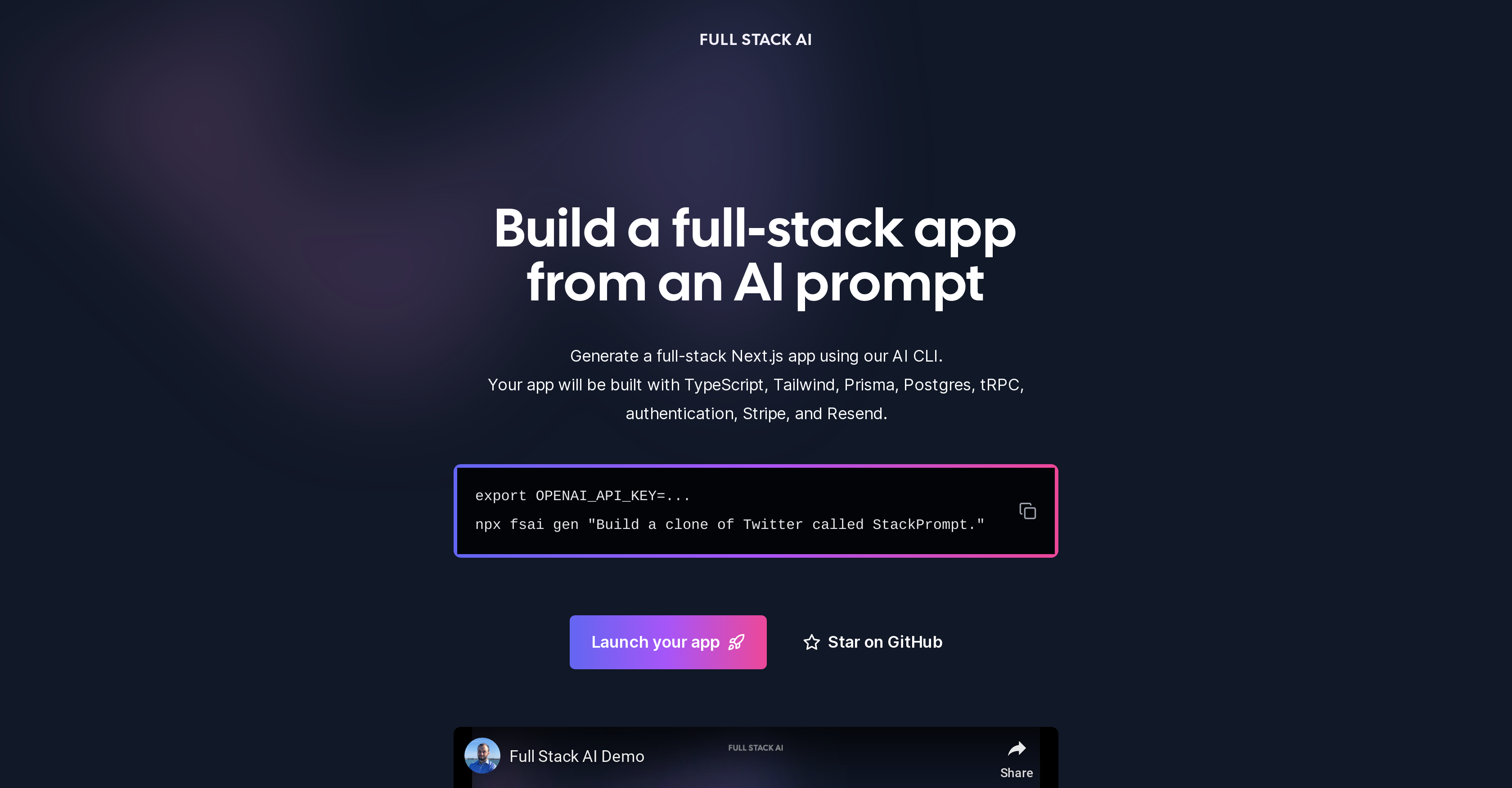
- Generate complete full-stack applications in minutes instead of days using simple CLI prompts that output production-ready boilerplate code
- Skip complex backend configuration with pre-integrated authentication, Resend, and payment processing through Stripe integration
- Build unlimited applications without restrictions on project complexity using the open-source CLI tool that scales with your development needs
- Launch with enterprise-grade tech stack including TypeScript, Tailwind, Prisma, Postgres, and tRPC without manual setup or configuration
- Maintain full deployment control while Full Stack AI handles the backend setup, giving you flexibility across hosting platforms
- Accelerate Next.js learning with immediately functional codebase that demonstrates modern full-stack patterns and best practices
Pros & Cons
From the listing; not yet checked by our editors.
Pros
- Generates Next.js applications
- Handle user prompts
- Pre-configured with sophisticated tech-stack
- Includes TypeScript, Tailwind, Prisma
- Postgres, tRPC, stripe integrated
- Built-in authentication functionality
- Resend functionalities out-of-the-box
- Minimal CLI commands
- Generates boilerplate code
- Suitable for rapid prototyping
- Backend set-up handled
- Open-source
- No usage limitations
- Supports complex projects
- User-controlled utilization
- Flexible deployment platform
- Allows code modifications
- Reduces development time
- Streamlined development process
- Community contributions on GitHub
- Build any number of applications
Cons
- CLI interface may deter non-techies
- Restricted to Next.js applications
- Limited technology stack choices
- No customization for tech-stack
- Deployment platform entirely user-dependent
- Changes reliant on manual coding
- Open-source - potential security risks
- No stated support for issues
- Not ideal for complex apps
- Dependent on correct user prompts
Alternatives to Full Stack AI
Tools that share the most tags with Full Stack AI.
- Stack AI
Build custom AI applications in minutes without writing code using an intuitive drag-and-drop interface and pre-built workflow templates
Freemium · from $139/month
$139/month
Not yet checked
- LaunchLemonade
Build custom AI assistants for your business without writing any code using our intuitive visual platform
Free trial · from $25/month
$25/month
Not yet checked
- Origin AI
Create custom enterprise software without hiring developers through AI-driven development that replaces traditional coding requirements
Paid · from $25/month
$25/month
Not yet checked
- Solid
Generate production-ready Tailwind and React code instantly from a simple text prompt, URL, or image upload, eliminating manual front-end coding
Freemium · from $20/month
$20/month
Not yet checked
- Floot
Launch your web app idea without writing code by describing it in chat or visually with our AI-powered platform
Freemium · from $25/month
$25/month
Not yet checked
- Chef by Convex
Launch production-ready full-stack apps with built-in database, authentication, and file uploads through automated backend configuration
Freemium · from $25/month
$25/month
Not yet checked
Reviews
Rate this tool
Loading reviews...
Frequently asked questions
How does Full Stack AI operate with the Command Line Interface?
Full Stack AI utilizes the Command Line Interface (CLI) to transform user prompts into fully functional web applications. Developers run a minimal set of commands to generate boilerplate code that aligns with popular web applications. The CLI managed by Full Stack AI facilitates streamlined and efficient application development.
What do I need to start building a web application using Full Stack AI?
To initiate building a web application with Full Stack AI, you just need to provide user prompts via the Command Line Interface. The rest of the process, from code generation to pre-configuration of the tech stack, is taken care of by Full Stack AI. No explicit prerequisites have been mentioned on their website, indicating that basic knowledge of CLI operations could suffice. However, familiarity with TypeScript, Tailwind, Prisma, Postgres, tRPC, and Stripe technologies would be beneficial for code adjustments.
What tech stack comes pre-configured with Full Stack AI?
Full Stack AI comes with pre-configured technologies including TypeScript, Tailwind, Prisma, Postgres, tRPC, and Stripe. These technologies contribute to shaping a well-integrated, robust and efficient tech stack that aligns with modern full-stack web development practices.
How does Full Stack AI integrate authentication and Resend functionalities?
Full Stack AI automatically integrates authentication and Resend functionalities into the developed application. This happens during the application creation process, making these features immediately available and operational in the new application. Specifics on how exactly these functionalities are integrated are not detailed on their website.
How does Full Stack AI facilitate rapid prototyping?
Full Stack AI expedites prototyping by enabling rapid creation of full-stack Next.js applications. Developers provide user prompts and Full Stack AI turns them into fully functional web applications. This streamlined workflow, coupled with the generation of boilerplate code, significantly speeds up the software prototyping phase.
What control do I have over the deployment platform when using Full Stack AI?
Deployment platform decisions are wholly determined by the developer whilst using Full Stack AI. The AI handles the backend set-up but leaves final say on platform distribution to the user, providing flexibility in aligning with dev-ops strategies and practices.
How can I contribute to the Full Stack AI project on GitHub?
Full Stack AI is open-source and contributions are welcome. Interested developers can visit the project's GitHub page, assess the code, and propose changes or improvements. The actual method would involve forking the repository, making the necessary changes, and then submitting a pull request.
Is there a limit to the number of applications I can build with Full Stack AI?
No limit to the number of applications that can be built using Full Stack AI is mentioned on their website. It seems to provide unlimited potential for developers to build as many applications as they need or require.