

GetResponse AI Website Builder
Launch a professional website in minutes without technical skills using the AI wizard that generates personalized designs from simple questions about your business
Listing not yet reviewed by our editors · How we check
Overview
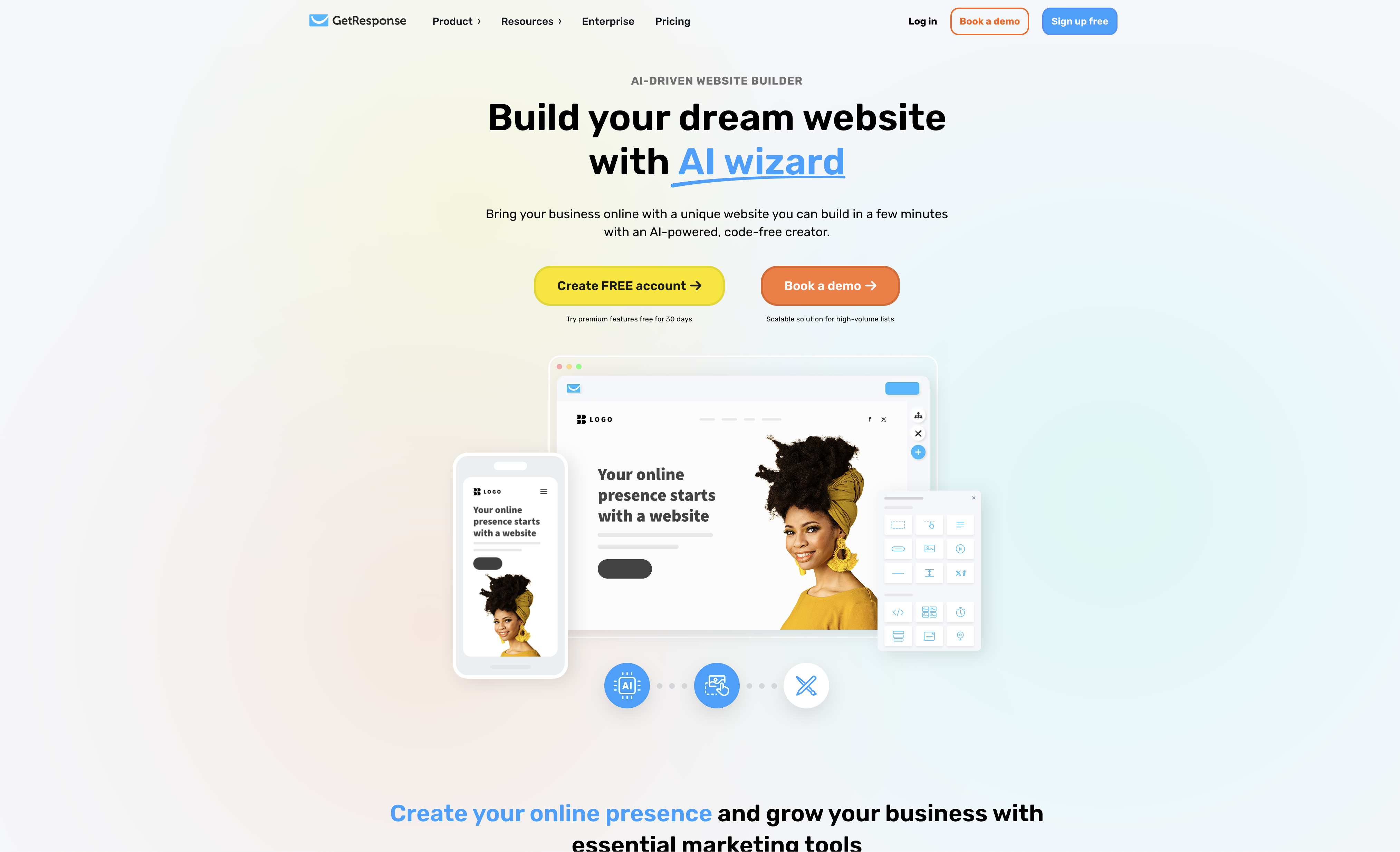
- Launch a professional website in minutes without technical skills using the AI wizard that generates personalized designs from simple questions about your business
- Maintain consistent branding across all pages instantly with Global Design tool that applies font and color changes site-wide with one click
- Capture more leads and increase conversions by up to 10% with built-in popups and forms that engage visitors at the right moment
- Grow your organic search visibility using built-in SEO optimization tools designed to boost your website's ranking and traffic
- Understand what resonates with your audience through detailed analytics that track visits and clicks to optimize performance
- Extend your website with integrated marketing tools including email campaigns, automation, and landing pages—all within the same platform
- Choose the perfect web address with flexible domain options including free domains, connecting your existing domain, or purchasing new ones directly
Pros & Cons
From the listing; not yet checked by our editors.
Pros
- No coding required
- Website customization
- Drag-and-drop editor
- SEO optimization
- Personalized templates
- Variety of industry templates
- Global design tool
- One-click design changes
- Integrated online marketing suite
- Website performance tracking
- Customizable popups and forms
- Easy domain selection
- Ability to import website
- Advanced design tools
- Integrated email marketing
- Automated marketing tools
- Various free domain options
- Website security with SSL
- Tailored website for business type
- Free trial available
- Built-in SEO tools
- Access to high-quality stock images
- 24/7 technical support
- Integrated with GetResponse tools
- Responsive design for mobile
- Meta tags customization
- Website builder available in free plan
- Pre-designed templates ready to use
- Marketing automation integration
- Paid ads capabilities
- SMS marketing capabilities
- Customizable landing pages
- Web push notifications
- Integrated live chats
- Convenient website importing
- Form and popup creator
- Automatic popup triggering
- Webinar Integrations
- Ecommerce integrations
- Website visibility analysis
Cons
- Limited SEO optimization features
- Lacks code customization
- Limited template variety
- Dependent on GetResponse platform
- No integrated e-commerce
- No multi-language support
- Limited visitor analytics
- Doesn't offer mobile app editing
Alternatives to GetResponse AI Website Builder
Tools that share the most tags with GetResponse AI Website Builder.
- Reflect Webchat
Get instant answers from any webpage or article without switching tabs using AI-powered chat interface
Not listed
Not listed
Not yet checked
- Intellimize
Convert more website traffic by automatically tailoring the experience to each visitor's behavior with 1:1 AI personalization
Freemium · from $14/month
$14/month
Not yet checked
- Mediaweb
Launch a professional portfolio in minutes without technical skills using AI that builds from your vision description
Paid · from $10/month
$10/month
Not yet checked
- Aidaptive
Increase conversion rates automatically with AI-powered product recommendations that predict what each customer wants to buy
Not listed
Not listed
Not yet checked
- Handywriter
Publish error-free content confidently with automatic grammar and spelling correction that fixes mistakes as you write
Paid · from $9.99/month
$9.99/month
Not yet checked
- Macaly
Launch complete websites and apps in minutes by simply describing your idea with its natural language processing
Freemium · from $25/month
$25/month
Not yet checked
Related Videos
How to Create a Website Using an AI Wizard in GetResponse | GetResponse Website Builder
GetResponse · Dec 22, 2021

Build a Professional Website in Minutes with AI | GetResponse Website Builder
PixiNews · Nov 13, 2025

Create a Website in No Time With the GetResponse Website Builder
GetResponse · Sep 22, 2021
How to Build a Free Website in 30 minutes. GetResponse Website Builder tutorial
GetResponse · Sep 3, 2021

GetResponse Website Builder Honest Review & User Experience | AI Website Creation Tested
How Review · Nov 10, 2025
Reviews
Rate this tool
Loading reviews...
Frequently asked questions
What is GetResponse?
GetResponse is an AI-powered tool that offers a comprehensive suite of online marketing solutions. It's major features include email marketing, marketing automation, a landing page creator, conversion funnel, conversion optimisation tools and an AI-driven website builder. The platform is designed to be user-friendly and offers comprehensive solutions for businesses to build and promote their online presence.
Can GetResponse help me build a website if I don't know how to code?
Yes, GetResponse offers an AI-driven website builder that doesn't require any coding knowledge. Users can create a professional website either from scratch or by using the AI wizard to generate a personalized website. The platform offers a no-code solution with an easy-to-use drag-and-drop editor, allowing users to customize their website design effortlessly.
What is the AI-wizard in GetResponse?
The AI wizard in GetResponse is a built-in feature that helps users create a personalized website in seconds. Users answer a series of simple questions about their business, and the AI wizard then uses this information to generate a tailored website that suits their business needs.
How does the drag-and-drop editor in GetResponse work?
The drag-and-drop editor in GetResponse enables users to easily customize their website design. Instead of dealing with complex coding, users can simply select and position elements on their website. This feature provides complete design freedom, making it easy for anyone to create a professional-looking website.
What is the Global Design tool in GetResponse?
GetResponse's Global Design tool is a feature that permits users to alter their website's design across all pages with a single click. If users want to make global changes, like adjusting the font or color scheme, they simply have to make the modification once and the change will be applied across their entire website instantly.
How can I increase my website conversions with GetResponse?
GetResponse helps to increase website conversions using built-in popups and forms. These can grab the attention of website visitors with timely updates or special offers. With the correct usage of these popups and forms, GetResponse claims that website conversions can increase up to 10%.
Do I need prior experience to use GetResponse?
No, you do not need prior experience to use GetResponse. Its AI Website Builder is specifically designed to be user-friendly and straightforward, making it simple for those without any previous experience in website design or coding to create a professional and attractive website efficiently.
What kind of designs can I create with GetResponse?
With GetResponse, users can create professional, personalized websites designed to their needs and specifications. Thanks to the AI-driven website builder, a variety of modifiable templates tailored for different industries, and a drag-and-drop editor, users can easily create an online platform that fully represents their business and industry.