

Glass
Ship React and Next.js UI changes without hunting through files: the AI copilot creates components and alters props directly from the browser.
Listing not yet reviewed by our editors · How we check
Overview
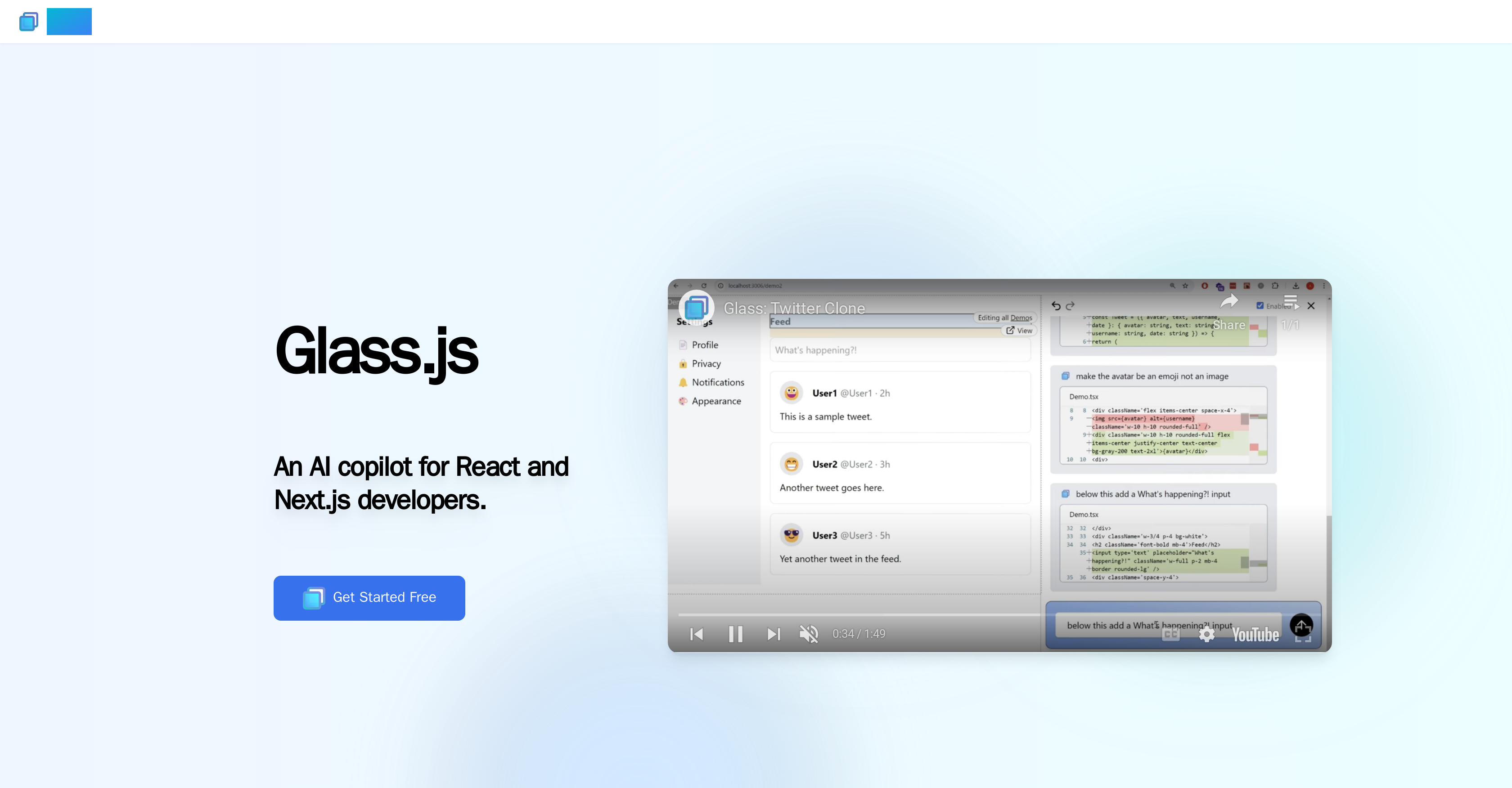
- Ship React and Next.js UI changes without hunting through files: the AI copilot creates components and alters props directly from the browser.
- Style pages on the spot: write Tailwind CSS against the live element you're looking at, with no need to locate the right file or class string first.
- Understand any unfamiliar layout in seconds: a visual map of the component structure shows which source component renders each element on the page.
- Land on the exact line of code every time: click any element to jump instantly to its source, more precisely than other click-to-code tools.
- Rework entire UI sections in one pass: edit a selected component together with all of its descendant components.
- Experiment freely with zero production risk: Glass runs only in development environments and never installs packages, so your deployed app and dependency tree stay untouched.
- Keep your existing Next.js routing setup: Glass supports both app routing and page routing.
Pros & Cons
From the listing; not yet checked by our editors.
Pros
- Designed for React, Next.js
- Browser-based modifications
- Generates Tailwind CSS
- Visual component structure
- Easy source component identification
- Instant source code navigation
- No impact on production
- Edits components and descendants
- No package installation
- Supports applications routing
- Supports page routing
- Open beta stage
- More precise click-to-code
- No hand-written Tailwind
- Free to get started
- Backed by Y Combinator
Cons
- Only for React, Next.js
- No package installation
- Only operates in development
- Restricted file editing
- No production implementation
- Still in beta stage
- Doesn't support all routers
- No offline mode
- Browser-based only
Alternatives to Glass
Tools that share the most tags with Glass.
- FlowGen
Get a working interface in about a minute instead of days of mockups: describe the screen in plain English and the AI UI generator builds a live, editable React screen.
Freemium · from $24/month
$24/month
Not yet checked
- Bitrig
Ship App Store-ready native Swift applications by describing what you want to build and receiving functional Swift code generated through leading AI models like Claude Code, Codex, Anthropic, and OpenAI.
Freemium · from $25/month
$25/month
Not yet checked
- Google Antigravity
Google's agentic development platform: agents plan and run coding tasks across an app, a CLI, an IDE, IDE extensions and a Python SDK.
Freemium · from $30/month
$30/month
Nov 24, 2026
- Base44
Transform your ideas into working apps in minutes using simple conversation instead of complex coding
Freemium · from $16/month
$16/month
Not yet checked
- CodeRabbit
Eliminate manual code review bottlenecks with instant PR summaries and intelligent code walkthroughs that accelerate your development workflow
Free trial · from $24/month
$24/month
Not yet checked
- Rocket
Launch complete applications in minutes instead of weeks by generating full-stack code from a single description
Freemium · from $25/month
$25/month
Not yet checked
Reviews
Rate this tool
Loading reviews...
Frequently asked questions
What is Glass designed specifically for?
Glass is designed specifically for React and Next.js developers.
How does Glass facilitate modifications from the browser?
Glass facilitates modifications from the browser using AI, enabling developers to directly create components, alter properties, and write Tailwind CSS without delving deep into the codebase.
In what ways does Glass assist in creating components?
Glass assists in creating components by using machine learning algorithms to enable developers to make direct modifications, create components and alter properties right from the browser.
How does Glass alter properties?
Glass alters properties by providing an interface in the browser that uses AI, allowing developers to directly make these alterations without the need to delve deeply into the codebase.
Does Glass support writing of Tailwind CSS?
Yes, Glass supports the writing of Tailwind CSS. It enables developers to write Tailwind CSS directly from the browser without the need to delve deeply into the codebase.
How does Glass provide a visual representation of the component structure?
Glass provides a visual representation of the component structure by enhancing user interaction with a visual map of the component structure. This allows developers to easily identify the source components of each element.
How can Glass help in identifying the source components of each element?
Glass helps in identifying the source components of each element by providing a visual representation of the component structure. This visual structure allows developers to see the source component of each element easily.
How does Glass enhance comfort and precision in navigating to the source code?
Glass enhances comfort and precision in navigating to the source code by offering the ability to instantly navigate to the source code of the clicked element, which is more precise than other click-to-code tools.