

HeadshotGPT
Get a professional headshot without booking a photographer: upload a single selfie and the AI headshot generator creates a new portrait using your face as a reference, not a crop of the original.
Listing not yet reviewed by our editors · How we check
Overview
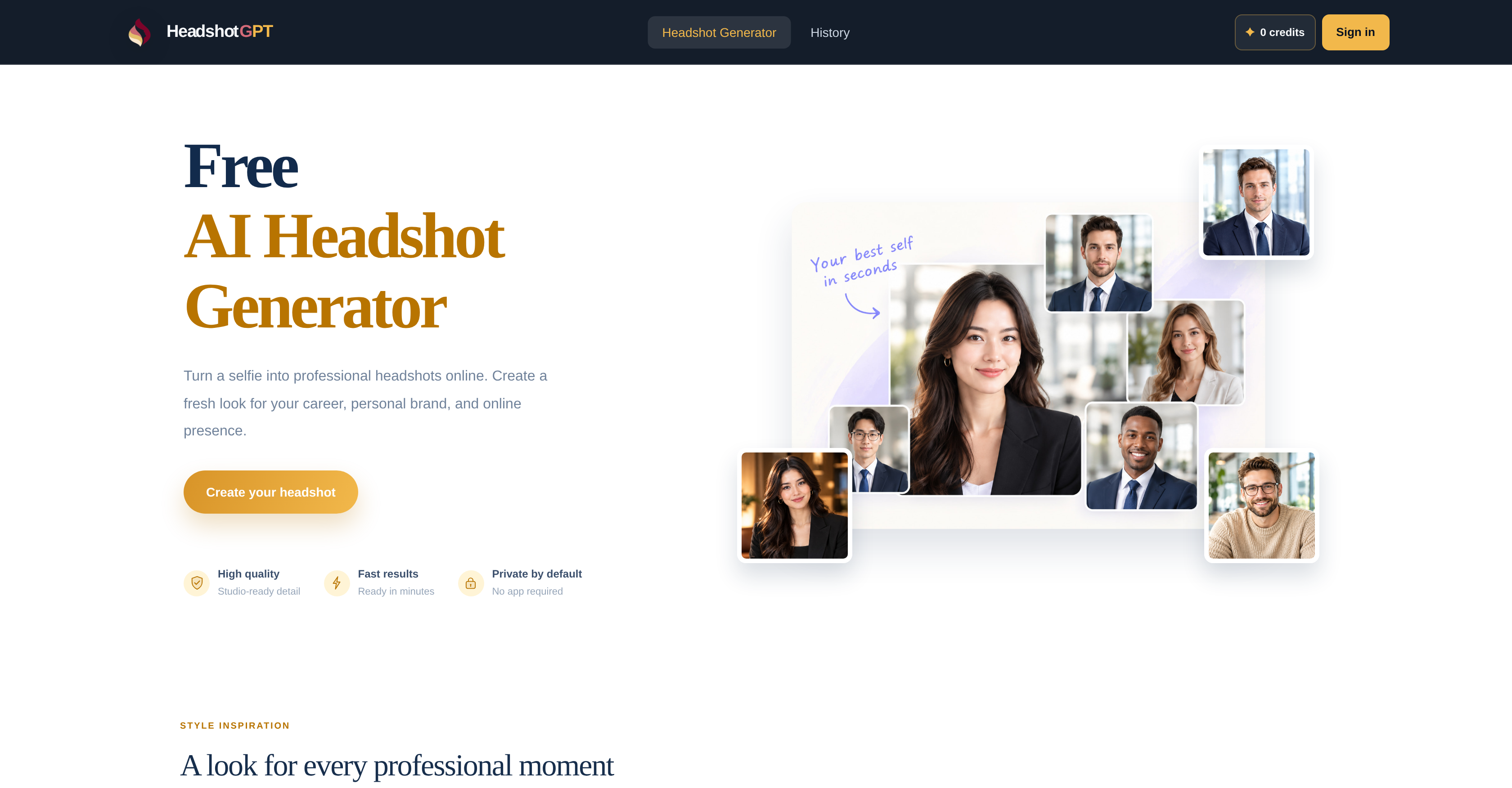
- Get a professional headshot without booking a photographer: upload a single selfie and the AI headshot generator creates a new portrait using your face as a reference, not a crop of the original.
- Present yourself the way your field expects: choose executive, corporate, creative, business casual, or studio professional styles to fit a boardroom, agency, or freelance profile.
- Turn a casual snapshot into business attire: select a formal style or add an optional prompt for clothing or expression, while presets work with no prompt at all.
- Fit every profile slot without awkward cropping: generate in 1:1, 3:4, 4:3, 16:9, or 9:16, or use automatic sizing, with a square format and headroom for LinkedIn's circular frame.
- Match your company website or personal brand: place your portrait on a white, light gray, office, or outdoor background so it sits naturally beside existing team photos.
- Replace an outdated selfie or cropped group photo everywhere at once: create consistent portraits for your LinkedIn headshot, resume or CV photo, company bio, speaker page, and author profile.
- Keep the result recognizable as you: built-in photo guidance on sharp focus, even lighting, a front-facing pose, and no filters, sunglasses, or other people gives the generator a reliable facial reference.
- Start immediately with the photo you already have: upload a JPG, PNG, or WEBP up to 10 MB in your browser, with no app to install and free credits to begin.
Pros & Cons
From the listing; not yet checked by our editors.
Pros
- Generates a portrait from one selfie
- Creates a new portrait, not a crop
- Uses your photo as facial reference
- Offers executive style
- Offers corporate style
- Offers creative style
- Offers business-casual style
- Offers studio-professional style
- Choose white backgrounds
- Choose light-gray backgrounds
- Choose office backgrounds
- Choose outdoor backgrounds
- Choose square proportions
- Choose portrait proportions
- Choose landscape proportions
- Add instructions for outfit or expression
- Supports JPG, PNG, and WEBP
- Accepts images up to 10MB
- Runs online without app installation
- Provides available free credits
- Shows generation credit requirements
- Delivers results in minutes
- Review portraits before using them
- Includes guidance for recognizable results
- Supports LinkedIn profile photos
- Supports company biography portraits
- Supports resume and CV portraits
- Supports speaker and author portraits
- Supports personal branding portraits
- Guidance for circular profile crops
- Guidance for matching company websites
- Replaces outdated selfies or group crops
Cons
- One reference photo per generation
- 10 MB upload limit
- JPG, PNG, or WEBP only
- Three image proportions available
- Four background choices
- Preset styles, not custom outfits
- Free generations are credit-limited
- Requires a clear, solo photo
- Generated likeness needs user review
- Storage and retention details unclear
Alternatives to HeadshotGPT
Tools that share the most tags with HeadshotGPT.
- daisy | LinkedInPro
Create professional headshots from everyday photos without expensive studio sessions using AI-powered photo transformation
Freemium · from $2.50
$2.50
Not yet checked
- PhotoGuruAI
Get professional headshots without studio costs using AI technology that transforms basic selfies
Paid · from $9/month
$9/month
Not yet checked
- Snapheadshots
Replace expensive photoshoots with studio-quality headshots generated from simple selfies, eliminating photography costs and scheduling hassles
Paid · from $29
$29
Not yet checked
- AIEasyShot
Get professional headshots for LinkedIn and business profiles without scheduling photoshoots or leaving home, using simple selfie uploads
Paid · from $29
$29
Not yet checked
- BetterPic | AI Headshots
Get studio-quality headshots without the photoshoot hassle using AI transformation from casual photos
Paid · from $35
$35
Not yet checked
- AI Headshots
Replace expensive photoshoots with studio-quality headshots using AI that enhances lighting and refines image quality from your selfies
Paid · from $19.99
$19.99
Not yet checked
Reviews
Rate this tool
Loading reviews...
Frequently asked questions
How do I create a headshot with HeadshotGPT?
Upload a clear, recent photo of yourself, choose a style, background, and image ratio, then generate and review the portrait.
Is HeadshotGPT free, and how many credits do I get?
HeadshotGPT offers free credits, but the number of credits is not stated. Check your balance and the credits required before generating.
What happens when I run out of credits on HeadshotGPT?
Further generations depend on your remaining credits and current usage limits. What happens after credits run out is not specified.
What kind of selfie works best with HeadshotGPT?
Use one sharp, recent, front-facing photo with your face and eyes clearly visible and evenly lit. Avoid heavy filters, backlighting, shadows, sunglasses, other people, or anything covering your face.
Can HeadshotGPT generate a headshot from just one photo?
Yes. HeadshotGPT can generate a portrait from one clear photo.
Will HeadshotGPT's portraits still look like me?
Your uploaded photo is used as a facial reference. A clear, recent image helps, but you should check the finished portrait against your original, especially the eyes and face shape.
Can I use a casual selfie with HeadshotGPT and choose formal clothing?
Yes. A casual photo is fine if your face is clear. Choose a business or formal style, and review the generated outfit before using the image.
What styles can I choose in HeadshotGPT?
HeadshotGPT lists executive, corporate, creative, business casual, and studio professional styles. It also offers formal business styles.