
ImgGood AI | Poster Generator
9
📝 Overview
- Launch professional marketing campaigns instantly without hiring a designer using AI that handles layout, typography, and color harmony
- Create perfectly formatted social media visuals for any platform with built-in support for Square, Portrait, and Landscape dimensions
- Maintain brand consistency across all promotional materials by seamlessly integrating your uploaded logos and images into AI-generated designs
- Eliminate software costs and design learning curves with a completely free online tool that requires no downloads or design experience
- Transform basic text and images into visually balanced posters with automated visual hierarchy that emphasizes your most important message
⚖️ Pros & Cons
Pros
- Creates professional-grade posters
- Perfect for non-designers
- Automatic design process
- Considers layout balance
- Considers typography
- Considers color harmony
- Considers visual hierarchy
- Supports small businesses
- Ideal for social media campaigns
- Supports logo integration
- Supports image integration
- Compatible with social media formats
- User-friendly interface
- Rapid design creation
- Free to use
- Democratizes graphic design
- Multiple tool offerings
- Supports multiple content inputs
- Output ready in minutes
- Helps with event promotion
- Useful for product promotion
- Assists in sale promotion
- No design skills required
- Provides visually appealing results
- Supports popular poster formats
- Automatic image upload
- Supports local businesses
- Ideal for promotions
- Generates scroll-stopping visuals
- Can preview multiple options
- Download or share instantly
- Automatic layout handling
- Automatic color handling
- Automatic typography handling
- Personalize with own images
- Fit for any purpose
- Fast generation process
- Supports Square (1:1) format
- Supports Portrait (4:5) format
- Supports Landscape (5:4) format
Cons
- Limited design customizability
- Requires internet access
- Depends on user-provided content
- May not support all image types
- Not suitable for complex designs
- Limited support for print formats
- Not fully automated
- Reliant on user-provided text
- Lacks offline version
- No API mentioned
❓ Frequently Asked Questions
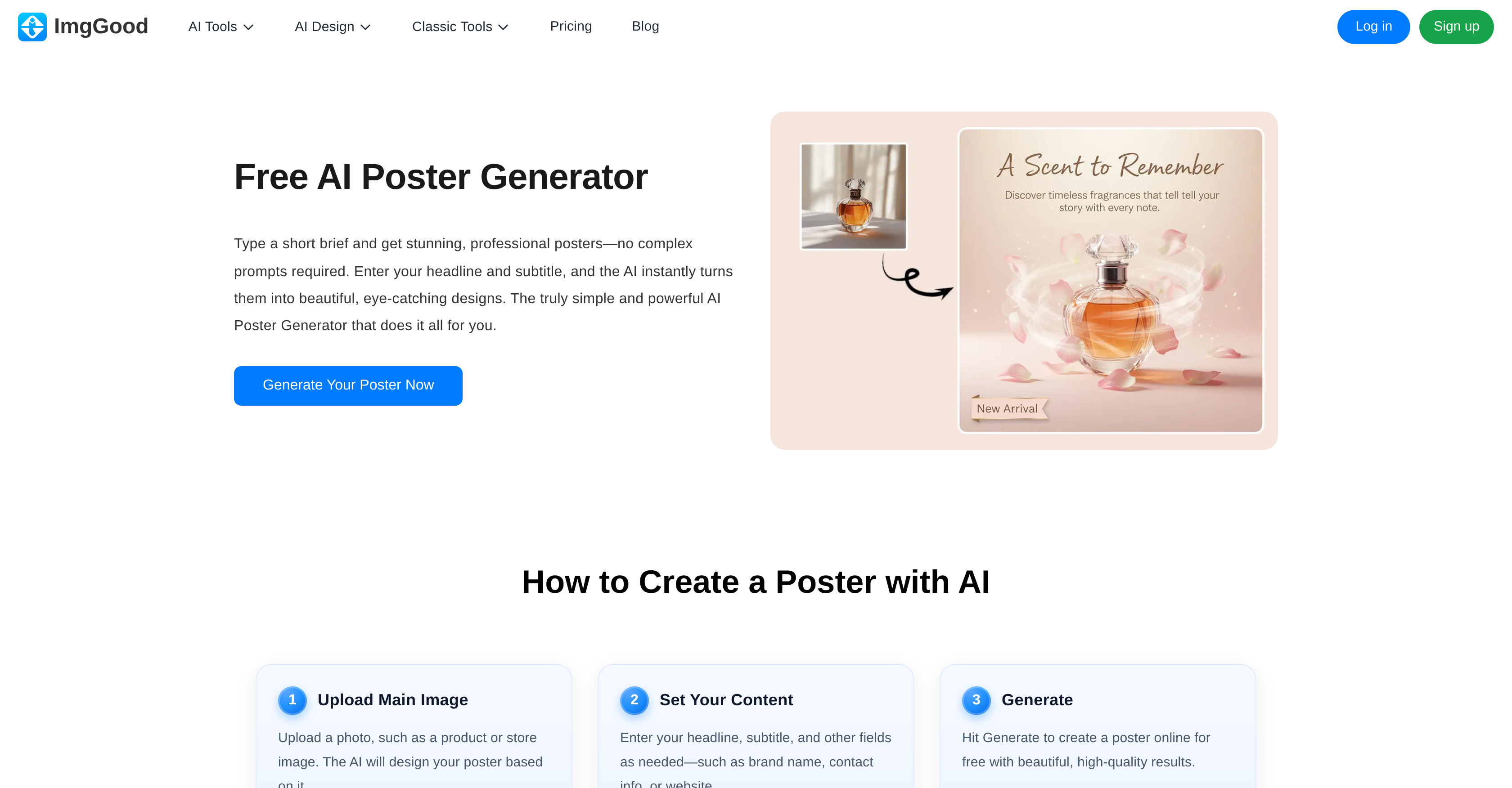
ImgGood AI Poster Generator is an artificial intelligence-powered online tool that creates posters based on the content provided on their website. It automates the process of creating professional, visually pleasing posters by considering factors such as layout balance, typography, color harmony, and visual hierarchy.
To start designing with ImgGood AI Poster Generator, you need to enter your headline, subtitle, and optionally upload an image. No previous design skills are needed.
Yes, ImgGood AI Poster Generator allows users to upload their own images or logos, which the AI system will integrate seamlessly into the design.
ImgGood AI Poster Generator considers several factors when creating a poster design, including the layout balance, typography, color harmony, and visual hierarchy.
Yes, ImgGood AI Poster Generator is free to use and is designed to provide access to high-quality poster design without the need to own any software or have graphic design expertise.
Yes, the ImgGood AI Poster Generator supports popular social media formats such as Square (1:1), Portrait (4:5), and Landscape (5:4), ensuring compatibility across diverse platforms.
It typically takes about a minute to design a poster with ImgGood AI Poster Generator.
No, you do not need any design skills to use the ImgGood AI Poster Generator. The AI system takes care of the layout, color, typography, making it easy for anyone to create professional posters.
With ImgGood AI Poster Generator, you can create a variety of posters for different purposes including promotion of products, events, sales, or for social media campaigns.
Yes, the AI in ImgGood AI Poster Generator is capable of seamlessly integrating user-uploaded images into the poster design.
Yes, the ImgGood AI Poster Generator can be used to create eye-catching visuals for social media campaigns. It supports various social media formats for compatibility across platforms.
ImgGood AI Poster Generator uses the principle of layout balance in its designs to ensure an even distribution of elements, creating a professional and aesthetically pleasing poster.
Yes, ImgGood AI Poster Generator is designed to create visually appealing and professional-grade posters. It incorporates elements of design such as color harmony, typography, and visual hierarchy.
The ImgGood AI Poster Generator is ideal for individuals with little to no design skills, and smaller businesses. It automates the process of creating professional-grade posters and is free to use.
Yes, ImgGood AI Poster Generator supports the creation of posters for promoting products, events, sales, or for social media campaigns.
Yes, the tool considers typography and color harmony when designing a poster. It uses AI to ensure a balanced and harmonious visual appeal.
Yes, ImgGood AI Poster Generator is user-friendly. It automates the design process allowing users to create professional posters with just a few inputs and within a minute.
ImgGood AI Poster Generator provides a high level of visual hierarchy in its designs. It prioritizes important elements and ensures a logical pattern of visual perception to communicate the story effectively.
ImgGood offers many other AI tools beyond the Poster Generator. These include Background Remover, Image Upscaler, Object Remover, and AI Image Generator among others.
Yes, ImgGood's AI Poster Generator allows for customization in the design process. Users can input their own headline, subtitle, and even upload their own images or logos for a personalized design.
It typically takes about a minute to design a poster with ImgGood AI Poster Generator.
No, you do not need any design skills to use the ImgGood AI Poster Generator. The AI system takes care of the layout, color, typography, making it easy for anyone to create professional posters.
With ImgGood AI Poster Generator, you can create a variety of posters for different purposes including promotion of products, events, sales, or for social media campaigns.
Yes, the AI in ImgGood AI Poster Generator is capable of seamlessly integrating user-uploaded images into the poster design.
Yes, the ImgGood AI Poster Generator can be used to create eye-catching visuals for social media campaigns. It supports various social media formats for compatibility across platforms.
ImgGood AI Poster Generator uses the principle of layout balance in its designs to ensure an even distribution of elements, creating a professional and aesthetically pleasing poster.
Yes, ImgGood AI Poster Generator is designed to create visually appealing and professional-grade posters. It incorporates elements of design such as color harmony, typography, and visual hierarchy.
The ImgGood AI Poster Generator is ideal for individuals with little to no design skills, and smaller businesses. It automates the process of creating professional-grade posters and is free to use.
Yes, ImgGood AI Poster Generator supports the creation of posters for promoting products, events, sales, or for social media campaigns.
Yes, the tool considers typography and color harmony when designing a poster. It uses AI to ensure a balanced and harmonious visual appeal.
Yes, ImgGood AI Poster Generator is user-friendly. It automates the design process allowing users to create professional posters with just a few inputs and within a minute.
ImgGood AI Poster Generator provides a high level of visual hierarchy in its designs. It prioritizes important elements and ensures a logical pattern of visual perception to communicate the story effectively.
ImgGood offers many other AI tools beyond the Poster Generator. These include Background Remover, Image Upscaler, Object Remover, and AI Image Generator among others.
Yes, ImgGood's AI Poster Generator allows for customization in the design process. Users can input their own headline, subtitle, and even upload their own images or logos for a personalized design.
💰 Pricing
Pricing model
Freemium
Paid options from
$4.99/month
Billing frequency
Monthly