
Interview Guide | Resume Studio
Know exactly what the employer is hiring for before you prep: paste the job ad text and get a breakdown of must-have and nice-to-have requirements in about 20 seconds.
Listing not yet reviewed by our editors · How we check
Overview
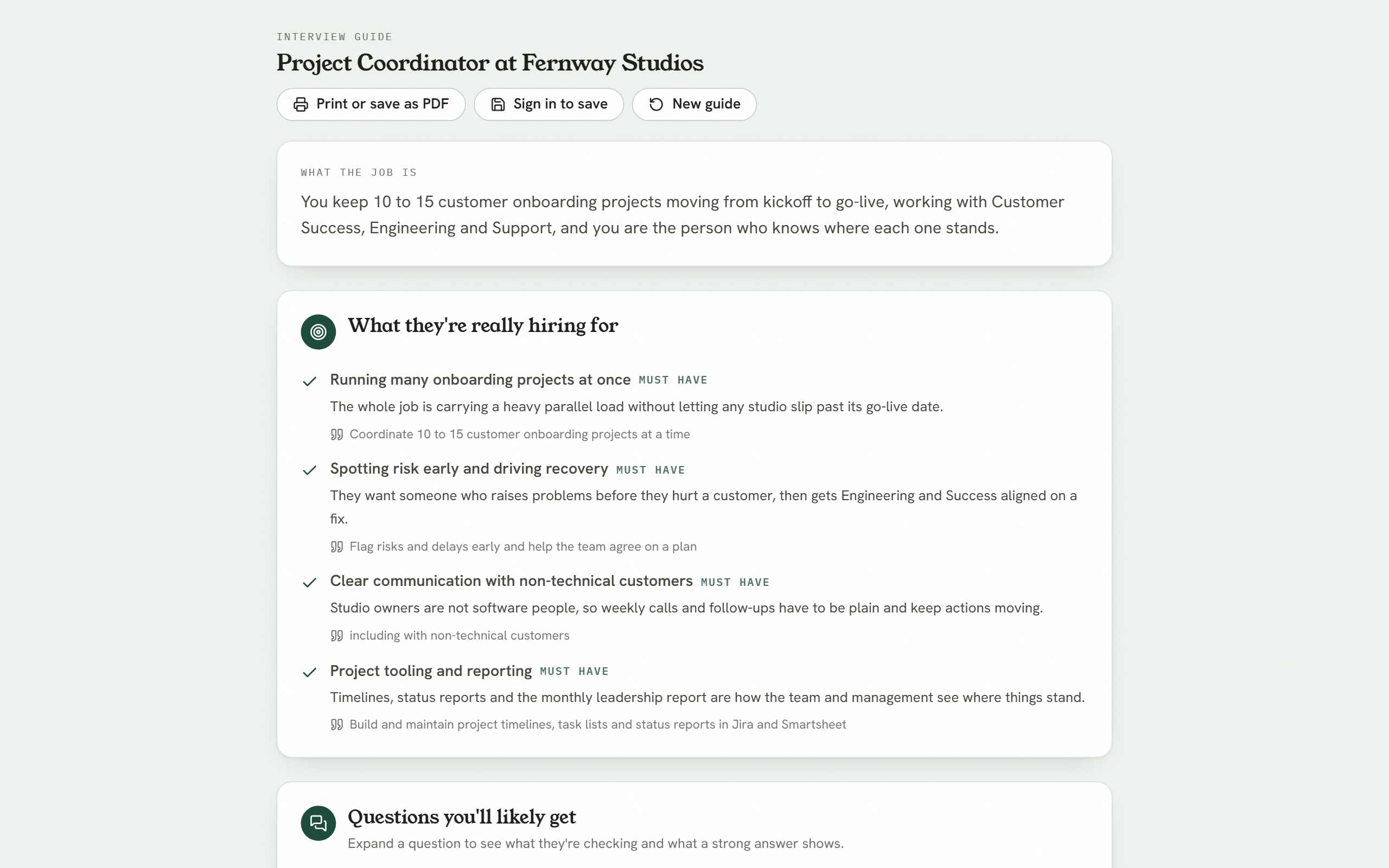
- Know exactly what the employer is hiring for before you prep: paste the job ad text and get a breakdown of must-have and nice-to-have requirements in about 20 seconds.
- Spend prep time only on the interview questions you're likely to face: the guide lists the six to eight questions the job description points to and what each one is checking.
- Prepare with interview prep you can verify: every point quotes the exact line of the job ad it comes from, and anything that can't be traced to the ad is left out.
- Close the interview with sharp, role-specific questions: get five good questions to ask the interviewer, built from that exact job posting.
- Rehearse your answers before the real conversation: turn any question into a quick one-question mock interview and get honest AI feedback graded against that specific job.
- Spot skill gaps in your CV before the employer does: upload your resume and it opens in the Resume Studio editor with the job attached, showing which of the ad's skills and tools you already demonstrate.
- Walk into the interview with your notes in hand: print the interview guide or save it as a PDF for the day.
- Start preparing right away with your job search kept private: the guide is free with no signup, and an unsaved guide stays in your browser only.
Pros & Cons
From the listing; not yet checked by our editors.
Pros
- Ready in about 20 seconds
- Free, no sign-up required
- Every point quotes the ad
- Identifies must-haves and nice-to-haves
- Predicts likely interview questions, with what each one checks
- Suggests questions to ask the interviewer
- Practice any question with feedback on your answer
- Upload your resume to see which skills from the ad you already show
- Print or save the guide as PDF
Cons
- Doesn't accept job ad links, so paste the text
- 3 guides a day without an account (5 signed in)
- The guide is only as detailed as the ad
- Web only
- English interface only
Alternatives to Interview Guide | Resume Studio
Tools that share the most tags with Interview Guide | Resume Studio.
- Linkjob
Receive instant AI-powered answers during live interviews with ultra-low latency response time of 0.23 seconds
Free trial · from $24.99/month
$24.99/month
Not yet checked
- Intvu
Experience realistic interview practice that mirrors actual job interviews through AI-powered simulations
Not listed
Not listed
Not yet checked
- PracTalk
Receive immediate, specific feedback on your answers to identify strengths and weaknesses instantly using AI analysis against industry best practices
Paid · from $3.99
$3.99
Not yet checked
- Interview Prep AI - MockXP
Answer interview questions tailored specifically to your target role, company, and location using AI that analyzes your resume and job description
Freemium · from $11.99/month
$11.99/month
Not yet checked
- AI Interview Buddy - AIApply
Receive tailored interview responses instantly by analyzing your specific resume and target job description
Paid · from $29.99/month
$29.99/month
Not yet checked
- Liftoff
Experience realistic interview scenarios with AI-powered mock interviews that simulate actual job interview conditions
Not listed
Not listed
Not yet checked
Reviews
Rate this tool
Loading reviews...
Frequently asked questions
How does it work?
Peter 🛠️ 2 tools wrote:Paste the text of a job ad and the guide is ready in about 20 seconds. It shows what the employer is really hiring for (must-haves and nice-to-haves), the questions you're likely to be asked with what each one is checking, questions to ask them, and the skills and tools the ad names. Every point quotes the line of the ad it comes from.
Why doesn't it accept job ad links?
Peter 🛠️ 2 tools wrote:Most job sites block other sites from reading their pages, so copy the text of the ad and paste it in.
How does it help me practice?
Peter 🛠️ 2 tools wrote:You can practice any question from the guide as a quick one-question mock interview and get honest feedback on your answer, graded against that job.
Can I compare my resume with the job ad?
Peter 🛠️ 2 tools wrote:Yes. Upload your resume from the guide and it opens in the Resume Studio editor with the job attached, so you can see which of the ad's skills and tools you already show.
Do you keep the job ad I paste?
Peter 🛠️ 2 tools wrote:Not unless you save the guide. A guide you don't save stays in your browser only. If you sign in and save it, it's kept with your resume.