

Learn to Speak Easy
Answer unexpected questions without freezing: random speaking prompts, sorted by theme and difficulty, give you a two-minute turn to respond aloud, so you build spontaneous speaking skill instead of memorizing scripts.
Listing not yet reviewed by our editors · How we check
Overview
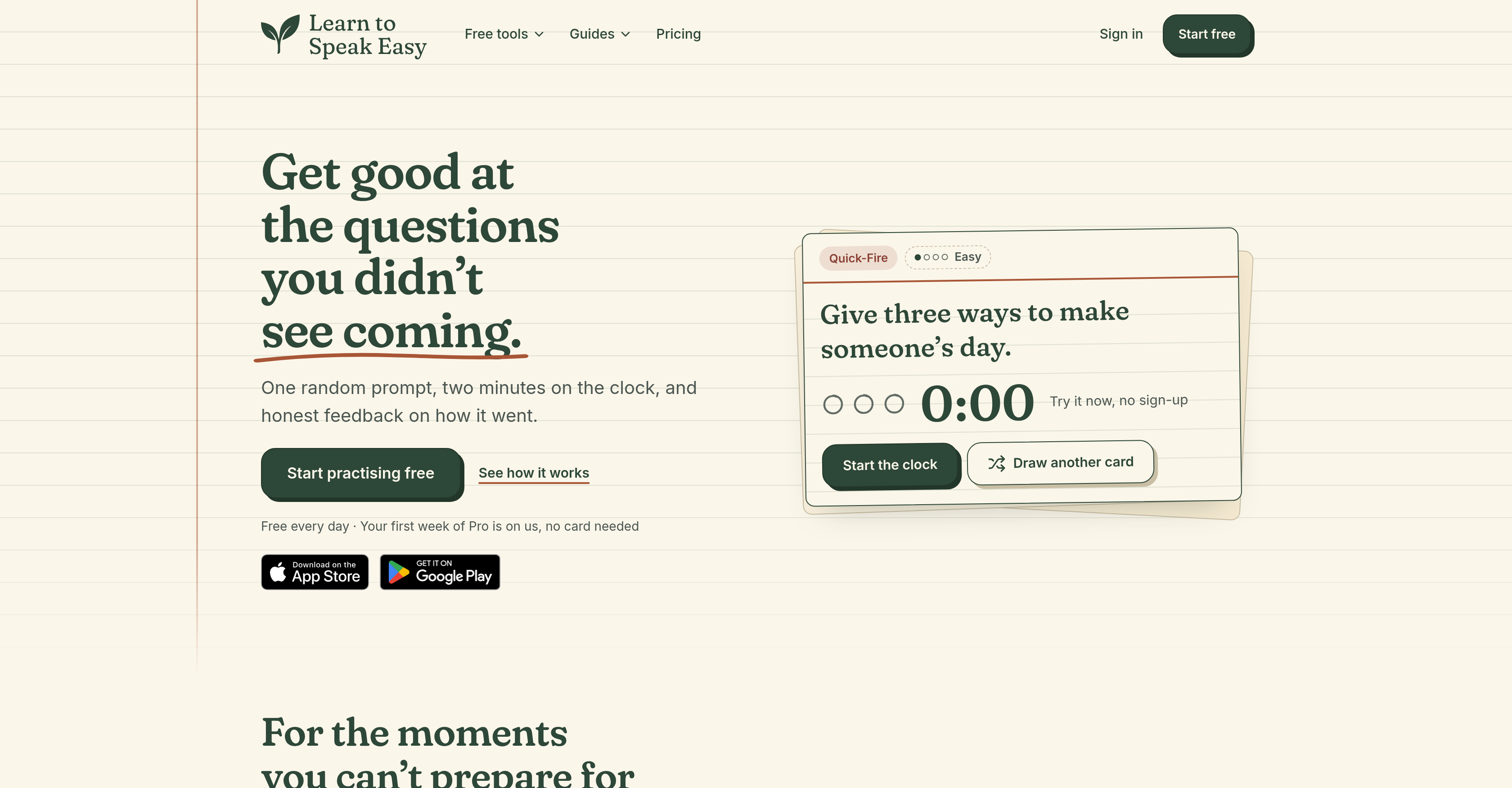
- Answer unexpected questions without freezing: random speaking prompts, sorted by theme and difficulty, give you a two-minute turn to respond aloud, so you build spontaneous speaking skill instead of memorizing scripts.
- Stop saying "um" and "erm": after every answer you see a filler word count and your speaking pace in words per minute, and Pro adds a transcript that marks each filler word.
- Finish your point on time: a green, amber, and red timer shows your progress through the turn, and a report of how much of the allotted time you used shows whether you run short or overrun.
- Improve with each attempt: one suggestion for your next try, plus the option to listen to your answer again and repeat the same prompt.
- Structure an unprepared answer: Pro coaching scores your opening, development, and close out of 10 with reasons, adds a summary and notes on what worked and what to improve, and guidance articles explain how to structure impromptu speeches.
- Prepare for Toastmasters-style Table Topics, job interviews, and workplace meetings: a free Table Topics question generator, an impromptu speech topic generator, and interview practice work in your browser with no account or sign-up.
- Speak English at work with confidence: second-language speakers practise answering on the spot with prompts that span multiple levels, and new prompts are added over time.
- Keep your practice private: the free browser tools do not record or save responses, and feedback recordings stay private to your account. Transcription and feedback providers do not use them to train models and keep them for no more than 30 days.
- Practise wherever you are and see your progress: use a web browser on your phone or computer, or the iOS and Android apps, with one account and practice history across all of them.
- Build a daily speaking habit at no cost: get one free prompt a day, or upgrade to Pro for unlimited prompts and full coaching at £6.99 per month or £49.99 per year after a first-week free trial.
Pros & Cons
From the listing; not yet checked by our editors.
Pros
- Random prompts by theme and level
- Over 2,000 speaking prompts
- New prompts added weekly
- Green-amber-red visual timer
- Two-minute timed speaking turns
- Pace measured in words per minute
- Filler words counted individually
- Tracks allotted time used
- One actionable tip per response
- Replay answers for self-review
- Repeat the same prompt
- Share links to exact prompts
- Free browser tools need no sign-up
- Browser practice saves no responses
- Table Topics question generator
- Impromptu speech-topic generator
- Interview questions answered aloud
- Prompts sorted by theme and difficulty
- Topics graded by difficulty
- Detailed opening-development-closing assessments
- Section scores include explanations
- Transcript marks each filler word
- Coaching identifies strengths and improvements
- Coaching includes a response summary
- Practice history across web and mobile
- One account works across platforms
- iOS and Android companion apps
- Daily free prompt with feedback
- Paid plan unlocks unlimited prompts
- Free trial requires no card
- Guides cover unprepared answer structure
- Prompts suit interviews and meetings
- Designed for unpredictable speaking situations
Cons
- One free prompt daily
- Two-minute speaking turns
- Free browser tools save nothing
- Free feedback gives one tip
- Full coaching requires Pro
- Prompts are randomly selected
- Feedback focuses on pace, fillers, timing
- Recordings go to external providers
- Providers retain material up to 30 days
Alternatives to Learn to Speak Easy
Tools that share the most tags with Learn to Speak Easy.
- Yoodli AI
Sustain team skills long after initial training with ongoing targeted practice that integrates directly into daily workflows
Freemium · from $11/month
$11/month
Not yet checked
- Wellspoken App
Eliminate filler words, rambling, and trailing off by recording real conversations and meetings for AI analysis of speaking patterns and clarity loss
Freemium · from $4.99
$4.99
Not yet checked
- Orai
Speak without filler words using Orai's real-time filler-word counter that identifies and scores every instance instantly, so your message lands with authority.
Free trial · from $12/month
$12/month
Not yet checked
- softrun
Deliver a pitch that convinces every stakeholder by testing arguments against simulated audience personas and pinpointing which statements raise objections or lose attention.
Freemium · from $12/month
$12/month
Not yet checked
- FaceShapeDetector
Get a precise, personalized face shape analysis that goes beyond generic labels with our unique Face Shape Blend™, revealing your exact proportions like 80% Oval + 20% Heart.
Freemium · from $6.99
$6.99
Not yet checked
- Transition
Follow a training plan that automatically adjusts to your daily schedule and recovery metrics, ensuring you stay on track even when life gets busy
Paid · from $19/month
$19/month
Not yet checked
Reviews
Rate this tool
Loading reviews...
Frequently asked questions
How does Learn to Speak Easy help me practise speaking off the cuff?
Learn to Speak Easy gives you a random prompt and two minutes to answer aloud, then shows your pace, filler words, time used, and one suggestion for your next attempt.
How long do I get to answer a prompt in Learn to Speak Easy?
You get two minutes to answer each prompt.
What do the green, amber, and red timer lights mean in Learn to Speak Easy?
The green, amber, and red lights indicate your progress through the timed turn. The site does not specify what each color means.
Can I choose a topic theme or difficulty in Learn to Speak Easy?
Yes. Prompts are organized by theme and difficulty, and you can filter by level or clear filters to see all prompts.
What does Learn to Speak Easy measure after I finish speaking?
It measures your speaking pace in words per minute, counts filler words, and shows how much of the allotted time you used.
How does Learn to Speak Easy detect filler words like “um” and “erm”?
Learn to Speak Easy counts filler words such as “um” and “erm” in your answer. The site does not explain the detection method.
Can I listen to my answer again and retry a prompt in Learn to Speak Easy?
Yes. You can listen to your answer again and repeat the prompt.
What extra coaching does Learn to Speak Easy Pro provide?
Pro provides a summary, scores out of 10 for your opening, development, and close with reasons, comments on what worked and what to improve, and a transcript marking filler words.