

Mind My Money
Know exactly what every vague PayPal, Klarna, or Stripe payment was for: each bank transaction is matched against nearby receipt emails, messages, calendar events, photos, screenshots, and retailer order pages to reveal the real merchant.
Listing not yet reviewed by our editors · How we check
Overview
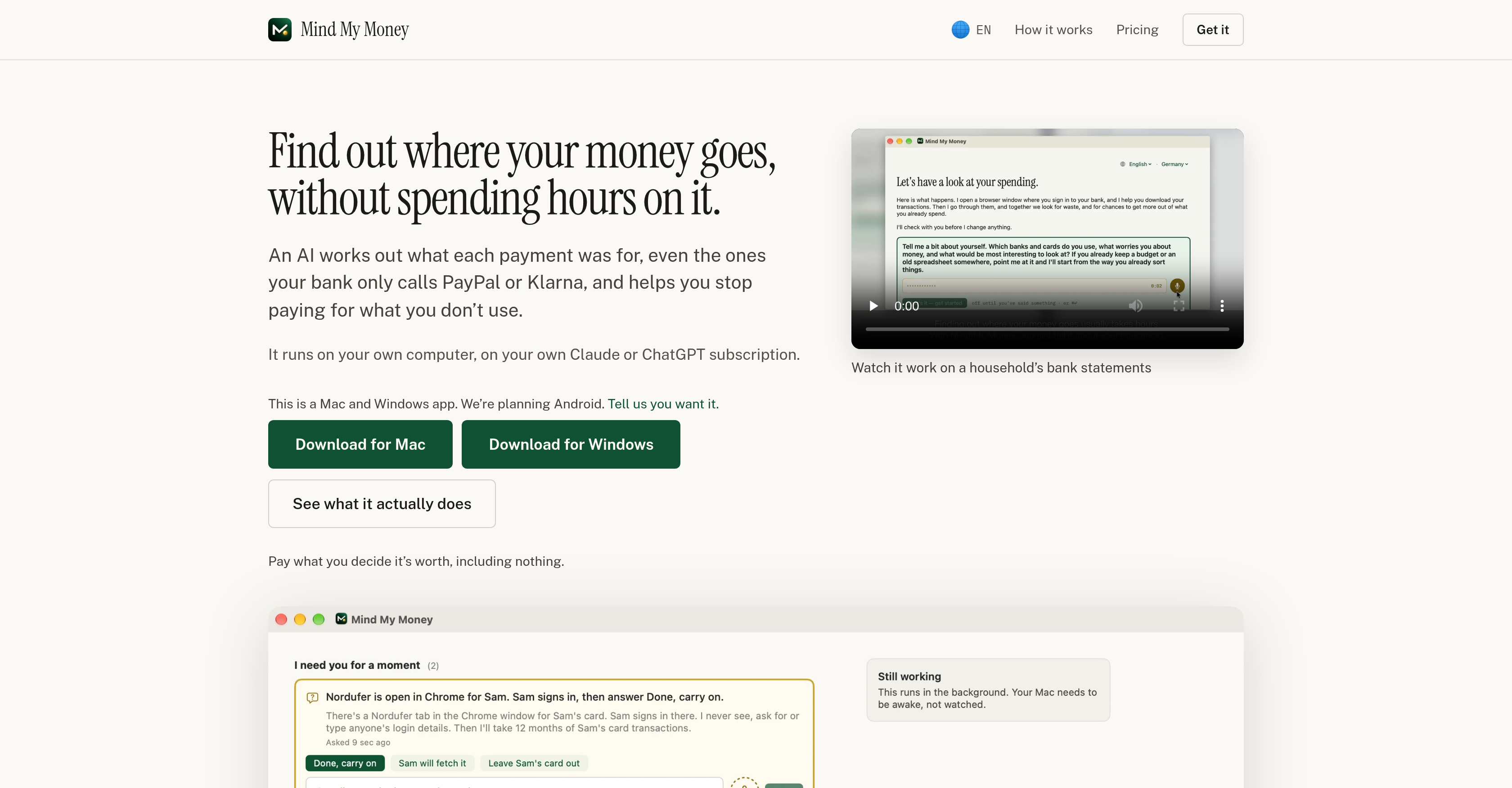
- Know exactly what every vague PayPal, Klarna, or Stripe payment was for: each bank transaction is matched against nearby receipt emails, messages, calendar events, photos, screenshots, and retailer order pages to reveal the real merchant.
- See what you actually bought, not just where you paid: transaction categorization identifies shopping contents where evidence exists, with 97% of 1,740 payments identified in a year-long household test and any unknown charges flagged for your review.
- Understand where your money goes every month: an automatic monthly spending report lists every transaction by category, with month-over-month changes and identified purchase details.
- Stop paying for subscriptions you forgot about: recurring charge detection scans your transaction history each month and asks whether you still want each repeating payment.
- Cancel or downgrade plans without chasing customer service: once you approve, Mind My Money navigates the provider's website while you watch, cancels the subscription or switches to a cheaper plan, and lets you stop or adjust the process at any point.
- Prove every euro you save: each cancellation or plan change is verified against the company's own page and added to a running record of confirmed savings.
- Keep your financial data off third-party servers: bank statements, receipt emails, and source files stay in a local data folder on your Windows or Mac computer and in your own AI account, and you delete them whenever you choose.
- Stay in control of every bank login: you sign in yourself through a separate browser profile, and automation pauses for authentication, two-factor approval, and decisions so only the prompts you expect get approved.
- Answer questions without staying at your desk: decision prompts appear on your computer or your phone so the analysis keeps moving.
- Pay no extra AI fees and set your own price: processing runs on your existing Claude or ChatGPT subscription, and the full app and monthly report come under a pay-what-you-want model that starts at zero and can be lowered or stopped anytime.
- Bring clarity to coaching clients: money coaches arrange access so each client runs the budgeting software on their own machine with their own AI subscription.
Pros & Cons
From the listing; not yet checked by our editors.
Pros
- Uses own Claude subscription
- Multi-source expense enrichment
- Handles ambiguous merchants contextually
- Automated recurring charge cancellation
- Isolated browser profile login
- Running record of savings
- Windows and macOS support
- No server-side data storage
- Human-in-the-loop decisions
- Zero-cost usage tier
- Flags unknown transactions
- Monthly spending trend analysis
- Detailed shopping content identification
- Contribution levels don't affect features
- Supports Claude and ChatGPT
- Verifies savings on provider page
Cons
- Linux not supported
- You sign in to each bank yourself
- Desktop-only, no mobile app
- Needs your own Claude or ChatGPT subscription
Alternatives to Mind My Money
Tools that share the most tags with Mind My Money.
- ARIA
Receive personalized parenting advice tailored to your child's specific needs and challenges through context-aware AI insights
Freemium · from $3.38/month
$3.38/month
Not yet checked
- ParentsChat
Build stronger emotional connections with your child using guidance based on the Neufeld Attachment Model
Free
Not listed
Not yet checked
- CareBridge Copilot
Respond calmly to challenging behavior in the moment with clear, structured guidance and repeatable scripts for any real-life scenario.
Paid
Not listed
Not yet checked
- ParentMate
Receive parenting advice tailored to your child's specific age, temperament, and developmental stage by creating a detailed Children Profile.
Free trial · from $7.99/month
$7.99/month
Not yet checked
- Tellus
Preserve your parents' and grandparents' life stories as written memoirs without anyone typing a single word, using voice recording prompts that convert narrated memories into organized, edited autobiography chapters.
Free trial · from $69.99
$69.99
Not yet checked
- Etta
Keep your parent's routine exactly as it is: Etta's AI check-in calls go to their regular phone at a scheduled time each day, with no app, wearable, account, or new device to learn.
Free trial · from $19/month
$19/month
Not yet checked
Reviews
Rate this tool
Loading reviews...
Frequently asked questions
How does Mind My Money figure out what a PayPal or Klarna charge was for?
It parses the surrounding context on the user’s computer—receipt emails, messages, calendar entries, photos, screenshots, and retailer order pages—then uses the user’s Claude or ChatGPT model to infer the actual merchant or product behind a generic PayPal, Klarna or Stripe label.
Can I use Mind My Money on both Windows and macOS without issues?
Yes. The desktop client runs natively on both Windows and macOS and the website states it supports both platforms without known issues.
Do I need my own Claude or ChatGPT subscription for Mind My Money to work?
A personal Claude or ChatGPT subscription is required; Mind My Money does not provide its own AI service.
Where does Mind My Money store my bank data and receipt emails?
All bank statements, receipt emails and other source files are stored locally on the user’s computer in the app’s data folder.
Is my financial info ever sent to Mind My Money's servers?
No. The site specifies that financial source material stays on the computer and in the user’s AI account; it is not uploaded to Mind My Money’s servers.
How does the app handle two‑factor authentication when I sign into my bank?
When a login or 2FA challenge appears, the app pauses and presents the prompt to the user, who completes the step in the separate browser profile; the app does not automate the authentication.
What sources does Mind My Money use to enrich transactions (emails, photos, calendar, etc.)?
It enriches each transaction with data from bank statements, receipt emails, Apple Messages, calendar events, photos, screenshots, and the merchant’s order pages.
How accurate is the AI at categorizing ambiguous transactions?
Mind My Money reports that it correctly identified 97 % of a year’s 1,740 payments in a test household; only about 3 % remained unidentified.