

Mitra
Stay reachable without giving anyone a new number: Mitra answers and places calls through the phone number your contacts already know.
Listing not yet reviewed by our editors · How we check
Overview
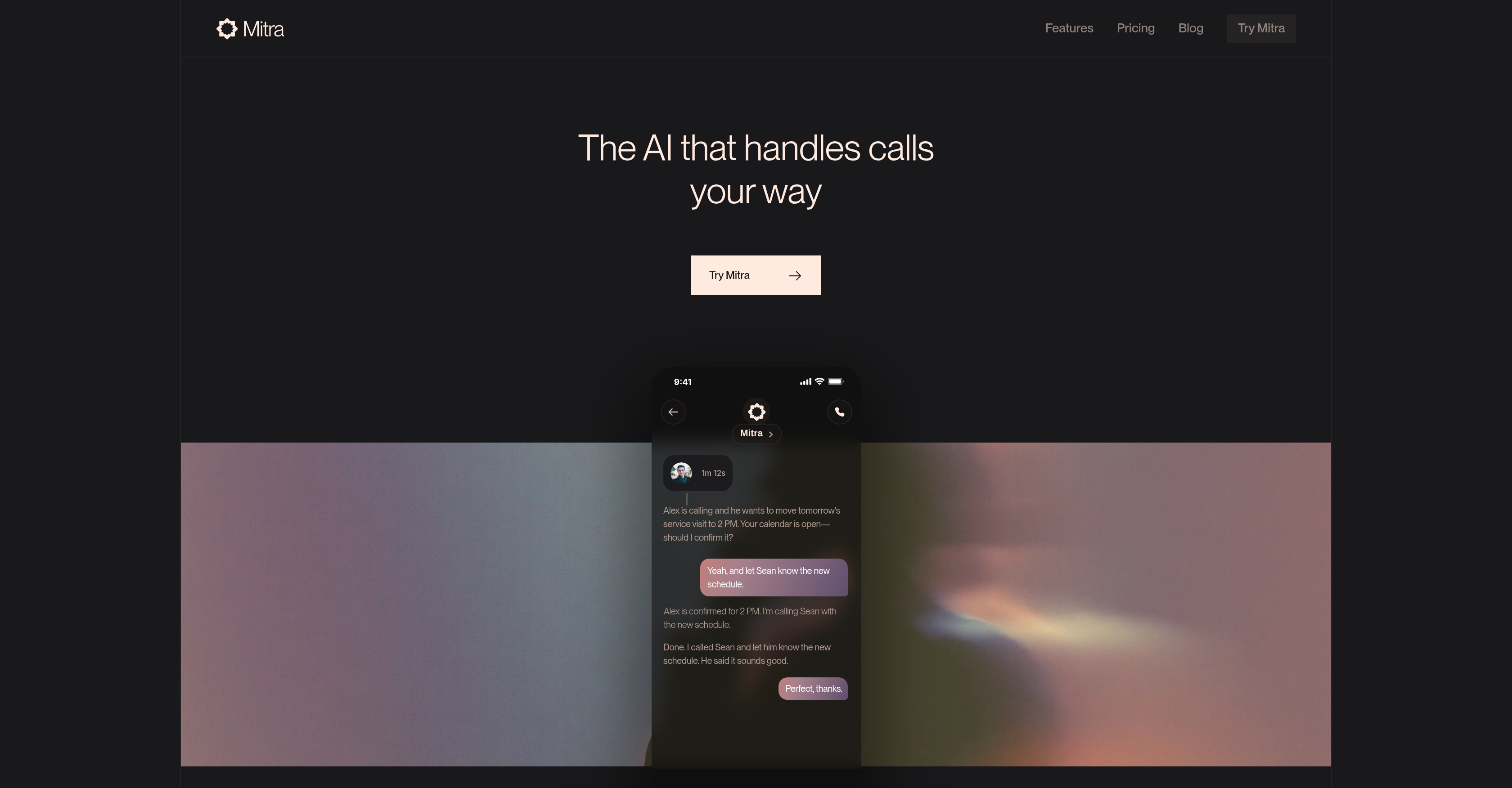
- Stay reachable without giving anyone a new number: Mitra answers and places calls through the phone number your contacts already know.
- Get caller requests resolved while you're unavailable: the AI call assistant responds to callers and moves their requests forward instead of only taking voicemail-style messages.
- Block robocalls without missing what matters: spam call screening filters junk, and urgent or personal calls reach you through your rules, either by direct transfer or a private call asking your approval before merging.
- Delegate tasks while driving, walking, or between meetings: text instructions or call Mitra and speak naturally, then change details or add information mid-conversation.
- Stop repeating yourself: Mitra learns your contacts, preferences, and working style from your instructions, callers, and repeated interactions.
- Reclaim time lost to customer service lines: Mitra calls businesses for you, navigates phone menus, and waits in hold queues.
- Keep outbound calls from dead-ending: when no one answers, Mitra retries, tries another number, or leaves a voicemail, then reports the result.
- Finish errands without making the calls yourself: Mitra checks availability, books appointments, requests quotes, coordinates service visits, and sends updates to the people involved, asking for your input when a decision is needed.
- Step in at the right moment: read a live call transcript, listen in, and join or take over while Mitra is speaking.
- Capture notes from calls you're already on: add Mitra to an ongoing call to record context, take notes, and handle the follow-up tasks.
- Check call outcomes in seconds: every call ends with a recording, transcript, summary, and next steps, so you never replay the full conversation.
- Keep unfinished tasks moving around the clock: Mitra works 24/7, follows up when someone hasn't called back, and screens incoming calls overnight.
- Make reminder calls sound like your own operation: automated reminder calls use the name and conversational style you choose.
- Recognize alerts instantly: a dedicated Mitra number delivers reminders, transfers, and alerts, so you know at a glance when Mitra is calling.
- Complete tasks across your messaging and email: Mitra connects to iMessage, WhatsApp, and Gmail, plus a browser connection that asks permission each time before signing in or paying with a saved card.
Pros & Cons
From the listing; not yet checked by our editors.
Pros
- Answers missed incoming calls
- Moves requests beyond message-taking
- Handles incoming and outgoing calls
- Calls from your existing number
- Screens spam before interruption
- Routes urgent callers live
- Uses permission-first caller transfers
- Follows user-defined escalation rules
- Accepts instructions by text or voice
- Adapts tasks as details change
- Remembers contacts and preferences
- Carries context across interactions
- Navigates phone trees and hold queues
- Can retry failed calls
- Can try alternate numbers
- Can leave voicemail after failure
- Reports outbound call outcomes
- Coordinates multi-step service arrangements
- Seeks and compares vendor quotes
- Books visits and informs contacts
- Escalates for input when needed
- Shows live call transcripts
- Lets users listen and take over
- Can join calls already underway
- Captures context during active calls
- Provides recordings, transcripts, and summaries
- Includes post-call next steps
- Uses a chosen speaking name and style
- Makes scheduled reminder calls
- Supports wake-up reminder calls
- Provides a separate alerts number
- Tracks plans and pending tasks
- Connects messaging, email, and calendar
- Can browse websites and organize files
- Offers per-connector permission controls
- Supports ask-each-time permissions
- Uses saved logins for website access
- Supports secure saved-card payments
- Allows multiple assistants with distinct roles
- Keeps separate assistant conversations
- Follows up on unfinished tasks 24/7
Cons
- Browser access asks each time
- Alerts use a separate number
- Ongoing calls require adding Mitra
- App actions require connected apps
- Some requests escalate for input
- Failures may end in voicemail
Alternatives to Mitra
Tools that share the most tags with Mitra.
- AgentBro
Eliminate missed calls and lost revenue with 24/7 AI call answering that handles inbound calls in real-time, ensuring every customer is greeted professionally.
Free trial · from $63/month
$63/month
Not yet checked
- VocaIQ
Never miss a call or lead with 24/7 automated answering and outbound communication, powered by AI voice agents that work around the clock.
Paid · from $297/month
$297/month
Not yet checked
- KaiCalls
Eliminate missed calls and lost revenue with 24/7 phone answering, ensuring every customer is greeted instantly by an AI voice agent that never sleeps.
Free trial · from $69/month
$69/month
Not yet checked
- OsmO
Stop spam calls before they ring by letting OsmO screen every unknown caller in real-time using caller intent analysis
Freemium · from $4.99/month
$4.99/month
Not yet checked
- LeadPatrol
Recover lost revenue from every unanswered call by automatically texting missed callers the moment they hang up, keeping leads warm before they call a competitor
Paid · from $99/month
$99/month
Not yet checked
- Bonnie
Capture every reservation and sale, even after closing time: an AI phone assistant answers every incoming call and WhatsApp message 24/7, so no booking goes to voicemail.
Free trial · from $155/month
$155/month
Not yet checked
Reviews
Rate this tool
Loading reviews...
Frequently asked questions
How does Mitra answer calls on the phone number people already know?
Mitra answers calls through the phone number people already know for you, including when you’re unavailable, and handles callers’ requests rather than only taking messages.
Can Mitra screen spam and let urgent calls through using rules I set?
Yes. Mitra can screen spam and route urgent or personally important calls according to rules you set, such as transferring directly or calling you first for permission.
Can I ask Mitra to call me privately before connecting a caller?
Yes. You can tell Mitra to call you privately and wait for your approval before merging you with the caller.
How do I give Mitra instructions by text or by speaking to it?
You can text Mitra instructions or call it and speak naturally. You can ask questions, change your mind, or add details as the conversation develops.
Can Mitra remember my contacts and preferences so I don’t have to repeat instructions?
Yes. Mitra learns about your contacts, preferences, and how you work from your instructions, callers, and repeated interactions, so you don’t have to explain tasks again.
Can Mitra call businesses, navigate phone menus, and wait on hold for me?
Yes. Mitra can place calls on your behalf, navigate phone trees, and wait in hold queues.
What does Mitra do if an outbound call fails or no one answers?
Mitra may retry, call another number, or leave a voicemail, then report what happened.
Can Mitra schedule appointments, request quotes, and coordinate service visits?
Yes. Mitra can check availability, schedule appointments, seek quotes, coordinate service visits, and communicate updates to others.