

ML.ai
Keep your repository untouched until you approve every change: each coding job runs in an isolated sandbox, nothing is written to disk until you click Allow, and pull requests never merge automatically.
Listing not yet reviewed by our editors · How we check
Overview
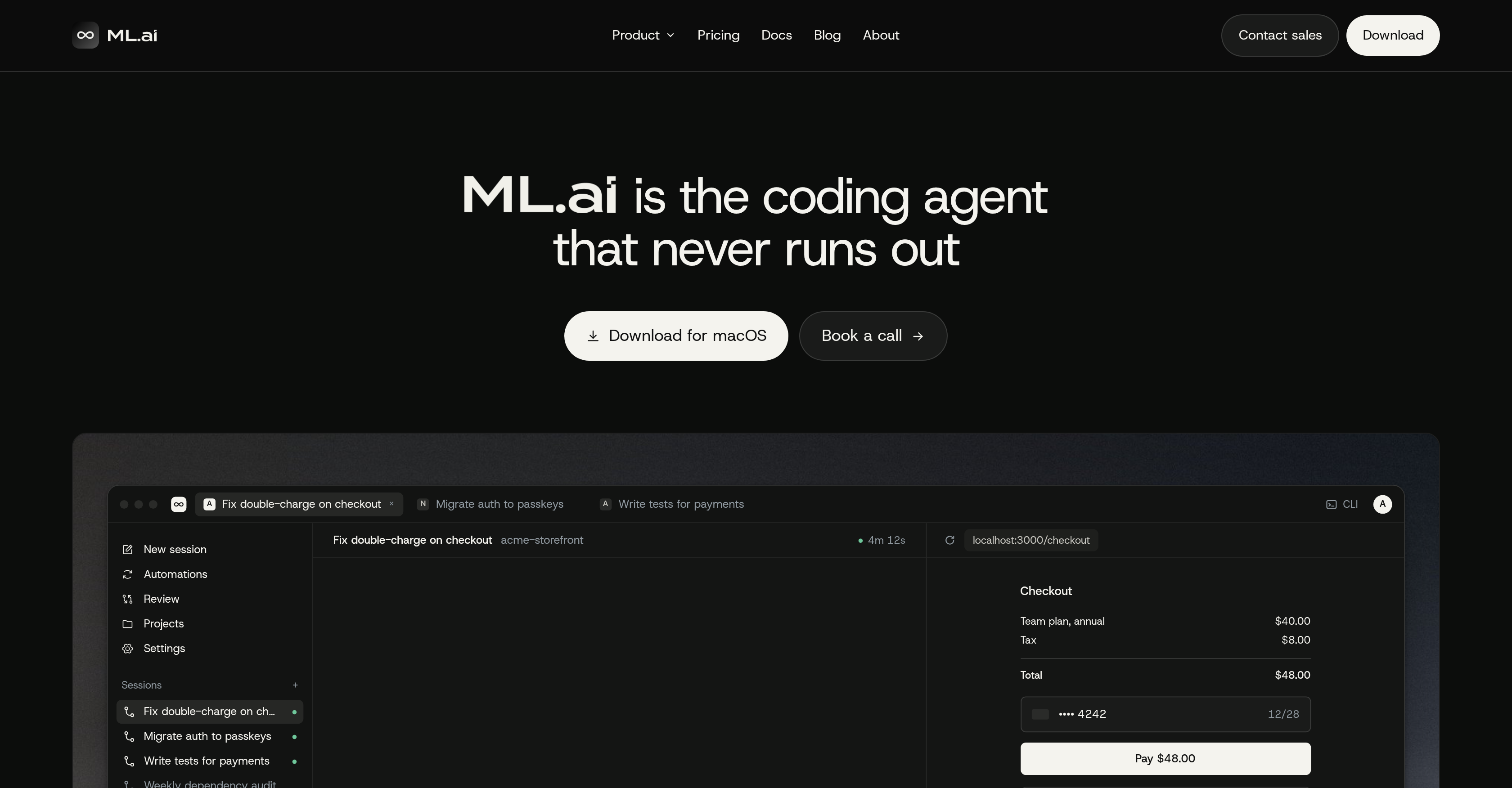
- Keep your repository untouched until you approve every change: each coding job runs in an isolated sandbox, nothing is written to disk until you click Allow, and pull requests never merge automatically.
- Clear your backlog across several projects at once: autonomous background execution runs 2, 6, or 20 parallel jobs depending on plan, and any extra job waits in a queue and starts automatically when a slot opens.
- Budget your AI coding costs with no surprises: flat per-seat pricing replaces token meters and usage credits, so long debugging and refactoring jobs run to completion without a balance cutting them off.
- Merge pull requests that already pass your quality gates: the verification workflow reports type checking, linting, unit tests, load tests, dependency scans, and secret scans wherever they apply to your stack.
- Fix the actual root cause instead of guessing: the agent reproduces each bug in a sandboxed environment, such as simulating double-clicks on test charges, and confirms the failure before editing code, while the desktop app exposes page elements and observed UI behavior during debugging.
- Keep coding while the agent works next to you: VS Code and JetBrains extensions run tasks in the background and report progress, and the CLI turns a GitHub issue reference, including from private repositories, into reproduction, edits, tests, and an opened PR.
- Stop losing mornings to repo maintenance: scheduled routines run weekly dependency audits and nightly CI triage, quarantine flaky tests, replace fragile waits with reliable selectors, and submit a corrective PR before stand-up.
- Get changes scoped exactly to your requirements: task constraints such as preserving a public API, keeping an existing flow intact, or applying rate limits while excluding an internal dashboard keep refactors and API migrations within your boundaries.
- Get the right depth on every step without managing model providers: you set the outcome and effort level, and per-step model routing sends boilerplate and linting to fast models and complex logic or race-condition debugging to high-effort models.
- Review AI-generated code in minutes: every pull request includes a plain-language summary of each change alongside the reviewable diff and validation results.
- Meet regional compliance and security requirements: Enterprise adds self-hosted or VPC deployment, data-residency controls, private routing, and bring-your-own model endpoints with custom model policies.
- Run one consistent workflow across your whole team's machines: the desktop app, IDE extensions, and CLI share one account across macOS, Linux, and Windows, and Max adds team-wide shared skills and routines.
Pros & Cons
From the listing; not yet checked by our editors.
Pros
- Multiinterface: desktop, IDE, CLI
- Perstep automatic model routing
- No token meter interruptions
- Sandboxisolated parallel jobs
- Reviewable diff before commit
- Controlled writes: user approval required
- Full verification pipeline integration
- Type checking, linting, tests
- Dependency and secret scanning
- Scheduled routines: audits, CI triage
- Userdefined constraints per task
- UI element capture for debugging
- Perseat flat pricing model
- Unlimited job execution until finish
- Auto effort level selection
- Crossrepo parallel execution
- Supports VS Code, JetBrains
- CLI issue reference handling
- Automatic pull request creation
- Plainlanguage change summary
- Custom model policies
- SSO and audit logging
- Data residency private routing
- Integration with Docker, Kubernetes
- Supports pnpm, pytest, Cargo
- Load testing included in verification
- Secret scans on pull request
- Dependency audits as scheduled jobs
- Background autonomous execution mode
- Parallelism scaling per plan
- No automerge without approval
- Issuestyle task intake
- Reproduces bugs before fixing
- Editable constraints: preserve API
- Exclusion of internal components
- Multiplatform: macOS, Linux, Windows
- Auto model selection per step
- Flat perseat unlimited concurrency
- Auditready diff output
- Humanreadable PR description
- Integrated CI triage workflow
- Realtime progress reporting
- Supports Terraform and AWS
- Customizable routine scheduling
Cons
- Parallelism capped by plan
- Only VS Code, JetBrains IDEs
- Self-hosting limited to Enterprise
- Sandbox blocks file system sideeffects
- Manual approval required for merges
- Custom model endpoints enterpriseonly
- Perseat pricing, no free tier
- Background jobs consume local resources
- Limited to repository code changes
- Cannot run without internet
Alternatives to ML.ai
Tools that share the most tags with ML.ai.
- Google Antigravity
Google's agentic development platform: agents plan and run coding tasks across an app, a CLI, an IDE, IDE extensions and a Python SDK.
Freemium · from $30/month
$30/month
Nov 24, 2026
- Base44
Transform your ideas into working apps in minutes using simple conversation instead of complex coding
Freemium · from $16/month
$16/month
Not yet checked
- CodeRabbit
Eliminate manual code review bottlenecks with instant PR summaries and intelligent code walkthroughs that accelerate your development workflow
Free trial · from $24/month
$24/month
Not yet checked
- Rocket
Launch complete applications in minutes instead of weeks by generating full-stack code from a single description
Freemium · from $25/month
$25/month
Not yet checked
- OnSpace.AI - AI Mobile App Builder
Launch mobile apps in hours instead of months using conversational AI that transforms your descriptions into working applications
Freemium · from $25/month
$25/month
Not yet checked
- Durable AI Website Builder
Launch a complete business website in 30 seconds with AI-generated content and curated imagery tailored to your industry
Paid · from $12/month
$12/month
Not yet checked
Reviews
Rate this tool
Loading reviews...
Frequently asked questions
How does ML.ai choose which model to use for each step?
ML.ai automatically routes each step of a task to the model that best fits the required work. The routing engine selects a fast, lightweight model for simple boilerplate or linting steps and a heavyweight, high‑effort model for complex logic or race‑condition debugging. Users pick the overall outcome and effort level, not a specific provider, and the system chooses the optimal model per step.
Can I run ML.ai on Windows or is it macOS‑only?
Yes. On their website ML.ai is listed as available for macOS, Linux and Windows.
What's the difference between the Infinite, Pro, and Max plans?
Infinite is the entry‑level solo plan (2 parallel jobs, auto‑model routing, no token budget). Pro adds 6 parallel jobs, access to the highest‑effort models on every step, scheduled routines, and a GitHub app. Max expands to 20 parallel jobs, priority queuing during peak hours, early access to new models, and team‑wide shared skills and routines. All plans include the same core agent functionality; the differences are concurrency, model tier, and enterprise‑grade features.
How many parallel jobs can I run with the Pro plan?
The Pro plan allows 6 jobs to run in parallel.
Does ML.ai automatically merge pull requests or do I have to approve them?
ML.ai never merges automatically. All changes are presented as a reviewable diff and an opened pull request that requires human approval before merging.
How does the sandbox ensure my code isn’t changed before I approve it?
Each job runs inside an isolated sandbox that only produces a diff and PR. No files are written to the developer’s disk until the user explicitly clicks Allow, ensuring the repository stays unchanged until approval.
Can I set constraints like “preserve public API” when I create a task?
Yes. When you create a task you can supply constraints such as preserving a public API, keeping an existing flow intact, or imposing request limits while excluding certain components.
How does ML.ai integrate with VS Code versus JetBrains IDEs?
ML.ai provides extensions for both VS Code and JetBrains IDEs. In each environment the agent runs in the background, can edit code, and reports progress while the developer continues to code. The user experience (task hand‑off, diff review) is identical; only the installation mechanism differs per IDE marketplace.