

Morpheo
Go from idea to a working game, multi-page website, or web app in one session: describe it in plain language or upload a reference photo, and real HTML, CSS, and JavaScript files are written while you watch.
Listing not yet reviewed by our editors · How we check
Overview
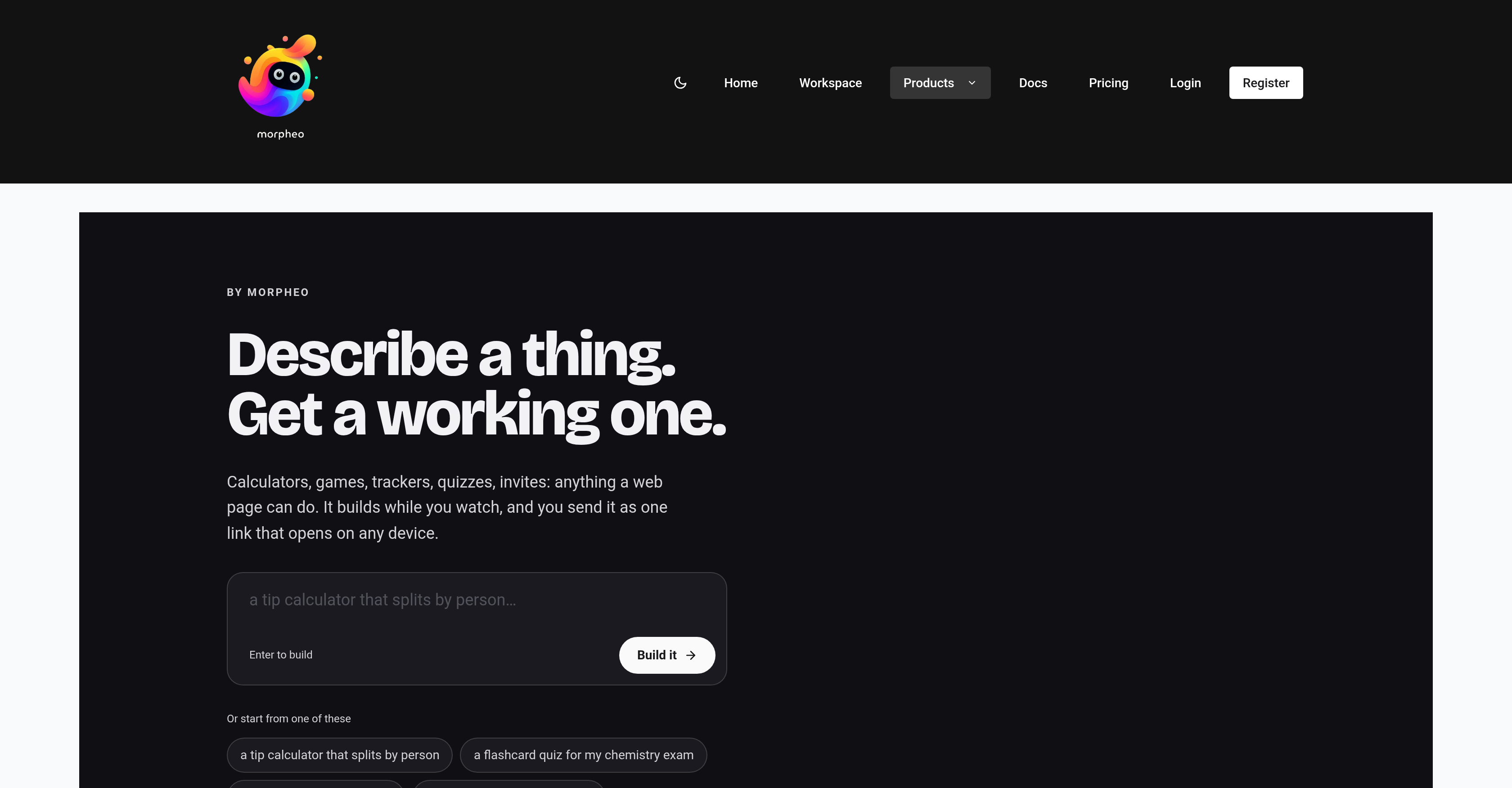
- Go from idea to a working game, multi-page website, or web app in one session: describe it in plain language or upload a reference photo, and real HTML, CSS, and JavaScript files are written while you watch.
- Shape every detail of the result without starting over: open any generated file in the built-in code editor, rewrite logic by hand, or add your own JavaScript and third-party libraries.
- Change your project without breaking what already works: request revisions through chat and review a code diff before any update is applied.
- Own your project outright, with no platform lock-in: export the full project folder to self-host, modify, and license the code however you choose.
- Launch multiplayer games and shared live experiences: real-time sync APIs keep every viewer in step, and a persistent backend datastore saves your app data.
- Build 3D games and product scenes without hunting for assets: a bundled 3D library of characters, props, terrain, and buildings works with 3D world-construction APIs and adds no extra dependencies.
- Create apps that respond to the real world: device sensor APIs give your project access to the camera, GPS, and accelerometer.
- Put your creation in front of people instantly: one URL opens on phones and computers, drops straight into group chats, and installs like an app, with no hosting setup or app store submission.
- Keep every shared link working: published updates keep the same address, so everyone who already has your link sees the latest version.
- Show off your body of work: a public creator profile displays a preview grid of all your published Interactives as a ready-made portfolio.
- Match the AI model to each task: pick from OpenAI, Google Gemini, Moonshot AI, Z.ai, DeepSeek, MiniMax, or Alibaba models for every generation or revision.
- Build as a team: real-time collaborative editing lets multiple people work on the same Interactive at once.
Pros & Cons
From the listing; not yet checked by our editors.
Pros
- Live code generation preview
- Editable HTML/CSS/JS files
- Diff preview before acceptance
- Built-in browser IDE
- Select model per build
- Built-in persistent data API
- Real-time viewer sync
- Device sensor access API
- Integrated 3D asset library
- No external 3D dependencies
- Deploy via single URL
- Auto-updates keep same link
- Auto-generated portfolio page
- Cross-device instant sharing
- Installable web app link
- Multi-page website generation
- Generate games from description
- Model marketplace integration
- Exportable source files
- Full code ownership
- Conversational revision chat
- Real-time collaborative editing
- Navigation API for views
- Browser-only deployment, no server
- Custom code edits anytime
- Inline diff for revisions
- Sync data across users
- Access accelerometer, geolocation sensors
- Build 3D worlds instantly
- Model-agnostic generation pipeline
- Multi-provider model fallback
- Instant UI preview
- No app store submission
- Stable link across versions
- Comprehensive API docs bundled
- Generate animated shorts automatically
- Multi-language code output
- Real-time chat iteration
- Single-click publishing workflow
- Automatic asset optimization
- Secure sandboxed execution
- Built-in version snapshots
- Light-weight front-end runtime
- Scalable complex interactions
Cons
- Browser-only IDE limits scalability
- Generated code often unoptimized
- Bundled 3D assets only
- Model provider switching inconsistency
- Requires constant internet connection
- Export lacks bundler integration
- No custom domain support
- Sync latency on fast edits
- Editor missing advanced debugging
- Proprietary APIs hinder portability
Alternatives to Morpheo
Tools that share the most tags with Morpheo.
- Stack AI
Build custom AI applications in minutes without writing code using an intuitive drag-and-drop interface and pre-built workflow templates
Freemium · from $139/month
$139/month
Not yet checked
- LaunchLemonade
Build custom AI assistants for your business without writing any code using our intuitive visual platform
Free trial · from $25/month
$25/month
Not yet checked
- Origin AI
Create custom enterprise software without hiring developers through AI-driven development that replaces traditional coding requirements
Paid · from $25/month
$25/month
Not yet checked
- Solid
Generate production-ready Tailwind and React code instantly from a simple text prompt, URL, or image upload, eliminating manual front-end coding
Freemium · from $20/month
$20/month
Not yet checked
- Floot
Launch your web app idea without writing code by describing it in chat or visually with our AI-powered platform
Freemium · from $25/month
$25/month
Not yet checked
- Chef by Convex
Launch production-ready full-stack apps with built-in database, authentication, and file uploads through automated backend configuration
Freemium · from $25/month
$25/month
Not yet checked
Reviews
Rate this tool
Loading reviews...
Frequently asked questions
How does Morpheo turn a plain text description into actual HTML, CSS, and JavaScript?
Morpheo sends the plain‑text description to a selected large language model, which generates HTML, CSS, and JavaScript fragments that are streamed into separate files as the user watches them appear, assembling a complete web project on the fly.
Can I generate a full multi‑page website with Morpheo, or just single‑page apps?
Morpheo can generate full multi‑page websites; the platform explicitly supports multi‑page website generation in addition to single‑page apps.
What kinds of games can Morpheo build – are 3D games supported?
Morpheo builds both 2D and 3D games; it includes a bundled 3D asset library (characters, props, terrain, buildings) and 3D world‑construction APIs, so 3D games are fully supported.
How do I edit the code that Morpheo creates? Is there a built‑in editor?
Code is edited directly in Morpheo’s built‑in browser IDE, which provides a full‑featured code editor for all generated files.
Can I ask Morpheo to revise part of the code via chat and see a diff before accepting?
Yes, users can request revisions through the chat interface; Morpheo presents a diff of the proposed changes and the user must approve before the code is updated.
Is the generated code exportable so I can host it myself?
The generated code is exportable; creators can download the entire project folder and host it independently.
Does Morpheo let me add my own custom JavaScript or third‑party libraries after generation?
After generation, users may manually add custom JavaScript or import third‑party libraries via the built‑in editor, because the code files are fully editable.
What real‑time features does Morpheo provide, like data sync or multiplayer support?
Morpheo offers real‑time synchronization APIs that keep data consistent across viewers, enabling multiplayer or collaborative scenarios, plus persistent data storage and live updates.