
nixm
Get finished, publish-ready clips without a separate audio pass: the text-to-video generator renders spoken lines and ambience in the same pass as the visuals.
Listing not yet reviewed by our editors · How we check
Overview
- Get finished, publish-ready clips without a separate audio pass: the text-to-video generator renders spoken lines and ambience in the same pass as the visuals.
- Tell a longer story with consistent characters: cast characters stay the same across shots, and you can stitch 2–8 takes into one video of up to 120 seconds with an optional generated score.
- Fit every channel without re-editing: choose automatic, landscape, or vertical framing, set clip duration from 3 to 30 seconds, render in HD or 4K, and add optional visual treatments.
- Pay only for the videos you actually make: pay-per-clip credits never expire, need no subscription, and your first HD clip is free with no watermark.
- Animate visuals you already have: image-to-video turns your own photo into a moving scene, and built-in image generation creates new stills from a prompt.
- Experiment without losing good takes: changing render settings leaves existing takes untouched, while owners lock render defaults that collaborators see in read-only mode.
- Bring teammates up to speed instantly: a shareable nixm link opens a live AI conversation already seeded with your goal, problem, or mindset, so contributors add to briefs, lists, and plans without re-explaining background.
- Keep sensitive discussions off the record: no chat transcript or dialogue archive is stored, and each signal, its distilled log, and uploaded images dissolve after seven days.
- Turn a conversation into material you can act on: get charts, 3D scenes, images, video visuals, and researched documents with linked sources directly inside the chat.
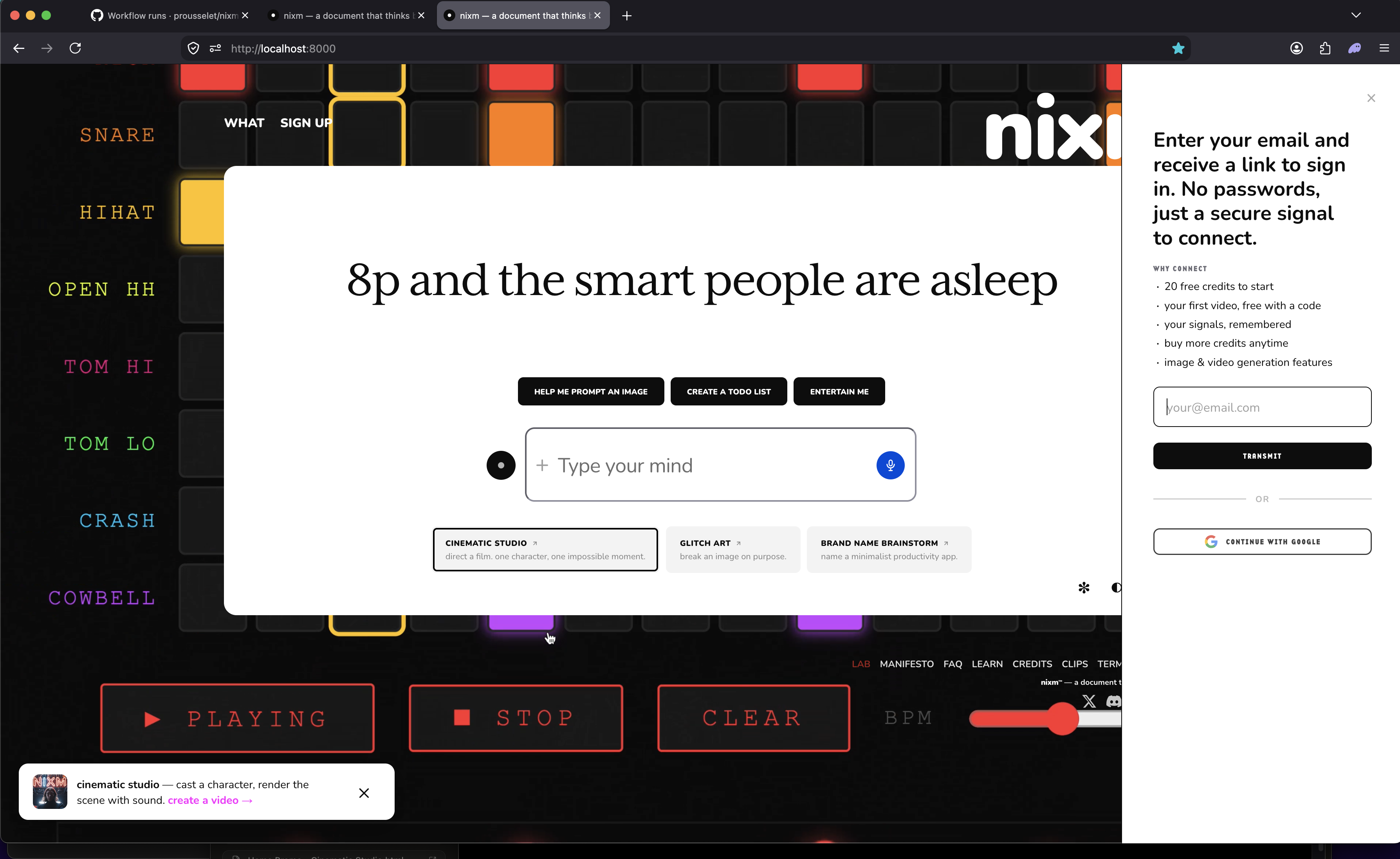
- Start creating in seconds: begin without an account, then sign in by passwordless email link or Google with no card required, and redeem gift codes for extra credits.
Pros & Cons
From the listing; not yet checked by our editors.
Pros
- Shareable URLs carry seeded context
- Shared links open active sessions
- Collaborators contribute in real time
- Reusable briefs, lists, and plans
- Preserve creator's problem framing
- Skip repeating background information
- Inline charts, images, and 3D scenes
- Interactive demos rendered in conversation
- Research documents link their sources
- Generate clips from written descriptions
- Generated clips include sound
- Automatic, landscape, or vertical framing
- HD and 4K output options
- Optional visual treatments
- Render costs depend on settings
- Pay per clip, no subscription
- Video renders have no watermark
- Owners set render defaults
- Collaborators see defaults read-only
- Sign in by email link or Google
- Gift codes redeem account credits
- Purchase additional credits anytime
- Chat transcripts aren't retained
- Distilled logs expire after seven days
- No dialogue archive for browsing
Cons
- No audio or video upload yet
- Shots are 8 seconds; longer pieces are stitched from takes
- Rendering needs a free sign-in
- Conversations dissolve after seven days by design
- Minimum clip length: 3 seconds
- 4K costs twice HD credits
- Video generation requires credits
- Collaborator settings are read-only
- Seven-day chat-log retention
- No transcript archive for browsing
Alternatives to nixm
Tools that share the most tags with nixm.
- LoveGen AI
Transform text descriptions into high-quality images and videos instantly using advanced text-to-image and text-to-video models
Free trial · from $14.90/month
$14.90/month
Not yet checked
- Klyra AI
Transform scripts into cinematic videos instantly without editing skills using AI-powered filmmaking
Freemium · from $10/month
$10/month
Not yet checked
- Zorq AI
Make immediate, data-driven decisions with real-time data processing that instantly transforms incoming data into actionable insights
Paid · from $15/month
$15/month
Not yet checked
- Everlyn: Fastest Video and Image Generation
Create professional videos in 15 seconds instead of 5 minutes with advanced speed-up architecture
Paid · from $9.99/month
$9.99/month
Not yet checked
- Masonryv
Discover which AI model works best for your specific prompts by comparing outputs from multiple models displayed side-by-side on an infinite canvas
Freemium · from $10/month
$10/month
Not yet checked
- VoooAI
Generate high-quality, unique AI art and motion visuals instantly without any cost, using a free and unlimited platform with no registration required.
Freemium · from $8/month
$8/month
Not yet checked
Reviews
Rate this tool
Loading reviews...
Frequently asked questions
How do I generate a video from a written scene description in nixm?
Write a scene description, configure the framing, clip duration, resolution, and any optional visual treatments, then render the clip.
Does nixm include sound in every generated video?
Yes. nixm says generated videos include sound.
Can I choose landscape or vertical framing in nixm?
Yes. You can choose automatic, landscape, or vertical framing.
What clip lengths and resolutions can I select in nixm?
Clip duration options are 5, 10, 15, or 30 seconds; the interface lists a 3–30-second range. Resolution options are HD and 4K.
How do clip length and resolution affect the credit cost in nixm?
Clip length and resolution determine the credit cost. The listed resolution costs are 1 credit for HD and 2 credits for 4K; nixm does not specify the exact cost for each clip length.
Does nixm offer a free HD video, and will it have a watermark?
Yes. nixm advertises an initial free HD clip with no watermark.
Do I need a subscription to generate videos with nixm?
No. Video generation is paid per clip, with no subscription required.
How can I buy credits or redeem a gift code in nixm?
Use the “Buy credits” option to purchase credits. To redeem a gift code, choose “Have a gift code?” and redeem it for credits.