

NjectAI
Get answers that fit your work from the first message: context injection adds your saved business, audience, voice and project details to every prompt.
Listing not yet reviewed by our editors · How we check
Overview
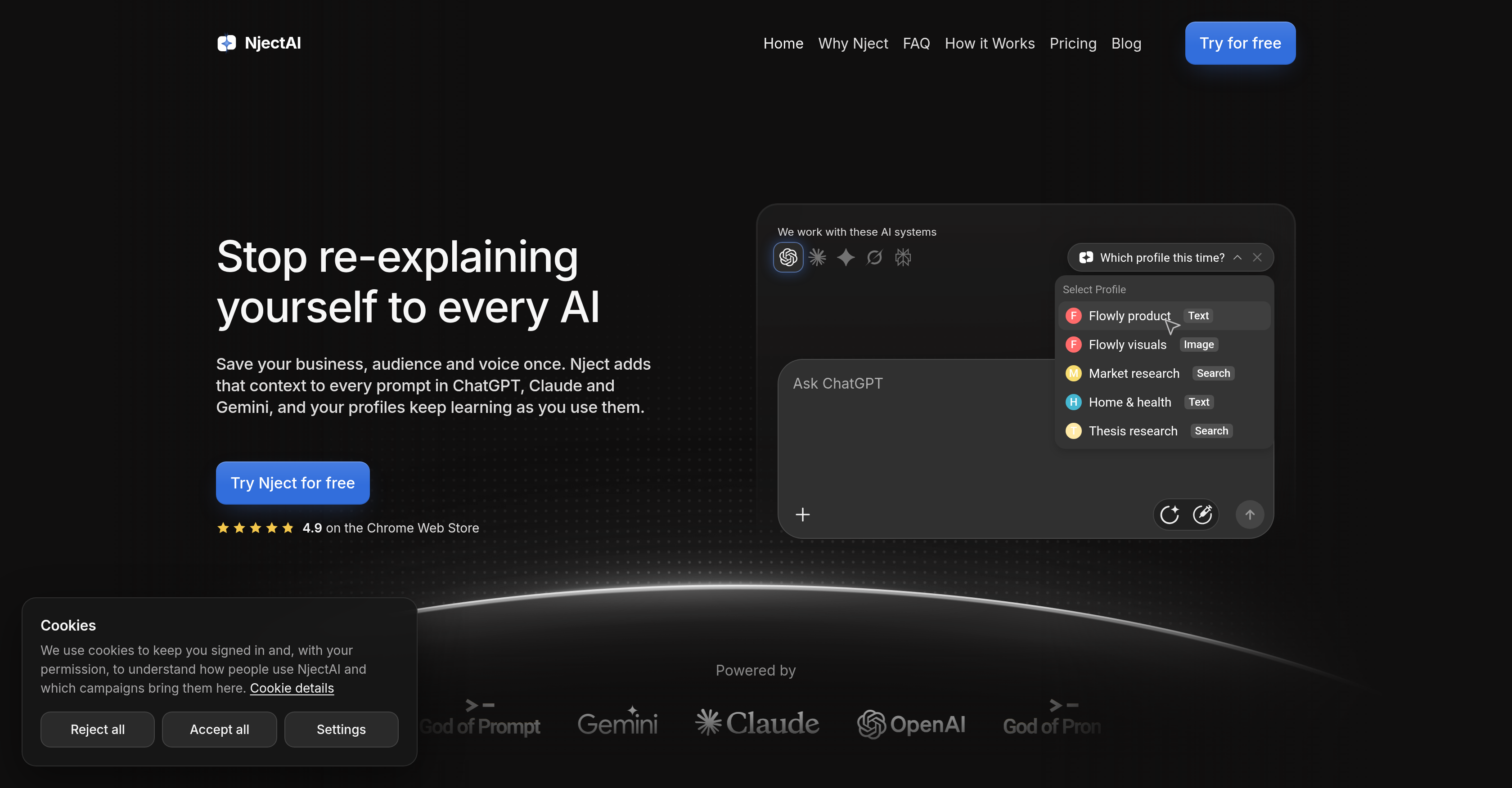
- Get answers that fit your work from the first message: context injection adds your saved business, audience, voice and project details to every prompt.
- Switch between ChatGPT, Claude, Gemini, Perplexity, Grok and Google AI Mode without re-explaining yourself: one set of context profiles works in every supported AI assistant, while built-in memory stays locked to a single tool.
- Get tailored results without paying for every AI subscription: your context profiles work on the free plans of ChatGPT, Claude, Gemini, Grok and Perplexity.
- Turn a rough line into a complete request in one press: the prompt enhancer and prompt generator rebuild your idea into a clear, structured prompt using your selected profile.
- Finish prompts faster while you type: prompt autocomplete completes your sentences inside the AI chat box.
- Keep clients, brands and projects from bleeding into each other: up to 10 separate context profiles cover different businesses, writing styles, image prompts and research.
- Ground AI responses in your real material: attach files and links to any profile so your reference documents travel with every prompt.
- Stay in control of every message: review the full prepared prompt before it sends, choose or skip a profile per chat, and switch the extension off to pause context injection without losing profiles.
- Build AI memory that grows with your work: NjectAI learns relevant context from your chats into a profile, and deleting the profile wipes its answers, files and memory.
- Protect sensitive business context: you own your data, it is never sold, the team does not read your profiles, and Argon security tested the extension, web app and API.
- Carry your context to your phone: the NjectAI plugin for ChatGPT brings your profiles into the ChatGPT mobile app.
- Start from proven prompt templates instead of a blank box: the God of Prompt library puts professional prompts one click away.
- Test it on your real workflow before you pay: a 7-day free trial leads into one Pro plan at $9 per month, or yearly billing that saves 22%.
Pros & Cons
From the listing; not yet checked by our editors.
Pros
- Context engineering across ChatGPT, Claude, Gemini, Perplexity, Grok
- Works with free ChatGPT and Claude plans
- One press turns a rough line into a full prompt
- Autocomplete while you type
- ChatGPT plugin brings your profiles to mobile
- Separate profiles for writing, images, research
- Add files and links to a profile
- Learns context from your chats
- Review every prompt before sending
- God of Prompt library one click away
- Security tested by Argon
- Unlimited enhancements on Pro
Cons
- Not a standalone chatbot
- Manual profile selection required
- Enhanced prompts aren't auto-sent
Alternatives to NjectAI
Tools that share the most tags with NjectAI.
- FaceShapeDetector
Get a precise, personalized face shape analysis that goes beyond generic labels with our unique Face Shape Blend™, revealing your exact proportions like 80% Oval + 20% Heart.
Freemium · from $6.99
$6.99
Not yet checked
- Transition
Follow a training plan that automatically adjusts to your daily schedule and recovery metrics, ensuring you stay on track even when life gets busy
Paid · from $19/month
$19/month
Not yet checked
- Mixboard
Turn scattered thoughts into mature, actionable concepts by visualizing and manipulating them on an interactive AI concepting board.
Not listed
Not listed
Not yet checked
- NVIDIA Earth-2
Make strategic decisions with confidence using precise, AI-driven weather predictions that mitigate operational risks across aviation, agriculture, and marine sectors.
Not listed
Not listed
Not yet checked
- Engain
Turn Reddit into a repeatable organic traffic channel instead of a gamble by finding and engaging in high-intent discussions that already rank on Google or where users are actively seeking solutions.
Freemium · from $79/month
$79/month
Not yet checked
- OCR | z.AI
Instantly digitize printed documents and scanned PDFs without manual typing, using AI-powered optical character recognition.
Not listed
Not listed
Not yet checked
Reviews
Rate this tool
Loading reviews...
Frequently asked questions
How do I install NjectAI and connect it to my AI chats?
NjectAI is a Chrome extension and web app. Add the extension, open a supported AI chat, choose a context profile, and write your prompt; NjectAI adds the selected context before the prompt is sent.
Which browsers and AI assistants does NjectAI support?
NjectAI is described as a Chrome extension. It supports ChatGPT, Claude, Gemini, Grok, and Perplexity.
Can I use NjectAI with free ChatGPT, Claude, Gemini, Grok, and Perplexity plans?
Yes. NjectAI says the same profiles work with the free plans of ChatGPT, Claude, Gemini, Grok, and Perplexity.
How do I create and switch between context profiles in NjectAI?
Create a profile for the context you want to reuse, then select it in the profile picker for a chat. You can rename or update profiles, add or remove files, and delete profiles.
Can NjectAI keep separate profiles for different clients or projects?
Yes. NjectAI supports separate profiles for different businesses, projects, or writing styles.
What kinds of details and files can I add to a NjectAI profile?
Profiles can include details such as your business or company, audience, goals, products, and communication voice, as well as related files and links.
Can NjectAI use one profile for writing and another for image prompts or research?
Yes. NjectAI supports profiles for writing, images, and research; select the relevant profile for the chat.
Does NjectAI add my profile context automatically, or do I choose it for each chat?
You choose which profile is attached to a prompt. Select the relevant profile for a chat, or choose not to attach one.