

Overview
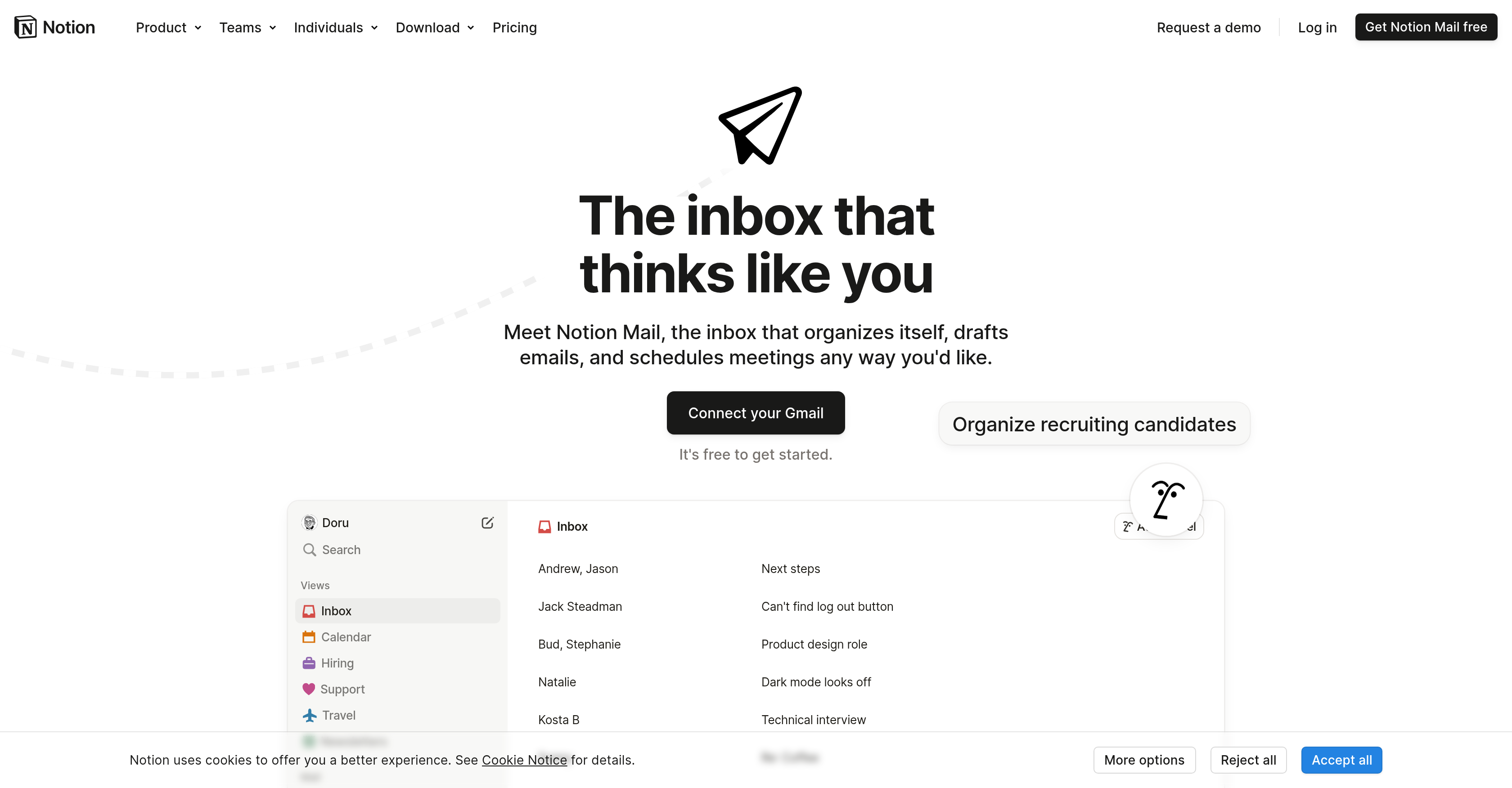
- Automatically filter out cold emails and prioritize important communications with AI that learns which emails matter most to you
- Create custom inbox views grouped by topic, sender, or label to focus only on what's relevant to your current work
- Draft professional responses instantly using AI-improved writing for quick replies to common queries
- Schedule emails and manage meetings efficiently with built-in calendar integration for better time management
- Organize recruiting candidates and support tickets automatically through customizable grouping and filtering systems
- Create and share documents directly from your inbox while managing multiple projects in one centralized workspace
Pros & Cons
Pros
- Personalized user experience
- Creates docs
- Centralized wikis
- Project management feature
- Calendar for time management
- Automatic labeling of emails
- Customizable system
- Allows email grouping
- Built-in scheduling
- Seamless Gmail integration
- Facilitates recruitment organization
- Groups support tickets
- Filters cold emails
- Custom inbox views
- Emails filterable by topic
- Emails filterable by sender
- Emails filterable by label
- Focus area specific views
- Designed for various domains
- Suitable for teamwork
- Designed to increase productivity
- Improves email efficiency
- Wikis for knowledge centralization
- Physical document creation
- Project management tools integration
- Integrates with design tools
- Integrates with marketing tools
- Integrates with engineering tools
- Integrates with product management tools
- Custom system for work style
- Can publish content fast
- Captures responses and requests
- Easily integrates with other tools
- Customizable for various teams
- Useful for startups
- Enterprise friendly
- Customizable for individuals
- Allows email drafting
- Meeting scheduling feature
- Available on browser
- Designed for personal use
- Helpful for students
- Beneficial for teachers
- Advantageous for creators
- Free to get started
- Automatically organizes emails
- Quick mail reply
- Email templates creation
- Offline availability
- iOS app coming soon
- GDPR & CCPA compliant
- HIPAA and SOC 2 certified
Cons
- Only integrates with Gmail
- Customization may be overwhelming
- No unified inbox for multiple accounts
- Limited languages supported
- Mobile application availability delayed
- Offline availability unclear
- Data security details not comprehensive
- No specific anti-spam features
Reviews
Rate this tool
Loading reviews...
❓ Frequently Asked Questions
Notion Mail offers several specific features: an integrated AI assistant for managing emails, ability to create documents, centralized wikis, project management, and a calendar for improved time management. Additional functionalities include automatic labeling and sorting of emails, customized inbox views, email grouping and filtering, AI-improved quick reply options, and email scheduling.
Notion Mail's AI assistant manages your emails by automatically organizing your inbox, drafting emails, and scheduling meetings. It identifies important emails, helps filter out less significant ones, and sorts and labels correspondence based on criteria that you define.
Yes, you can customize Notion Mail to fit your work style. It allows for a tailored system to organize recruiting candidates, group support tickets, and filter out cold emails. Additionally, you can create custom views for your inbox based on your focus areas.
Notion Mail's automatic labeling and sorting mechanism is designed to prioritize your communications. It learns over time the types of emails that are important to you and sorts them accordingly, while less important ones can be set aside or filtered out. It labels emails based on the content or sender, reducing clutter in your inbox and making email management more efficient.
You can group and filter your emails in Notion Mail by topic, sender, or label. This makes it easy to keep track of specific types of email, such as those from a particular sender or related to a specific topic. You can also create custom views for your inbox based on these criteria.
Notion Mail supports quick reply options with AI-improved writing. The AI can help draft responses to common queries or create templates that you can repurpose with a click. Furthermore, the AI aids by improving your writing, making your communication more effective and efficient.
Yes, Notion Mail integrates seamlessly with Gmail. It's designed for smooth interaction with Gmail's features and functions, which means you can manage your Gmail emails directly through Notion Mail, retaining all the advantages of Gmail's interface while benefiting from Notion Mail's enhanced features.
Notion Mail is designed to increase productivity and efficiency in handling digital correspondence. By organizing your inbox, automating the drafting of emails, scheduling meetings, and labeling and sorting emails automatically, Notion Mail can reduce time spent on email management, thus increasing productivity.
Notion Mail provides the ability to create documents. It allows for easy drafting, editing, and distribution of documents directly from your inbox. This streamlines communication, project management, and collaboration.
Yes, you can manage multiple projects with Notion Mail. It offers project management features designed to track and manage tasks, timelines, and deliverables. You can share and collaborate on these projects with your team, thereby improving coordination and productivity.
Yes, Notion Mail has a built-in calendar feature for enhanced time management. This allows you to schedule tasks, set reminders, and keep track of key dates and deadlines. Integrated with your email, it helps to position all your time-management needs in one place.
Yes, Notion Mail can be used by different teams in varied domains. Whether you are in product management, engineering, design, marketing or another domain, Notion Mail caters to your needs. The platform's flexibility and customization options make it usable and advantageous to various teams.
Yes, Notion Mail is suitable for use in design and marketing. It provides numerous tools for communication, collaboration, and project management that would be beneficial for designers and marketers.
Yes, Notion Mail can be used to manage and group support tickets. It provides an efficient system for grouping and organizing these tickets. This facilitates speedy resolution of customer issues and improves the workflow of customer support teams.
Notion Mail's email scheduling feature works by integrating with your calendar. This allows you to set times and dates for sending emails. The scheduling feature can let you plan ahead, helping you manage your time efficiently and ensuring that your communications are sent at the optimum time.
Yes, you can create custom views for your inbox using Notion Mail. You can set up tailored views based on your individual focus areas. These focus areas could be based on topics, senders, or labels that matter most to you.
Notion Mail offers tools that are beneficial for engineering or product management teams. Automated email management, project management tools, and the ability to create and share documents directly from your inbox are just a few of the features that could greatly benefit teams in these areas.
Notion Mail is beneficial for increased productivity as it offers a personalized and highly organized system to manage your emails. It automates tasks such as labeling and sorting emails, drafting responses, and scheduling meetings. It understands what types of email are important to you, helps you focus on them and filters out less significant ones. This way, it reduces the time and effort required for email management, thereby increasing productivity.
Notion Mail can assist in filtering out less important emails and prioritizing your communications. Its AI assistant has the ability to learn which types of emails are of high importance to you and it automatically labels and sorts your inbox based on those preferences. As a result, you can focus more on significant emails and less on the inessential ones.
Notion Mail can assist in organizing recruiting candidates. The system can be customized to arrange and group emails related to recruitment, making it easy for you to manage communication with candidates. This feature aids in recruiting efficiently and effectively.
Pricing
Pricing model
Freemium
Paid options from
$10/month
Billing frequency
Monthly
Related Videos
A New Way To Organize Your Email Tasks In Notion!
Better Creating•8.3K views•May 9, 2025


