Overview
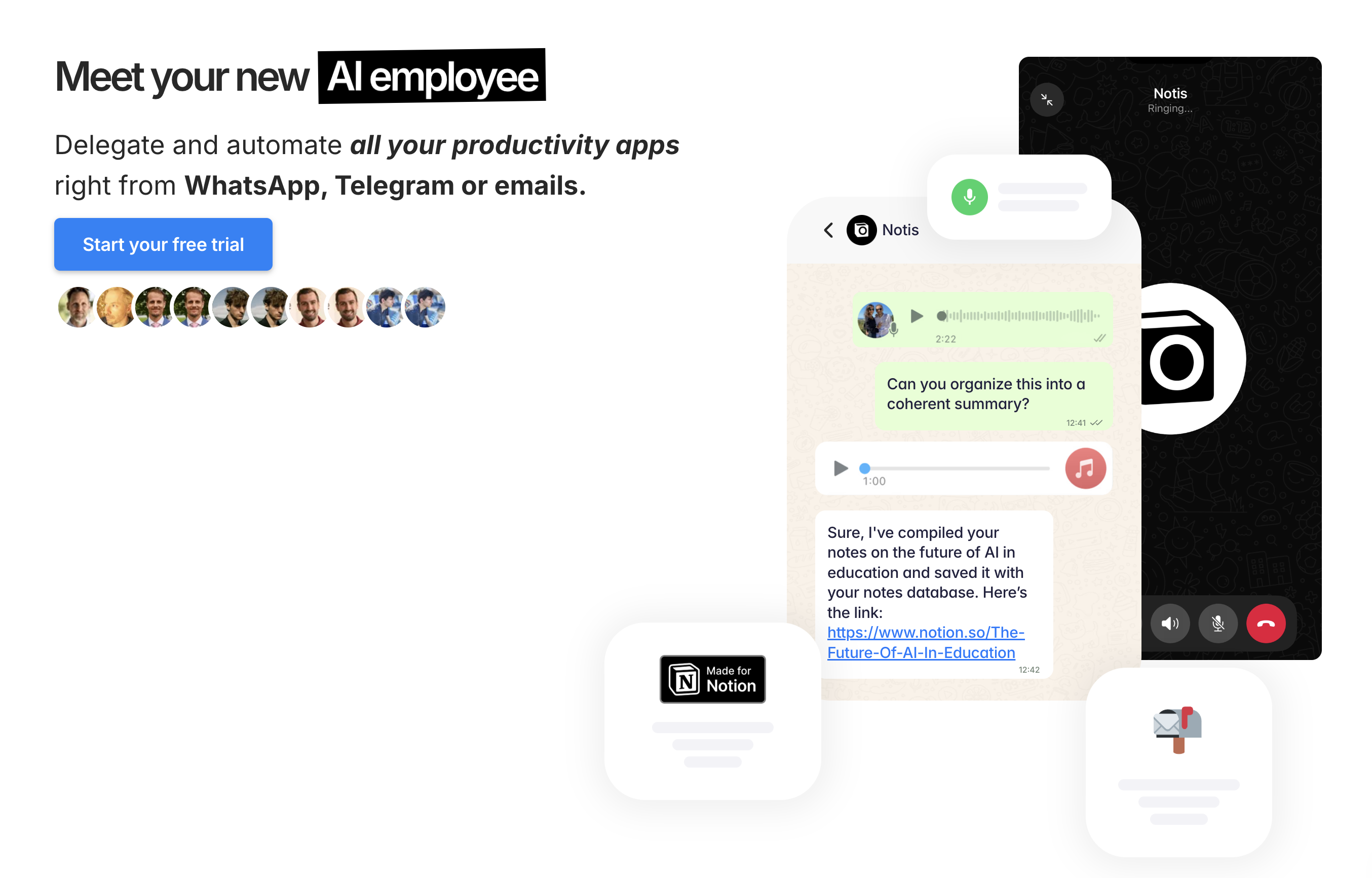
- Transform voice notes and messy briefs into structured meeting minutes and action items with assigned owners and due dates
- Draft follow-up emails, investor updates, and release notes automatically by processing your meeting discussions and voice directions
- Create blog posts and social media content that matches your unique writing style by learning from your past entries and voice patterns
- Receive task reminders directly on WhatsApp to stay organized without checking multiple apps or platforms
- Sync perfectly with your Notion workspace to read databases, respect templates, and write back with precision across your projects
- Automate end-to-end workflows across 30+ tools including Google, email, calendars, and social platforms from a single conversation
- Compile comprehensive knowledge bases and transform them into AI chatbots for customer service using your existing records and documents
- Manage product lifecycles by drafting specifications, user stories, and structured bug reports aligned with company guidelines
- Process expense photos into categorized reports on the go, saving administrative time and streamlining expense tracking
Pros & Cons
Pros
- Works via WhatsApp
- Voice to text
- Transcribes voice notes
- Organizes thoughts
- Provides insightful answers
- Task management support
- Writes blog posts
- Content creation aid
- Meeting minute writing
- Converts ideas to tasks
- Creates prioritized task entries
- Sends task reminders
- Summarises meeting discussions
- Capable of deep analysis
- Tone customization
- Drafts social media posts
- Drafts newsletters
- Capture thoughts on-the-go
- CRM capability
- Expense management
- Can draft documents
- Product management aids
- Compile Knowledge bases
- Efficient meeting distributions
- Capture insights as they flow
- Customer feedback compilation
- Product comparison tables
- Creates user stories for products
- Creates bug reports
- Extracts and organizes information from voice inputs
- Automatic task recording
- Translates content to desired language
- Drafts white-papers from call notes
- Translates written materials
- Ideal for remote work
- Expense categorization
- Expense report generation
- Customizes entries with priorities
- Handles work on Notion
- Translates messages in real-time
- Supports brainstorming sessions
- Creates posts for different social platforms
- Stores and handles data securely
- Automated customer relationship management
- Drafts proposals from meeting notes
- Automatic completion of administrative tasks
Cons
- Only integrates with WhatsApp, Telegram and email
- Primary function through voice commands
- Limited by users speech clarity
- May misunderstand or misinterpret commands
- Dependent on external Notion system
- Requires initial setup of priorities
- No offline capability
- Requires constant internet connection
Reviews
Rate this tool
Loading reviews...
❓ Frequently Asked Questions
Notis AI works with WhatsApp by operating directly within the application. You can capture and organize your thoughts using voice commands, and the tool will intelligently process these inputs to provide insightful answers from your Notion workspace. It also sends task reminders directly on WhatsApp, making it a very mobile- and user-friendly tool.
Yes, Notis AI is capable of transcribing your voice notes. It turns your free-flowing thoughts and brainstorms into well-structured notes. This feature aids in the documentation and organization of your ideas, potentially boosting productivity.
Notis AI assists with task management in many ways. It can record your tasks throughout the day as they come, and create individual entries with priorities for each task. It can also remind you about these tasks directly on WhatsApp, helping to keep you organized and ensure that nothing falls through the cracks.
Notis AI aids with content creation by leveraging your rough ideas to craft blog posts, newsletters, or social media posts. This includes fine-tuning them to match your unique tone. From drafting to refining, Notis AI handles various stages of the content development process.
Notis AI can efficiently write meeting minutes. Based on the discussions and voices recorded during a meeting, it can summarize key points, extract action points, and create organized meeting minutes for distribution. This ensures that no vital information is lost post-meeting.
Indeed, Notis AI can write blog posts and social media posts. It uses your rough ideas, transcribes them and forms them into a well-crafted content piece. It can even model the content to resemble your personal tone, ensuring authenticity.
Notis AI 'fine-tunes' content to your unique tone by learning from your past entries and voice commands. It studies patterns in your language, your choice of words, and your writing style to deliver content that truly reflects the user's persona. It's an advanced AI feature that personalizes your content.
Although the specific kinds of data analysis functions Notis AI can perform are not explicitly listed, potential capabilities could range from organizing data to formulating coherent summaries of complex information, as well as offering in-depth analysis of ideas by critiquing and playing devil's advocate based on the data it has absorbed.
Notis AI integrates with Notion by processing inputs from your Notion workspace. It uses information from your workspace to provide insightful responses, compile notes, and generate coherent summaries. Essentially, it is designed to stand in as your indispensable Notion copilot.
Yes, Notis AI can draft follow-up emails based on your meetings. It can process the directions you give it in voice notes and capture the content of your discussions, then use that information to draft an appropriate email with action points and summaries.
Yes, Notis AI can create task reminders and send them to you directly on WhatsApp. This feature helps you keep track of important deadlines and manage various tasks in a centralized manner.
Notis AI mines your Notion workspace to provide insightful answers. It intelligently processes the thoughts you capture via voice commands, extracts relevant information from your workspace, and generates responses that align with the context and content it has analyzed.
Indeed, Notis AI can transform your thoughts into well-structured notes. It translates your voice notes and turns them into coherent, well-structured entities, helping you effectively organize your ideas and concepts.
In terms of handling customer relationship management, Notis AI is capable of managing your customer interactions efficiently by leveraging its capacity to transcribe, organize, and track interactions. This can include logging calls, updating statuses, and syncing contact details.
When it comes to managing expenses, Notis AI allows you to take pictures of your expenses on the go, and it will categorize and compile them into organized expense reports. This process can save time on administrative tasks and facilitate more efficient expense tracking.
Notis AI can draft various types of documents in your unique tone of voice based on your Notion workspace content or any other materials. Whether it's a proposal, report, or white paper, the tool has the capability to create well-structured and relevant documents.
Yes, Notis AI can draft proposals based on your meeting notes. It can generate coherent drafts that incorporate the key insights and action points discussed during your meetings, all while mirroring your tone.
The feature set of Notis AI aids in managing the product lifecycle by facilitating specification drafting, project management, and bug reporting. Its capabilities allow it to draft comparative tables for product reviews, user stories for new features, and structured bug reports in line with company guidelines.
Notis AI aids in compiling knowledge bases by quickly capturing and organizing your thoughts. It can also sync your existing records, documents, and notes into your knowledge base. Thus, transforming your digitally stored information into a comprehensive database.
Notis AI can turn your knowledge bases into AI chatbots. It quickly processes the stored information and deploys them into an AI chatbot ensuring that right information is dispensed during a customer query. This dynamic feature potentially enhances customer service and accessibility.
Florian
🛠️ 2 tools
🙏 57 karma
wrote:Notis is not able to create videos.
Florian
🛠️ 2 tools
🙏 57 karma
wrote:No - it's 20$ per month
Pricing
Pricing model
Free Trial
Paid options from
$20/month
Billing frequency
Monthly
Refund policy
Refunds are available within 7 days of purchase if usage is below 10% of the monthly cap.