
Novel To Screenplay
See whether your adaptation works before you pay: a free preview of the opening screenplay scenes shows how your novel was interpreted before you unlock the remaining chapters.
Listing not yet reviewed by our editors · How we check
Overview
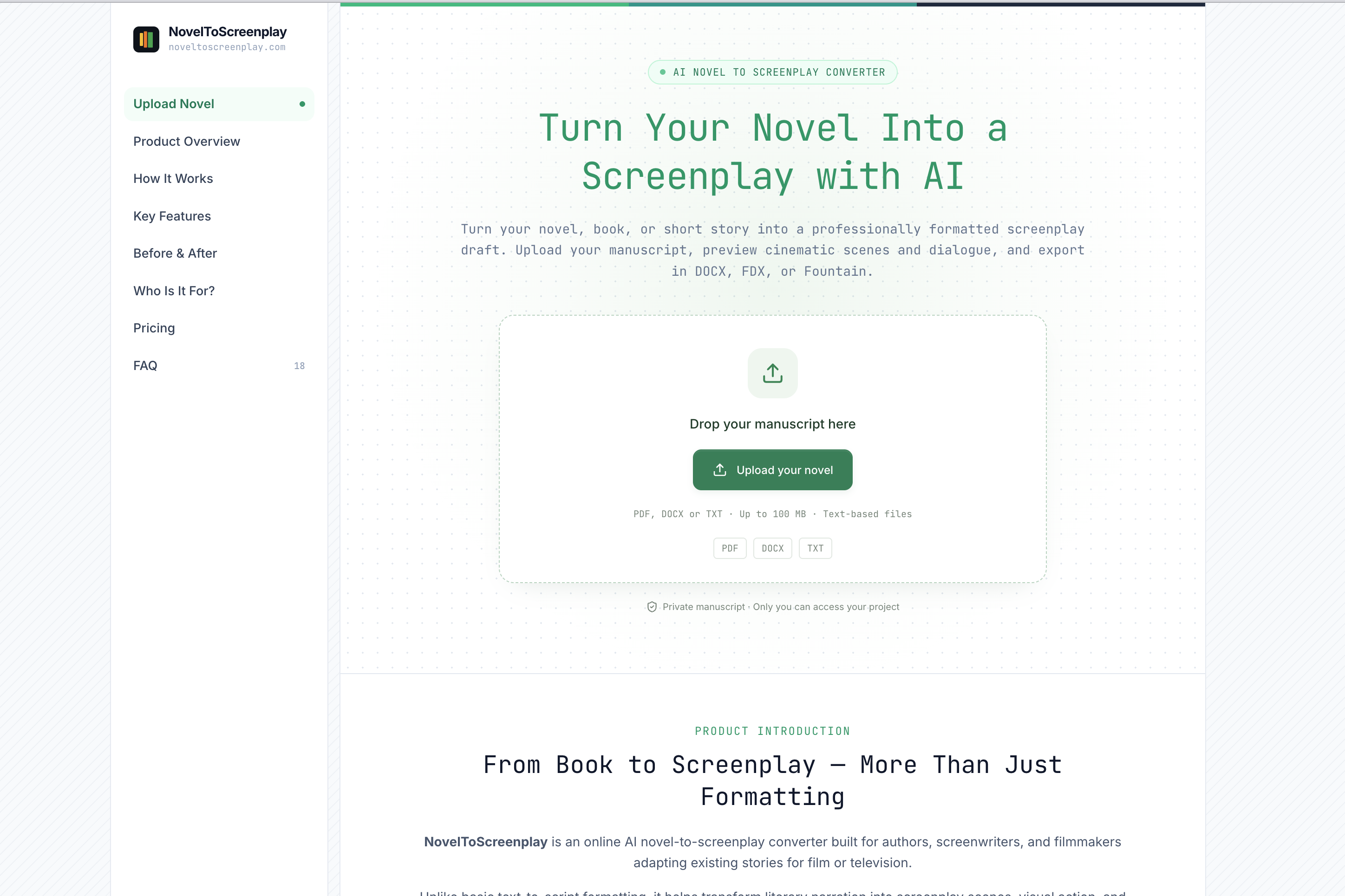
- See whether your adaptation works before you pay: a free preview of the opening screenplay scenes shows how your novel was interpreted before you unlock the remaining chapters.
- Start from the manuscript you already have: upload a text-based PDF, DOCX, or TXT file up to 100 MB, or paste your story directly into the editor.
- Get scenes a camera can film instead of reformatted prose: narration and internal thoughts become visible action, props, character behavior, and spoken dialogue, structured with sluglines, parentheticals, and transitions.
- Keep characters consistent from first chapter to last: a story-and-character reference workflow tracks names, relationships, motivations, voices, and major plot developments, so you don't have to carry scenes through a general-purpose chatbot by hand.
- Land on a page count that fits your format: choose a feature film, TV pilot, or short screenplay, then set a target runtime, such as 105–115 pages for a feature, to guide compression and scene selection.
- Decide how much of the book survives the adaptation: an adjustable fidelity percentage keeps up to 95% of the novel's plot or condenses more aggressively to meet runtime limits.
- Submit pages that read as professionally formatted: automatic checks flag screenplay margin issues and WGA formatting compliance, alongside prose-to-scene mapping and character voice.
- Move straight into your screenwriting software: export to Final Draft FDX, Fountain, or DOCX with INT./EXT. scene headings preserved, either chapter by chapter or as one combined script.
- Revise with the original text in view: the workspace places each adapted scene beside its source passage, and the built-in script editor lets you rewrite any scene before export.
- Match the scope to your project: adapt a full novel, a single chapter, or a short story, with 20, 100, or 200 AI chapter revisions depending on the tier.
- Keep unpublished work under your control: manuscripts and generated screenplays stay in a private project workspace that only the project owner can access.
Pros & Cons
From the listing; not yet checked by our editors.
Pros
- Privacyfirst manuscript storage
- Chapterwise preview before conversion
- Adaptive fidelity setting
- Target runtime specification
- Character relationship tracking
- Motivation mapping across scenes
- Internal thought externalization
- Automated slugline generation
- Standard screenplay margin compliance
- Export to Final Draft FDX
- Fountain plaintext export
- DOCX export for editors
- Supports PDF, DOCX, TXT
- Handles up to 100MB
- Fullnovel continuity workflow
- TV pilot template support
- Feature film template support
- Short screenplay template
- Scenebased action generation
- Dialogue extraction from prose
- Parenthetical generation
- Transition cues insertion
- Runtime estimation per page
- Story arc continuity tracking
- Character voice preservation
- Plot segmentation automation
- Multiple format selection
- Browseronly, no install
- Editable draft output
- Chapter export isolation
- Combined export option
- Useronly project access
- Free opening excerpt preview
- Narrative externalization engine
- Prosetoscene mapping checks
- Character bible integration
- Dynamic scene beat mapping
- WGA margin enforcement
- Integrated sourceadaptation view
- Batch processing of chapters
- Supports textbased PDFs only
- Customizable scene granularity
- Automatic prop suggestion
- Automatic conflict highlighting
- Version history per chapter
- Crosschapter character consistency
- Runtime target autoadjustment
- Export to industrystandard formats
- Zero data retention after export
Cons
- No OCR for scanned PDFs
- 100MB file upload limit
- No direct PDF export option
- Full conversion behind paywall
- Only singleuser projects
- Lacks version control/history
- No public integration API
- Limited multilingual adaptation support
- Slow on >200k words
- Fixed script templates only
Alternatives to Novel To Screenplay
Tools that share the most tags with Novel To Screenplay.
- FaceShapeDetector
Get a precise, personalized face shape analysis that goes beyond generic labels with our unique Face Shape Blend™, revealing your exact proportions like 80% Oval + 20% Heart.
Freemium · from $6.99
$6.99
Not yet checked
- Transition
Follow a training plan that automatically adjusts to your daily schedule and recovery metrics, ensuring you stay on track even when life gets busy
Paid · from $19/month
$19/month
Not yet checked
- Mixboard
Turn scattered thoughts into mature, actionable concepts by visualizing and manipulating them on an interactive AI concepting board.
Not listed
Not listed
Not yet checked
- NVIDIA Earth-2
Make strategic decisions with confidence using precise, AI-driven weather predictions that mitigate operational risks across aviation, agriculture, and marine sectors.
Not listed
Not listed
Not yet checked
- Engain
Turn Reddit into a repeatable organic traffic channel instead of a gamble by finding and engaging in high-intent discussions that already rank on Google or where users are actively seeking solutions.
Freemium · from $79/month
$79/month
Not yet checked
- OCR | z.AI
Instantly digitize printed documents and scanned PDFs without manual typing, using AI-powered optical character recognition.
Not listed
Not listed
Not yet checked
Reviews
Rate this tool
Loading reviews...
Frequently asked questions
What file formats does NovelToScreenplay accept for upload?
NovelToScreenplay accepts text‑based PDF, DOCX, and TXT files for upload, as well as pasted text directly into the editor.
Is there a size limit for the manuscript I can upload to NovelToScreenplay?
The upload size limit is 100 MB per manuscript.
Can I preview an adapted opening before paying for the full conversion?
Yes – a free preview of the opening adapted scenes is provided before you must pay to unlock the remaining chapters.
How does NovelToScreenplay handle internal thoughts and narration in the screenplay?
Internal thoughts and narration are transformed into visible action, props, character behavior and spoken dialogue, effectively externalizing the prose for screen presentation.
What export options are available from NovelToScreenplay (DOCX, FDX, Fountain, etc.)?
Export options include Microsoft Word DOCX, Final Draft FDX, and plain‑text Fountain formats.
Can I choose between a feature film, TV pilot, or short screenplay format in NovelToScreenplay?
You can select the target format as a feature‑film screenplay, a television pilot, or a short screenplay.
How does the target runtime setting affect the length of the generated screenplay?
The target runtime setting tells the AI how many pages (e.g., 105‑115 pages for a feature) to aim for, guiding compression and scene selection to match the desired length.
Does NovelToScreenplay keep character voice and relationships consistent across chapters?
The fidelity setting controls how closely the screenplay follows the novel’s plot, with higher percentages (e.g., 95 %) preserving more detail and lower settings allowing more condensation.