
📝 Overview
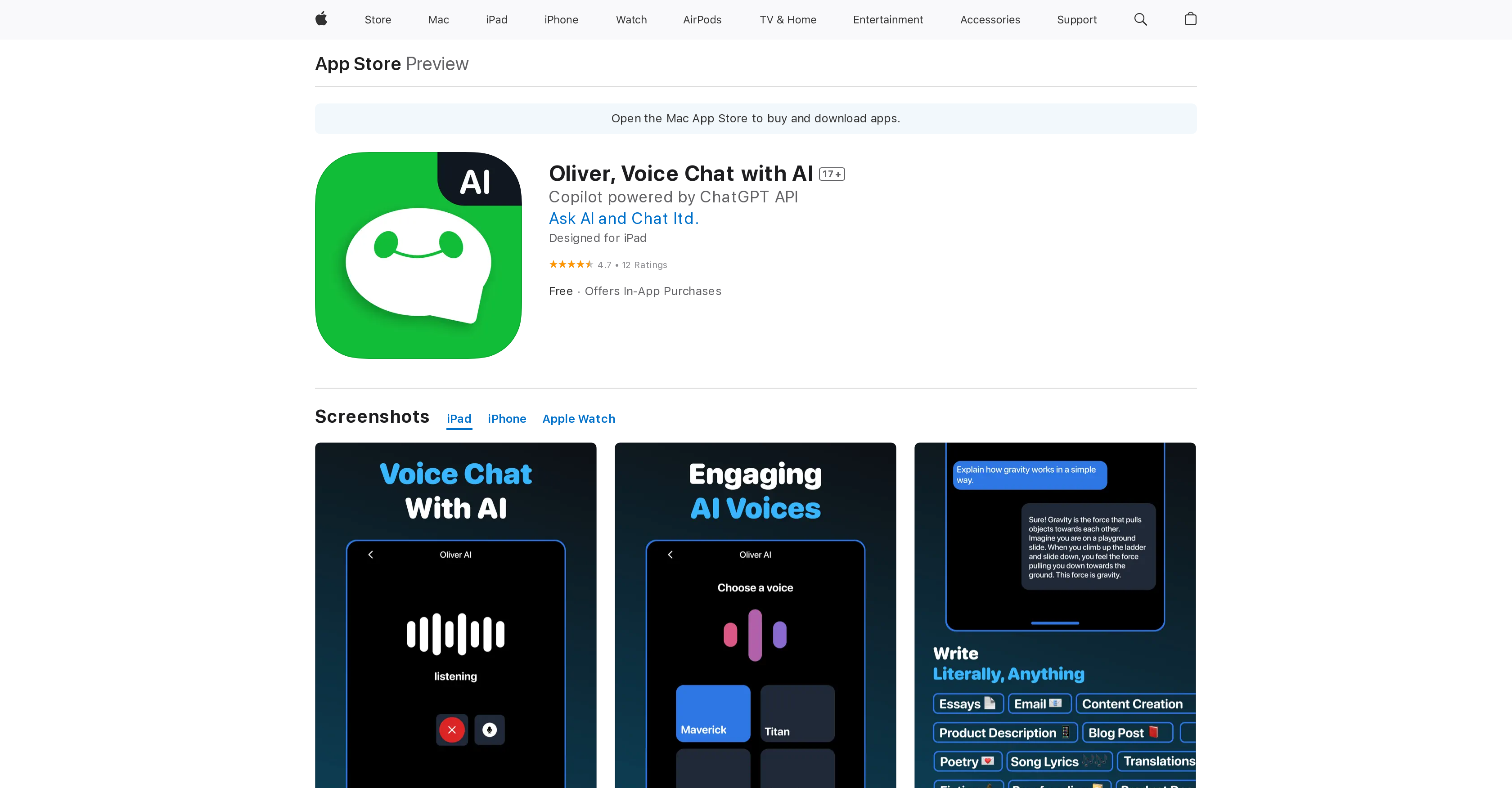
- Practice conversations naturally with an AI that learns from your voice inputs for increasingly human-like interactions
- Get instant writing assistance and content proofreading through voice commands while multitasking on your device
- Overcome text-input difficulties with completely hands-free voice chat that requires no typing or button pressing
- Improve communication skills through realistic conversation simulations that adapt to your speaking patterns
- Translate languages and optimize content through voice commands while performing other tasks simultaneously
⚖️ Pros & Cons
Pros
- Voice chat enabled
- Human-like interactions
- Hands-free experience
- Assists on text-input difficulty
- Designed for iOS devices
- Compatible with iPod touch
- Provides multitasking capability
- Adaptable conversation experience
- Personalized responses
- Multilingual translation
- Content optimization
- Language proofreading
- Safe and powerful
- Trains for job interviews
- Designs trivia night quizzes
- Email composition assisted
- Hawaii vacation suggestions
- Can write poems
- Creates rap lyrics
- Recommends books and movies
- Available on App Store
- Free with in-app purchases
- Proofread and optimizes content
- Generates human-like responses
- Real-time information and citations
- Chat companion capable of games
- Offers personality based suggestions
- Has latest updates and features
- Supports various languages
- Reliable chat partner
- Unlimited access with subscription
- Accurate language translator
- Frequent updates and improvements
- Real-time voice conversations
- Privacy policy included
- Top-notch proofreader
- Expert-grade document creation
- Supports multiple devices
Cons
- iOS only
- Subscription-based extra features
- Data linked to user
- Internet connection required
- Performance varies by device
- Potential privacy concerns
- Limited to English
- No Android support
- High data usage likely
- No offline functionality
❓ Frequently Asked Questions
Oliver is compatible with devices such as the iPhone, iPad, and iPod touch.
Oliver incorporates AI technology in its voice chatting feature to enable intuitive, human-like interactions. This allows for more natural conversation flows similar to those a user might have when conversing with another human.
As a voice chat tool, Oliver enables hands-free interaction, which can be particularly useful for multitasking. It gives users the chance to conduct conversation simulations with AI, enhancing their communication skills. It can be especially beneficial for those who experience difficulty with traditional text-input methods, as it allows them to chat using just their voice.
Oliver's AI is designed to generate human-like responses. However, the degree of 'human-likeness' can depend on various factors including the nature of user input and potentially the device in use. But in general, yes, Oliver aims to always provide a human-like interactive response.
Oliver's AI is designed to be adaptable and learn from user inputs. This means that the system can improve its interactions and responses as it gains more conversational data from the user. However, the extent to which it can adapt to different user inputs can vary.
Yes, updates can affect Oliver's AI capacities. These updates typically aim to improve Oliver's performance and capabilities, resulting in an enhanced user experience over time.
You can read the most recent ratings and reviews for Oliver on the App Store.
Oliver assists users with text-input difficulties by offering a voice chat tool. Users can interact with Oliver using their voice, which can be useful for those who find texting or typing physically challenging or inconvenient.
Yes, Oliver is designed for multitasking. Its hands-free operation allows users to engage in voice chats while performing other tasks simultaneously.
Oliver provides an intuitive conversational experience owed to its AI technology. This AI is designed to understand, learn from, and respond to user inputs, simulating a natural, human-like conversation.
The user experience with Oliver can vary depending on the device used. This is mainly due to factors such as device-specific settings, microphone quality, and the device's processing power.
Oliver uses advanced AI technology, which allows it to understand, learn from, and respond to user inputs. While the exact technology is not specified, it is implied that the AI system is capable of natural language processing, machine learning, and other AI techniques.
While its primary function is as a voice chat application, Oliver also features language translation and optimization, content proofreading, and it can serve as a writing assistant, among other features. This makes Oliver a versatile tool beyond simply voice chatting.
Oliver's AI is capable of learning and evolving over time. It learns from user inputs and adjusts its interactions and responses accordingly to provide a more personalized and effective conversational experience.
If Oliver is not functioning as expected, you should first ensure that your application is up to date. If issues persist, you may reach out to the developers at [email protected].
The voice assistant feature of Oliver uses advanced AI technology to simulate conversation, enhancing the realism and natural flow of the interaction. This makes chatting with Oliver feel like conversing with a human.
Yes, Oliver is designed to be used hands-free. Allowing for voice input, you can converse with Oliver without the need for textual typing or button pressing.
The frequency of updates to Oliver's AI design and capacities is not specified. However, like most apps, Oliver is likely updated periodically to improve performance, fix bugs, and possibly add new features.
Generally, Oliver is designed to provide a responsive conversational experience for all user inputs. However, the accuracy and relevance of responses might not be guaranteed for all inputs as these characteristics are influenced by the complexity of the user's queries, the context provided, and the underlying AI's current level of understanding.
You can read the most recent ratings and reviews for Oliver on the App Store.
Oliver assists users with text-input difficulties by offering a voice chat tool. Users can interact with Oliver using their voice, which can be useful for those who find texting or typing physically challenging or inconvenient.
Yes, Oliver is designed for multitasking. Its hands-free operation allows users to engage in voice chats while performing other tasks simultaneously.
Oliver provides an intuitive conversational experience owed to its AI technology. This AI is designed to understand, learn from, and respond to user inputs, simulating a natural, human-like conversation.
The user experience with Oliver can vary depending on the device used. This is mainly due to factors such as device-specific settings, microphone quality, and the device's processing power.
Oliver uses advanced AI technology, which allows it to understand, learn from, and respond to user inputs. While the exact technology is not specified, it is implied that the AI system is capable of natural language processing, machine learning, and other AI techniques.
While its primary function is as a voice chat application, Oliver also features language translation and optimization, content proofreading, and it can serve as a writing assistant, among other features. This makes Oliver a versatile tool beyond simply voice chatting.
Oliver's AI is capable of learning and evolving over time. It learns from user inputs and adjusts its interactions and responses accordingly to provide a more personalized and effective conversational experience.
If Oliver is not functioning as expected, you should first ensure that your application is up to date. If issues persist, you may reach out to the developers at [email protected].
The voice assistant feature of Oliver uses advanced AI technology to simulate conversation, enhancing the realism and natural flow of the interaction. This makes chatting with Oliver feel like conversing with a human.
Yes, Oliver is designed to be used hands-free. Allowing for voice input, you can converse with Oliver without the need for textual typing or button pressing.
The frequency of updates to Oliver's AI design and capacities is not specified. However, like most apps, Oliver is likely updated periodically to improve performance, fix bugs, and possibly add new features.
Generally, Oliver is designed to provide a responsive conversational experience for all user inputs. However, the accuracy and relevance of responses might not be guaranteed for all inputs as these characteristics are influenced by the complexity of the user's queries, the context provided, and the underlying AI's current level of understanding.
💰 Pricing
Pricing model
Freemium
Paid options from
$14.99/month
Billing frequency
Monthly