

Playwrist
Go from a play idea to a finished full-field diagram without sketching: describe a formation, route combination, field situation, or coverage attack in plain English and the flag football play designer converts it into player positions and routes built for your roster.
Listing not yet reviewed by our editors · How we check
Overview
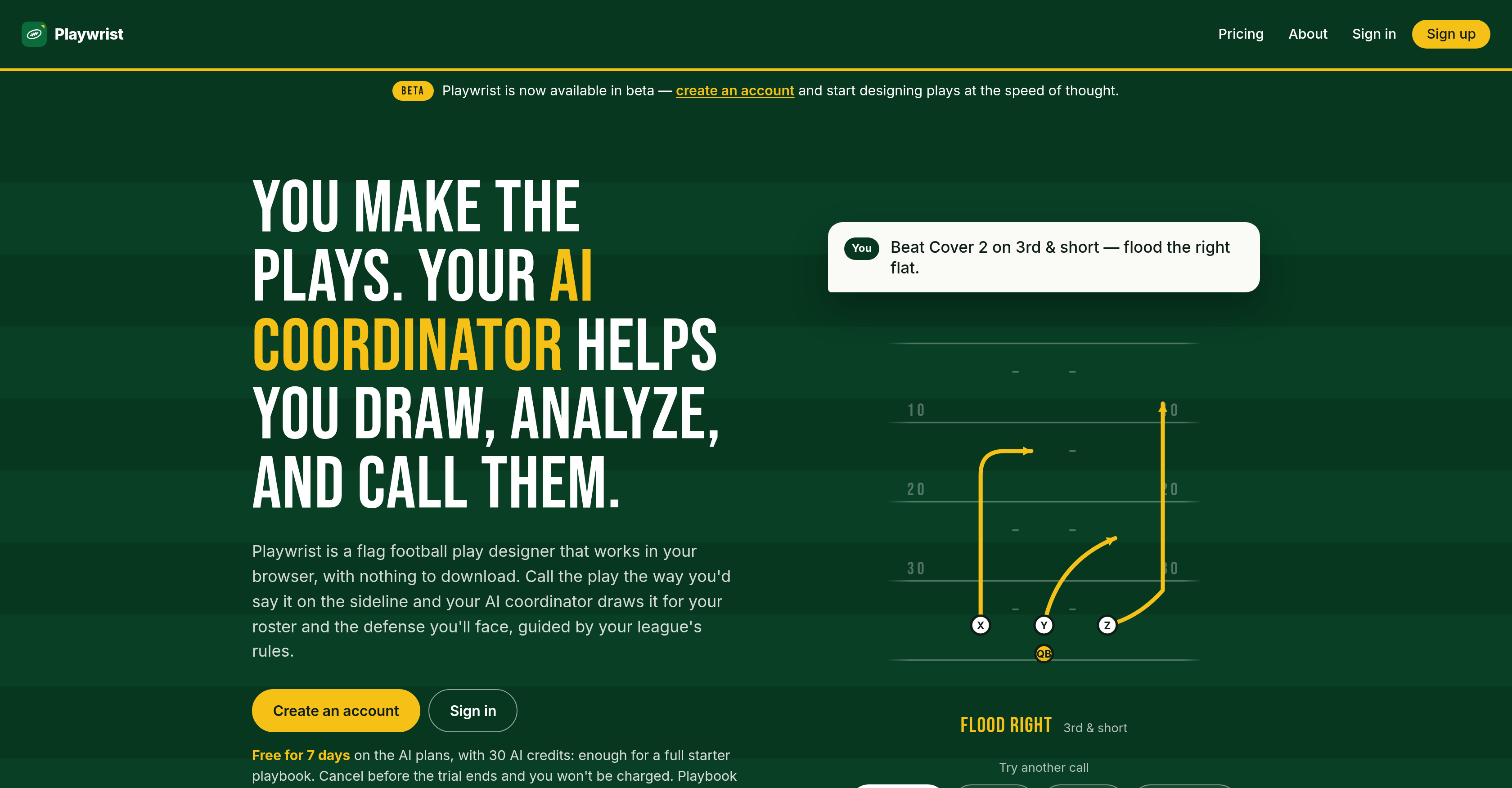
- Go from a play idea to a finished full-field diagram without sketching: describe a formation, route combination, field situation, or coverage attack in plain English and the flag football play designer converts it into player positions and routes built for your roster.
- Keep every play legal for your league: presets for NFL FLAG, USA Flag, IFAF, FNL, FNA, and a generic rule set apply automatically across 5v5, 6v6, 7v7, 8v8, and 9v9 formats.
- Catch broken plays before practice: a five-point critique flags blown spacing, covered primary reads, ineffective routes, and other tactical weaknesses in each design.
- Know which defenses a play beats before you call it: matchup analysis lists the coverages a play attacks well and the coverages that shut it down.
- Build game plans around the team you face this week: logged opponent tendencies stay stored in your account, so you design concepts against their likely game-day looks.
- Draw any formation or route combination exactly as you want it: the drag-and-drop play editor supports touch controls, zooming, and fast navigation from playbook to individual plays.
- Teach young or visual learners their assignments faster: animated route playback shows every player's movement on phones, tablets, and computers.
- Make the right call in high-pressure moments: situational game plans, scripts, and call sheets organize plays for red zone, goal line, short yardage, and fourth down.
- Set fair, organized playing time in minutes: the rotation planner assigns offensive and defensive positions by quarter, accounts for absences and scheduled sit-outs, and prints clipboard-ready grids.
- Run your sideline with zero cell signal: opened playbooks stay readable offline and sync automatically once the connection returns.
- Put the playbook on your players' wrists: numbered, color-coded wristband cards print in multiple standard sizes, and full playbooks export as PDFs with an active subscription.
- Get players and assistant coaches on the same page with no app download: read-only share links, team schedules, and instant mobile-to-desktop sync keep everyone working from the current playbook.
- Pay only for the planning depth you need: the $6.99/month Playbook plan covers manual drawing, Coach ($9.99/month, 150 AI credits) adds generation, critique, and matchup analysis, Program ($19.99/month, 300 AI credits) adds broader program tools and priority support, with a 7-day 30-credit trial and $4.99 top-ups of 50 credits.
- Protect your athletes' information: player data is never sold or shared with third parties.
Pros & Cons
From the listing; not yet checked by our editors.
Pros
- Browseronly, no install
- Full offline caching
- Rosteraware diagram generation
- League rule presets builtin
- Opponent tendency logging
- Automatic coverage matchup analysis
- Spacing critique bullets
- Primary read effectiveness scores
- Rotation planner with absences
- Quarterbyquarter position assignment
- Schedule creation with opponents
- Shareable browser links
- Instant PDF export via print
- Colorcoded wristband card output
- Touchoptimized dragdrop editor
- Pinchtozoom field view
- Interactive route playback
- Quick playbooktoplay navigation
- Version control for plays
- Realtime collaboration sync
- Creditbased usage model
- Separate manual and assisted workflows
- Customizable formations per roster
- Multiformat support 5v59v9
- Situational playbook templates
- Scripted callsheet generation
- Automatic rule compliance checks
- Opponent coverage prediction engine
- Analytics on primary reads
- Spacing weakness detection
- Route effectiveness scoring
- Exportable colorcoded PDFs
- Offline readable playbooks
- Sync after connectivity loss
- No data sharing policy
- Local cache ensures privacy
- Crossplatform mobile/desktop
- Browserbased realtime updates
- Programlevel analytics dashboard
- Credit purchase flexibility
- Free 7day trial credits
- Print-ready wristband formats
- Dynamic opponent adaptation
- Quick draganddrop routing
- Animated play visualization
- Team rotation visualization
- Multiuser access via links
Cons
- Credit-based usage model
- Printing locked behind subscription
- Sync delay after offline
- No native desktop app
- Limited custom rule support
- Lacks real-time collaboration
- Export limited to PDF
- Extra credits pricey
- Touch editing less precise
Alternatives to Playwrist
Tools that share the most tags with Playwrist.
- Hobbit AI
Design structured, game-intelligence-focused session plans with real-time preview, tailored to each team's specific needs from U5 to U18
Free trial · from $20/unit
$20/unit
Not yet checked
- Golazo AI
Receive instant, personalized feedback on your technique and shot accuracy by uploading your training videos for AI-powered analysis
Free
Not listed
Not yet checked
- Grand Slam Training
Receive instant, professional feedback on your swing technique by uploading your own video for AI-powered analysis
Free trial · from $5/month
$5/month
Not yet checked
- SwingMaster AI
Receive instant, personalized feedback on your unique swing mechanics by uploading a video for AI-powered analysis
Free
Not listed
Not yet checked
- GOATY
Identify the root cause of swing flaws with AI that diagnoses energy transfer inefficiencies, not just visual symptoms
Free trial · from $25/month
$25/month
Not yet checked
- Yogger
Identify injury risks before they happen with AI-powered movement screenings that detect harmful patterns
Paid · from $9.99/month
$9.99/month
Not yet checked
Reviews
Rate this tool
Loading reviews...
Frequently asked questions
How does Playwrist turn a plain‑English play description into a diagram?
Playwrist uses its AI coordinator to parse the plain‑English description, map the request to the team’s roster and selected league rule set, then automatically generates a full‑field diagram with player positions and routes.
Can I edit a Playwrist‑generated play manually with drag‑and‑drop?
Yes. After the AI creates a play, you can open it in the editor and adjust any element using the drag‑and‑drop interface.
Does Playwrist animate routes for players, and how do I view the animation?
Playwrist animates each route. Open a play and tap the playback control to watch the animated movement; the animation works on both mobile and desktop browsers.
What leagues and rule‑set presets does Playwrist support?
Playwrist includes presets for NFL FLAG, USA Flag, International (IFAF), FNL, FNA and a generic flag‑football rule set, all of which are applied when you select a league during setup.
How does Playwrist’s analysis critique spacing and primary reads?
The built‑in analysis engine flags blown spacing, covered primary reads, ineffective routes and other weaknesses, presenting a concise five‑bullet critique that highlights specific tactical issues.
Can Playwrist tell me which defensive coverages a play beats or struggles against?
Yes. After a play is generated or uploaded, Playwrist lists which defensive coverages it is likely to beat and which ones will likely stop it, based on its matchup‑analysis engine.
Is opponent scouting data stored in Playwrist, and can I log tendencies?
Opponent scouting data is stored inside Playwrist. You can log opponent tendencies and retrieve them later to design plays that exploit those looks.
How does the rotation planner handle player absences and quarter‑by‑quarter positions?
The rotation planner lets you assign offensive and defensive positions for each quarter, automatically accounting for player absences and scheduled sit‑outs, and can output printable grids for the clipboard.