
PropellaDocs
Turn a client email, meeting notes, or call transcript into a ready-to-use project brief without retyping details, as the paste-context feature extracts scope and requirements automatically.
Listing not yet reviewed by our editors · How we check
Overview
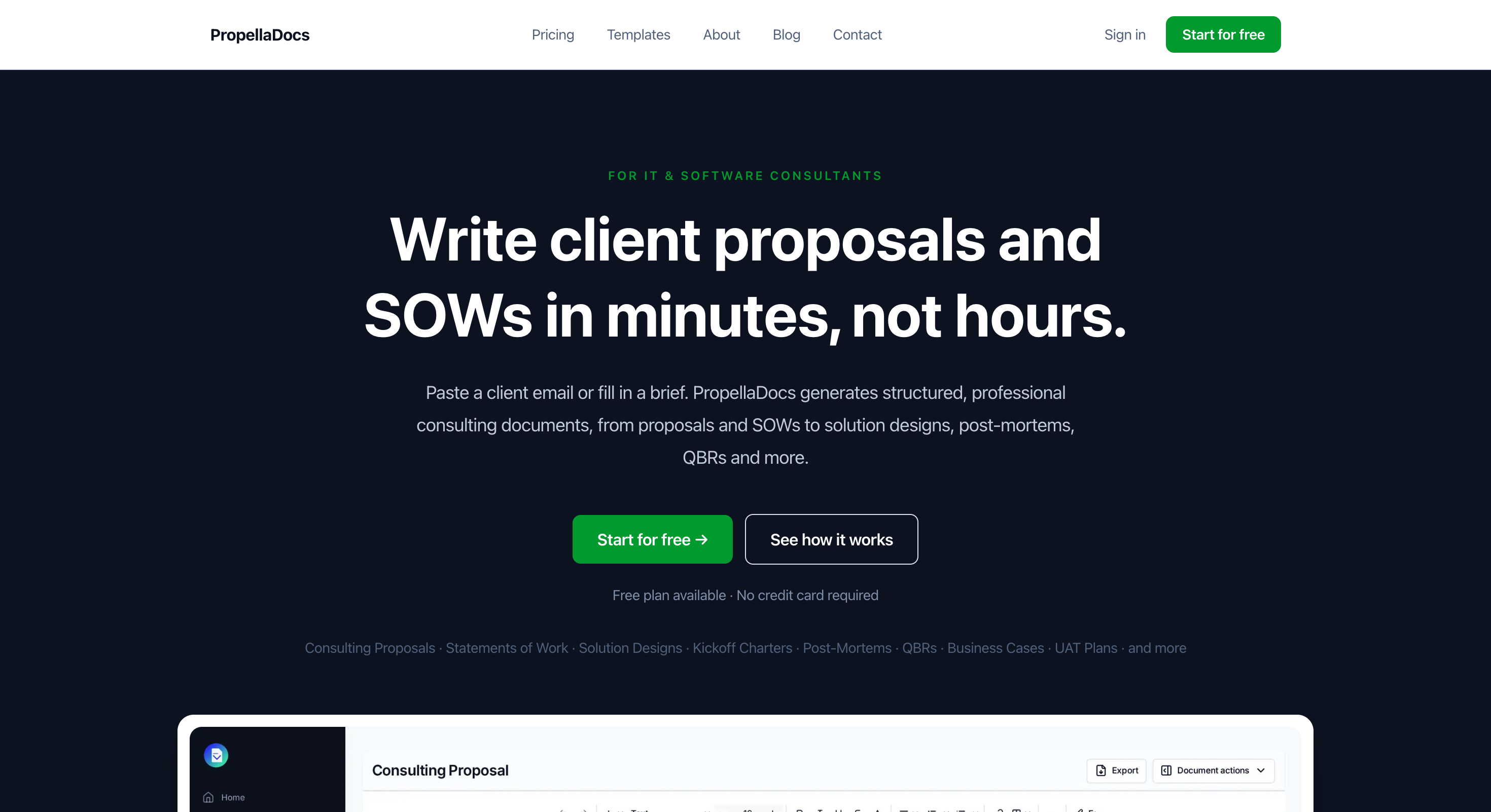
- Turn a client email, meeting notes, or call transcript into a ready-to-use project brief without retyping details, as the paste-context feature extracts scope and requirements automatically.
- Produce IT consulting proposals and statements of work in minutes instead of hours by generating complete, structured documents from a single project brief, freeing time for billable client work.
- Start every engagement document with the right structure through 14 consulting templates built around real IT engagements, covering proposals, SOWs, solution designs, business cases, and post-mortem reports.
- Create any non-standard consulting document your client asks for by describing the document type in plain language and receiving a fully structured draft grounded in your project context.
- Perfect weak sections without redrafting the whole document using free section-by-section regeneration, plus inline editing with autosave so no change is lost.
- Deliver polished, client-ready files that look exactly as drafted, with PDF and DOCX export, cover pages, branded headings, and custom branding on the Pro plan.
- Get client sign-off faster by sending a shareable review link that opens instantly, since clients need no account to view the proposal or SOW.
- Keep full accountability on every engagement document with an audit trail that records each edit and export.
- Protect confidential client information with secure document storage and a guarantee that your data is never used to train AI models.
- Test the full proposal-writing workflow at no cost on the free plan, which includes 3 documents per month with no credit card required, then scale to 15 documents on Starter or unlimited on Pro.
Pros & Cons
From the listing; not yet checked by our editors.
Pros
- Designed for IT consultants
- Supports variety of documents
- User-provided context drafting
- Allows document regeneration
- Supports inline editing
- Autosaves work
- Exports in PDF, DOCX
- Preserves original documents' layout
- Audit trail of edits
- Shareable links without account
- Drafts templates in minutes
- Variety of document structures
- Section-wise refinement
- Productivity and time management
- Document editing and review
- Supports Project timeline
- Executive Summary support
- Payment Schedule drafting
- Free to start, no card
- Professional, structured business docs
- Understanding of IT consultancy dynamics
- Based on templates and context
- One platform drafting to delivering
- Your branding on export (Pro)
- Preadded IT Consulting templates
- Context tied with document
- All processes in PropellaDocs
- Enterprise standards maintained
- Cost-effective for consultants
- Documents/month restriction
- PDF only with free version
- Watermark with free version
- Email support
- Prioritized support with Pro
- Live document count
- Upgradable plans
- Document sharing, no signup
- Cancelable anytime
- Secure client data storage
Cons
- Limited to IT consultants
- Templates may restrict creativity
- No collaborative editing
- No integration with CRM
- Dependent on user's input
- No direct client feedback
- Limited export formats
- Audit trail may be complex
- Document context loss possible
- No multi-platform support
Alternatives to PropellaDocs
Tools that share the most tags with PropellaDocs.
- QuoteCraft AI
Turn project ideas into detailed proposals in minutes by simply typing or recording a voice note, with AI handling scope, deliverables, timeline, and pricing.
Freemium · from $9/month
$9/month
Not yet checked
- Penvoi
Win more clients with proposals that reflect your authentic business, built from your real specialties, founded year, and client outcomes to eliminate generic, invented credentials.
Freemium · from $19/month
$19/month
Not yet checked
- ProposAI
Win more bids and secure more funding by automating proposal development and management with AI-driven bid writing.
Free trial · from $67/month
$67/month
Not yet checked
- Talkulate AI CPQ
Deliver validated quotes in 15 minutes instead of 2 days by using AI-guided selling that interviews customers and checks every component against your live catalog
Paid
Not listed
Not yet checked
- FaceShapeDetector
Get a precise, personalized face shape analysis that goes beyond generic labels with our unique Face Shape Blend™, revealing your exact proportions like 80% Oval + 20% Heart.
Freemium · from $6.99
$6.99
Not yet checked
- Transition
Follow a training plan that automatically adjusts to your daily schedule and recovery metrics, ensuring you stay on track even when life gets busy
Paid · from $19/month
$19/month
Not yet checked
Reviews
Rate this tool
Loading reviews...
Frequently asked questions
What is PropellaDocs?
PropellaDocs is an AI solution designed specifically for IT and software consultants for creating professional business documents like client proposals, statements of work (SOWs), solution designs, post-mortems, and business cases.
How does PropellaDocs use AI to draft documents?
PropellaDocs utilizes AI to draft well-structured documents based on the project context prescribed by the consultants. User-provided context is taken into account by the AI to intelligently draft sections of the document, which can then be reviewed, edited, and regenerated.
What types of documents does PropellaDocs provide templates for?
PropellaDocs provides a variety of document structure templates suitable for an array of professional purposes. These include structures for project timelines, scopes, executive summaries, and payment schedules.
What is the purpose of the predefined project context in PropellaDocs?
The predefined project context in PropellaDocs serves as the foundation for the AI to draft the document sections. It helps ground every output, ensuring that the resulting document is specifically tailored to the project and client context.
How does PropellaDocs handle inline editing and autosaving?
PropellaDocs incorporates a system of inline editing and autosaving. It allows users to review, edit, and refine the AI-drafted document parts without losing any changes inadvertently, thereby enhancing the document crafting process's efficiency.
How can I refine a document section-wise on PropellaDocs?
PropellaDocs offers a section-wise refinement feature to its users. Users can independently control, review, and regenerate individual document sections to fit their exact needs, making the document refining process highly customizable.
In what formats can I export my document in PropellaDocs?
Documents created in PropellaDocs can be exported in PDF or DOCX formats. The diverse export options ensure that the final output is compatible with a variety of different document readers, enhancing its usability and accessibility.
Does the export function in PropellaDocs change the layout of my document?
No, the export function in PropellaDocs does not alter the layout of the document. The exports are designed to match the original document exactly, guaranteeing integrity in formatting and a lack of layout surprises.