

ProPhotos
Skip the cost, booking, and studio time of a traditional photoshoot: upload 10-30 casual Instagram-style photos and the AI headshot generator turns them into polished professional headshots.
Listing not yet reviewed by our editors · How we check
Overview
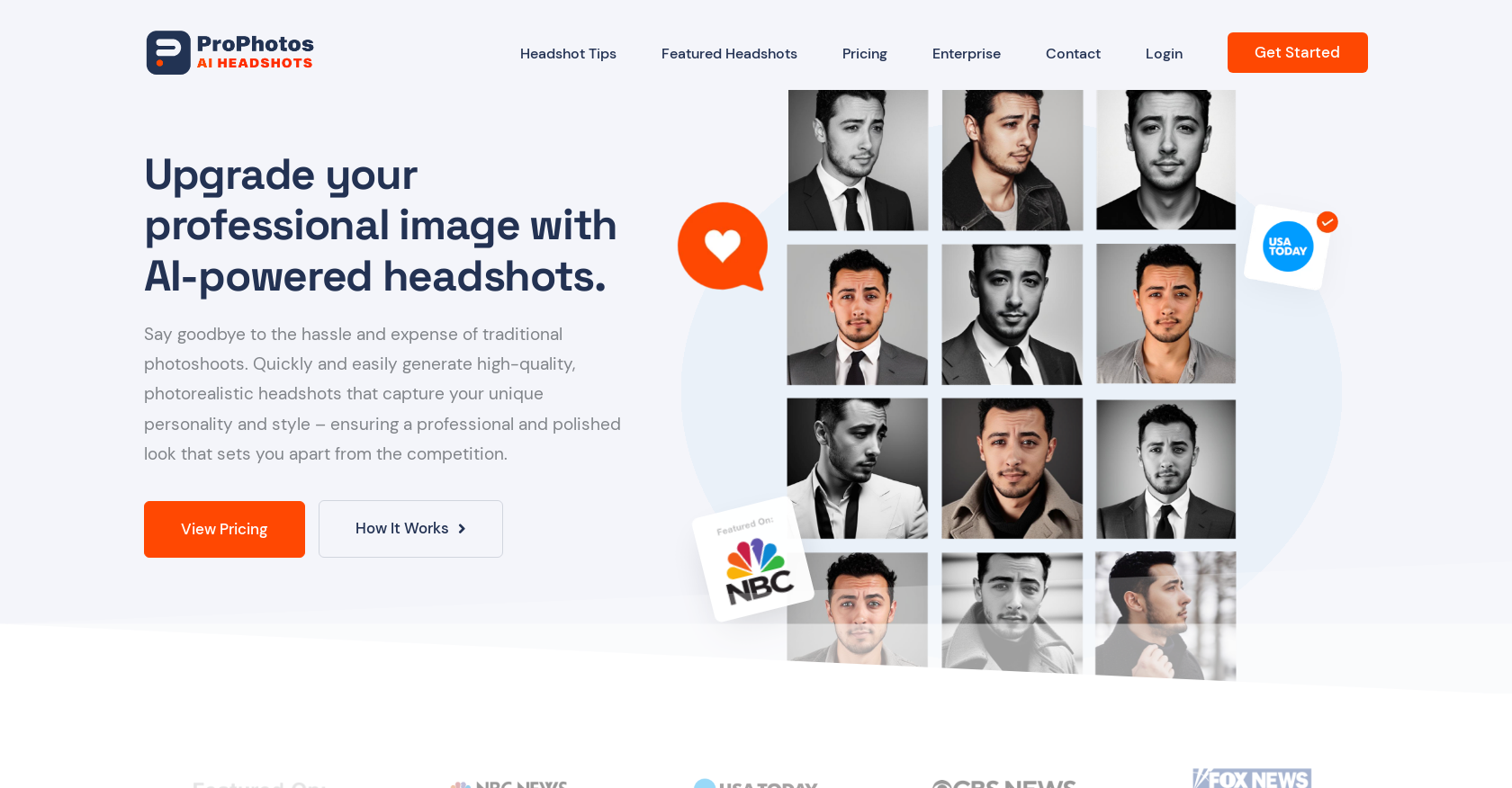
- Skip the cost, booking, and studio time of a traditional photoshoot: upload 10-30 casual Instagram-style photos and the AI headshot generator turns them into polished professional headshots.
- Earn more recruiter and network attention with a profile picture that builds trust. Professional headshots draw 21x more LinkedIn profile views and 9x more connection requests.
- Get photorealistic headshots that still look like you. The AI trains on your uploaded photos for 2-3 hours to model your face, expressions, and personal style.
- Receive only your strongest shots without sorting through outtakes. The ProPhotos team reviews hundreds of generated images and hand-picks the best professional photos for you.
- Use one set of headshots everywhere, from LinkedIn and resumes to company bios and printed materials. Final images are delivered ready for both print and web.
- Give your whole organization a consistent, professional brand image through the enterprise service built for larger teams' corporate headshots.
- Know what results to expect before you start by browsing the Featured Headshots gallery and customer testimonials, and apply proven Headshot Tips to choose better source photos.
- Extend your professional image beyond still photos with supported video avatars and digital personas.
- Earn income by recommending AI headshots to your network through the ProPhotos affiliate program.
Pros & Cons
From the listing; not yet checked by our editors.
Pros
- Generates high-quality headshots
- Transforms Instagram photos
- Suitable for individuals and companies
- Fast and affordable service
- No need for physical photoshoots
- Offers tips and pricing information
- Enterprise service available
- Curates best images post-process
- Delivers print and web-ready images
- Professionally enhance personal style
- Increases LinkedIn profile views
- Increases connection requests
- Boosts resume quality
- Enhances corporate brand image
- Customer testimonial section
- Affiliate program available
- Can upload multiple photos (10-30)
- Fast delivery (within 2-3 hours)
- Shows before and after examples
- Enhances trustworthiness with professional images
- Blog section for additional information
- Quick and easy to use
- Highlights the importance of headshots
- Helps users stand apart from competition
Cons
- Requires 10-30 personal photos
- Depends heavily on photo quality
- Potential privacy issues
- Lack of customization options
- No direct editing features
- Enterprise service unclear
- No API mentioned
- Solely web-based
- Limited application (headshots only)
Alternatives to ProPhotos
Tools that share the most tags with ProPhotos.
- daisy | LinkedInPro
Create professional headshots from everyday photos without expensive studio sessions using AI-powered photo transformation
Freemium · from $2.50
$2.50
Not yet checked
- PhotoGuruAI
Get professional headshots without studio costs using AI technology that transforms basic selfies
Paid · from $9/month
$9/month
Not yet checked
- Snapheadshots
Replace expensive photoshoots with studio-quality headshots generated from simple selfies, eliminating photography costs and scheduling hassles
Paid · from $29
$29
Not yet checked
- AIEasyShot
Get professional headshots for LinkedIn and business profiles without scheduling photoshoots or leaving home, using simple selfie uploads
Paid · from $29
$29
Not yet checked
- BetterPic | AI Headshots
Get studio-quality headshots without the photoshoot hassle using AI transformation from casual photos
Paid · from $35
$35
Not yet checked
- AI Headshots
Replace expensive photoshoots with studio-quality headshots using AI that enhances lighting and refines image quality from your selfies
Paid · from $19.99
$19.99
Not yet checked
Reviews
Rate this tool
Loading reviews...
Frequently asked questions
How does ProPhotos create professional headshots?
ProPhotos creates professional headshots by using an AI-powered tool. The process involves a user uploading 10-30 Instagram-style photos. These photos undergo AI training to model the person's face. From these, ProPhotos curates the best images, which are delivered ready for print and web.
What type of images can be transformed into professional headshots by ProPhotos?
ProPhotos can transform casual, candid, Instagram-style photos into professional headshots.
How many photos do I need to upload to ProPhotos for AI training?
To train the AI system, ProPhotos requires users to upload between 10-30 photos of themselves.
What is the process of generating headshots in ProPhotos?
The headshot generation process at ProPhotos involves four steps. First, users upload 10-30 photos of themselves. The AI then takes 2-3 hours to train itself to model the user's face. ProPhotos' team then reviews hundreds of images and picks the best ones. Finally, the high quality images are ready for the user to download and use for print and web.
What is the pricing for ProPhotos’ services?
ProPhotos does not disclose specific pricing details on their website.
Does ProPhotos offer enterprise services for larger organizations?
Yes, ProPhotos offers an enterprise service option for larger organizations.
How does ProPhotos enhance my professional image?
ProPhotos enhances your professional image by turning casual photos into high-quality, photorealistic headshots that capture your unique personality and style. This ensures a professional and polished look for your LinkedIn, resume, or other professional materials.
What does ProPhotos do to ensure the uniqueness and personality in the headshots?
To ensure uniqueness and personality in the headshots, ProPhotos utilizes AI training on multiple user-uploaded photos to better understand and capture their unique features, expressions, and style.