

RaceCut
Get marble race videos that hit every musical peak: RaceCut analyzes beats, song sections, and choruses, then builds race timing around the track.
Listing not yet reviewed by our editors · How we check
Overview
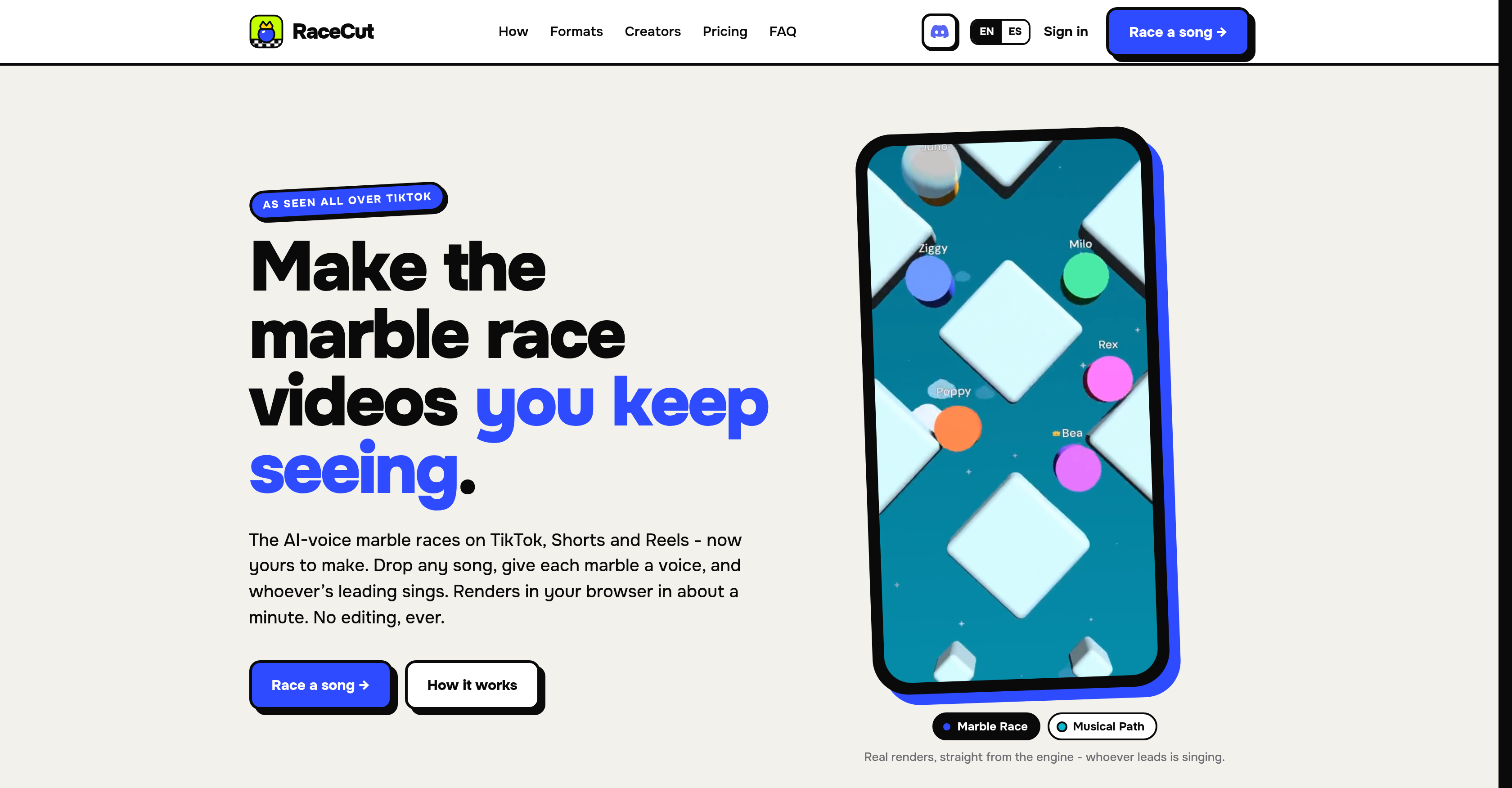
- Get marble race videos that hit every musical peak: RaceCut analyzes beats, song sections, and choruses, then builds race timing around the track.
- Hold viewers with a built-in audio hook: the leading marble's AI voice sings the song and switches on every overtake, with up to eight distinct AI voices per race.
- Deliver winner reveals that look natural, not edited: set a winner or a full finishing order and RaceCut searches for a real physics run that produces it.
- Run fair races you can prove: seeded races replay the identical physics simulation and result every time.
- Publish exactly what you approved: the preview uses the same simulation and renderer as the final export, frame for frame.
- Post-ready vertical clips at zero cost: free jobs render in the browser and export as watermark-free 1080p 9:16 MP4s, with no editing software required.
- Target the strongest moment of any song: upload an MP3 or paste a cover link, zoom the waveform, and select any segment up to 60 seconds.
- Make every competitor recognizable: give each named marble its own color, image or avatar, and AI voice.
- Keep a consistent channel identity: a reusable brand kit applies your logo, colors, fonts, intro/outro cards, and hook-text presets to every export.
- Cover two proven content angles: cover races pit different AI-generated covers of one song against each other, while classic races feature named competitors, one track, and a winner reveal.
- Produce races in volume: paid plans render batches on GPU servers, with a typical race finishing in about one minute.
- Post without leaving the workflow: schedule or publish directly to TikTok, YouTube Shorts, and Instagram Reels, with platform commercial-music rules applied to direct posts.
- Run a daily race channel on autopilot: automated daily creation and posting plus API and Zapier integration remove manual production steps.
- Pay for the output you need: subscription tiers scale from one race per month (first month free) to 15 races or unlimited races, with more voices, batch rendering, and posting features at higher tiers.
Pros & Cons
From the listing; not yet checked by our editors.
Pros
- Browser-based rendering, no install
- Client GPU free rendering
- Server GPU rendering for batch
- Real-time physics syncs beats
- Automatic beat detection timing
- Seeded reproducible random outcomes
- Customizable winner or full order
- Physics finds outcome run
- Same simulation preview export
- No watermark on exported MP4s
- Vertical 1080p HD output
- Direct social scheduling publishing
- API access for automation
- Zapier integration workflow
- Batch generate multiple races
- Brand kit presets per export
- Multiple hook thumbnail variants
- Supports up to 8 voices
- Custom marble images colors
- Upload MP3 or cover link
- Waveform segment selection
- Future elimination ranking formats
- Persistent series standings episodes
- Preview matches final frameforframe
- No video queue instant render
- Client-side rendering preserves privacy
- Server rendering reduces local load
- Automatic chorus alignment climax
- Track section analysis verse chorus
- Supports vertical video platforms
- Export MP4 URL via API
- High-fidelity deterministic physics
- Supports up to 60second clips
- Seamless TikTok API integration
- Audio voice handoff overtakes
- Multi-language UI EN ES
- Auto-generated cover avatars
- No thirdparty editing needed
- Low latency ~1 minute render
- Adjustable physics seed fairness
- Rig outcome without postedit
- Real-time audio sync positions
- GPUaccelerated rendering reduces time
- Browser caching speeds repeats
- Direct download watermarkfree
- Scalable subscription tiers volume
Cons
- Verticalonly 1080p export
- Free local renders CPUheavy
- GPU cloud rendering paidonly
- Maximum eight voices per race
- Clip length capped at 60seconds
- No custom aspect ratios
- Batch only on paid tier
- API integration not yet released
- Requires desktop browser environment
- No postrender editing capabilities
Alternatives to RaceCut
Tools that share the most tags with RaceCut.
- Fotor AI Kiss
Create viral social media content instantly by transforming any portrait into engaging kissing videos for platforms like TikTok and Instagram
Freemium · from $3.33/month
$3.33/month
Not yet checked
- ASMR-AI.art
Launch your ASMR channel without expensive mics or a studio by generating professional videos from simple text prompts.
Paid · from $19.90
$19.90
Not yet checked
- AI Kissing Video Generator
Transform static portrait photos into fluid, romantic kissing animations using deep learning models trained specifically on romantic interactions
Free trial · from $9.90/month
$9.90/month
Not yet checked
- AI-ASMR.co
Launch viral ASMR content in minutes using pre-built templates for cutting fruits, whispering, and other proven formats without writing prompts
Free trial · from $7.92/month
$7.92/month
Not yet checked
- ASMR.so
Transform unique ideas into distinct ASMR videos by specifying sound descriptors and ambient requirements for truly personalized results
Paid · from $9.90
$9.90
Not yet checked
- AI Facefy | AI Kissing Video Generator
Transform static photos into a realistic romantic keepsake with advanced video animation technology
Freemium · from $7.99/month
$7.99/month
Not yet checked
Reviews
Rate this tool
Loading reviews...
Frequently asked questions
How do I upload a song to RaceCut – can I use MP3, WAV, or a link?
You upload an MP3 file directly or paste a URL to an existing cover; only MP3 uploads are supported, not WAV.
What’s the maximum length I can select for a RaceCut clip?
The longest selectable segment is 60 seconds.
Can I choose exactly which 15‑second section of the track to use in RaceCut?
Yes, you can zoom the waveform and pick the exact 15‑second portion you want to use.
How many AI voices can I assign to marbles in a single RaceCut race?
Up to eight AI voices can be assigned to marbles in a single race (Unlimited subscription).
Are the AI voices in RaceCut customizable (gender, accent, style)?
IDK
How do I set the colors and images for each marble in RaceCut?
In the marble configuration panel you choose a color from a palette and upload an image or avatar for each marble.
What does a “seeded” race mean in RaceCut and how is it reproducible?
A seeded race uses a deterministic random seed; the same seed reproduces the identical physics simulation and outcome every time.
If I want a specific marble to win, how does RaceCut rig the outcome?
You select a specific winner or full finishing order; RaceCut then searches for a physics run that naturally produces that result without post‑editing.