

📝 Overview
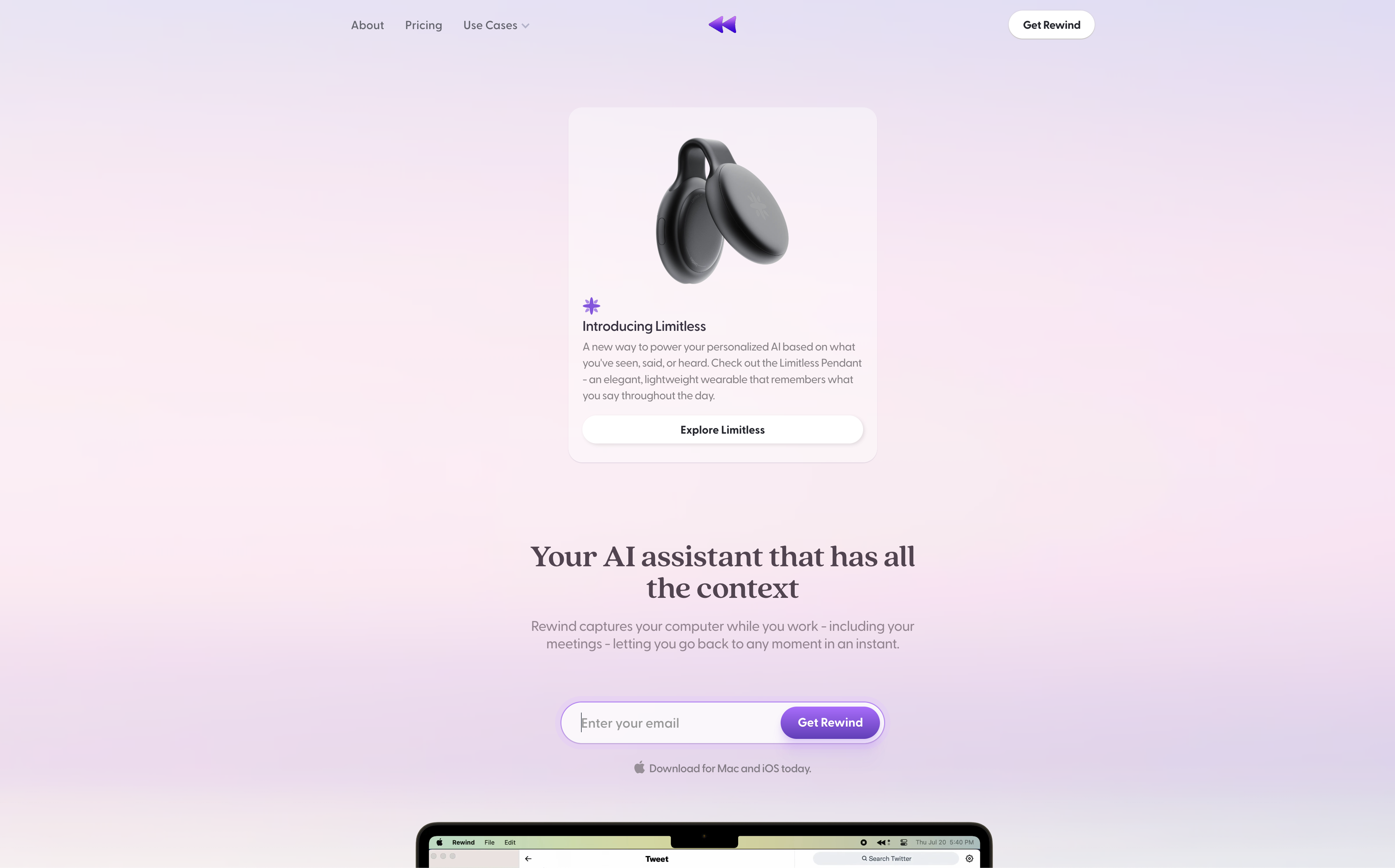
- Instantly find any conversation, document, or piece of information you've encountered with comprehensive screen recording and OCR text capture
- Keep years of searchable recordings without storage concerns through 3,750x data compression that preserves everything locally
- Maintain complete privacy with local-only storage that never sends your data to the cloud, keeping full control on your device
- Protect sensitive information by automatically excluding private browsing sessions and allowing specific app exclusions from recording
- Experience seamless performance without CPU slowdown during recording, optimized for M1/M2 Apple Silicon efficiency
- Never miss meeting details with automatic recording that makes every discussion instantly searchable and referenceable
⚖️ Pros & Cons
Pros
- Locates past data
- Analyzes screen content
- Automatically records meetings
- Low CPU usage
- Can exclude specific apps
- Private browsing supported
- Designed for Apple Silicon
- Utilizes macOS APIs
- Uses OCR technology
- Local data storage
- Private access to recordings
- High data compression
- No cloud integration needed
- No IT required
- Easy pause or delete
- Native app capturing
- Optimized for M1 & M2
Cons
- Only for Mac users
- Requires local storage
- No cloud integration
- No integration with other services
- Specific to M1 & M2 SOCs
- Limited meeting recording capabilities
- Requires manual exclusion of apps
❓ Frequently Asked Questions
Rewind is unique from other search engines as it is specialized to work as a personal search engine for your life. It can record and analyze anything you see, say or hear on your Mac, which is then made searchable for your ease. It uses native macOS APIs and Optical Character Recognition to do this.
Rewind ensures privacy by storing all recordings locally on your Mac. The data never leaves your device, hence providing full control over your data. You also have the ability to pause, delete recordings at any time and instruct Rewind not to record certain apps and private browsing.
All your recordings on Rewind are stored locally on your Mac. This design choice ensures superior privacy as the recording data never leaves your device.
Rewind uses the recordings to provide you with a personal and searchable record of your activities. It uses them to allow you to find anything you've seen, said, or heard. However, it's important to note that the information gathered from these recordings is stored locally and never sent off your Mac for processing or storage.
Yes, Rewind can automatically record your meetings. This feature lets you easily search through your meetings for specific details.
Rewind stores all its recordings locally on your Mac and not in the cloud. This is a conscious decision to respect and reinforce user privacy.
Rewind operates on the macOS platform and is specifically engineered to leverage M1 & M2 Apple Silicon SOCs.
Rewind is specifically made for M1 & M2 Apple Silicon SOCs to utilize virtually every part of the system on a chip. This allows the program to operate with high efficiency and deliver a powerful, smooth user experience.
Rewind does not tax your CPU while recording. It has been designed to operate efficiently, resulting in minimal impact on your CPU performance.
Yes, you can instruct Rewind not to record from specific apps. This feature allows you to easily maintain privacy on certain applications or parts of your device.
Yes, Rewind does exclude recording from Chrome Incognito & Safari Private windows, reinforcing your control over what is being recorded.
No, Rewind does not require any cloud service integration. It relies purely on native macOS APIs and Optical Character Recognition for capturing and analyzing data from your apps.
Rewind utilizes native macOS APIs to capture and analyze information from your screen. However, specific APIs are not listed on their website.
Rewind's Optical Character Recognition (OCR) is used to analyze everything on your screen. This helps in capturing text from your apps or meetings, making them easily searchable later.
Yes, Rewind has a compression feature for the recorded data. Considering the huge amounts of data that may be generated, this feature is crucial.
Rewind handles data compression by compressing the raw recording data up to 3,750 times. This ensures even with a small hard drive, you can store years of recordings on your Mac.
Yes, you have full control to pause or delete your recordings on Rewind at any given moment.
You can manage your Rewind subscription by visiting the link provided on their website (https://billing.stripe.com/p/login/bIY8xa7qngE4caQfYY).
Access to Rewind can be obtained by visiting and making a purchase from the link provided on their website (https://buy.stripe.com/9AQ03kaHVbFHeB2bIM).
You can receive updates about the availability and capacity of Rewind by submitting your email and joining the early access list on their website. They will send download instructions as soon as they have capacity to support you.
Rewind operates on the macOS platform and is specifically engineered to leverage M1 & M2 Apple Silicon SOCs.
Rewind is specifically made for M1 & M2 Apple Silicon SOCs to utilize virtually every part of the system on a chip. This allows the program to operate with high efficiency and deliver a powerful, smooth user experience.
Rewind does not tax your CPU while recording. It has been designed to operate efficiently, resulting in minimal impact on your CPU performance.
Yes, you can instruct Rewind not to record from specific apps. This feature allows you to easily maintain privacy on certain applications or parts of your device.
Yes, Rewind does exclude recording from Chrome Incognito & Safari Private windows, reinforcing your control over what is being recorded.
No, Rewind does not require any cloud service integration. It relies purely on native macOS APIs and Optical Character Recognition for capturing and analyzing data from your apps.
Rewind utilizes native macOS APIs to capture and analyze information from your screen. However, specific APIs are not listed on their website.
Rewind's Optical Character Recognition (OCR) is used to analyze everything on your screen. This helps in capturing text from your apps or meetings, making them easily searchable later.
Yes, Rewind has a compression feature for the recorded data. Considering the huge amounts of data that may be generated, this feature is crucial.
Rewind handles data compression by compressing the raw recording data up to 3,750 times. This ensures even with a small hard drive, you can store years of recordings on your Mac.
Yes, you have full control to pause or delete your recordings on Rewind at any given moment.
You can manage your Rewind subscription by visiting the link provided on their website (https://billing.stripe.com/p/login/bIY8xa7qngE4caQfYY).
Access to Rewind can be obtained by visiting and making a purchase from the link provided on their website (https://buy.stripe.com/9AQ03kaHVbFHeB2bIM).
You can receive updates about the availability and capacity of Rewind by submitting your email and joining the early access list on their website. They will send download instructions as soon as they have capacity to support you.
💰 Pricing
Pricing model
Freemium
Paid options from
Free tier available
Billing frequency
Monthly
📺 Related Videos
This AI Mac App Gives You Perfect Memory
👤Shu Omi•24.0K views•May 12, 2023
Rewind AI 2025 Review – The Ultimate Digital Memory or Privacy Nightmare? (Pros & Cons)
👤Future Funds•149 views•Sep 20, 2025
Open source alternative for Rewind.ai
👤Mediar AI•2.5K views•Feb 15, 2025
Rewind Demo
👤Limitless•69.7K views•Nov 1, 2022
Unveiling 10 Mind Blowing AI Tools! NO .10 : Rewind AI
👤Boost With AI•142 views•May 21, 2025
📱🔥The Ultimate Recording AI Tool Revealed: Rewind AI
👤MobileAppDaily•9.0K views•Jul 12, 2023
This AI Is Basically My Digital Memory | 100 Days of AI 20 - Rewind
👤Theresa•697 views•Jun 20, 2025
Rewind AI vs Perplexity AI – Which Is Best for Research and Recall?
👤EasyInternet•24 views•Oct 31, 2025
Rewind.AI app - how to use?
👤mrhackio•538 views•Jul 30, 2023
Rewind for iPhone - Complete Beginners Guide
👤AppFind•20.2K views•Sep 1, 2023
REWIND.AI: SEARCH EVERYTHING ON YOUR COMPUTER
👤The Productivity Show Clips•497 views•Apr 10, 2023
Rewind Ai -The Future of Audio Transcription and Analysis
👤MHAB Daily•33 views•Jun 4, 2025
Rewind AI alternative create table summaries of your engineering work
👤Mediar AI•76 views•Sep 17, 2024
AI Tools NO ONE is Talking About - Rewind AI
👤Performance AI•377 views•Feb 10, 2023
Discover 3 Game-Changing Apps to Revolutionize Your Digital Life
👤TrendSyte•28 views•May 8, 2025
Ask Rewind Demo
👤Limitless•3.3K views•Mar 31, 2023
The Secret to organization - Rewind AI
👤Akil Wade•840 views•Mar 24, 2023
This AI Remembers EVERYTHING You Do 💻🧠 | Rewind.ai Explained
👤Aditya Dhas•196 views•Jun 30, 2025