
ScreenMake
Get from raw app captures to a polished App Store screenshot set in minutes: Quick Draft turns your uploaded screens into a designed listing set ready for refinement.
Listing not yet reviewed by our editors · How we check
Overview
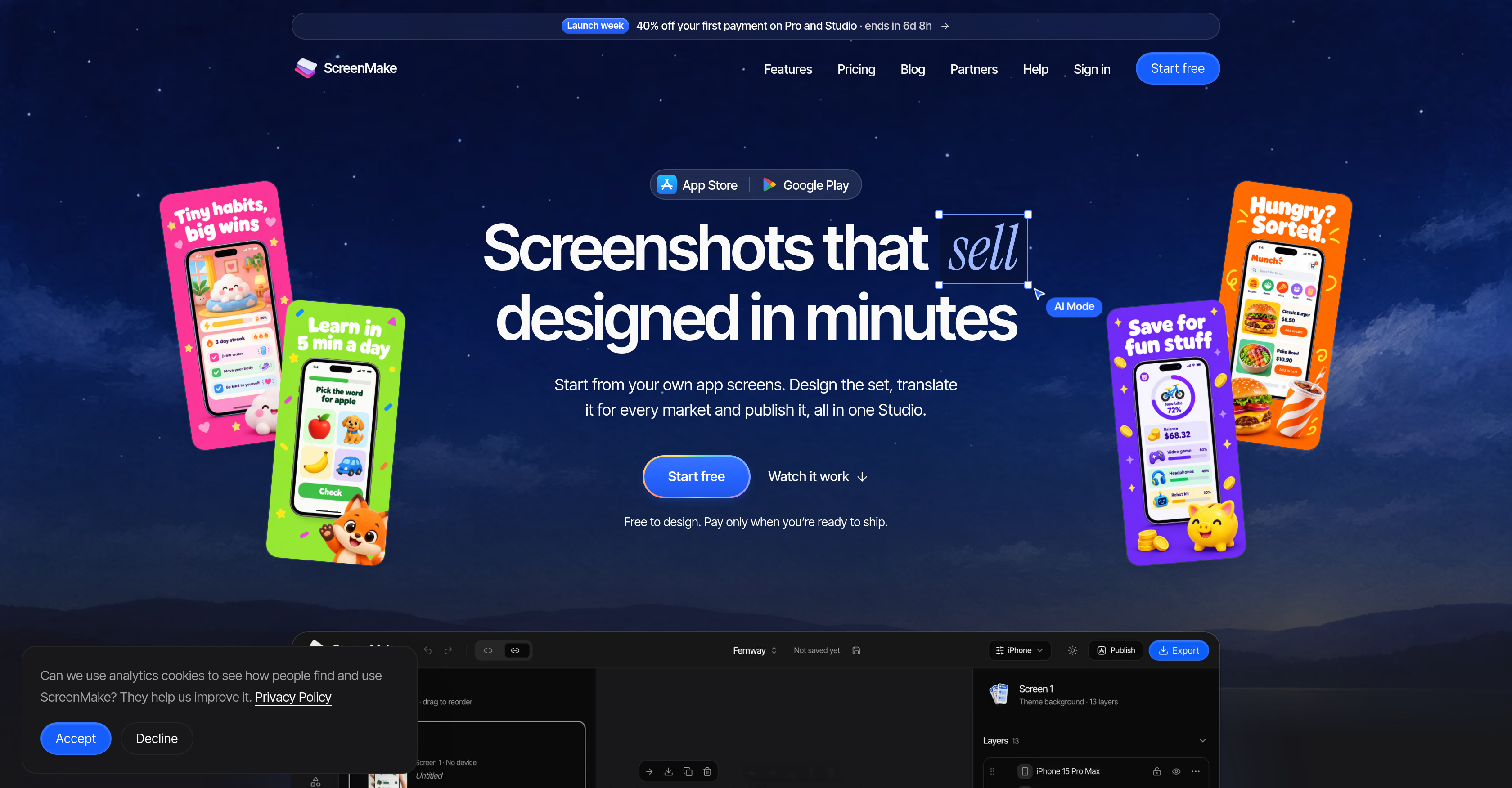
- Get from raw app captures to a polished App Store screenshot set in minutes: Quick Draft turns your uploaded screens into a designed listing set ready for refinement.
- Revise any screenshot design by describing the change, then fine-tune every detail yourself: AI Mode rewrites backgrounds, headlines, artwork, and device presentation from a plain-language request, and every result stays editable layer by layer.
- Keep a consistent visual identity across your whole store listing: restyle layouts across the full screenshot set and control headlines, artwork, and screen order in one workspace.
- Build complete screenshot compositions without hunting for outside assets: flat, handheld, and 3D device mockups for phones, tablets, and watches sit alongside icons, 3D objects, stickers, badges, shapes, stock photos, gradients, and backgrounds, and AI Mode generates any asset the library lacks.
- Meet App Store and Google Play image size requirements without rebuilding designs: finished screenshots adapt to required phone and tablet formats, and an iPhone set carries over to iPad with no redesign.
- Reach international markets with localized App Store screenshots: translate an entire set into 39 App Store languages at once, edit individual lines afterward, and upload separate app captures per language so the device mockup matches each market.
- Ship correct screenshots to Arabic- and Hebrew-speaking users: right-to-left layouts mirror automatically and the app screen inside the device mockup is redrawn in the selected language.
- Update your App Store listing without manual uploads: one-click publishing pushes screenshots through App Store Connect, while exported files go to Google Play through your own upload.
- Publish without exposing finances or team settings: App Store Connect publishing uses an App Manager key that updates listings only.
- Spend AI credits only where AI does the work: Quick Draft, AI Mode, AI images and mockups, image editing, and translation use credits, while manual design, exporting, and publishing never do, and unused plan credits roll over for one extra month.
- Start designing app store screenshots with zero commitment: the free tier needs no payment card and includes limited AI credits with watermarked exports, paid plans remove the watermark, and canceled subscriptions keep every project in your account.
- Manage screenshot localization and redesigns across multiple apps: the Studio plan adds portfolio-level localization and redesign features for teams running several app listings.
Pros & Cons
From the listing; not yet checked by our editors.
Pros
- Quick Draft uses app captures
- Layouts restyle across screenshot sets
- Set-wide headline and artwork controls
- Screens reorder within each set
- Generated designs remain layer-editable
- 34,000 searchable design elements
- Phone, tablet, and watch mockups
- Flat, handheld, and 3D device frames
- Stock photos, gradients, animated shaders
- Icons, stickers, badges, and shapes
- Missing assets created from descriptions
- Exports cover App Store and Google Play
- Phone and tablet store sizes
- iPhone sets carry over to iPad
- 39 App Store languages
- Translate entire screenshot sets at once
- Edit translated lines individually
- Arabic and Hebrew layouts mirror
- Mockup screens redraw in translated languages
- Different app captures per language
- One-click App Store Connect publishing
- Google Play exports upload separately
- Publishing uses your own developer key
- Encrypted App Store Connect key
- Listing-only App Manager access
- Disconnect or revoke publishing key
- Studio localizes multiple apps together
- Studio redesigns multi-app launches
- Free design requires no payment card
- Manual design uses no credits
- Exporting uses no credits
- Unused plan credits carry one month
- Credit packs never expire
- Paid plans remove export watermark
- Design full sets before paying
Cons
- Google Play requires manual upload
- Free exports include a watermark
- App Store publishing requires an App Manager key
- Apple reviews screenshots with submissions
- Plan credits carry over one month
- Each language may need separate app captures
Alternatives to ScreenMake
Tools that share the most tags with ScreenMake.
- ASOfuel
Eliminate guesswork in your product roadmap with actionable insights derived directly from successful competitor strategies.
Freemium · from $23/month
$23/month
Not yet checked
- aso.best
See every phrase a competitor ranks for in two minutes, including terms buried in the hidden keyword field, by pasting any app and reading real App Store and Google Play numbers instead of modelled search volume
Freemium · from $6/month
$6/month
Not yet checked
- ASOFAST
Drive more downloads by publishing AI-optimized App Store and Google Play listings that convert traffic into installs, enabled by automated ASO copy generation.
Free trial · from $9/unit
$9/unit
Not yet checked
- AppLaunchFlow
Publish polished App Store and Play Store screenshots without hiring a designer: upload raw phone screenshots and basic app context, and the AI screenshot editor suggests copy and layouts you refine in a visual editor.
Free trial · from $10
$10
Not yet checked
- AsoLift
Get discovered for the search terms your users actually type: the AI Keyword Generator builds App Store keyword sets designed to lift ranking and organic installs.
Paid · from $6
$6
Not yet checked
- GrowASO - AI App Store Optimization (ASO)
Turn an existing app listing into a higher-ranking one in minutes: paste your store URL and ASO Copilot auto-analyzes it, then delivers optimized titles, descriptions, and store-specific fields.
Freemium · from $79/year
$79/year
Not yet checked
Reviews
Rate this tool
Loading reviews...
Frequently asked questions
How do I turn my app screenshots into a finished listing with ScreenMake?
Upload captures of your app, use Quick Draft to create a designed set, then arrange or revise screens, adapt the set to store sizes, translate it, and export it. You can publish to the App Store through App Store Connect or upload exported files to Google Play yourself.
Can ScreenMake create a first draft from my app captures?
Yes. Quick Draft creates a designed set from your app captures.
Can I edit AI-generated designs layer by layer in ScreenMake?
Yes. AI-generated designs remain editable by layer using ScreenMake’s design controls.
What can I change with ScreenMake AI Mode?
AI Mode can create or revise screens from plain-language requests, including changes to the background, headline, artwork, or device presentation.
Can ScreenMake apply one visual style across an entire screenshot set?
Yes. You can restyle layouts across a screenshot set and adjust headlines, artwork, and screen order.
Which device mockups and design assets are available in ScreenMake?
ScreenMake includes flat, handheld, and 3D device mockups for phones, tablets, and watches, along with icons, 3D objects, stickers, badges, shapes, stock photos, gradients, and backgrounds.
Can ScreenMake create a custom asset if I can’t find one in its library?
Yes. You can ask AI Mode to create an asset that is missing.
Does ScreenMake resize screenshots for both App Store and Google Play requirements?
Yes. ScreenMake adapts designs to the required App Store and Google Play sizes, including phone and tablet formats.