

Scrollsequence
Turn static product pages into immersive, interactive narratives that guide visitors using scroll-synced animations linked to their scrolling speed.
Listing not yet reviewed by our editors · How we check
Overview
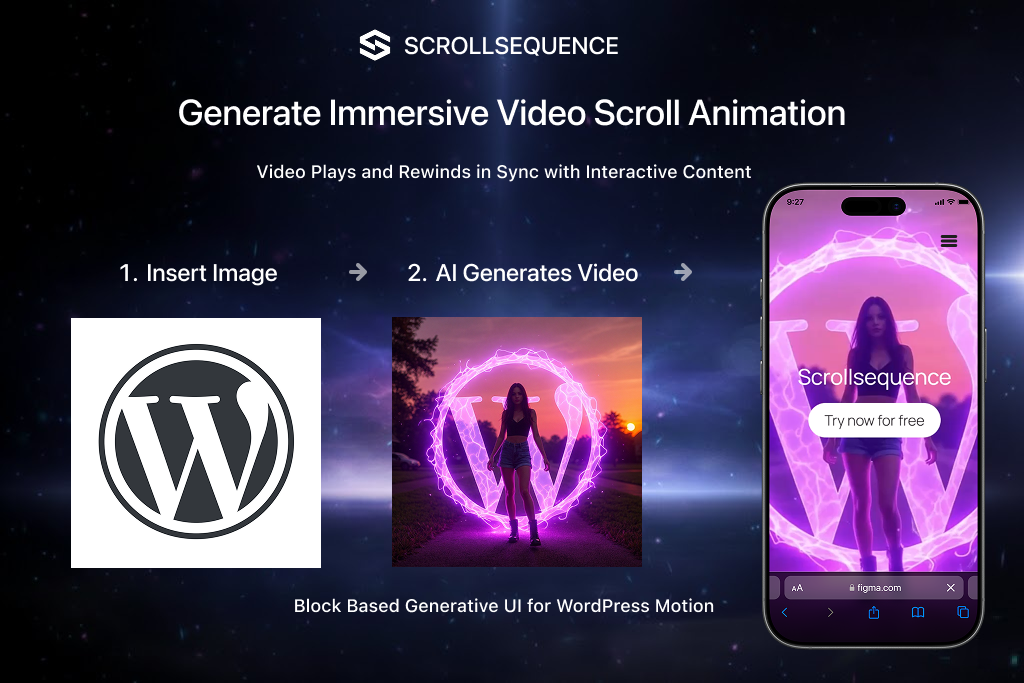
- Turn static product pages into immersive, interactive narratives that guide visitors using scroll-synced animations linked to their scrolling speed.
- Create professional 2D, 3D, and vector animations without needing advanced 3D studios or design skills, using AI to generate assets from simple prompts.
- Animate sequences, blocks, or entire sections instantly within the WordPress Gutenberg editor, seeing results without switching between design tools or juggling assets.
- Lock text and HTML content to moving video elements for seamless visual storytelling, using spatial motion analysis that detects 3D depth and movement.
- Increase visitor engagement and retention by linking multiple animations to create tailored, captivating browsing paths based on user interest.
Pros & Cons
From the listing; not yet checked by our editors.
Pros
- Generates 2D, 3D, vector animations
- Scroll-synced animations
- Synchronizes pixels frame-by-frame
- Spatial motion analysis
- Allows multiple linked animations
- Integrates with Gutenberg editor
- No need for asset swapping
- Generates interactive narratives
- Minimal command usage
- Workflow smooth transitions
- Direct incorporation into WordPress
- Beta users influence development
- Credits provided for beta testing
- Simplifies animation design process
- Scrollbar-based timeline adjustment
- Syncs with HTML content
- Customizable viewer experiences
- Analyze 3D depth and movement
- Locks text to video elements
- Generating media and content animations
- Handles various types of animation
- Generative motion capabilities
- Interactive web content capabilities
- Visual storytelling enhancement
- CMS Integration
- WordPress compatibility
- HTML content syncing
- Feedback-based development
- Scroll Speed Adjustment
- Media Generation
- Workflow Transition
- Beta Testing privileges
- Unique spatial motion analysis
- Expedites Animation Design Process
- Supports Media Generation
- Comes with smooth workflows
- Embraces User Feedback
- Versatile animation environment
- Generates Digital Experiences
- Simplify Animation Process
- Detect 3D depth and movement
- Directly animate in Gutenberg
- Animation from minimal prompts
- Real-time results on Gutenberg editor
- Locked Text to Video
- Vector Graphic Animation Capabilities
- Immersive Scroll-driven Digital Experiences
Cons
- Limited integrations
- Dependent on scroll speed
- Limited spatial motion analysis
- No non-WordPress CMS support
- Costly for video generations
- Requires CMS expertise
- Unclear pricing model
- Credits necessary for operations
Alternatives to Scrollsequence
Tools that share the most tags with Scrollsequence.
- FaceShapeDetector
Get a precise, personalized face shape analysis that goes beyond generic labels with our unique Face Shape Blend™, revealing your exact proportions like 80% Oval + 20% Heart.
Freemium · from $6.99
$6.99
Not yet checked
- Transition
Follow a training plan that automatically adjusts to your daily schedule and recovery metrics, ensuring you stay on track even when life gets busy
Paid · from $19/month
$19/month
Not yet checked
- Mixboard
Turn scattered thoughts into mature, actionable concepts by visualizing and manipulating them on an interactive AI concepting board.
Not listed
Not listed
Not yet checked
- NVIDIA Earth-2
Make strategic decisions with confidence using precise, AI-driven weather predictions that mitigate operational risks across aviation, agriculture, and marine sectors.
Not listed
Not listed
Not yet checked
- Engain
Turn Reddit into a repeatable organic traffic channel instead of a gamble by finding and engaging in high-intent discussions that already rank on Google or where users are actively seeking solutions.
Freemium · from $79/month
$79/month
Not yet checked
- OCR | z.AI
Instantly digitize printed documents and scanned PDFs without manual typing, using AI-powered optical character recognition.
Not listed
Not listed
Not yet checked
Related Videos
Generate Video Scroll Animations with Scrollsequence (development vlog)
Scrollsequence Image Sequence Animation Plugin WP · Nov 3, 2025
Scrollsequence v2 - Alpha Test Invite
Scrollsequence Image Sequence Animation Plugin WP · Aug 21, 2025
Scrollsequence PRO Install and Basic Animation
Scrollsequence Image Sequence Animation Plugin WP · Jan 16, 2021

Scrollsequence Wordpress Plugin - Use An Image Sequence On Scroll To Play Video Forwards and Back
WordPress Tutorials - WPLearningLab · Oct 4, 2021
Scroll Animation Gutenberg Editor
Scrollsequence Image Sequence Animation Plugin WP · Nov 11, 2025
Reviews
Rate this tool
Loading reviews...
Frequently asked questions
What does Scrollsequence do?
Scrollsequence is an AI-based tool that enhances website functionality. It achieves this by creating animations that are synchronized to the scroll speed of a user, adding a captivating element to the browsing experience. Additionally, it allows the generation of 2D, 3D, or vector animations, based on user preferences. Transforming static product pages into interactive narratives is another significant advantage of Scrollsequence.
How does Scrollsequence work?
Scrollsequence operates by leveraging its engine to decode video frames on a pixel-by-pixel basis, synchronizing each pixel with the user's scroll speed. Additionally, it uses spatial motion analysis to detect 3D depth and movement. This lets HTML content lock text to video elements, enhancing visualization. Users can also create animations and link them together, guiding website visitors based on their interest.
What is the significance of the scroll-sync feature in Scrollsequence?
The scroll-sync feature in Scrollsequence is quite significant because it syncs every pixel in a video frame to the user's actual scroll speed. This synchronization of motion builds an immersive and engaging user experience, which can lead to greater visitor engagement and potentially higher retention rates for a website.
What types of animations can be created using Scrollsequence?
Scrollsequence allows users to create 2D, 3D, or vector animations. This variety of animations can cater to different user expectations and preferences, broadening the range of websites and web content that can use this tool. The choice of animation type can be easily controlled within the tool, providing flexibility for users.
How can I link multiple animations using Scrollsequence?
In Scrollsequence, users can link multiple animations, which allows them to guide website visitors through a sequence or path of content according to the visitor's interest. This feature grants users the ability to create tailored experiences for their audience, potentially increasing engagement and satisfaction.
How can I integrate Scrollsequence directly in the Gutenberg editor?
Scrollsequence can easily be integrated directly into the Gutenberg editor. This allows users to animate sequences, blocks, or whole sections instantly, providing instant results without the need to swap assets. The builtin Gutenberg compatibility enhances the tool's usability and convenience.
Does Scrollsequence require any advanced 3D studios for animation creation?
No, Scrollsequence does not require any advanced 3D studios for animation creation. It provides a platform that simplifies the creation of intricate assets, making it an efficient tool even for those without extensive 3D knowledge or resources.
How can Scrollsequence transform static product pages into interactive ones?
Scrollsequence can transform static product pages into interactive narratives by deploying immersive, scroll-synced animations. This can elevate the user engagement level, making the browsing experience dynamic and interactive. The users gain a heightened level of control, using their scrollbar as a timeline to navigate the animation.