

SiteDrop Live
Go from idea to a live website in about two minutes without writing code: the Forge engine turns a plain-language brief into a coordinated site with matching layout, copy, typography pairings, and imagery built on curated design systems.
Listing not yet reviewed by our editors · How we check
Overview
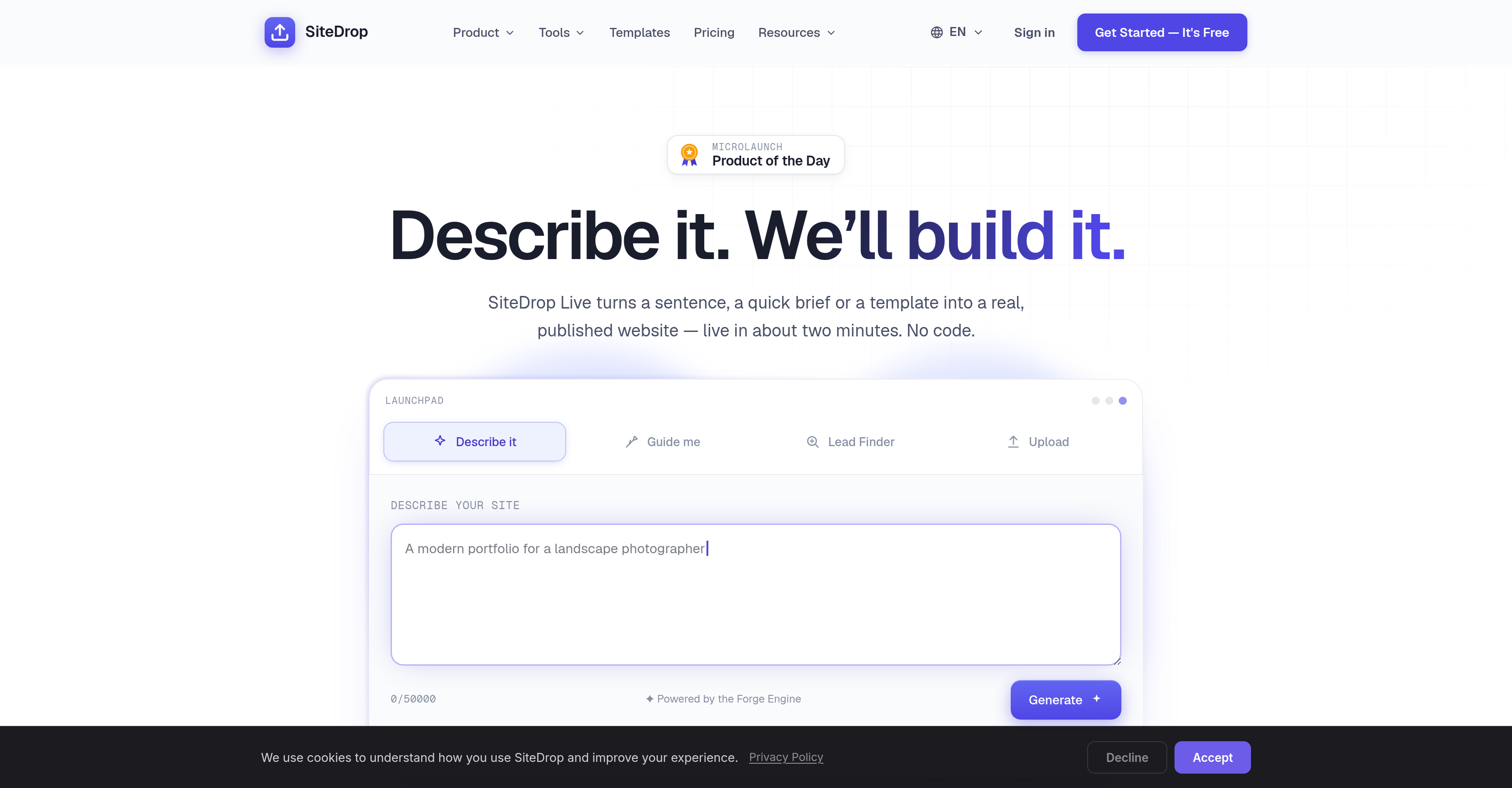
- Go from idea to a live website in about two minutes without writing code: the Forge engine turns a plain-language brief into a coordinated site with matching layout, copy, typography pairings, and imagery built on curated design systems.
- Keep the design work you already have by importing a ZIP, an HTML file, or a Figma export and turning it into a published website.
- Skip the blank page with a guided setup wizard that defines your site type, visual direction, color palette, and content step by step.
- Launch without written copy or stock photos: SiteDrop Live drafts your website copy and generates original, royalty-free images.
- Avoid separate hosting and security setup: hosting and SSL are included, and you publish to a free sitedrop.live address or connect a custom domain you own with guided setup.
- Update your site whenever your business changes: the visual editor lets you change elements and refine pages after launch, and edits publish instantly.
- Find new web design clients in your area: Lead Finder searches local business listings by town or postcode for businesses with no website or an outdated one, then generates a draft site from the listing you select so freelancers and agencies arrive with a ready-made pitch.
- See your finished website before you pay: the free plan includes a seven-day preview with no card required, and editing continues after the preview ends.
- Give visitors a more memorable scrolling experience with the Premium format, a short film that plays as visitors scroll, included in the Pro and Business plans.
- Scale from one site to a full client roster: plans range from 1 to 25 sites, from 25 to 320 AI credits, and from 10 monthly form submissions to unlimited.
- Upload brand files and existing designs with confidence: uploaded files are encrypted and never shared.
- Build sites for many uses, including portfolios, cafés, booking websites, software landing pages, agency sites, and event invitations, starting from a prompt, a template, guided questions, or existing files.
Pros & Cons
From the listing; not yet checked by our editors.
Pros
- Imports ZIP, HTML, Figma
- Accepts existing website files
- Encrypted uploads, never shared
- Builds drafts from live listings
- Searches businesses worldwide
- Finds businesses lacking websites
- Finds outdated business websites
- Drafts sites from prospect listings
- 170 curated design systems
- 24 typographer-approved font pairings
- Original royalty-free section imagery
- Layouts tailored to brand tone
- Edit sites visually after publishing
- Publish edits instantly
- Preview sites before subscribing
- Seven-day preview, no card
- Included hosting and SSL
- Publish to owned domains
- Free sitedrop.live address included
- Guided setup or freeform brief
- Bring your own website copy
- Draft or supply site copy
- Premium scroll-triggered business film
- Photo Studio visual editing
- Lead searches by town or postcode
- Create client-ready prospect demos
- Manage up to 25 sites
- Business plan includes 25 site names
- Business plan includes unlimited submissions
- Interface available in 11 languages
- Free tools require no signup
- Form-submission allowances by plan
- Continue editing after publication
Cons
- Free plan allows one site
- Three free Lead Finder searches
- Three free lead opens
- Seven-day free preview
- 10 free form submissions monthly
- Premium films require Pro+
- Custom site names are plan-limited
- Site counts are plan-limited
- Imports support ZIP, HTML, Figma
Alternatives to SiteDrop Live
Tools that share the most tags with SiteDrop Live.
- Reflect Webchat
Get instant answers from any webpage or article without switching tabs using AI-powered chat interface
Not listed
Not listed
Not yet checked
- Intellimize
Convert more website traffic by automatically tailoring the experience to each visitor's behavior with 1:1 AI personalization
Freemium · from $14/month
$14/month
Not yet checked
- Mediaweb
Launch a professional portfolio in minutes without technical skills using AI that builds from your vision description
Paid · from $10/month
$10/month
Not yet checked
- Aidaptive
Increase conversion rates automatically with AI-powered product recommendations that predict what each customer wants to buy
Not listed
Not listed
Not yet checked
- Handywriter
Publish error-free content confidently with automatic grammar and spelling correction that fixes mistakes as you write
Paid · from $9.99/month
$9.99/month
Not yet checked
- Macaly
Launch complete websites and apps in minutes by simply describing your idea with its natural language processing
Freemium · from $25/month
$25/month
Not yet checked
Reviews
Rate this tool
Loading reviews...
Frequently asked questions
How does SiteDrop Live turn a written brief into a published website?
SiteDrop Live uses the Forge engine to compose a site’s layout, copy, typography, and imagery from your brief. You can then edit it in the visual editor and publish it to a SiteDrop address or a domain you own; hosting and SSL are included.
Can I build a SiteDrop Live website by answering guided questions instead of writing a prompt?
Yes. SiteDrop Live has a guided wizard that asks about your site type, visual direction and palette, and content.
What kinds of ZIP, HTML, or Figma files can I import into SiteDrop Live?
SiteDrop Live accepts ZIP files, HTML files, and Figma exports. The specific contents or file requirements are not stated.
Can I preview a SiteDrop Live website before subscribing?
Yes. The free plan offers a seven-day preview without requiring a card.
Can I edit my SiteDrop Live website visually after it has been published?
Yes. You can edit the published site in SiteDrop Live’s visual editor, and changes publish instantly.
How do I connect a domain I already own to SiteDrop Live?
You can connect a domain you own, and SiteDrop Live guides you through setup.
Does SiteDrop Live include hosting and SSL, or do I need to set them up separately?
Hosting and SSL are included, so you do not need to set them up separately.
Does building a website with SiteDrop Live really take about two minutes?
SiteDrop Live describes creation as taking about two minutes, though the time can vary.