

Smew AI
Recreate trending TikTok, Instagram Reels, and YouTube Shorts videos from your own photos without prompts or editing, because each viral template applies a ready-made production recipe with its matching sound.
Listing not yet reviewed by our editors · How we check
Overview
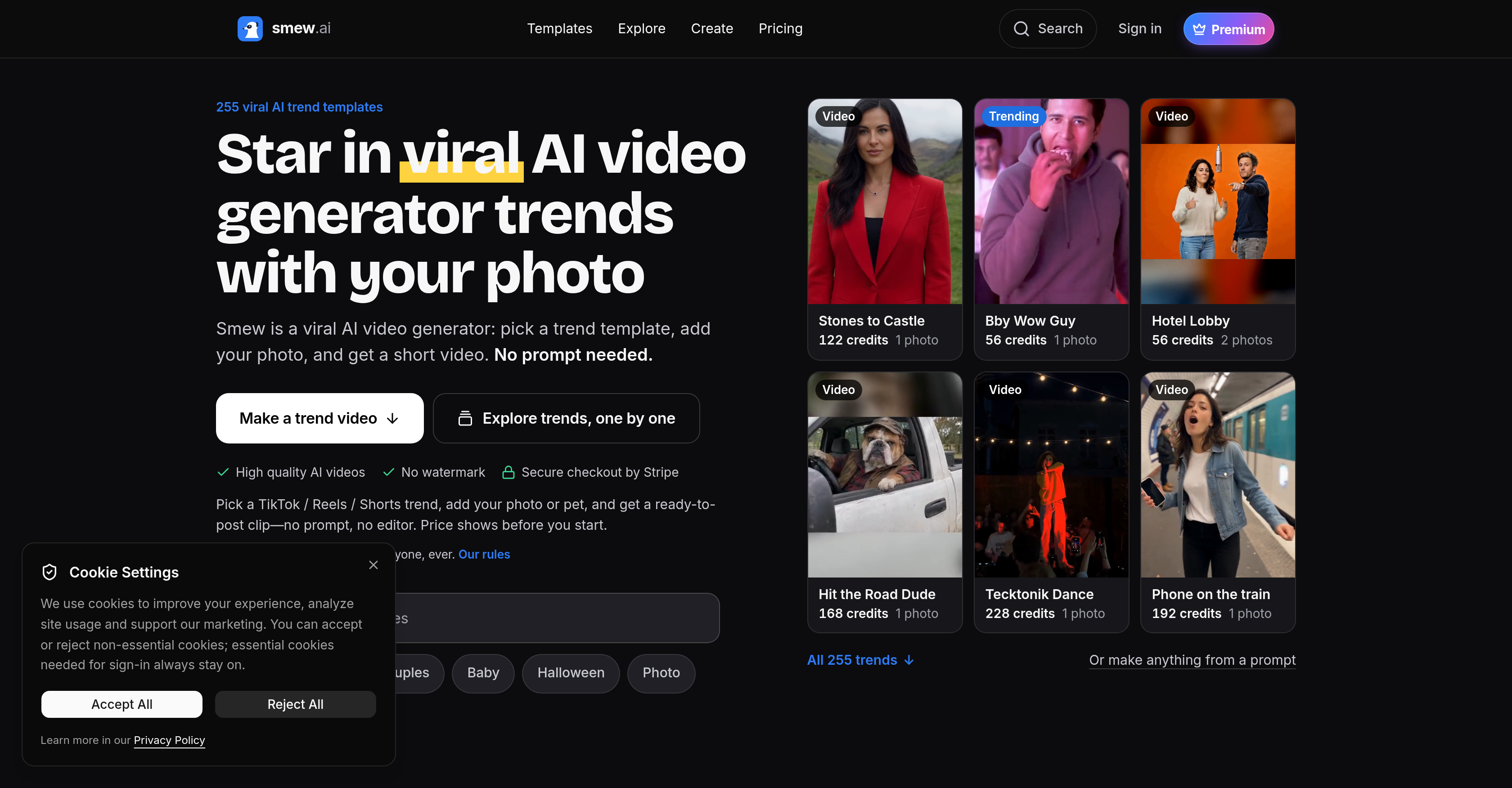
- Recreate trending TikTok, Instagram Reels, and YouTube Shorts videos from your own photos without prompts or editing, because each viral template applies a ready-made production recipe with its matching sound.
- Know what you are recreating before you start, because an originals section pairs each template with the viral reel it copies shot by shot, credits the creator, and shows example results.
- Find the right viral trend quickly by searching and filtering 174 templates by subject or format, including dance, comedy, singing, action, transformations, Halloween and other seasonal themes, photo effects, babies, couples, friends, cats, and dogs.
- Put two people or two pets in one AI video, because couple, friend, and dual-pet templates accept two photos and use both.
- Post straight to TikTok and Reels with no extra licensing or cleanup, because every video downloads as a watermark-free vertical 9:16 MP4 with royalty-free music.
- Budget every video before you generate, because each template page shows its credit price, from 26 to 228 credits, and lists exactly how many photos it needs.
- Keep your credits when a render goes wrong, because failed generations are refunded automatically, payments run through Stripe, and a Premium plan delivers credits on a recurring basis.
- Go beyond preset trends to any scene you imagine, because a text-to-video prompt mode lets you choose among multiple image and video models and attach a reference photo.
- Share your clips with confidence, because clear upload rules limit subjects to you, a consenting friend, or your pet and block sexual or intimate content.
Pros & Cons
From the listing; not yet checked by our editors.
Pros
- Zero-prompt single-click generation
- Predefined viral trend templates
- Built-in royaltyfree music
- Automatic TikTok/Reels aspect ratio
- Credit cost displayed per template
- Direct link to original reel
- Creator attribution for each template
- Searchable 174template library
- Category browsing by trend type
- Supports oneortwophoto inputs
- Highresolution output, no watermark
- Fast generation latency
- Exportready video file
- Secure Stripe payment integration
- Creditbased pricing model
- Premium unlimited generation tier
- Content moderation blocks sexual material
- Seasonal holiday templates included
- Petfocused transformation templates
- Couple and baby specific templates
- Promptbased custom video fallback
- Visual credit cost indicator
- Original viral clip reference preview
- Consistent songvideo synchronization
- No external video editing required
- Webonly, no installation needed
- Multidevice responsive UI
- Transparent template credit consumption
- Easy image upload workflow
- Supports portrait and landscape photos
- Automatic background removal
- Integrated trend discovery interface
- Direct download without compression
- Secure user data handling
- Lowlatency cloud rendering
- Batch generation limited by credits
- Template categorization by trend type
- Realtime credit balance display
- Simple UI for nontechnical users
- No watermarks on final video
- High fidelity animation from single photo
- Embedded song licensing cleared
- No prompt engineering required
- Quick preview before generation
- Automatic video format conversion
- Supports PNG/JPEG uploads
- Dynamic credit pricing per effect
- Detailed template usage guidelines
- Integrated feedback loop for errors
Cons
- Onephoto limit per template
- No custom video editing
- High credit cost for trends
- No API for automation
- Requires constant internet connection
- Fixed music tracks only
- Output limited to default resolution
- Strict content filters block creativity
- No batch generation support
- Only MP4 export available
Alternatives to Smew AI
Tools that share the most tags with Smew AI.
- Fotor AI Kiss
Create viral social media content instantly by transforming any portrait into engaging kissing videos for platforms like TikTok and Instagram
Freemium · from $3.33/month
$3.33/month
Not yet checked
- ASMR-AI.art
Launch your ASMR channel without expensive mics or a studio by generating professional videos from simple text prompts.
Paid · from $19.90
$19.90
Not yet checked
- AI Kissing Video Generator
Transform static portrait photos into fluid, romantic kissing animations using deep learning models trained specifically on romantic interactions
Free trial · from $9.90/month
$9.90/month
Not yet checked
- AI-ASMR.co
Launch viral ASMR content in minutes using pre-built templates for cutting fruits, whispering, and other proven formats without writing prompts
Free trial · from $7.92/month
$7.92/month
Not yet checked
- ASMR.so
Transform unique ideas into distinct ASMR videos by specifying sound descriptors and ambient requirements for truly personalized results
Paid · from $9.90
$9.90
Not yet checked
- AI Facefy | AI Kissing Video Generator
Transform static photos into a realistic romantic keepsake with advanced video animation technology
Freemium · from $7.99/month
$7.99/month
Not yet checked
Reviews
Rate this tool
Loading reviews...
Frequently asked questions
How many credits does a Smear AI template use and can I see the credit cost before generating?
Each template lists its credit cost (e.g., 40 credits, 228 credits) on the template page, so you can see the exact cost before generating.
Do I need to upload one photo or can I use multiple photos for a single Smear AI video?
Templates specify how many source images they need; some require a single photo while others require two or a range of 1–2 photos, so multiple photos are supported when the template demands them.
What image formats does Smear AI accept for the photo upload?
IDK
Is the video output from Smear AI really watermark‑free?
Videos are described as high quality and free of watermarks.
Can I choose a different song than the one that comes with the Smear AI template?
IDK
Are the songs in Smear AI videos royalty‑free for me to post on TikTok and Reels?
The service integrates royalty‑free music, allowing you to post the videos on TikTok and Reels without additional licensing.
How fast does Smear AI generate a video after I hit the generate button?
IDK
What categories of templates are available on Smear AI – like dance, pets, couples, Halloween?
Available categories include Dance, Pets, Couples, Babies, Halloween, Photo‑based effects, and general Action/Comedy tags.