

Spectry
Fix the conversion problems that cost you the most revenue first: AI problem detection scans heatmaps, session recordings, funnel drop-offs, and error logs, then ranks usability issues by projected conversion loss.
Listing not yet reviewed by our editors · How we check
Overview
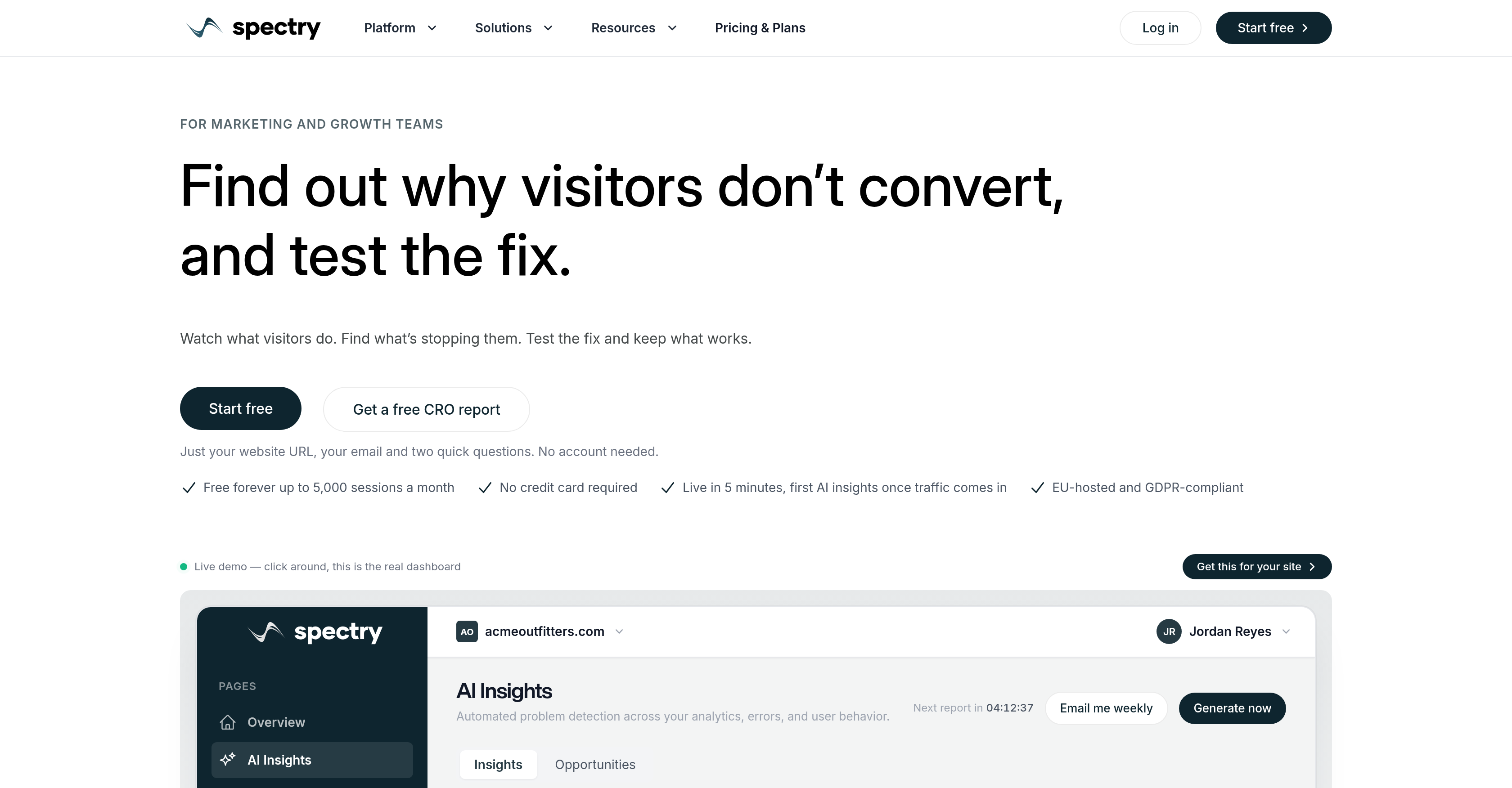
- Fix the conversion problems that cost you the most revenue first: AI problem detection scans heatmaps, session recordings, funnel drop-offs, and error logs, then ranks usability issues by projected conversion loss.
- See exactly why visitors abandon checkout or quit sign-up forms: session replay, click and scroll heatmaps, and rage click detection expose frustration signals on every page.
- Pinpoint the exact step where your funnel leaks: conversion funnels and user journey analysis show where SaaS trials, sign-ups, and eCommerce purchases stall.
- Turn findings into validated wins without waiting on developers: AI-generated A/B test suggestions launch through a drag-and-drop visual editor with targeting rules, ready to approve or edit.
- Ship UI changes to small audiences before a full release: feature flags toggle new features on or off for specific user segments, supporting gradual rollouts and canary testing.
- Stop technical bugs from silently killing conversions: JavaScript error tracking and Core Web Vitals monitoring tie site errors and performance issues to real visitor sessions.
- Capture leads and visitor feedback without extra tools: native surveys and opt-in forms send contacts straight to Mailchimp, Klaviyo, Brevo, Zapier, Make, or any platform via webhooks.
- Collect behavioral data while staying GDPR compliant: EU-hosted data storage, built-in PII masking, and consent management record visitors only after they opt in.
- Start tracking within minutes while keeping your page speed: a single lightweight async script or native WordPress, Shopify, WooCommerce, Magento, and Drupal plugins install without developer help and without blocking rendering.
- Run conversion rate optimization for every client from one login: agency workflows give each client property its own dashboard, reporting, and permission settings.
- Feed website analytics into your own systems and AI workflows: an MCP server, REST API endpoints for sessions, events, heatmaps, and funnels, and custom event tracking added without redeploying the script.
- Keep insights flowing while you scale on budget: the free tier covers 5,000 sessions per month and keeps tracking at a reduced sample rate past the cap, paid plans start at $29/month with 20% off annual billing, and a no-account website conversion report delivers optimization insights from just a URL.
Alternatives to Spectry
Tools that share the most tags with Spectry.
- ConvertRocket
Pinpoint exactly why visitors leave without converting through AI analysis of 12 critical areas like headline impact and CTA effectiveness.
Paid · from $25/unit
$25/unit
Not yet checked
- Alphie
Know exactly who is on your site and which company they represent: real-time website visitor identification queries several leading data providers at once and fuses their answers, with company-level identification built for B2B sales.
Paid · from $899/month
$899/month
Not yet checked
- FaceShapeDetector
Get a precise, personalized face shape analysis that goes beyond generic labels with our unique Face Shape Blend™, revealing your exact proportions like 80% Oval + 20% Heart.
Freemium · from $6.99
$6.99
Not yet checked
- Transition
Follow a training plan that automatically adjusts to your daily schedule and recovery metrics, ensuring you stay on track even when life gets busy
Paid · from $19/month
$19/month
Not yet checked
- Mixboard
Turn scattered thoughts into mature, actionable concepts by visualizing and manipulating them on an interactive AI concepting board.
Not listed
Not listed
Not yet checked
- NVIDIA Earth-2
Make strategic decisions with confidence using precise, AI-driven weather predictions that mitigate operational risks across aviation, agriculture, and marine sectors.
Not listed
Not listed
Not yet checked
Reviews
Rate this tool
Loading reviews...
Frequently asked questions
How does Spectry's AI decide which conversion issues to prioritize?
Spectry’s AI scans heatmaps, session recordings, funnel drop‑offs and JavaScript error logs, automatically detects usability problems, estimates each problem’s likely impact on conversions, and then ranks the findings by projected conversion loss to surface the highest‑impact issues first.
Can I set up Spectry on my site without any developer help?
Yes. Spectry can be installed by anyone without developer assistance: simply paste the single async script tag into the site’s or use the native WordPress, Shopify, WooCommerce, Magento or Drupal plugins, and data collection starts within minutes.
What integrations does Spectry support for sending leads to email tools?
Spectry can forward leads and events to Mailchimp, Zapier, Klaviyo, Make (formerly Integromat) and Brevo, and it also supports generic webhooks for any other email or marketing platform.
Does Spectry's single script affect my page load speed or Core Web Vitals?
No. The Spectry script is lightweight, loads asynchronously, and does not block rendering. Spectry states that most customers see zero impact on Core Web Vitals or overall page‑speed scores.
How do I add custom events to Spectry after the initial setup?
After the initial script is live, custom events can be added by calling Spectry’s JavaScript API (e.g., spectry.track('eventName', {properties})) or by configuring them in the dashboard; no redeployment of the core script is required.
Is Spectry GDPR‑compliant and can I mask personally identifiable info?
Spectry is GDPR‑compliant, stores all data on EU servers, provides built‑in personally identifiable information (PII) masking, and includes consent‑management tools to control data collection.
What’s the difference between Spectry’s free tier and the paid plans?
The free tier offers up to 5,000 sessions per month and includes core analytics, heatmaps, session replays, conversion funnels, surveys, and opt‑in forms. Paid plans start at $29 / month, lift the session cap, unlock the full AI impact ranking, full‑feature error logging, feature flags, MCP API access, and priority support.
Can Spectry automatically generate A/B test variations from AI findings?
Yes. When Spectry’s AI identifies a high‑impact problem, it can automatically generate a ready‑to‑launch A/B test suggestion; users can approve the AI‑generated test or edit it before publishing.