

Spyglass by TraderPier
Stop juggling a charting site, a spreadsheet trading journal and a separate backtester: charting, journaling and backtesting for US stocks and ETFs share one workspace.
Listing not yet reviewed by our editors · How we check
Overview
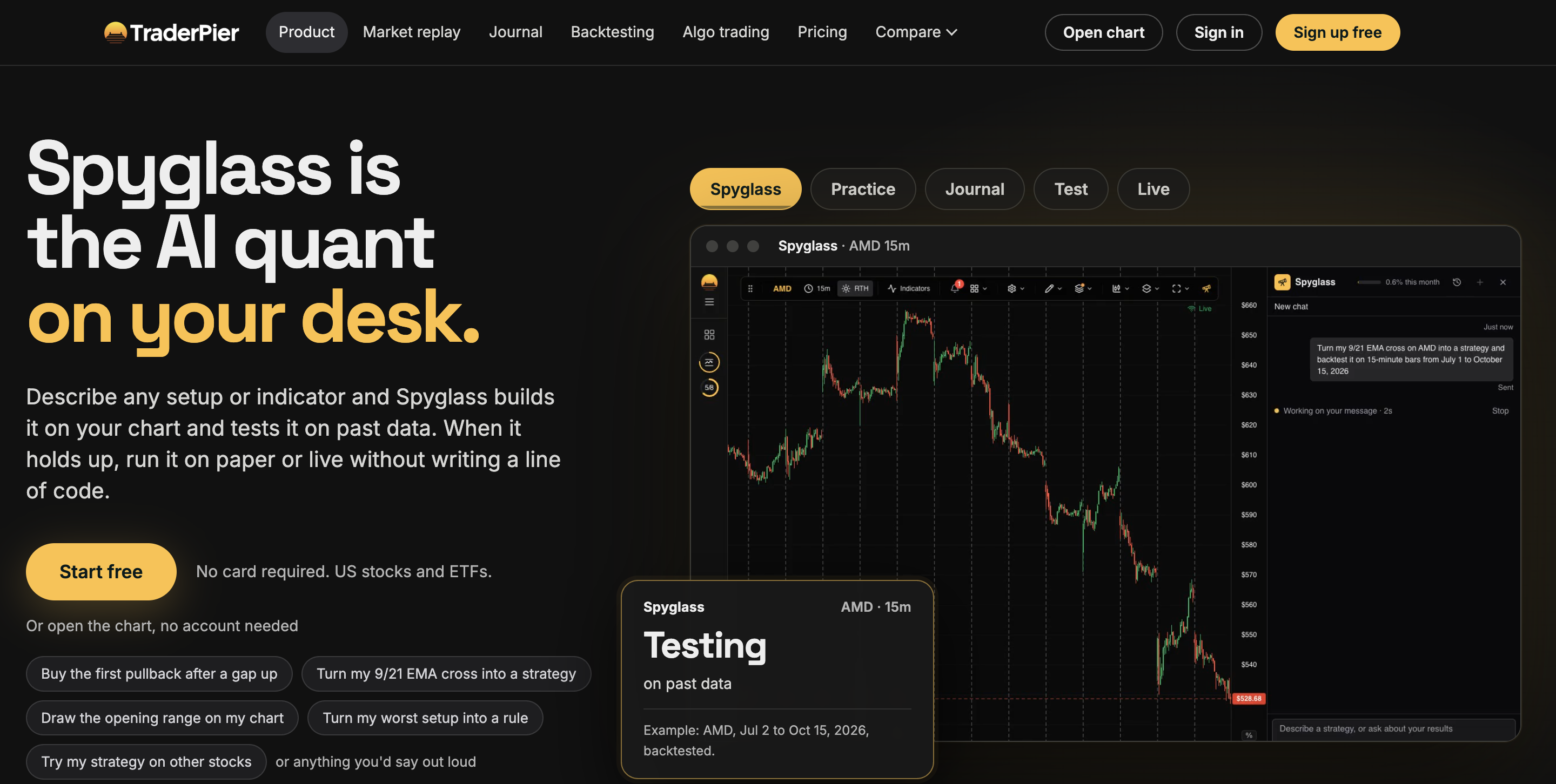
- Stop juggling a charting site, a spreadsheet trading journal and a separate backtester: charting, journaling and backtesting for US stocks and ETFs share one workspace.
- Sharpen your setups without risking capital by replaying any past trading day bar by bar, so you practice entries and exits on real market data.
- See what really happened in every trade by importing your trades from your broker and replaying each one on the chart.
- Find out why your last few trades lost by asking Spyglass, an AI quant that reads both your chart and your trade journal and answers in context.
- Turn the setup you keep trading into a rule-based system: Spyglass converts it into a custom indicator or strategy and backtests it on historical data.
- Prove a strategy holds up before real money is on the line by running it on paper trading for free.
- Take validated strategies live by running them through your own broker on the Quant plan, with no switch to a separate execution platform.
- Start trading research at zero cost on a free plan with no time limit and no credit card; Spyglass is included with the Trader and Quant plans.
Pros & Cons
From the listing; not yet checked by our editors.
Pros
- Builds indicators and strategies from a plain-English description
- Backtests on real US stock and ETF data
- Reads your trade journal
- Answers market questions from real price data
- Runs a strategy on paper or live through your broker
- Builds custom indicators
- Tests setups for effectiveness
- Journaling trades feature
- Trade replaying functionality
- Can execute trades live
- In-depth analysis of strategies
- Promotes efficient trading
- More informed trading experience
- Geared towards US stocks
- Specialized in ETFs trading
- Seamless trading set-up integration
Cons
- US stocks and ETFs only
- Spyglass needs a paid plan
- Free plan backtests the last 30 days only
Alternatives to Spyglass by TraderPier
Tools that share the most tags with Spyglass by TraderPier.
- TradeOS AI
Spot hidden trends and recurring patterns in large, complex datasets automatically with advanced AI pattern detection.
Freemium · from $3.80/month
$3.80/month
Not yet checked
- Bobby
Spot hidden market manipulation and directional bias with a proprietary AI-powered Trend Score derived from real-time momentum and price action analysis.
Free trial · from $89/month
$89/month
Not yet checked
- X3 Alpha
Eliminate recurring mistakes by having AI pinpoint your exact behavioral patterns and persistent errors from every trade you log
Freemium · from $29/month
$29/month
Not yet checked
- Tradebreath
Validate one trading idea across every market you trade, from Forex, stocks, and crypto to commodities, indices, ETFs, and bonds, with a single backtesting workspace covering seven asset classes.
Freemium · from $12/month
$12/month
Not yet checked
- Tradytics
Execute profitable trades using the same data as Wall Street professionals through AI-processed options flow data and premium scanners
Paid · from $69/month
$69/month
Not yet checked
- MiDash AI
Build a personalized AI trading bot without writing a single line of code by simply describing your strategy in plain English or Arabic.
Freemium · from $29/month
$29/month
Not yet checked
Reviews
Rate this tool
Loading reviews...
Frequently asked questions
What is Spyglass?
Spyglass is an AI-driven quant offered by TraderPier, designed to facilitate trading primarily in US stocks and ETFs. Users can build and test indicators based on their unique specifications with Spyglass. The tool also enables in-depth analysis of trading strategies by providing functionalities for replaying and journaling trades and executing trades live.
How does the AI quant feature of Spyglass function?
The AI feature in Spyglass operates by constructing and testing trading setups or indicators as described by the users. It integrates into the user's trading setup seamlessly and allows for on-the-spot testing for effectiveness.
How do I setup Spyglass on my desk?
There is no specific information available regarding how to setup Spyglass on your desk. Most likely the process involves software installation.
Can Spyglass be integrated with any trading setup?
Yes, Spyglass is designed to integrate with any trading setup. It streamlines the process by constructing and testing trading setups or indicators based on user-dictated specifications.
What specify features does Spyglass provide for creating and testing indicators?
Spyglass provides specific features for creating and testing indicators. Users can describe their trading setup or indicator and Spyglass promptly constructs and tests it. This ensures users can customize their trading strategies based on the tested results.
How does Spyglass construct a setup or indicator based on user descriptions?
When a user describes a trading setup or indicator, Spyglass, using its AI capabilities, proceeds to construct the setup accordingly. Although the specific model or algorithm it uses is not disclosed, the goal is to create a setup that complies with the user's description.
What is the process of trade testing in Spyglass?
In the trade testing process, Spyglass's AI functionality conducts an instant examination of your described trading setup. It analyzes the potential effectiveness of the setup giving users a well-informed basis for their trading decisions.
Does Spyglass offer functionalities for replaying and journaling trades?
Yes, Spyglass offers functionalities for replaying trades and maintaining a trade journal. These functionalities offer users the opportunity to perform in-depth analyses of their trading strategies over time.