

Overview
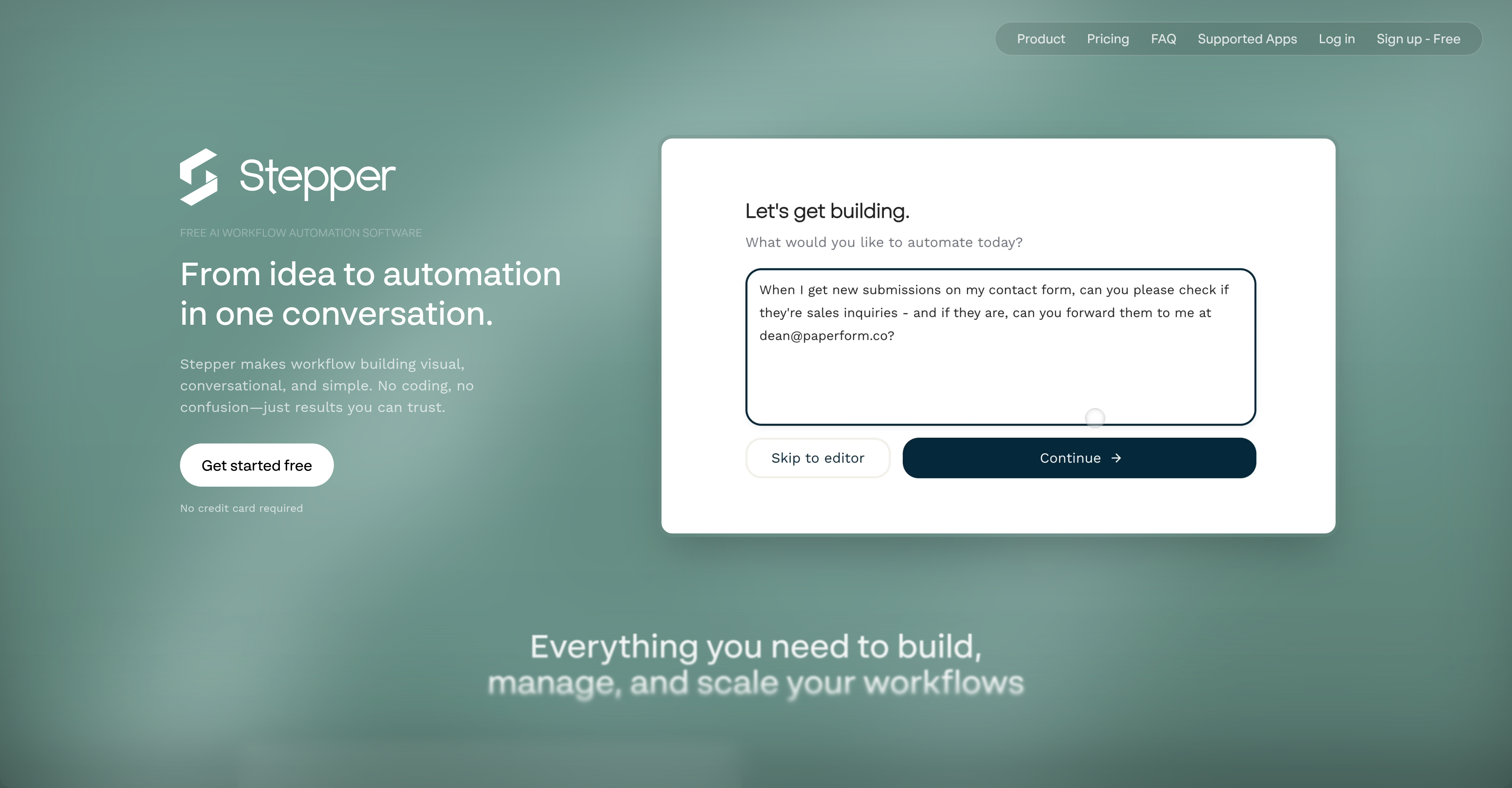
- Create complete workflows instantly using plain English instead of manual coding with the conversational AI editor
- Reuse authentication, validation, and notification logic across multiple workflows with modular components
- Run complex automation sequences without step limits or unexpected charges using unlimited steps on Pro
- Cut operational costs significantly by bringing your own API keys and purchasing non-expiring credits
- Automate lead scoring, contract management, and content distribution across 38+ integrated applications
- Visualize and optimize every workflow step with the integrated visual editor that complements AI creation
Pros & Cons
Pros
- Free workflow automation software
- Visual workflow editor
- Component library for reusability
- Supports multiple applications
- Cost-effective workflow automation
- User owned API keys
- Reusable components
- Unlimited steps on Pro
- Multiple business use cases
- No coding required
- Time-saving with reusable logic
- Efficient due to modularity
- Own API keys for flexibility
- Wide range of applications
- Potential cost reduction with API keys
- Varied scenarios of usage
- Promises reduced costs with automation
- Possibility of unlimited steps
- Cost-effective credits purchase
- Saving logic for reusability
- Ability to build workflows conversationally
- Credits that don't expire
- Supports 38+ apps
- Competitive with other tools
- Allows user to manually tweak workflows
- Drop saved fragments into any workflow
- Ideal for recurring logic like authentication
- Template examples for easy understanding
- Pro plan offers unlimited steps
- Many workflows run at a fraction of cost
- Refunds available for unsatisfied users
- Intuitiveness and efficiency for users
- Approval, notifications and follow-ups
- Supports community feedback and requests
- Affordable professional and team plans
- Free plan available
- Templates for various live workflows
- Flexible to accommodate unique business needs
- Unlimited workflows
- Advance credits purchase option
- Can draft replies to Gmail emails
- Integrated invoice processing
- Handles customer onboarding process
Cons
- Doesn't support all apps
- Limited steps on Free Plan
- Lacks collaboration features
- Advanced permissions unaccessible
- Runs stop when credits exhaust
- Extra cost for premium APIs
- Credit system can be confusing
- Potential for fair use violation
- Free plan has daily quota limitations
- Subscription cancellation doesn't refund credits
Reviews
Rate this tool
Loading reviews...
❓ Frequently Asked Questions
Stepper is a free AI workflow automation software designed to visually and conversationally streamline the creation of workflows. The key highlight of Stepper is its conversational AI editor, which democratizes the workflow creation process by allowing non-technical users to develop a workflow through natural language. Stepper also incorporates a visual editor for written instructions, contributing to workflow understanding and optimization. It features a component library housing reusable modules that address user authentication, data validation, and notifications. These components can be employed across multiple workflows, thus improving efficiency. Its functionality extends to a variety of business use cases such as AI-powered lead qualification, content distribution, contract management, support ticket routing, among others, and the software is designed to be cost-effective.
The conversational AI editor in Stepper enables non-technical users to create a workflow using natural language. It allows users to relay tasks in their own terms and generates the workflow steps in real-time, eliminating the need for manual, complex code writing. It is optimised to understand, decipher and translate user commands into automated actions.
The visual editor of Stepper works hand-in-hand with the conversational AI editor. While the conversational AI editor handles the instructions given via natural language, the visual editor assists in comprehending and optimizing the workflows that have been developed. It's a practical tool for visualizing the progression and structure of the workflow.
The component library in Stepper constitutes a compilation of reusable modules. These modules, such as user authentication, data validation, and notifications are designed to address recurring logic and processes in a workflow. They serve to expedite workflow creation and foster efficiency by reducing redundancies.
Yes, the same components from the component library can be reused across multiple workflows in Stepper. This functionality is crucial to reducing redundancy, ensuring consistent application of procedures and enhancing overall workflow efficiency.
Stepper can accommodate a wide variety of business use cases. This includes AI-powered lead qualification, content distribution, contract management, support ticket routing, automated receipt processing, change notifications, approvals, meeting follow-ups, customer onboarding, sales pipeline automation, survey response analysis and more. Essentially, Stepper can assist with any task that can be broken down into a succinct workflow.
Yes, Stepper prioritizes cost-effectiveness, particularly for complex workflows. By allowing users to use their own API keys and purchase credits in advance, Stepper enables the running of intricate workflows at a fraction of the cost. Moreover, with Stepper, there's no need to worry about unexpected charges as credits that are bought don't expire, ensuring constant cost control.
Stepper sets itself apart from other automation tools by offering an AI-native experience, reusable components and unlimited steps* on Pro. Unlike other automation tools that have AI as an add-on feature, Stepper is built AI-first, making the AI part of its core functionality. The reusable components contribute to efficient automation by allowing the same logic to be built once and reused infinitely - a feature not commonly found in other tools like Zapier or Make. Additionally, with 'Bring Your Own API Keys' and Built-In Services, Stepper provides comprehensive flexibility and cost-related benefits.
The Pro version of Stepper provides unlimited workflows and steps*, making it ideal for running complex workflows. Users also benefit from an additional 15,000 free credits and the option to buy additional credits at $1/1,000 credits. This pricing model is designed to avoid bill-shock and provide predictability to the cost associated with the use of the platform.
Stepper can facilitate AI-powered lead qualification by seamlessly integrating with your CRM systems, scoring leads and segregating high-quality leads from the pack to streamline the sales funnel. As for content distribution, Stepper can automate the process of distributing content across various platforms based on pre-defined rules and schedules, making your content marketing efforts more systematic and effective.
In the realm of contract management, Stepper can create workflows that handle automation of contract generation, approvals, renewals, and notifications thus minimizing manual intervention, reducing errors and improving efficiency. For support ticket routing, Stepper can categorize, prioritize, and assign tickets automatically based on predefined rules and conditions, ensuring faster resolution of customer issues and efficient resource allocation.
No, you don't need to know coding to use Stepper. It's designed to eliminate the need for manual coding by allowing users to create workflows visually and conversationally, using natural language.
Yes, Stepper does offer the option for users to utilize their own API keys. This feature helps reduce the cost of AI, email operations, and enables you to control the management of your workflows more directly and accurately.
An AI-native experience means that the platform is designed with AI at its core. Unlike other tools that have AI integrated as an add-on, Stepper is built AI-first. This means AI is fundamental to its functionality and not just an auxiliary component. As a result, users can build, edit, and understand workflows using a conversational AI editor.
Stepper currently supports 38 apps and continues to increase its support for more apps on a weekly basis. These apps provide diverse functionality extending across several domains - active campaigning, project management, email handling, calendaring, and communication among others.
Yes, Stepper is indeed free. It offers an unlimited number of workflows and 200 steps per month along with 5,000 free credits under its free plan. There is also an option to upgrade to a pro version for additional features.
There's no catch. Stepper operates on a freemium model where the basic features are available for free, while the pro version that offers advanced functionalities comes with a price. Even so, the price is structured to be cost-effective and affordable. Stepper's transparency in pricing - with no hidden charges, credits that don't expire, all contribute towards eliminating unexpected costs.
Yes, the Pro version of Stepper does offer unlimited steps*, allowing users to run complex workflows without worrying about exceeding any step limits.
Credits in Stepper are like tokens that you can spend on features that incur extra costs such as AI steps, sending emails or SMS, and using premium APIs. You can buy additional credits at any time from your dashboard on the Pro plan, and these credits do not expire or reset every month, contributing to the cost-effective characteristic of Stepper.
Yes, you can cancel your Stepper subscription at any time. Your workflows will continue to run until the end of your billing period, enabling you to reactivate your account later if required.
Stepper's conversational AI editor allows users to build workflows using natural language. This editor is designed to interpret user input, ask relevant questions, generate steps, and modify existing logic based upon the conversation held with the user. The aim is to provide a user-friendly experience that does not necessitate advanced technical skills.
Yes, with Stepper, non-technical users can create automated workflows without needing to know how to code. Stepper's AI editor enables workflows to be built using natural language, and its visual editor lets users manually construct workflows in an intuitive, user-friendly format. This simplifies the process of generating workflows and eliminates the necessity of manual code production.
The reusable components in Stepper are ready-made modules such as user authentication, data validation, and notifications that can be applied across multiple workflows. The idea is to design a logic once and reuse it in various workflows saving time and promoting efficiency. These components basically turn complex logic into simple building blocks.
Stepper improves business efficiency primarily by eliminating recurring logic via its component library. This library contains reusable modules like user authentication, data validation, and notifications. This means once you design a logic, you can reuse it in other workflows, eliminating the need to redevelop the same logic thereby making workflow creation process faster and more productive.
Stepper can be deployed across a multitude of business functions and activities. It can be used for AI-powered lead qualification, content distribution, contract management, support ticket routing, and numerous other use cases. Stepper is versatile enough to cater to an extensive variety of business needs.
Stepper is an inexpensive solution for running complex workflows. It allows users to use their own API keys and offers the opportunity to buy credits in advance, significantly reducing the cost of operation. Its professional plan also comes with unlimited steps, further enhancing its cost-effectiveness.
Yes, Stepper does provide a visual editor. This editor supplements the conversational AI by offering a visual method of constructing and understanding workflows.
In the context of Stepper, an AI-first approach means artificial intelligence is not an add-on but a core part of the workflow creation process. This direction facilitates more intuitive process creation and understanding, leading to a more efficient user experience.
Yes, Stepper's professional plan allows users to run an unlimited number of steps within the guidelines of the fair use policy.
Yes, Stepper has integrated with numerous applications. The platform currently supports 38 different applications, catering to a variety of business needs and processes.
Absolutely, Stepper is designed with non-technical users in mind. Its conversational AI editor and visual editor make the process of creating workflows intuitive and straightforward, eliminating the need for manual coding.
Stepper aims to solve the problem of manual coding in creating workflows, the issue of recurring logic, and the process inefficiencies in workflow creation. By providing a conversational AI editor and a library of reusable components, it simplifies the process of workflow creation, enhances efficiency and affordability.
You can create a wide range of workflows with Stepper. From AI-powered lead qualification to support ticket routing, content distribution, contract management, and many more, Stepper accommodates a vast array of use cases.
The component library in Stepper enables you to construct workflow components, such as user authentication or data validation, once and reuse them across multiple workflows. This modular design encourages efficiency by transforming complex logic into reusable components.
Yes, Stepper is capable of handling complex workflows. It allows users to run complicated workflows at a fraction of the usual cost, making it a cost-effective solution even for intricate processes.
As per the information on their website, Stepper differentiates itself from other workflow automation tools with its AI-native approach, reusable components, the ability to bring your own API keys, and the provision for unlimited steps. It positions AI as a core part of the workflow building process, as opposed to an add-on feature.
The nature of support provided by Stepper is not explicitly stated on their website.
Stepper offers several ways to save costs. It permits the usage of your own API keys, cutting back on costs associated with using Stepper's integrations. You can also purchase credits in advance, which allows you to control your budget effectively. Finally, offering unlimited steps within their professional plan allows for a more affordable automation process.
Pricing
Pricing model
Freemium
Paid options from
$19/month
Billing frequency
Monthly
Refund policy
Users can request refunds within 7 days for monthly plans or 30 days for annual plans.


