
TagMyBeat
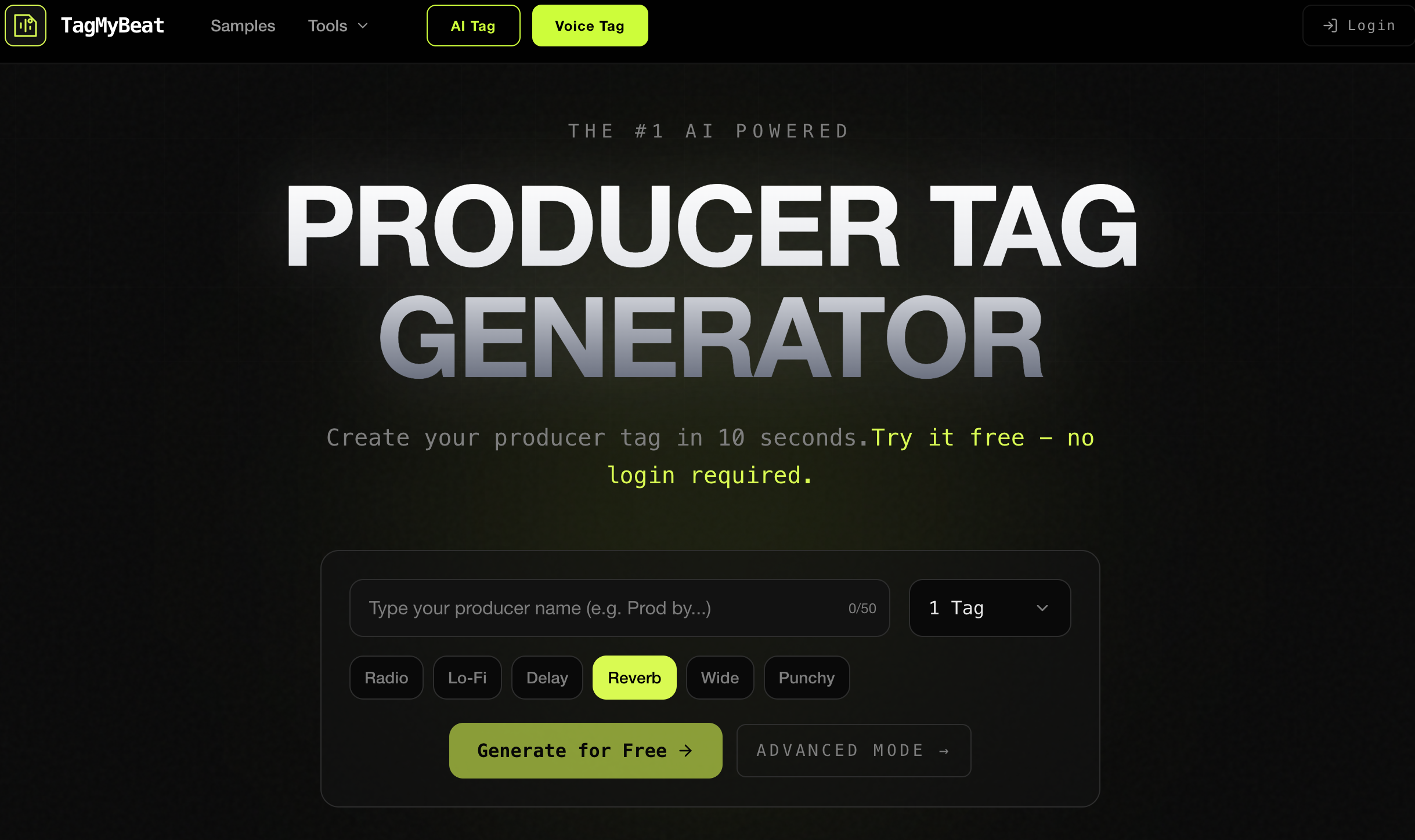
Build instant brand recognition across every beat you release with custom producer tags generated in about 10 seconds using AI-powered voice models
Listing not yet reviewed by our editors · How we check
Overview
- Build instant brand recognition across every beat you release with custom producer tags generated in about 10 seconds using AI-powered voice models
- Stand out with a signature sound by selecting from over 20 neural voice models, including anime-style voices and a Voice Clone tool that replicates your own voice
- Match any genre's sonic identity using one-click Reverb, Delay, Stutter, and Pitch Shift effects plus professional FX chains optimized for trap, hip-hop, and drill
- Reach global audiences by creating producer tags in English, Spanish, French, and Japanese pronunciation without switching tools
- Ship release-ready audio into any DAW with high-fidelity 44.1kHz / 24-bit WAV downloads that preserve clarity and depth in every mix
- Keep 100% of your revenue with full ownership and zero royalty payment requirements on every tag you generate
- Scale your tagging output without recurring costs using one-time credit packs that never expire and unlock Pro voices, pro FX chains, and lower per-tag pricing
Pros & Cons
From the listing; not yet checked by our editors.
Pros
- Over 20 voice models
- One-click processing effects
- Multiple languages support
- Anime-style voices option
- High-fidelity WAV downloads
- 100% ownership of tags
- No royalty payment
- One-time credit packs
- Additional features - Pro voices
- Professional FX chains
- Multi-genre optimized
- Integrated into DAW
- Tags creation in seconds
- Voice customization
- Voice effects
- Tags immediately ready for DAW
- High quality audio
- Total control over tag parameters
- Track pitch, speed, emotion parameters
- Guest, Free, Paid account tiers
- Paid access unlocks WAV export
- No subscription requirement
- Credits never expire
- Unlock extras with credit packs
- Ability to stack credits
- Commercial usage rights
- Single, one-time purchase for packs
- Offers voice clone tool
- Instant online operation
- Advanced mode for detailed control
- Simple mode for quick generation
- Offered for free without account requirement
- High fidelity 44.1kHz / 24-bit WAV files
- Ready for major DAWs like FL Studio, Ableton
- Easy beat tagging workflow
- No waiting for processed audio
- No auto-renewal for packs
Cons
- Only supports WAV format
- Limited number of models
- Doesn't support offline work
- One-click effects limit customization
- No real-time preview
- Anime voices may be limiting
- Requires credit packs for pro features
- Interface doesn't cater to blind users
- No version control for voice models
- Limited genre-specific effects options
Alternatives to TagMyBeat
Tools that share the most tags with TagMyBeat.
- TagYourBeat
Get a signature producer tag in about 30 seconds: type any phrase up to 120 characters and the AI producer tag generator returns a custom voice tag built for the mix, not a flat text-to-speech read.
Free trial · from $9.99/unit
$9.99/unit
Not yet checked
Reviews
Rate this tool
Loading reviews...
Frequently asked questions
What is TagMyBeat?
TagMyBeat is an online tool designed for creating custom, high-quality tags for musical beats. It utilizes AI-powered voice models to deliver versatile voice tags in a matter of seconds. It provides options for applying one-click processing effects and supports multiple languages. Tags created can be downloaded in high-fidelity WAV format for integration into a Digital Audio Workstation. TagMyBeat allows 100% ownership of the tags and requires no royalty payments.
How does TagMyBeat function?
TagMyBeat functions by utilizing AI-powered voice models to generate voice tags. Users can select their preferred voice from the available options and can further customize the tag by applying processing effects such as Reverb, Delay, Stutter, and Pitch Shift. The tool generates tags quickly and allows users to download them in high-quality WAV format.
What is the process for creating a producer tag using TagMyBeat?
To create a producer tag using TagMyBeat, you need to enter your producer name or phrase into the tag creator. Then you select a voice from over 20 neural voice models. After voice selection, you can apply processing effects like Reverb, Delay, Stutter, and Pitch Shift on the tag. The final step involves exporting the tag in high-fidelity WAV format, ready for your Digital Audio Workstation.
Can I customize the voices in TagMyBeat?
Yes, TagMyBeat allows customization of voices. You can select from over 20 neural voice models and apply processing effects as per your preference. You have the option to fine-tune pitch, speed, and emotion parameters.
What voice models does TagMyBeat offer?
TagMyBeat offers over 20 neural voice models including general voices, Pro voices and even options for anime-style voices. It outfitted with a Voice Clone tool that can clone your own voice to generate unique custom tags.
What audio effects can be applied to tags in TagMyBeat?
TagMyBeat allows users to apply various audio effects like Reverb, Delay, Stutter, and Pitch Shift on their tags. There are also professional FX chains pre-configured for specific music genres like trap, hip-hop, and drill.
Does TagMyBeat have multilingual support?
Yes, TagMyBeat does have multilingual support. It supports English, Spanish, French, and Japanese pronunciation, providing beat producers with the versatility to create tags in multiple languages for a wider audience reach.
Can TagMyBeat be linked to a Digital Audio Workstation (DAW)?
Yes, tags created by TagMyBeat can be easily integrated into a Digital Audio Workstation (DAW). The tags are downloaded in high-fidelity WAV format, making them suitable for direct use in any DAW.